1. Introduzione
This manual provides detailed instructions for the Joyroom JR-P1 Bluetooth Headset. Please read this manual carefully before using the product to ensure proper operation and to maximize your user experience. The JR-P1 is a wireless on-ear headset designed for mobile phone compatibility, featuring a built-in microphone for calls and touch controls.
2. Prodotto finitoview
The Joyroom JR-P1 features an ergonomic ear-hook design for comfortable and stable wear. It is lightweight and designed for various activities.
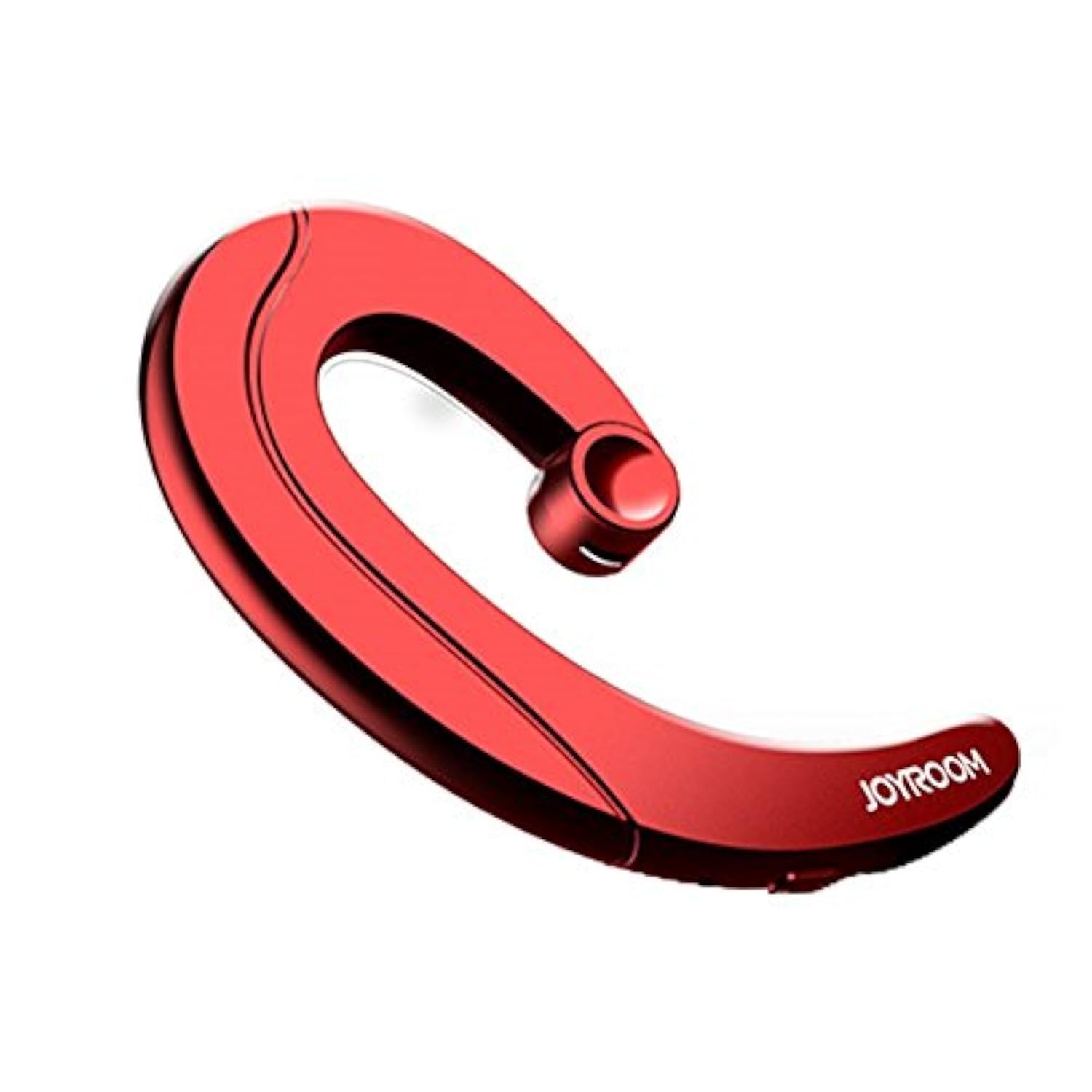
Figure 2.1: Joyroom JR-P1 Bluetooth Headset, showcasing its ear-hook design.
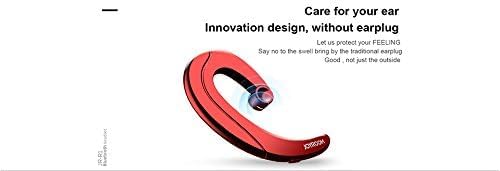
Figure 2.2: Illustration of the innovative design, providing comfort without an earplug.
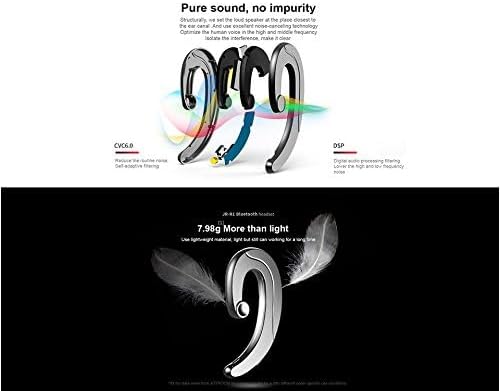
Figure 2.3: Internal technologies including CVC6.0 for noise reduction and DSP for digital audio processing.
3. Impostazione
3.1 Ricarica dell'auricolare
Before first use, fully charge the headset. Connect the charging cable (not specified, assume standard USB) to the charging port on the headset and to a compatible USB power source. The indicator light will show charging status and turn off or change color when fully charged.
3.2 Associazione Bluetooth
- Assicurarsi che l'auricolare sia carico e spento.
- Press and hold the power button (or multi-function button) on the headset until the indicator light flashes red and blue, indicating pairing mode.
- On your mobile phone or device, enable Bluetooth and search for available devices.
- Select "JR-P1" from the list of found devices.
- Once connected, the indicator light on the headset will typically flash blue slowly or turn off.
- Se viene richiesta una password, immettere "0000".
4. Istruzioni per l'uso
The JR-P1 headset uses touch controls for various functions.
4.1 Accensione/spegnimento
- Accensione: Press and hold the multi-function button for approximately 3 seconds until the indicator light flashes.
- Spegni: Tenere premuto il pulsante multifunzione per circa 5 secondi finché la spia non si spegne.
4.2 Gestione delle chiamate
- Rispondi/Termina chiamata: Toccare una volta il pulsante multifunzione.
- Rifiuta chiamata: Tieni premuto il pulsante multifunzione per 2 secondi.
- Ricomponi l'ultimo numero: Double-tap the multi-function button.
4.3 Riproduzione di musica
- Riproduci/Pausa: Toccare una volta il pulsante multifunzione.
- Traccia successiva: Tocca tre volte il pulsante multifunzione.
- Traccia precedente: Quadruple-tap the multi-function button.
4.4 Controllo del volume
Volume is typically controlled via your connected mobile device. Some headsets may have dedicated volume buttons; refer to the physical design of your JR-P1 headset.

Figure 4.1: The JR-P1 headset is suitable for hands-free communication, such as during driving.
5. Manutenzione
Proper maintenance ensures the longevity and performance of your Joyroom JR-P1 headset.
- Pulizia: Use a soft, dry, lint-free cloth to clean the headset. Do not use harsh chemicals or abrasive materials.
- Resistenza all'acqua: Questo auricolare è non resistente all'acquaEvitare l'esposizione ad acqua, umidità, pioggia o sudore per prevenire danni.
- Magazzinaggio: Conservare le cuffie in un luogo fresco e asciutto, lontano dalla luce solare diretta e da temperature estreme.
- Ricarica: Do not overcharge the battery. Disconnect the charger once the headset is fully charged.
6. Risoluzione Dei Problemi
If you encounter issues with your JR-P1 headset, refer to the following common solutions:
| Problema | Soluzione |
|---|---|
| L'auricolare non si accende. | Ensure the headset is fully charged. Press and hold the power button for a longer duration. |
| Impossibile associare il dispositivo. | Ensure the headset is in pairing mode (flashing red/blue). Turn off and on Bluetooth on your device. Move the headset closer to your device. Clear previous Bluetooth connections on your device. |
| Nessun suono o scarsa qualità del suono. | Check the volume level on both the headset and your connected device. Ensure the headset is properly connected. Try re-pairing the headset. |
| Il microfono non funziona. | Ensure the headset is properly connected and selected as the audio input device on your phone. Check for any obstructions on the microphone. |
7. Specifiche
Key technical specifications for the Joyroom JR-P1 Bluetooth Headset:
- Marca: Stanza della gioia
- Numero modello: JR-P1
- Tecnologia di connettività: Senza fili
- Tecnologia wireless: Bluetooth
- Fattore di forma dell'auricolare: On-ear (Ear-hook)
- Metodo di controllo: Tocco
- Include microfono: SÌ
- Isolamento acustico: NO
- Dispositivi compatibili: Telefoni cellulari
- Uso consigliato: Effettuare chiamate
- Peso: 20 grammi
- Dimensioni del prodotto: Dimensioni: 7.36 x 3.89 x 0.65 cm
- Livello di resistenza all'acqua: Non resistente all'acqua
- Caratteristica del cavo: Without cable
8. Informazioni sulla sicurezza
Si prega di osservare le seguenti linee guida di sicurezza:
- Do not disassemble or modify the headset. This may cause damage and void the warranty.
- Tenere le cuffie lontano da temperature estreme, umidità e sostanze corrosive.
- Evitare l'ascolto a livelli di volume elevati per periodi prolungati per evitare danni all'udito.
- Use caution when using the headset in situations requiring awareness of your surroundings, such as driving or walking in traffic.
- Smaltire il prodotto e la batteria in modo responsabile, nel rispetto delle normative locali.
9. Garanzia e supporto
For warranty information or technical support, please refer to the documentation included with your purchase or contact Joyroom customer service. Keep your proof of purchase for warranty claims.


