1. Introduzione
This manual provides detailed instructions for the safe and effective operation, maintenance, and troubleshooting of your Nextech DFS-X5000 Digital Force Gauge. Please read this manual thoroughly before using the device to ensure proper functionality and to prevent damage or injury.
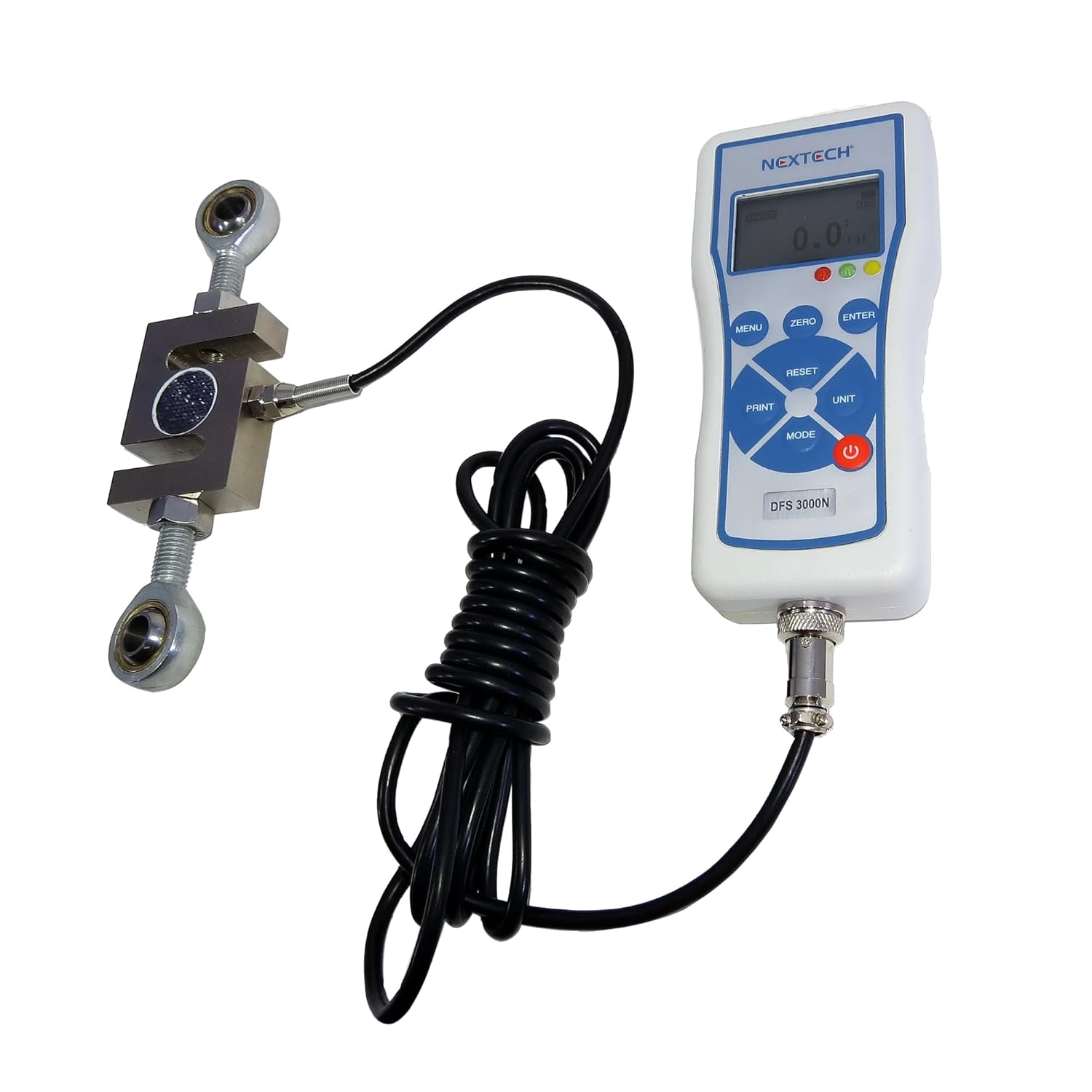
Image: The Nextech DFS-X5000 Digital Force Gauge with its external S-Beam load cell and connecting cable. The gauge features a digital display and control buttons.
2. Informazioni sulla sicurezza
Adhere to the following safety guidelines to ensure safe operation and prolong the life of your device:
- Always operate the device within its specified load capacity to prevent damage to the load cell and gauge.
- Ensure the load cell is securely attached to the test setup before applying any force.
- Non esporre il dispositivo a temperature estreme, elevata umidità o ambienti corrosivi.
- Use only the provided power adapter/charger to avoid electrical hazards and device damage.
- Keep the device away from strong magnetic fields, which can affect measurement accuracy.
- Evitare di far cadere o di sottoporre il dispositivo a urti violenti.
3. Contenuto della confezione
Dopo aver disimballato, verificare che siano presenti tutti i seguenti componenti:
- DFS-X5000 Digital Force Gauge Unit
- External S-Beam Load Cell (Capacity 3,000N-20,000N, specific to your model)
- 2 x M12 Thread Ball Bearing Holders
- Power Adapter/Charger (Input: 100-240V AC)
- Cavo USB
- Custodia protettiva per il trasporto
- Manuale d'uso
- Certificato di calibrazione
- Batterie 4 x AAA (incluse)

Image: All components included in the Nextech DFS-X5000 package, neatly arranged in a protective carrying case. This includes the main gauge unit, S-Beam load cell, cables, power adapter, and documentation.
4. Installazione e assemblaggio
4.1. Carica della batteria
The DFS-X5000 is powered by an internal rechargeable NiMH battery pack or can operate directly from the wall plug charger. To charge, connect the provided charger to the device's power input port and then to a standard electrical outlet. The charging indicator on the device will illuminate.
4.2. Connecting the Load Cell
Connect the external S-Beam load cell cable to the designated connector port on the bottom of the force gauge unit. Ensure the connection is firm and secure. The cable length between the gauge and the S-Beam load cell is 2 meters.
Immagine: un primo piano view of the Nextech DFS-X5000 Digital Force Gauge connected to its external S-Beam load cell via a coiled cable.
4.3. Attaching Bearing Holders
Two M12 thread ball bearing holders are provided for versatile testing applications. Attach these to the S-Beam load cell's threaded ends as required for your specific tension or compression testing setup. Refer to the load cell dimensions diagram for proper attachment.

Image: A technical drawing illustrating the dimensions and mounting points of the S-Beam load cell, including specifications for M12 threads.
5. Funzionamento
5.1. Accensione/spegnimento
Per accendere il dispositivo, tenere premuto il tasto ENERGIA button located on the control panel. To power off, press and hold the same button until the display shuts down.
5.2. Visualizzazione finitaview
The DFS-X5000 features a menu-driven, digital graphic LCD display with a white backlight for clear visibility in various lighting conditions. The display provides real-time readings, selected units, operating mode, and other indicators.

Image: An annotated diagram highlighting the key features of the DFS-X5000's display, including memory recorded, measurement unit, analog bar graph, and pass/fail indicators.
5.3. Azzeramento del misuratore
Before initiating any measurement, ensure that no load is applied to the load cell. Press the ZERO button to reset the display to zero. This ensures accurate measurements by eliminating any pre-load or offset.
5.4. Selezione delle unità di misura
Premere il tasto UNITÀ button to cycle through the available measurement units. The DFS-X5000 supports common units such as Newtons (N), pounds-force (lbf), and kilograms-force (kgf).
5.5. Modalità operative
The DFS-X5000 offers two primary operating modes:
- Modalità traccia: In this mode, the display shows live force readings as they are applied to the load cell. This is suitable for monitoring continuous force changes.
- Modalità di mantenimento del picco: This mode captures and displays the maximum force reading sensed during a test, whether it's a peak compression or peak tension value. The peak value remains on the display until reset or a new higher peak is detected.
Utilizzare il MODALITÀ button to switch between these operating modes.
5.6. Data Recording and Download
The internal memory of the DFS-X5000 can store up to 500 readings. These recorded data points can be reviewed directly on the device's display or downloaded to a Windows-based computer for further analysis using the provided USB output.

Immagine: Una parte posteriore view of the DFS-X5000 gauge, showing the USB port, power input, and load cell connector.

Image: A screenshot of the accompanying software displaying a live graph plot of force data, showing peak tension and other measurement details.
6. Re-calibration
The DFS-X5000 includes a re-calibration feature, which is protected by a password to prevent unauthorized adjustments. For instructions on performing re-calibration, please refer to the on-screen menu options. A calibration certificate is included with your product, verifying its initial accuracy.
7. Specifiche
| Caratteristica | Dettaglio |
|---|---|
| Modello | DFS-X5000 |
| Capacità | 5000N / 1100lbf / 500kgf (other capacities available for DFS-X series) |
| Precisione | 0.5% of Full Scale (FS) for 3,000N-20,000N models |
| Tipo di carico | Tension or Compression |
| Modalità operative | Peak Hold, Track Mode |
| Display | Back-Lit Graphic LCD, Menu Driven |
| Indicatori | LED Pass/Fallito |
| Uscita dati | USB |
| Memoria interna | 500 letture |
| Energia | Internal rechargeable NiMH battery pack or AC adapter (100-240V AC input) |
| Materiale di recinzione | Metallo |
| Lunghezza del cavo della cella di carico | 2 metri |
| Product Dimensions (Gauge) | 2.95 x 1.18 x 6.3 pollici |
| Item Weight (Gauge) | Circa 4.85 libbre (2.2 chilogrammi) |
| Produttore | Nextech Global Company Limted. |

Image: A detailed engineering drawing showing the dimensions of the DFS-X5000 force gauge unit from multiple perspectives.
8. Manutenzione e cura
Proper maintenance ensures the longevity and accuracy of your DFS-X5000:
- Keep the device clean and free from dust, dirt, and debris. Use a soft, dry cloth for cleaning. Avoid abrasive cleaners or solvents.
- Store the device in its protective carrying case when not in use to shield it from physical damage and environmental factors.
- Avoid dropping the device or subjecting it to severe impacts, which can affect internal components and calibration.
- Regularly inspect the load cell cable for any signs of wear, cuts, or damage. Replace if necessary.
- Ensure the internal battery is charged periodically, even during long periods of storage, to maintain battery health and capacity.
9. Risoluzione Dei Problemi
If you encounter issues with your DFS-X5000, refer to the following common problems and solutions:
9.1. Device does not power on
- Check if the battery is sufficiently charged. Connect the charger and attempt to power on again.
- Ensure the power adapter is correctly connected to a working power outlet and the device.
- Verify that the internal NiMH battery pack is properly seated (if user-accessible; otherwise, contact support).
9.2. Inaccurate or inconsistent readings
- Ensure the gauge is zeroed before applying any load.
- Verify the load cell is correctly attached, free from obstructions, and not damaged.
- Check if the applied load exceeds the device's specified capacity.
- Consider performing a re-calibration if inaccuracies persist after checking other factors.
9.3. Data transfer issues via USB
- Assicurarsi che il cavo USB sia collegato saldamente sia al dispositivo che al computer.
- Verify that the necessary software drivers for the DFS-X5000 are installed on your computer.
- Try using a different USB port on your computer or a different USB cable.
10. Supporto e garanzia
For technical assistance, service, or inquiries regarding your product's warranty, please contact Nextech Global Company Limted. Refer to your purchase documentation for specific warranty terms and conditions.
Puoi anche visitare il sito ufficiale Nextech Store per ulteriori informazioni e risorse.
This product is manufactured in Thailand.


