1. Introduzione
This manual provides detailed instructions for the setup, operation, and maintenance of your Wuloo WL666 Wireless Intercom System. Please read this manual thoroughly before using the product to ensure proper function and longevity. The Wuloo WL666 is designed for reliable room-to-room communication in homes, offices, and businesses, offering clear sound quality and a substantial operating range.
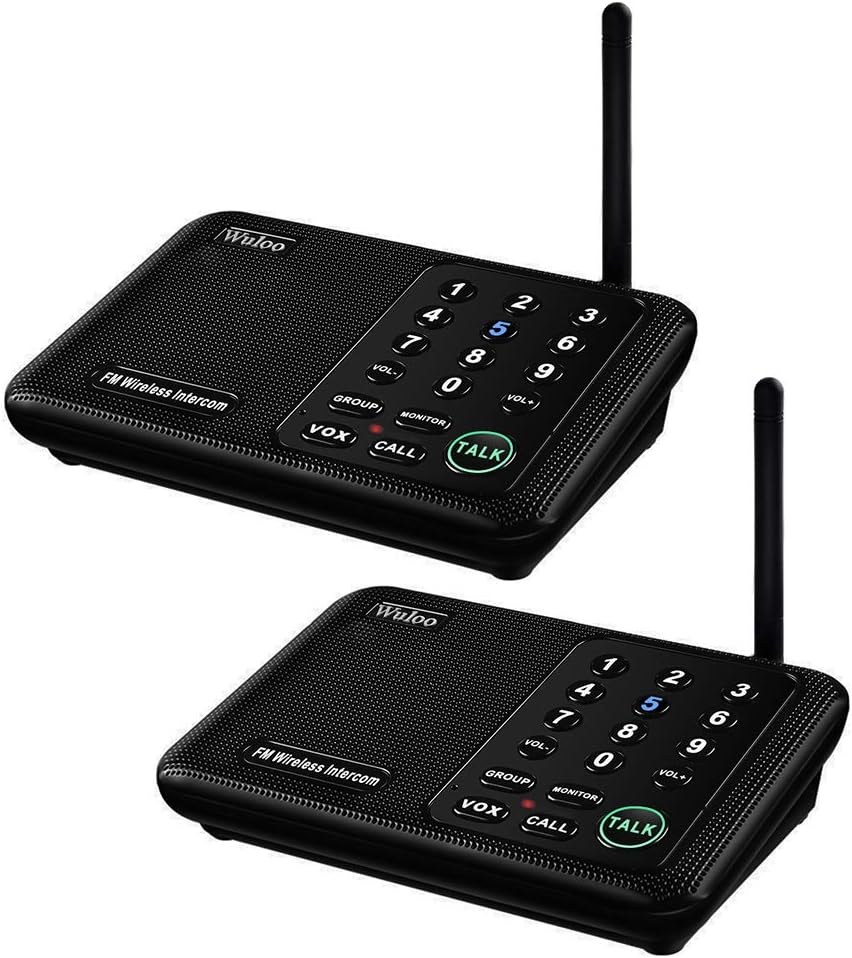
Image 1.1: Wuloo WL666 Wireless Intercom System (2-pack)
2. Prodotto finitoview
2.1 Caratteristiche principali
- Excellent Signal & Clear Sound: Provides clear sound quality with an enhanced signal, supporting a range of up to 1 mile (5280 feet).
- 10 Channels & 3 Digital Codes: Offers 10 distinct channels and 3 digital codes for secure communication and anti-interference capabilities. Compatible with other intercoms using the same digital channel code.
- Funzionamento multifunzionale: Includes Monitor, Talk, VOX (Voice Operated Exchange), Group, and Calling functions.
- Volume regolabile: Allows users to set the desired volume level.
- Compatibilità con Power Bank: Can be powered by a 5V 1A power bank for portable use.
2.2 Contenuto della confezione
The Wuloo WL666 Wireless Intercom System package typically includes:
- 2 x Wuloo Wireless Intercom Units
- 2 x USB Power Cables
- 2 x AC Adapters (5V 1A)
- 1 x Manuale utente (questo documento)

Image 2.1: Package Contents and Unit Dimensions
2.3 Componenti dell'unità

Image 2.2: Wuloo WL666 Intercom Unit Components
- ANT (Antenna): Per la trasmissione e la ricezione del segnale wireless.
- Digital Code (A/B/C): Switch to select one of three digital codes for secure communication.
- Porta di alimentazione (CC 5 V): Connects to the USB power cable and AC adapter.
- Oratore: Emette l'audio.
- Channel Number (0-9): Numeric keys to select communication channels.
- VOL+/VOL-: Buttons to adjust the speaker volume.
- Tasti funzione: GROUP, MONITOR, VOX, CALL, TALK.
- MIC (Microfono): Cattura la tua voce per trasmetterla.
- Spia luminosa: Visualizza lo stato operativo.
- Back Hole for Wall Mounting: Allows for optional wall installation.
3. Istruzioni per l'installazione
Follow these steps to set up your Wuloo WL666 Wireless Intercom System:
3.1 Alimentazione delle unità
- Connect the USB power cable to the DC 5V power port on the back of each intercom unit.
- Collegare l'adattatore CA a una presa a muro standard.
- Alternatively, for portable use, connect the USB cable to a 5V 1A power bank.
Note: The system does not operate on internal batteries and requires continuous external power.

Image 3.1: Powering the Intercom Unit with a Power Bank
3.2 Setting Channels and Digital Codes
To ensure clear communication and prevent interference, each intercom unit must be set to the same digital code and a unique channel if you intend to call specific units, or the same channel for group communication.

Image 3.2: How to Set Up an Intercom System
- Select Digital Code: On the back of each unit, use the switch to select a digital code (A, B, or C). All units intended to communicate with each other must use the same digital code.
- Imposta canale: Long press a channel number key (0-9) on the keypad to set the channel for that station. A short press will call another intercom. It is recommended to set all stations with the same digital code but different channels if you want to call specific users. If you want all units to communicate in a group, set them to the same channel.
- Distribuzione: Place the intercom units in desired locations. Ensure units are at least 5 meters (approximately 16 feet) apart to avoid interference during initial setup.
4. Istruzioni per l'uso
The Wuloo WL666 offers several functions for versatile communication:
4.1 Comunicazione di base
- PARLARE: Premere e tenere premuto il tasto PARLARE button to speak. Release the button to listen. This is a push-to-talk function.
- CHIAMATA: Premere il tasto CHIAMATA button to send an alert tone to the receiving station. After the tone, press and hold PARLARE to initiate conversation.
4.2 Funzioni avanzate
- GRUPPO: Premere il tasto GRUPPO button to talk with all devices in the intercom system simultaneously. All units set to the same digital code will receive the message.
- VOX (Centrale a comando vocale): Premere il tasto VOX button to enable voice-activated transmission. When VOX is active, you can speak without pressing the TALK button, and the other station can reply by pressing TALK. The VOX function activates when sound is detected.
- MONITORARE: Premere il tasto TENERE SOTTO CONTROLLO button. This station will continuously monitor its surroundings, and another station can hear the voice from it. This function is useful for monitoring children or elderly individuals. To exit monitor mode, press any key.
4.3 Regolazione del volume
Utilizzare il Volume+ E vol- buttons on the keypad to increase or decrease the speaker volume to a comfortable level.
5. Manutenzione
To ensure optimal performance and extend the lifespan of your Wuloo WL666 intercom system, follow these maintenance guidelines:
- Pulizia: Use a soft, dry cloth to clean the exterior of the units. Do not use liquid cleaners, aerosols, or solvents, as these can damage the device.
- Alimentazione elettrica: Always use the provided AC adapters or a compatible 5V 1A power bank. Using an incorrect power supply can damage the unit.
- Ambiente: Keep the intercom units away from direct sunlight, excessive heat, moisture, and dust. The units are not water-resistant.
- Gestione: Evitare di far cadere le unità o di sottoporle a forti urti.
6. Risoluzione Dei Problemi
If you encounter issues with your Wuloo WL666 intercom system, refer to the following common problems and solutions:
| Problema | Possibile causa | Soluzione |
|---|---|---|
| Nessuna alimentazione/L'unità non si accende | Power cable not connected properly; AC adapter faulty; Power outlet not working. | Check power cable connection. Try a different power outlet. Ensure AC adapter is functional. |
| Nessun suono o qualità del suono scadente | Volume too low; Units on different digital codes or channels; Units too far apart or obstructions; Interference. | Adjust volume using VOL+ button. Verify all units are on the same digital code and correct channel. Reduce distance between units or remove obstructions. Change digital code or channel to avoid interference. |
| Interferenza o rumore statico | Nearby electronic devices; Units too close to each other; Digital code or channel conflict. | Move units away from other electronic devices. Ensure units are at least 5 meters apart. Try changing the digital code (A, B, or C) and/or channel. |
| Cannot communicate with a specific unit | Incorrect channel selected; Different digital code. | Ensure both units are on the same digital code. Verify the correct channel is selected for the target unit. |
| VOX function not activating | VOX sensitivity too low; Ambient noise. | Ensure you are speaking clearly and close enough to the microphone. The VOX function is designed to activate with genuine voice input. |
7. Specifiche
| Caratteristica | Specificazione |
|---|---|
| Numero di modello | WL666 |
| Dimensioni del prodotto | 6.4 x 4.3 x 1.6 pollici (16.26 x 10.92 x 4.06 cm) |
| Peso dell'articolo | 1.58 libbre (0.72 kg) |
| Numero di canali | 10 |
| Digital Codes | 3 (A, B, C) |
| Portata massima di conversazione | 1 Mile (5280 Feet) |
| Voltage | 5 Volt |
| Alimentazione elettrica | DC 5V 1A (AC Adapter or Power Bank) |
| Livello di resistenza all'acqua | Non resistente all'acqua |
8. Garanzia e supporto
Wuloo is committed to providing quality products and customer satisfaction. For any questions, technical support, or warranty inquiries regarding your WL666 Wireless Intercom System, please refer to the following:
- Assistenza clienti: Please contact Wuloo customer support through the retailer's platform where you purchased the product or visit the official Wuloo brand store for contact information.
- Garanzia: Wuloo offers a satisfaction guarantee. For specific warranty terms and conditions, please refer to the product packaging or contact customer service.
Wuloo specializes in FM wireless technology and aims to make customers' lives safer and more convenient. Your feedback is valuable.


