Introduzione
This manual provides detailed instructions for the installation, operation, and maintenance of your WOOX R4600 Smart Indoor WiFi Camera. Please read this manual thoroughly before using the product to ensure correct usage and optimal performance. Keep this manual for future reference.
Impostare
Contenuto della confezione
- WOOX R4600 Smart Indoor WiFi Camera
- Adattatore di alimentazione
- Cavo USB
- Kit di montaggio (viti, tasselli)
- Manuale d'uso
Installazione dell'app e associazione del dispositivo
- Scarica l'app WOOX Home: Cercare 'WOOX Home' in your smartphone's app store (iOS or Android) and install the application.
- Creare un account: Open the WOOX Home app and register for a new account or log in if you already have one.
- Accendere la fotocamera: Collegare la videocamera a una fonte di alimentazione utilizzando il cavo USB e l'adattatore di alimentazione in dotazione. La spia luminosa della videocamera inizierà a lampeggiare, indicando che è pronta per l'associazione.
- Aggiungi dispositivo: In the WOOX Home app, tap the '+' icon or 'Add Device' to begin the pairing process. Select 'Smart Camera' from the device list.
- Connettiti al Wi-Fi a 2.4 GHz: Ensure your smartphone is connected to a 2.4GHz WiFi network. The WOOX R4600 camera only supports 2.4GHz WiFi. Enter your WiFi network password in the app.
- Scansiona il codice QR: The app will generate a QR code. Hold your smartphone screen with the QR code approximately 15-20 cm (6-8 inches) in front of the camera lens. The camera will emit a sound when the QR code is successfully scanned.
- Abbinamento completo: Follow the on-screen prompts in the app to complete the pairing process. Once connected, you can name your camera and access its features.

WOOX R4600 Smart Camera setup process: Install Woox Home App, Add device, Go to the operation page. This image illustrates the three main steps for initial setup and connection of the camera to the mobile application.
Istruzioni per l'uso
Vivere View e Registrazione
Once the camera is successfully paired, open the WOOX Home app and select your camera from the device list to access the live video feed. From the live view interface, you can manually record video, take screenshots, and access recorded footage.
Audio bidirezionale
The WOOX R4600 camera features a built-in microphone and speaker, enabling two-way communication. Tap the microphone icon in the live view interface to speak through the camera, and listen to audio from the camera's surroundings.

WOOX R4600 Smart Camera demonstrating two-way audio conversation. A user is shown interacting with a baby via the camera's built-in microphone and speaker, controlled through the WOOX Home app on a smartphone.
Motion Detection and Smart Alerts
The camera is equipped with motion detection technology. You can enable and customize motion detection settings within the WOOX Home app. When motion is detected, the camera can send push notifications to your smartphone, allowing you to monitor activity in real-time.
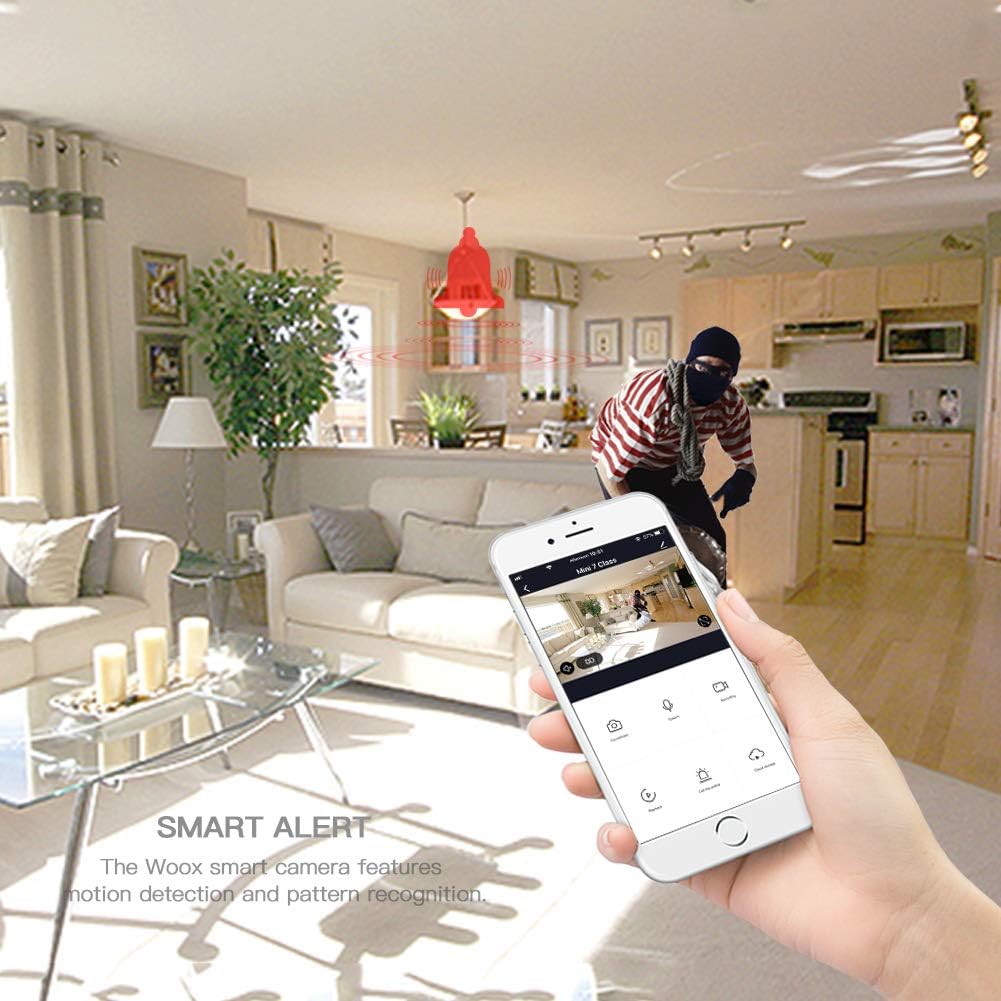
WOOX R4600 Smart Camera's smart alert feature. The image depicts a motion detection event, with a red bell icon indicating an alert, and a smartphone displaying the live feed of the detected activity.
Visione notturna a infrarossi
The WOOX R4600 automatically switches to infrared night vision mode in low-light conditions, providing clear black-and-white video footage even in complete darkness. This feature ensures continuous surveillance around the clock.

WOOX R4600 Smart Camera's infrared night vision device. The image shows a child sleeping in a dimly lit room, illustrating how the camera intelligently senses light changes to activate night vision mode for clear monitoring in low-light conditions.
Grandangolo View
The camera features a wide-angle lens designed to cover a broad area, minimizing blind spots and allowing you to monitor more of your indoor space with a single device.
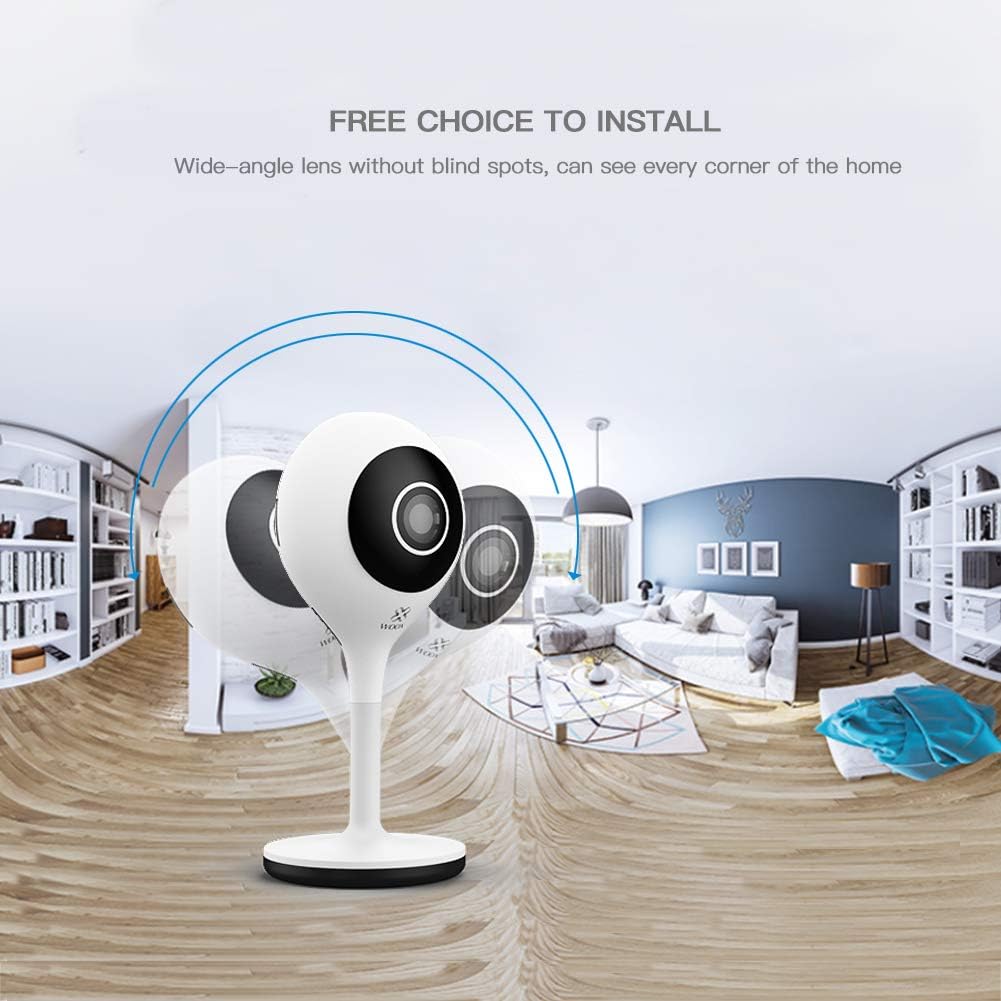
WOOX R4600 Smart Camera's wide-angle lens capability. The image shows a panoramic view of a room, illustrating how the camera provides extensive coverage without blind spots, capturing every corner of the home.
Integrazione Amazon Alexa
The WOOX R4600 camera is compatible with Amazon Alexa. You can link your camera to your Alexa account to view the live feed on compatible devices such as the Echo Show by using voice commands like "Alexa, show me the [camera name] camera."

WOOX R4600 Smart Camera integrated with Amazon Alexa. An Echo Show device displays the live feed from the camera, demonstrating the voice command 'Alexa, show me the living room camera'.
Archiviazione locale
The camera supports local storage via a microSD card (up to 128GB, not included). Insert a formatted microSD card into the designated slot to enable continuous recording or event-triggered recording, which can be configured in the app.
Manutenzione
Pulizia della fotocamera
To maintain optimal image quality, regularly clean the camera lens and body. Use a soft, dry, lint-free cloth. Avoid using harsh chemicals, abrasive cleaners, or solvents, as these can damage the camera's surface or lens coating.
Aggiornamenti del firmware
Periodically check for firmware updates through the WOOX Home app. Keeping your camera's firmware updated ensures you have the latest features, security enhancements, and bug fixes. Follow the app's instructions for any available updates.
Risoluzione dei problemi
Camera Not Connecting to WiFi
- Ensure your WiFi network is 2.4GHz. The WOOX R4600 does not support 5GHz WiFi.
- Verify that your WiFi password is entered correctly in the WOOX Home app.
- Place the camera closer to your WiFi router to improve signal strength.
- Restart your router and the camera, then attempt the pairing process again.
- If the indicator light is not flashing, try resetting the camera (refer to the app for specific reset instructions).
Scarsa qualità dell'immagine
- Clean the camera lens with a soft cloth to remove any dust or smudges.
- Ensure there is adequate lighting in the area, or that night vision is functioning correctly in low light.
- Controlla la velocità della tua connessione Internet. Una connessione lenta può influire sulla qualità dello streaming.
Nessun avviso di rilevamento del movimento
- Verify that motion detection is enabled in the WOOX Home app settings for your camera.
- Check the sensitivity settings for motion detection; adjust if too low.
- Ensure that notification permissions are enabled for the WOOX Home app on your smartphone.
- Verificare che la telecamera abbia una connessione Internet stabile.
Problemi audio bidirezionali
- Assicurati che il volume del tuo smartphone sia alzato.
- Check that the microphone and speaker functions are enabled in the app.
- Verify that the WOOX Home app has microphone permissions on your smartphone.
Specifiche
| Caratteristica | Specificazione |
|---|---|
| Nome del modello | WOOX R4600 |
| Risoluzione di registrazione video | Risoluzione 1080p |
| Tecnologia di comunicazione wireless | Wi-Fi (solo 2.4 GHz) |
| Fattore di forma | Cupola |
| Voltage | 5 Volt (CC) |
| Consumo energetico | 5 Wattora |
| Dimensioni (L x P x A) | Dimensioni: 5.3 x 3.2 x 11.3 cm |
| Peso | 96 grammi |
| Caratteristiche speciali | Motion Detector, Two-Way Audio, Night Vision |
| Dispositivi compatibili | Smartphone (iOS/Android), Amazon Alexa |
| Fonte di alimentazione | Alimentazione CA |
| Uso consigliato | Sorveglianza |
| Magazzinaggio | Scheda MicroSD (fino a 128 GB) |
Informazioni sulla garanzia
WOOX products typically come with a limited warranty. Please refer to the warranty card included in your product packaging or visit the official WOOX website for detailed warranty terms and conditions, including coverage period and claim procedures. Keep your proof of purchase for warranty service.
Assistenza clienti
If you encounter any issues or have questions regarding your WOOX R4600 Smart Indoor WiFi Camera that are not addressed in this manual, please contact WOOX customer support. You can usually find contact information (email, phone, or support portal) on the official WOOX website or within the WOOX Home application.
Per ulteriori risorse, visitare il WOOX Official Websito.


