1. Prodotto finitoview
The breo iSee16 is a portable, USB-rechargeable eye care device designed to provide relaxation through a combination of vibration, warmth, and music functions. It features a cordless design for convenient use anywhere.
Caratteristiche principali:
- Funzioni: Vibration, Warmth (approx. 40°C to 45°C), Music (4 types).
- Modalità: 3 modes available (SLEEP, MED, HARD).
- Ricarica USB: Approximately 3 hours for a full charge. A full charge supports approximately 6 uses in HARD mode.
- Design senza fili: Migliora la portabilità e la facilità d'uso.
2. Informazioni importanti sulla sicurezza
Please read all safety instructions carefully before using the device to ensure safe and effective operation. Keep this manual for future reference.
- Consult a doctor before use if you have any eye conditions, are pregnant, or have a pacemaker.
- Non utilizzare il dispositivo durante la guida o l'utilizzo di macchinari.
- Avoid using the device in excessively hot or humid environments.
- Tenere fuori dalla portata dei bambini.
- Non smontare, riparare o modificare autonomamente il dispositivo.
- Ensure the charging cable is fully inserted during charging to prevent damage.
3. Contenuto della confezione
- breo iSee16 Eye Care Device
- Cavo di ricarica USB
- Instruction Manual (with Warranty Card)
4. Configurazione iniziale
4.1 First Use & Charging
Before first use, fully charge the device. Connect the provided USB cable to the charging port on the device and plug the other end into a compatible USB power adapter (not included) or a computer USB port. The charging indicator light will flash during charging and turn solid when fully charged.
Nota: Use a 5V2A or lower AC adapter for charging. Using an adapter with higher output may cause malfunction.
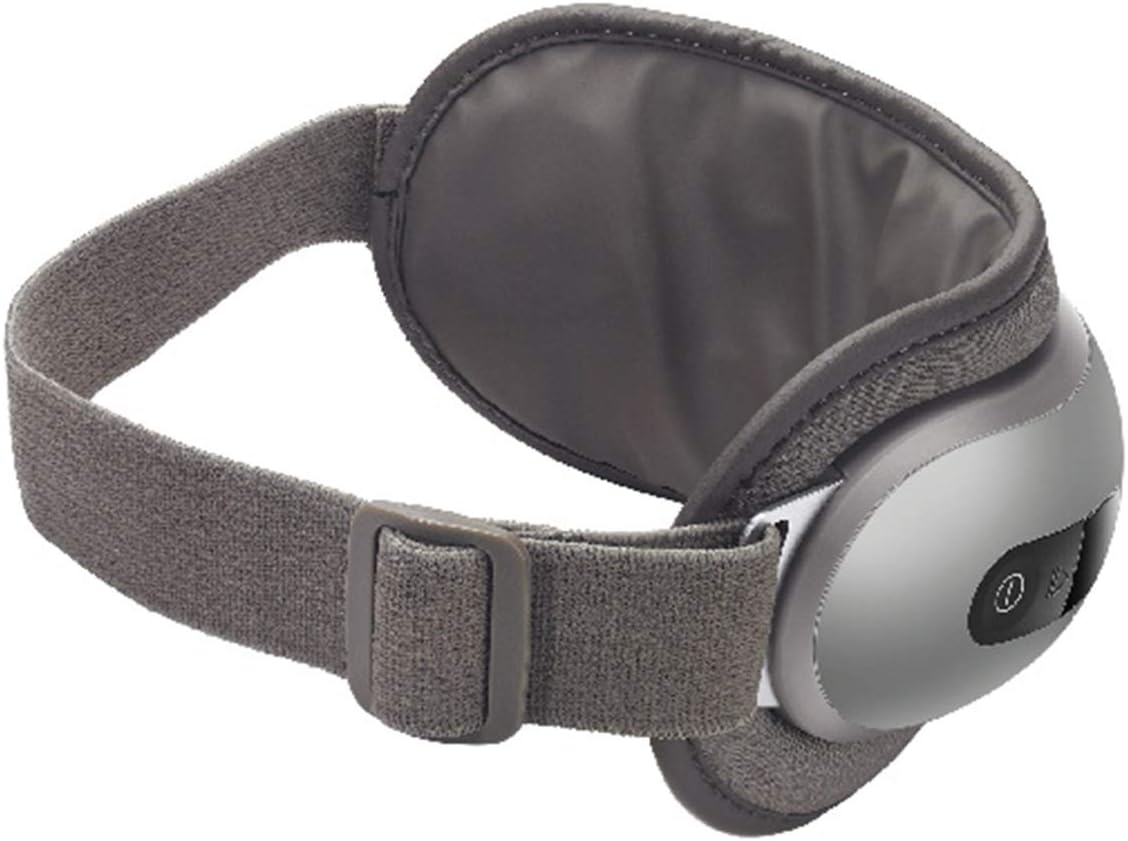
Figure 1: The breo iSee16 eye care device, shown in its ergonomic design, ready for use.
4.2 Preparazione prima dell'uso
- Remove any accessories such as earrings or false eyelashes.
- Remove contact lenses and makeup.
- Adjust the head strap for a comfortable and secure fit. The device should sit snugly around your eyes without being too tight.

Figure 2: A user enjoying a moment of relaxation while wearing the breo iSee16 eye care device, highlighting its comfortable fit and intended use.
5. Istruzioni per l'uso
5.1 Accensione/spegnimento
- A Accendere: Press and hold the Power button for approximately 2-3 seconds. The device will start in Warmth mode, Level 1.
- A Spegnimento: Press and hold the Power button for approximately 2-3 seconds. The device will automatically shut off after 15 minutes of continuous use.
5.2 Selezione della modalità
Short press the Power button to cycle through the available modes:
- Modalità risparmio: Air pressure and warmth (10 minutes).
- Modalità MED: Vibration and warmth (15 minutes).
- HARD Mode: Air pressure, vibration, and warmth (20 minutes).
5.3 Adjusting Intensity/Temperature
The device automatically adjusts intensity and temperature based on the selected mode. Refer to the 'Modes and Functions' section for details.
5.4 Funzione Musica
The device includes 4 types of built-in music for relaxation. To enjoy your own music, connect the device via Bluetooth to your smartphone or other audio source. Cercare "breo iSee16" in your device's Bluetooth settings and pair.
6. Modalità e funzioni
| Modalità | Funzioni | Durata |
|---|---|---|
| SONNO | Air Pressure, Warmth | 10 minuti |
| MEDICO | Vibration, Warmth | 15 minuti |
| DIFFICILE | Air Pressure, Vibration, Warmth | 20 minuti |

Figure 3: A visual representation of the device's core functions, including air pressure massage, vibration, soothing warmth, and integrated music playback.
7. Cura e manutenzione
To ensure the longevity and hygiene of your breo iSee16 device, follow these maintenance guidelines:
- After each use, wipe the device with a soft, dry cloth to remove any residue.
- Per sporco pesante, dampen a cloth with water, wring it thoroughly, and gently wipe the device. Do not use harsh chemicals, alcohol, or abrasive cleaners.
- Non immergere il dispositivo in acqua né sciacquarlo sotto l'acqua corrente.
- Prima di procedere alla pulizia, assicurarsi sempre che il dispositivo sia spento.

Figure 4: The breo iSee16 eye care device displayed on a clean surface, emphasizing its sleek design and readiness for storage or next use.
8. Risoluzione Dei Problemi
If you encounter any issues with your breo iSee16, please refer to the following common problems and solutions:
- Il dispositivo non si accende: Ensure the device is fully charged. If the battery is completely depleted, the charging indicator may flash briefly before turning on.
- No warmth or vibration: Check if the correct mode is selected. Some modes may not include all functions.
- Problemi di connessione Bluetooth: Assicurati che il dispositivo sia in modalità di associazione e che si trovi nel raggio d'azione della sorgente audio. Scollegalo e ricollegalo se necessario.
- Device makes a 'beep' sound during use: This indicates low battery. Please charge the device.
- Device automatically shuts off: This is normal behavior after 15 minutes of continuous use or if the battery is low.
Se il problema persiste, contattare l'assistenza clienti.
9. Specifiche del prodotto
| Specificazione | Dettaglio |
|---|---|
| Numero di modello | iSee16 |
| Marca | breo |
| Colore | Grigio |
| Materiale | Silicone |
| Peso del prodotto | 290 grammi |
| Dimensioni del pacco | Dimensioni: 24.3 x 14.2 x 13.2 cm |
| Fonte di alimentazione | Battery Powered (1 Lithium Ion Battery) |
| Tempo di ricarica | Circa 3 ore |
| Livello di impermeabilità | Non impermeabile |
| Paese di origine | Cina |
10. Garanzia e assistenza clienti
Your breo iSee16 Eye Care Device comes with a manufacturer's warranty. Please refer to the warranty card included in your package for specific terms and conditions.
For technical assistance, troubleshooting, or warranty claims, please contact breo customer support through the contact information provided on the warranty card or the official breo websito.


