1. Introduzione
This manual provides detailed instructions for the installation, operation, and maintenance of your TooQ TQE-2528B 2.5-inch SATA USB 3.1 Gen1 HDD Enclosure. This device allows you to convert a 2.5-inch SATA I/II/III hard disk drive or solid-state drive into an external storage solution, connecting via USB 3.1 Gen1 for high-speed data transfer.
2. Contenuto della confezione
Si prega di verificare che tutti gli articoli siano presenti nel pacco:
- TooQ TQE-2528B 2.5-inch SATA USB 3.1 Gen1 HDD Enclosure
- USB 3.0 Type-A to Micro-B Cable
- Manuale dell'utente (questo documento)

Image 2.1: The TooQ TQE-2528B enclosure shown with its included USB 3.0 cable.
3. Prodotto finitoview
The TooQ TQE-2528B is designed for ease of use and portability. Key features include:
- Compatible with 2.5-inch SATA I/II/III HDDs and SSDs up to 9.5mm height.
- USB 3.1 Gen1 (USB 3.0) interface for data transfer speeds up to 5.0 Gbps.
- Tool-free installation for quick setup.
- LED indicator for connection status and data access.
- Powered directly via USB port.
3.1. Identificazione dei componenti
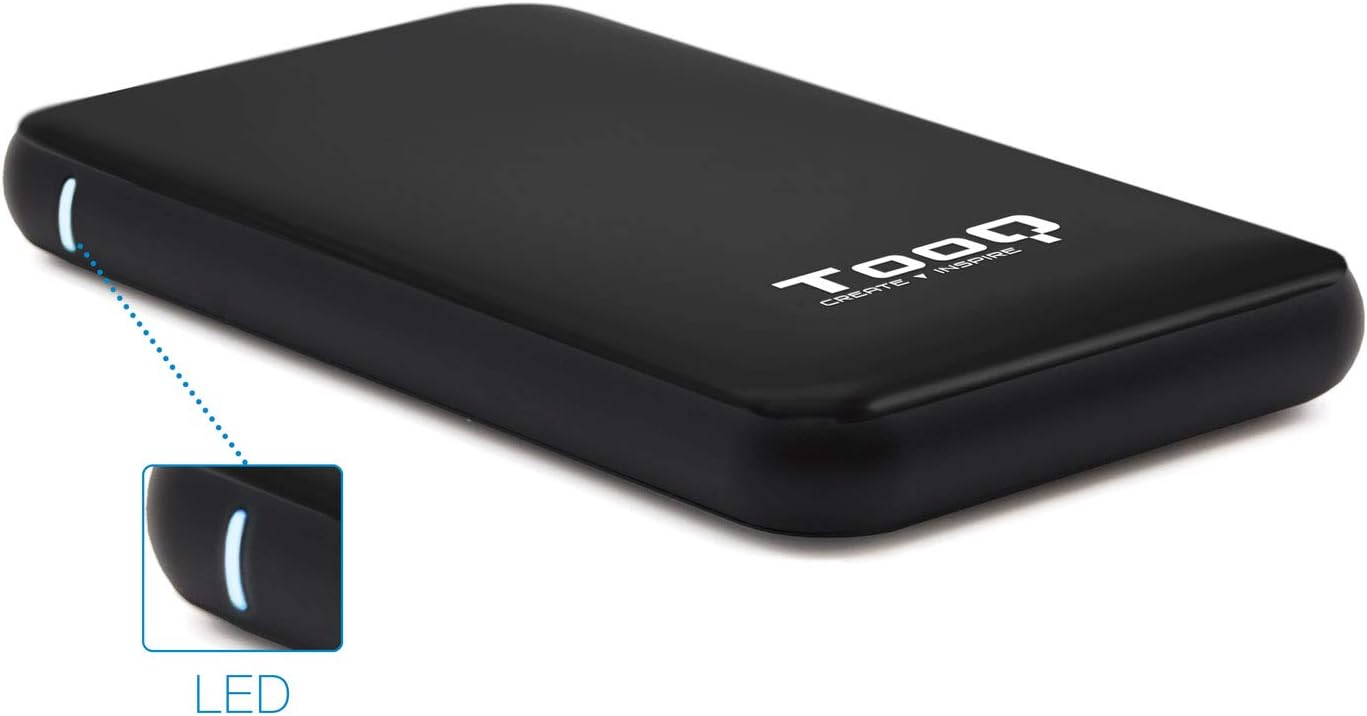
Image 3.1: The enclosure features an LED indicator on the side, which illuminates to show power and data activity.

Image 3.2: The rear of the enclosure includes a power button and a Micro-USB port for connection.
4. Setup: Hard Drive Installation
Follow these steps to install a 2.5-inch SATA HDD or SSD into the enclosure:
- Aprire l'involucro: Gently slide the top cover of the enclosure to open it. The design allows for tool-free access.
- Collegare l'unità: Align your 2.5-inch SATA HDD/SSD with the SATA connector inside the enclosure. Carefully push the drive into the connector until it is firmly seated. Ensure the drive is flush with the internal tray.
- Chiudere l'involucro: Slide the top cover back into place until it clicks securely.
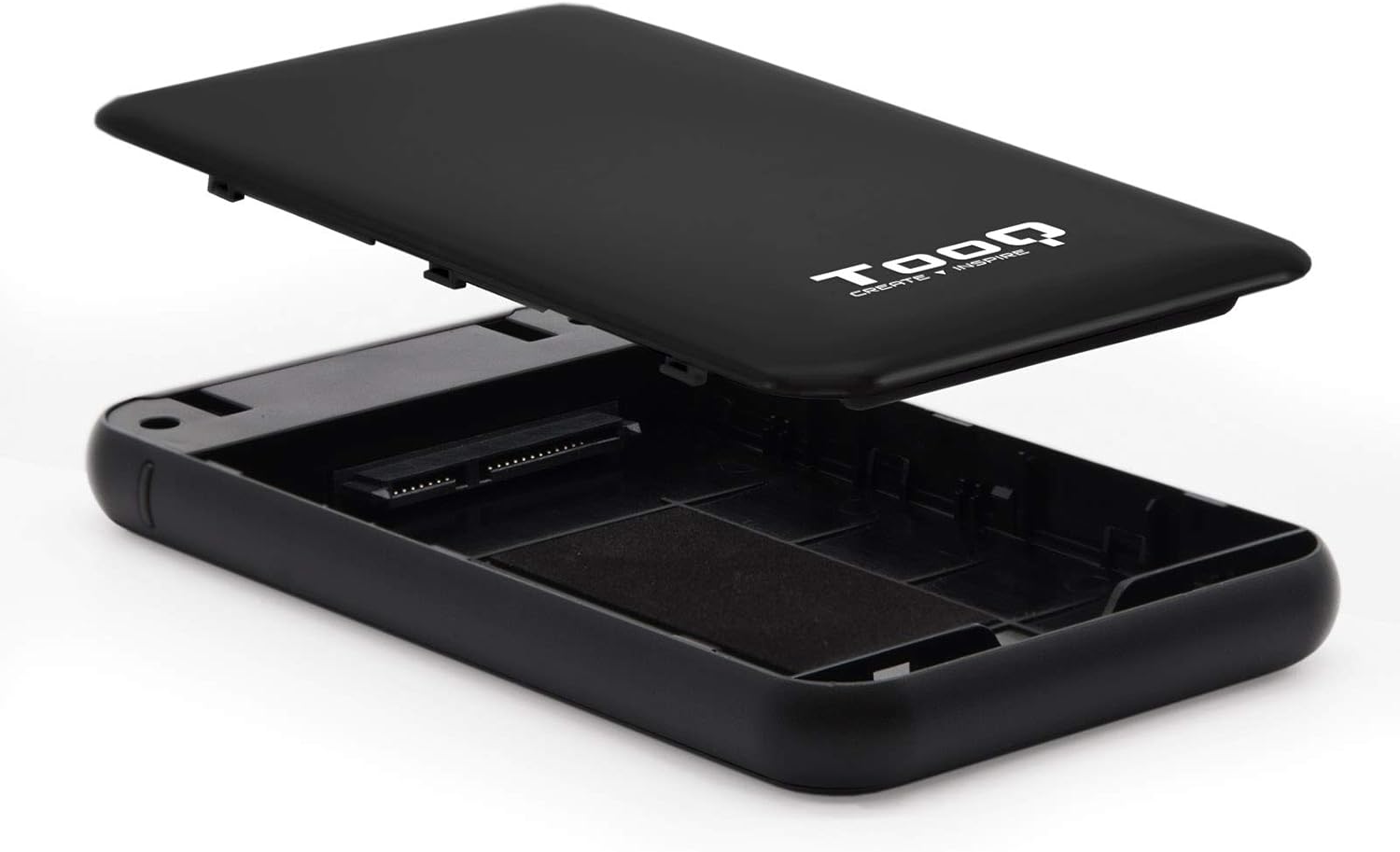
Image 4.1: The enclosure opened, revealing the internal SATA data and power connector for a 2.5-inch drive.
5. Istruzioni per l'uso
After installing your hard drive, connect the enclosure to your computer:
- Collegare il cavo USB: Plug the Micro-B end of the included USB 3.0 cable into the enclosure's Micro-USB port.
- Connessione al computer: Plug the Type-A end of the USB cable into an available USB port on your computer. For optimal performance, use a USB 3.0 or USB 3.1 Gen1 port.
- Accensione: If the enclosure has a power button (refer to Image 3.2), press it to turn on the device. The LED indicator (Image 3.1) will illuminate, indicating power and connection status.
- Accesso all'unità: Your operating system should automatically detect the new storage device.
- Nuove unità: If you are using a brand new hard drive, it may need to be initialized and formatted before use. Refer to your operating system's disk management tools for this process.
- Existing Drives: If the drive contains data, it should appear as a removable drive in 'My Computer' (Windows) or on the desktop (macOS).

Image 5.1: The TooQ TQE-2528B enclosure connected to a laptop, demonstrating a typical usage scenario.
6. Manutenzione
To ensure the longevity and optimal performance of your enclosure:
- Mantenere l'involucro pulito e privo di polvere. Utilizzare un panno morbido e asciutto per la pulizia.
- Evitare di esporre il dispositivo a temperature estreme, umidità o luce solare diretta.
- Non far cadere o sottoporre l'involucro a forti urti.
- Prima di scollegare il cavo USB, espellere sempre in modo sicuro l'unità dal sistema operativo per evitare il danneggiamento dei dati.
7. Risoluzione Dei Problemi
If you encounter issues with your TooQ TQE-2528B enclosure, refer to the following common solutions:
- Unità non rilevata:
- Assicurarsi che il cavo USB sia collegato saldamente sia all'alloggiamento che al computer.
- Prova a connetterti a un'altra porta USB del tuo computer.
- Verify that the hard drive is correctly seated within the enclosure's SATA connector.
- Controlla Gestione disco (Windows) o Utility Disco (macOS) del tuo computer per verificare se l'unità è riconosciuta ma non inizializzata o non formattata.
- Test the enclosure with a different 2.5-inch SATA drive, if available, to rule out a drive issue.
- Trasferimento dati lento:
- Ensure you are connected to a USB 3.0 or USB 3.1 Gen1 port on your computer. Connecting to a USB 2.0 port will result in slower speeds.
- Verifica che il sistema operativo e i driver siano aggiornati.
- Enclosure Does Not Power On:
- Ensure the USB cable is properly connected and providing power. The enclosure is bus-powered.
- Prova una porta USB diversa sul tuo computer.
8. Specifiche
| Numero di modello | TQE-2528B |
| Unità compatibili | 2.5-inch SATA I/II/III HDD/SSD (up to 9.5mm height) |
| Interfaccia | USB 3.1 Gen1 (USB 3.0) |
| Velocità di trasferimento dati | Fino a 5.0 Gbps |
| Alimentazione elettrica | USB Bus-powered (5 Volts) |
| Materiale | Plastica ABS |
| Dimensioni (L x P x A) | 13.5 cm x 8 cm x 1.6 cm (circa 5.3 x 3.1 x 0.6 pollici) |
| Peso | 50 g (circa 0.11 libbre) |
| Compatibilità del sistema operativo | Universal (Windows, macOS, Linux) |

Image 8.1: Technical drawing illustrating the dimensions of the TooQ TQE-2528B enclosure.
9. Garanzia e supporto
TooQ products are designed for reliability and performance. This product comes with a standard manufacturer's warranty. For specific warranty terms and conditions, please refer to the warranty card included with your product or visit the official TooQ websito.
For technical support, frequently asked questions, or to download the latest drivers (if applicable), please visit the official TooQ support websito o contattare il servizio clienti. Le informazioni di contatto sono in genere reperibili sulla confezione del prodotto o sul sito ufficiale websito.
Produttore: TOOQ
Numero articolo commerciale globale (GTIN): 08433281008304


