1. Introduzione
This manual provides essential information for the proper use and maintenance of your Speedlink Competition Pro Extra USB Joystick (Model SL-650212-BKRD). This joystick is designed for use with PCs and Android devices, offering a retro arcade gaming experience. Please read these instructions carefully before using the product.
2. Importanti istruzioni di sicurezza
Failure to observe these instructions can cause product damage, explosion, fire, and/or electric shock.
- Use this device only as indicated in the user guide. Do not open or repair it.
- Non esporre il dispositivo a liquidi, calore o freddo.
- Non utilizzare il dispositivo in pubblicitàamp ambiente.
- Pulire il dispositivo con un panno asciutto.
- Tenere il dispositivo e tutte le parti sciolte lontano da bambini, animali domestici e persone non autorizzate.
- Use only with the appropriate provided accessories/cables.
- Disconnect the charging cable from the device if it will not be used for a long time. When disconnecting the cable, don't pull on the cable but on the plug.
- Don't use the cables in any way other than mentioned in the user guide; don't bend, cut, extend, or knot up them.
- Non inserire oggetti estranei nelle aperture del dispositivo.
- Se il dispositivo è danneggiato in qualsiasi modo o si surriscalda, interrompere immediatamente l'uso.
- Take caution when using the device if you have a pacemaker or are dependent on other sensitive electronic aids, as the device emits radio signals.
Safety instructions in further languages can be found at www.speedlink.com.
3. Contenuto della confezione
The Speedlink Competition Pro Extra USB Joystick package includes:
- Speedlink Competition Pro Extra USB Joystick (Model SL-650212-BKRD)
- Cavo USB integrato
- Information on how to download the included 20 retro games
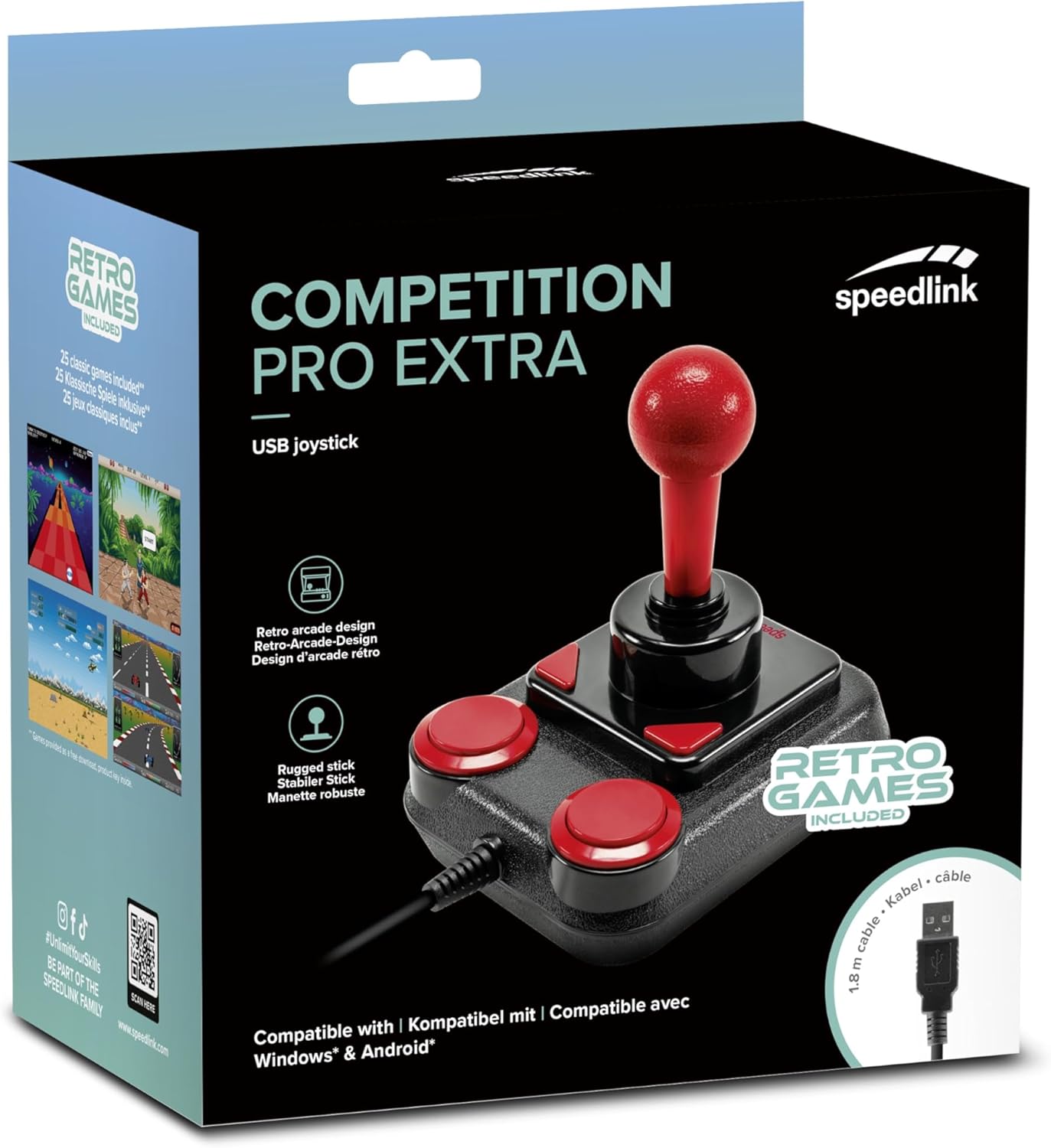
Image: Retail packaging for the Speedlink Competition Pro Extra USB Joystick, showing the product and "Retro Games Included" label.
4. Prodotto finitoview
The Competition Pro Extra USB Joystick features a classic arcade design with a robust stick and responsive buttons.

Immagine: dall'alto verso il basso view of the joystick, highlighting the red ball-top stick and red circular fire buttons.

Immagine: Angolata view showing the joystick's main stick, two circular fire buttons, and two triangular fire buttons.
The joystick includes:
- Arcade Stick: A classic red ball-top joystick for directional control.
- Fire Buttons: Two large circular red buttons and two smaller triangular red buttons for in-game actions.
- Rapid-Fire Switch: A switch located on the underside of the joystick to enable or disable rapid-fire functionality for the main fire buttons.

Image: Underside of the joystick, showing the "ON" and "OFF" positions for the rapid-fire switch.
5. Impostazione
5.1 Collegamento a un PC
- Individua una porta USB disponibile sul tuo computer.
- Plug the USB connector of the Competition Pro Extra joystick into the USB port.
- The operating system (Windows 7 or later) will automatically detect and install the necessary drivers. No manual driver installation is typically required.
- Once installed, the joystick is ready for use with compatible games and emulators. You may need to configure joystick settings within individual game or emulator software.
5.2 Connecting to an Android Device
For Android devices, an OTG (On-The-Go) adapter is required (not included).
- Connect the USB connector of the joystick to an OTG adapter.
- Plug the OTG adapter into the USB port of your Android device.
- The Android device should recognize the joystick. Compatibility may vary depending on the Android device and game/application.
6. Istruzioni per l'uso
6.1 Controllo di base
- joystick: Use the main stick for directional movement (up, down, left, right, and diagonals).
- Fire Buttons: Press any of the four red buttons to perform in-game actions such as firing, jumping, or selecting.
6.2 Rapid-Fire Mode
The joystick features a rapid-fire function for enhanced gameplay in certain titles.
- To activate rapid-fire, locate the switch on the underside of the joystick and slide it to the "ON" position.
- To deactivate rapid-fire, slide the switch to the "OFF" position.
6.3 Included Games
The Anniversary Edition includes a collection of 20 retro games available for download. Refer to the instructions provided with your product for details on how to access and download these games.

Image: Screenshot of the game launcher interface, displaying a list of classic games such as Bomberwarrior, Summer Games, and River Attack.
7. Manutenzione
- Pulizia: Use a soft, dry cloth to clean the surface of the joystick. Do not use liquid cleaners or abrasive materials.
- Magazzinaggio: Store the joystick in a dry place away from direct sunlight and extreme temperatures.
- Cura del cavo: Avoid bending or twisting the USB cable excessively. Do not pull on the cable to disconnect it; always grasp the plug.
8. Risoluzione Dei Problemi
- Joystick not recognized by PC:
- Assicurarsi che il cavo USB sia collegato saldamente a una porta USB funzionante.
- Prova un'altra porta USB.
- Riavvia il computer.
- Check Device Manager (Windows) to see if the device is listed and if there are any driver issues.
- Joystick not recognized by Android device:
- Ensure your Android device supports USB OTG functionality.
- Verify the OTG adapter is functioning correctly.
- Try a different OTG adapter or Android device if possible.
- Buttons or stick unresponsive:
- Ensure the joystick is properly connected.
- Test the joystick in a different game or application to rule out software-specific issues.
- Calibrate the joystick through your operating system's game controller settings if available.
- Rapid-fire not working:
- Check that the rapid-fire switch on the underside of the joystick is set to "ON".
9. Specifiche
| Caratteristica | Dettaglio |
|---|---|
| Nome del modello | SL-650212-BKRD |
| Marca | Collegamento veloce |
| Tecnologia di connettività | USB |
| Dispositivi compatibili | PC (Windows 7 or later), Android (via OTG adapter) |
| Tipo di controllore | Leva di comando |
| Colore | Nero, Rosso |
| Peso dell'articolo | 3.53 once (circa 100 g) |
| Dimensioni del prodotto (LxWxH) | 4.65 x 3.78 x 5.12 pollici (circa 11.8 x 9.6 x 13 cm) |
| Fonte di alimentazione | Elettrico con cavo (alimentazione tramite USB) |
| Voltage | 5 Volt |
10. Informazioni sulla conformità
10.1 Dichiarazione FCC
Questo dispositivo è conforme alla Parte 15 delle Norme FCC. Il funzionamento è soggetto alle due condizioni seguenti: (1) Questo dispositivo non può causare interferenze dannose e (2) questo dispositivo deve accettare qualsiasi interferenza ricevuta, comprese le interferenze che possono causare un funzionamento indesiderato.
Questa apparecchiatura è stata testata e ritenuta conforme ai limiti per un dispositivo digitale di Classe B, ai sensi della parte 15 delle Norme FCC. Questi limiti sono concepiti per fornire una protezione ragionevole contro interferenze dannose in un'installazione residenziale. Questa apparecchiatura genera, utilizza e può irradiare energia a radiofrequenza e, se non installata e utilizzata in conformità alle istruzioni, può causare interferenze dannose alle comunicazioni radio. Tuttavia, non vi è alcuna garanzia che non si verifichino interferenze in una particolare installazione. Se questa apparecchiatura causa interferenze dannose alla ricezione radiofonica o televisiva, il che può essere determinato accendendo e spegnendo l'apparecchiatura, si consiglia all'utente di provare a correggere l'interferenza con una o più delle seguenti misure:
- Riorientare o riposizionare l'antenna ricevente.
- Aumentare la distanza tra l'apparecchiatura e il ricevitore.
- Collegare l'apparecchiatura a una presa di corrente appartenente a un circuito diverso da quello a cui è collegato il ricevitore.
- Per assistenza, consultare il rivenditore o un tecnico radio/TV esperto.
Note: Modifications to this product will void the user's authority to operate this equipment.
10.2 CE, UKCA, EAC Compliance
Il prodotto è conforme alle seguenti direttive:
- EMC: 2014/30/UE
- RoHS: 2011/65/UE
Per una dichiarazione di conformità completa, la guida per l'utente più recente, domande frequenti o ulteriori informazioni, visitare il sito www.speedlink.com.

Image: Excerpt from the product manual showing safety instructions, warnings, FCC statement, and conformity information in multiple languages.
11. Garanzia e supporto
For warranty information, technical support, and frequently asked questions, please visit the official Speedlink websito:
Si prega di conservare queste informazioni per riferimento futuro.


