1. Introduzione
This manual provides essential information for setting up, operating, and maintaining your HP Spectre x360 2-in-1 Laptop. This device combines the power of a traditional laptop with the versatility of a tablet, featuring a 15.6-inch 4K UHD touchscreen display and an Intel Core i7-8565U processor.
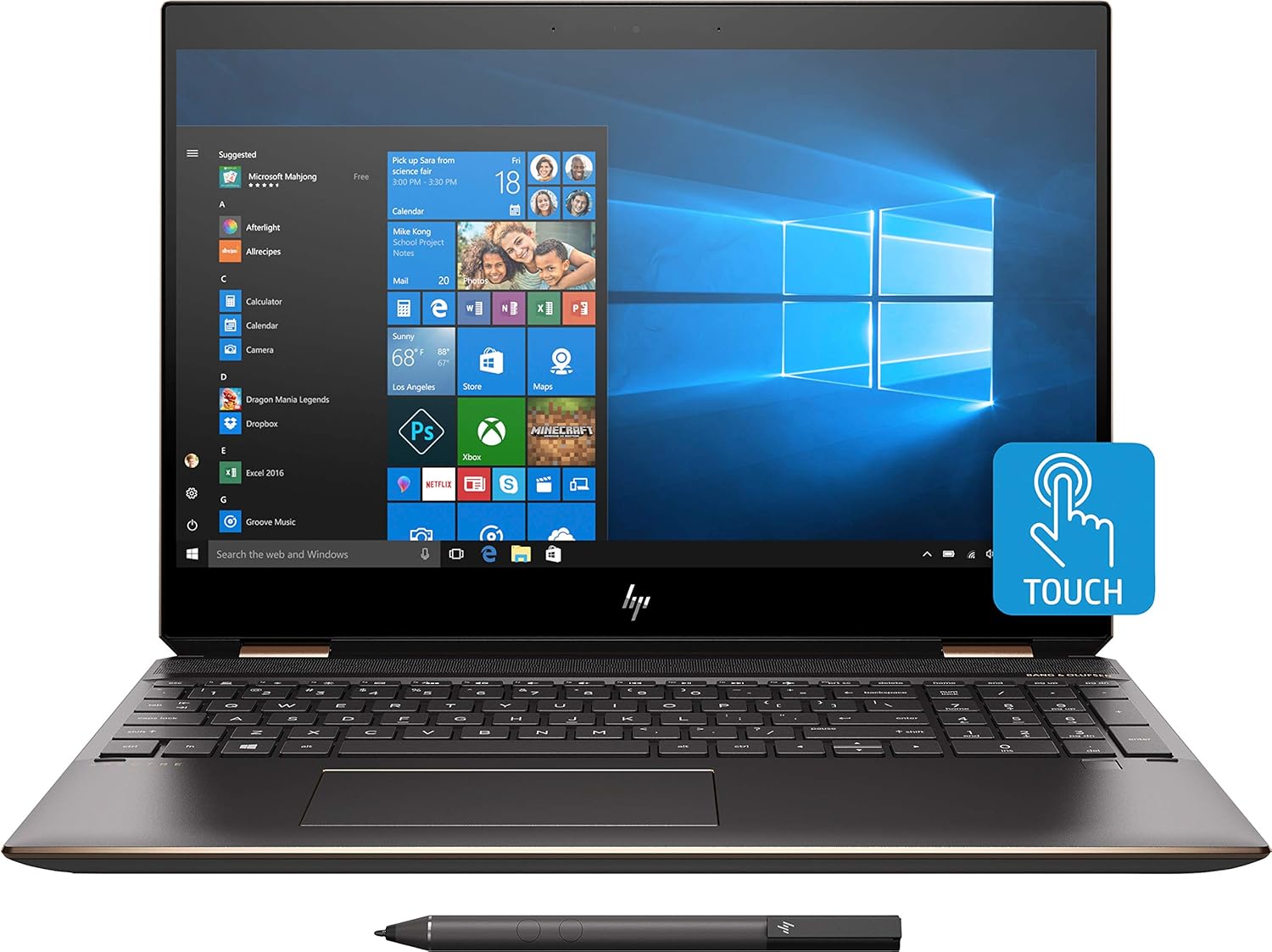
Immagine 1.1: anteriore view of the HP Spectre x360 in laptop configuration.
2. Impostazione
2.1 Accensione iniziale
- Unpack your HP Spectre x360 laptop and all accessories.
- Collegare l'adattatore di alimentazione al computer portatile e a una presa di corrente.
- Premere il pulsante di accensione per accendere il dispositivo.
- Seguire le istruzioni visualizzate sullo schermo per completare la configurazione iniziale di Windows 10 Home, inclusa la creazione della lingua, della regione e dell'account utente.
2.2 Connessione a una rete wireless
- During the Windows setup or afterward, click the Wi-Fi icon in the taskbar.
- Seleziona la rete wireless desiderata dall'elenco.
- Se richiesto, immettere la chiave di sicurezza della rete (password).
- Fare clic su "Connetti".
2.3 HP Active Stylus Setup
The HP Active Stylus is included for enhanced interaction with the touchscreen. Ensure the stylus has a working battery. The stylus should automatically pair with your device. If not, refer to the Windows Bluetooth settings for manual pairing.

Image 2.1: HP Spectre x360 with included Active Stylus.
3. Istruzioni per l'uso
3.1 Funzionalità 2 in 1
The HP Spectre x360 can seamlessly transition between laptop, tablet, tent, and stand modes. Gently rotate the screen backward to switch modes. The system will automatically detect the orientation and adjust the display and keyboard functionality accordingly.

Image 3.1: HP Spectre x360 in a convertible mode.
3.2 Utilizzo del touchscreen e dello stilo
The 4K UHD touchscreen supports multi-touch gestures for intuitive navigation. Use the included HP Active Stylus for precise input, drawing, and note-taking directly on the screen. The stylus offers pressure sensitivity for a natural writing and drawing experience.
3.3 Tastiera e touchpad
The full-size backlit keyboard provides comfortable typing in various lighting conditions. Adjust backlight intensity using the function keys. The HP Imagepad supports multi-touch gestures for scrolling, zooming, and navigating.
3.4 Porte e connettività
Il tuo laptop è dotato di diverse porte per il collegamento delle periferiche:
- 1 Thunderbolt 3 Port: For high-speed data transfer (up to 40 Gb/s), DisplayPort 1.2, and HP Sleep and Charge functionality.
- 1 USB 3.1 Type-C Gen 1 Port: For data transfer (up to 5 Gb/s), DisplayPort 1.2, and HP Sleep and Charge functionality.
- 1 USB 3.1 Gen 1 Port: For connecting standard USB devices and HP Sleep and Charge functionality.
- 1 porta HDMI: Per il collegamento a display o proiettori esterni.
- 1 Headphone/Microphone Combo Jack: Per l'ingresso e l'uscita audio.

Immagine 3.2: Prospettiva lateralefile of the HP Spectre x360 displaying its connectivity ports.
3.5 Sistema audio
Experience rich audio with the Bang & Olufsen dual speakers. The integrated dual array digital microphone ensures clear voice input for calls and recordings.
3.6 Funzionalità di sicurezza
The HP Spectre x360 includes advanced security features:
- Lettore di impronte digitali: Located on the keyboard deck for quick and secure login.
- HP Wide Vision FHD IR Camera: Supports Windows Hello for secure facial recognition login.
4. Manutenzione
4.1 Pulizia del computer portatile
- Utilizzare un panno morbido e privo di lanugine leggermente dampcon acqua o un detergente per schermi per pulire il display.
- Per la tastiera e lo chassis, utilizzare un panno morbido e asciutto. Evitare prodotti chimici aggressivi.
4.2 Cura della batteria
- Per prolungare la durata della batteria, evitare temperature estreme.
- Periodically allow the battery to discharge below 20% before recharging.
4.3 Aggiornamenti software
Controllare e installare regolarmente gli aggiornamenti di Windows e gli aggiornamenti dei driver HP per garantire prestazioni e sicurezza ottimali.
5. Risoluzione Dei Problemi
This section addresses common issues you might encounter. For more detailed troubleshooting, refer to the HP support websito.
- Nessun potere: Assicurati che l'adattatore di corrente sia collegato correttamente e che la presa sia funzionante. Prova una presa diversa.
- Problemi di visualizzazione: If the screen is blank, try pressing the power button briefly or connecting to an external monitor to diagnose.
- Problemi di connettività Wi-Fi: Check if Wi-Fi is enabled. Restart your router and laptop.
- Touchscreen non reattivo: Riavvia il portatile. Assicurati che non ci siano ostacoli fisici sullo schermo.
6. Specifiche
| Caratteristica | Dettaglio |
|---|---|
| Nome del modello | HP Spectre x360 2-in-1 (Model: Spectre) |
| Processore | Intel Core i7-8565U (up to 4.6GHz) |
| Grafica | NVIDIA GeForce MX150 (2GB GDDR5 dedicated) |
| Memoria RAM | 16 GB DDR4-2400 SDRAM |
| Magazzinaggio | SSD PCIe NVMe M.2 da 512 GB |
| Display | 15.6" diagonal 4K IPS eDP micro-edge BrightView WLED-backlit (3840 x 2160) Touchscreen |
| Sistema operativo | Windows 10 Home 64 |
| Connettività wireless | Intel 802.11b/g/n/ac (2x2) Wi-Fi and Bluetooth 4.2 Combo |
| Porti | 1x Thunderbolt 3, 1x USB 3.1 Type-C Gen 1, 1x USB 3.1 Gen 1, 1x HDMI, 1x Headphone/Microphone Combo |
| Audio | Bang & Olufsen, Dual Speakers |
| Telecamera | Telecamera IR HP Wide Vision FHD con microfono digitale dual array integrato |
| Accessori inclusi | HP Active Stylus, HP Sleeve |
| Colore | Argento cenere scuro |
| Dimensioni (LxWxH) | 14.2 x 9.8 x 0.8 pollici |
| Peso dell'articolo | 12.3 once (circa 0.35 kg) |
| Durata media della batteria | Fino a 17.5 ore |
7. Garanzia e supporto
Per informazioni sulla garanzia, supporto tecnico e risorse aggiuntive, visitare il sito ufficiale dell'assistenza HP website. You can find detailed documentation, driver downloads, and contact options there.
Supporto HP Websito: www.hp.com/support