1. Introduzione
The Ajazz AK50 is a high-performance mechanical keyboard designed for both gaming and general use. It features durable Blue mechanical switches, a 104-key standard layout, and customizable yellow LED backlighting. This manual provides detailed instructions for setting up, operating, maintaining, and troubleshooting your keyboard to ensure optimal performance and longevity.
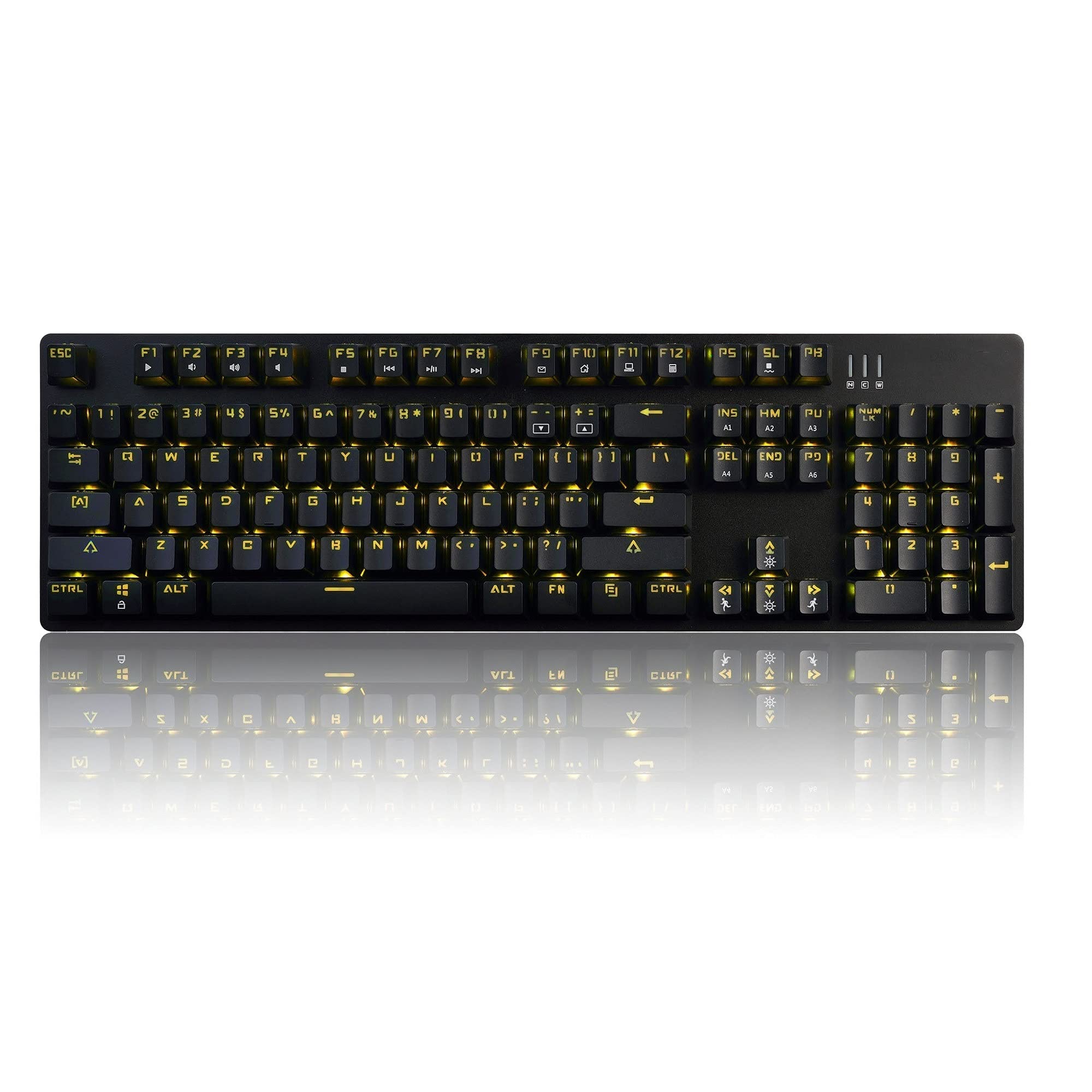
Image 1.1: The Ajazz AK50 Mechanical Keyboard, showcasing its full layout and yellow LED backlighting.
2. Contenuto della confezione
Si prega di verificare che tutti gli articoli siano presenti nel pacco:
- Tastiera meccanica Ajazz AK50
- Cavo USB (in dotazione)
- Manuale dell'utente (questo documento)
3. Istruzioni per l'installazione
- Collegare la tastiera: Locate an available USB 2.0 port on your computer. Insert the USB connector of the keyboard cable into the USB port.

Image 3.1: The Ajazz AK50 keyboard ready for connection to a computer via its USB cable.
- Installazione del driver: The Ajazz AK50 is a plug-and-play device. Your operating system (Windows 10/8/7 XP Vista, Mac OS, Linux) will automatically detect and install the necessary drivers. No additional software installation is required for basic functionality.
- Posizionamento: Position the keyboard comfortably on your desk. The keyboard features adjustable feet on the underside to change the typing angle if desired.
4. Istruzioni per l'uso
4.1 Key Features and Layout
The Ajazz AK50 features a 104-key standard layout with Blue mechanical switches, providing tactile feedback and an audible click. The ergonomic R5 key design aims to reduce fatigue during extended use.

Immagine 4.1: Angolata view of the keyboard, highlighting the keycap profile e disposizione.
The keyboard supports 100% anti-ghosting across all 104 keys, ensuring that every keystroke is registered accurately, even during rapid input.
4.2 Controllo della retroilluminazione
The keyboard features yellow LED backlighting with multiple modes and customization options.
- Default Backlight Modes: The keyboard comes with 8 pre-set backlight modes. Use the FN+INS key combination to cycle through these modes.
- Modalità di retroilluminazione personalizzate: 5 custom backlight modes are available for personalized lighting effects. Refer to the specific key combinations for programming these modes (usually involving FN + a specific key to enter programming mode, then selecting keys to light up, and FN + the same key to save).
- Regolazione della luminosità: Adjust the backlight brightness using dedicated function keys or combinations (e.g., FN + Freccia su/giù).
- Regolazione della velocità: Adjust the speed of dynamic backlight effects using dedicated function keys or combinations (e.g., FN + Freccia sinistra/destra).

Immagine 4.2: Un primo piano view of the keyboard's keys, illustrating the yellow LED backlighting and keycap design.
4.3 Tasti multimediali e funzione
I tasti F1-F12, se combinati con il FN key, provide access to various multimedia and system functions. Specific functions are typically indicated by icons on the keycaps.
| Combinazione di tasti | Funzione |
|---|---|
| Tasto F1 | Il mio computer |
| Tasto F2 | Cerca |
| Tasto F3 | Calcolatrice |
| Tasto F4 | Lettore multimediale |
| Tasto F5 | Traccia precedente |
| Tasto F6 | Traccia successiva |
| Tasto F7 | Riproduci/Pausa |
| Tasto F8 | Fermare |
| Tasto F9 | Muto |
| Tasto F10 | Abbassa il volume |
| Tasto F11 | Alza il volume |
| Tasto F12 | Blocco tastiera |
| FN + VITTORIA | Blocca/Sblocca il tasto Windows |
5. Manutenzione e cura
Proper maintenance ensures the longevity and performance of your Ajazz AK50 keyboard.
- Pulizia della tastiera:
- Scollegare la tastiera dal computer prima di pulirla.
- Utilizzare un panno morbido e privo di lanugine leggermente dampened with water or a mild cleaning solution to wipe the keycaps and frame. Avoid excessive moisture.
- Per rimuovere polvere e detriti tra i tasti, utilizzare aria compressa.
- The keyboard features a removable bezel cover, which can be detached for easier cleaning of the keyboard base and keycaps. Gently pry it off from the edges.
- Evitare fuoriuscite: Tenere i liquidi lontani dalla tastiera per evitare danni ai componenti interni.
- Magazzinaggio: Quando non si utilizza la tastiera per lunghi periodi, conservarla in un ambiente pulito e asciutto.
6. Risoluzione Dei Problemi
Se riscontri problemi con la tastiera Ajazz AK50, fai riferimento alle seguenti soluzioni comuni:
| Problema | Possibili soluzioni |
|---|---|
| La tastiera non risponde. |
|
| La retroilluminazione non funziona o è bloccata. |
|
| I tasti non vengono registrati né digitati due volte. |
|
7. Specifiche tecniche
| Caratteristica | Dettaglio |
|---|---|
| Marca | Ajazz (SOLO GIOCO FIRSTBLOOD.) |
| Modello | AK50 Blue Switches |
| Tipo di tastiera | Tastiera da gioco meccanica |
| Tipo di interruttore | Blue Switches (50 million keystroke lifespan) |
| Disposizione dei tasti | 104 tasti standard |
| Anti-ghosting | 100% anti-ghosting |
| Retroilluminazione | Yellow LED Backlit (8 default modes, 5 custom modes) |
| Connettività | USB 2.0 (Wired, 1.8m braided cable) |
| Compatibilità del sistema operativo | Windows 10/8/7 XP Vista, Mac OS, Linux |
| Dimensioni (LxWxH) | Dimensioni: 43.41 x 12.29 x 3.61 cm |
| Peso | 780 grammi |
| Materiale | Costruzione in alluminio e ABS |
| Caratteristiche speciali | Ergonomic R5 key design, Removable bezel |
8. Garanzia e supporto
The Ajazz AK50 Mechanical Keyboard comes with a Garanzia del produttore di 1 anniInoltre, un Garanzia di rimborso di 30 giorni è offerto a partire dalla data di acquisto.
For technical support, warranty claims, or any product-related inquiries, please contact your retailer or the manufacturer directly through their official support channels. Please retain your proof of purchase for warranty validation.