Introduzione
Thank you for choosing the TORRAS Fast Wireless Charger. This manual provides essential information for the safe and efficient use of your new wireless charging pad. Please read these instructions carefully before use and retain them for future reference.
Cosa c'è nella scatola
Verifica che tutti gli articoli siano presenti nel tuo pacco:
- Tappetino caricabatterie wireless da 15 W
- 18W QC 3.0 Wall Adapter
- Cavo USB-C
- Guida di benvenuto
- Access to Lifetime Quick-Response Friendly Service
Istruzioni di installazione
- Collegare il caricabatterie: Plug the provided USB-C cable into the wireless charger pad.
- Connettiti all'alimentazione: Insert the other end of the USB-C cable into the 18W QC 3.0 wall adapter. Plug the wall adapter into a power outlet. For optimal fast charging performance, ensure you use the included 18W QC 3.0 adapter.
- Posizionamento: Place the wireless charger pad on a flat, stable surface.

Image: The 18W QC 3.0 wall charger and USB-C cable connected to the wireless charging pad, illustrating the setup for fast charging. A smartphone is shown charging on the pad, with a visual comparison of charging speeds between conventional, QC2.0, and QC3.0 adapters.
Istruzioni per l'uso
- Posiziona il tuo dispositivo: Center your Qi-compatible smartphone on the charging pad. The charger is designed for universal compatibility with various Qi-enabled devices, including the iPhone 12 series and Samsung phones.
- Indicatore di carica: A smart blue light will illuminate briefly to indicate that charging has begun. This light is designed to be subtle and not disruptive, especially in dark environments.
- Case Friendly Charging: The charger supports charging through most lightweight plastic phone cases up to 4mm thick. Remove any metal cases, credit cards, or magnetic attachments from your phone before charging, as these can interfere with the charging process.
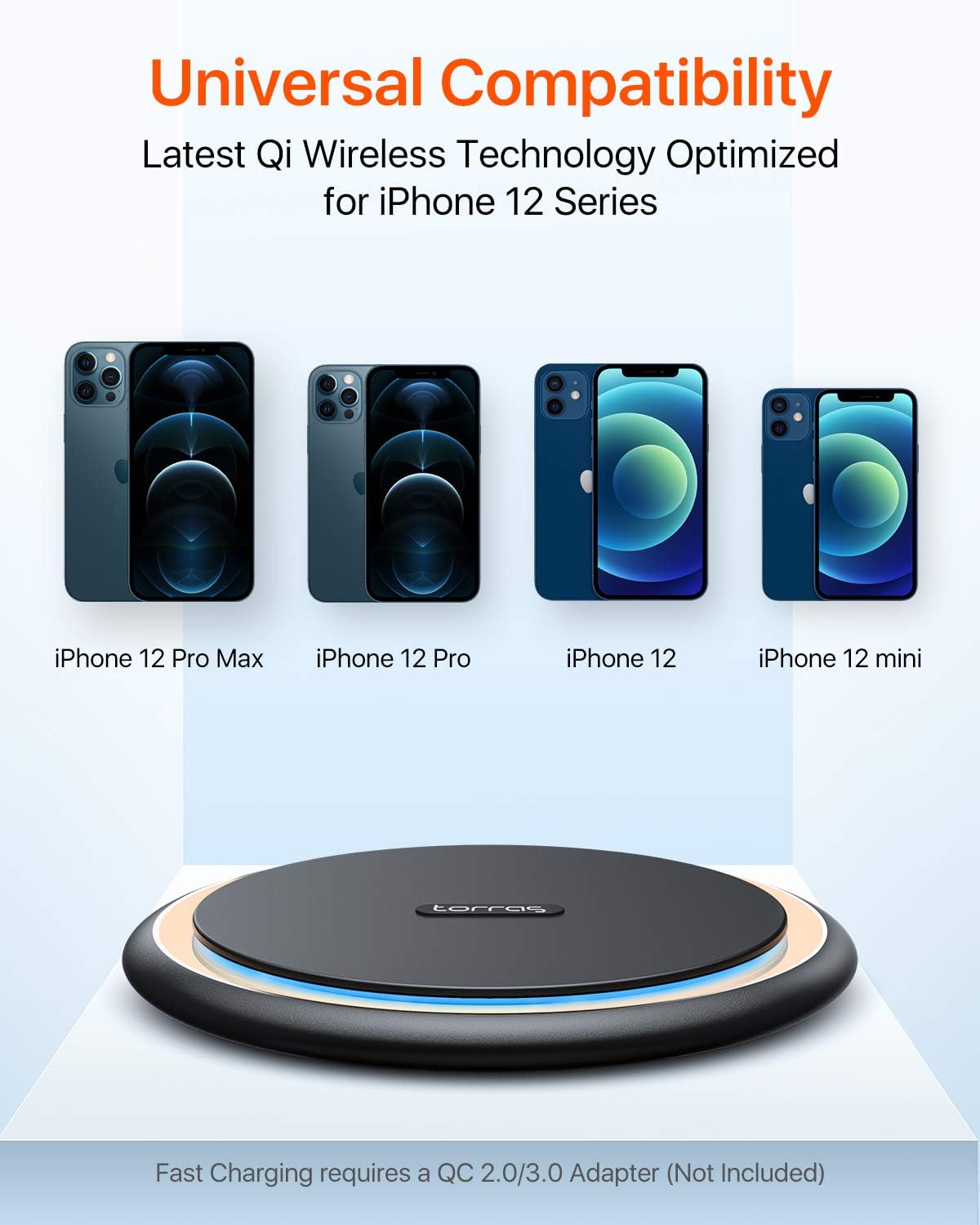
Image: A visual representation of the TORRAS wireless charger's universal compatibility, showing various iPhone 12 models (Pro Max, Pro, 12, mini) positioned above the charging pad, indicating support for the latest Qi wireless technology.

Image: A smartphone in a clear case charging on the TORRAS wireless pad, demonstrating its case-friendly design. Icons indicate that magnets, credit cards, metal cases, and metal rings should be avoided for optimal charging.
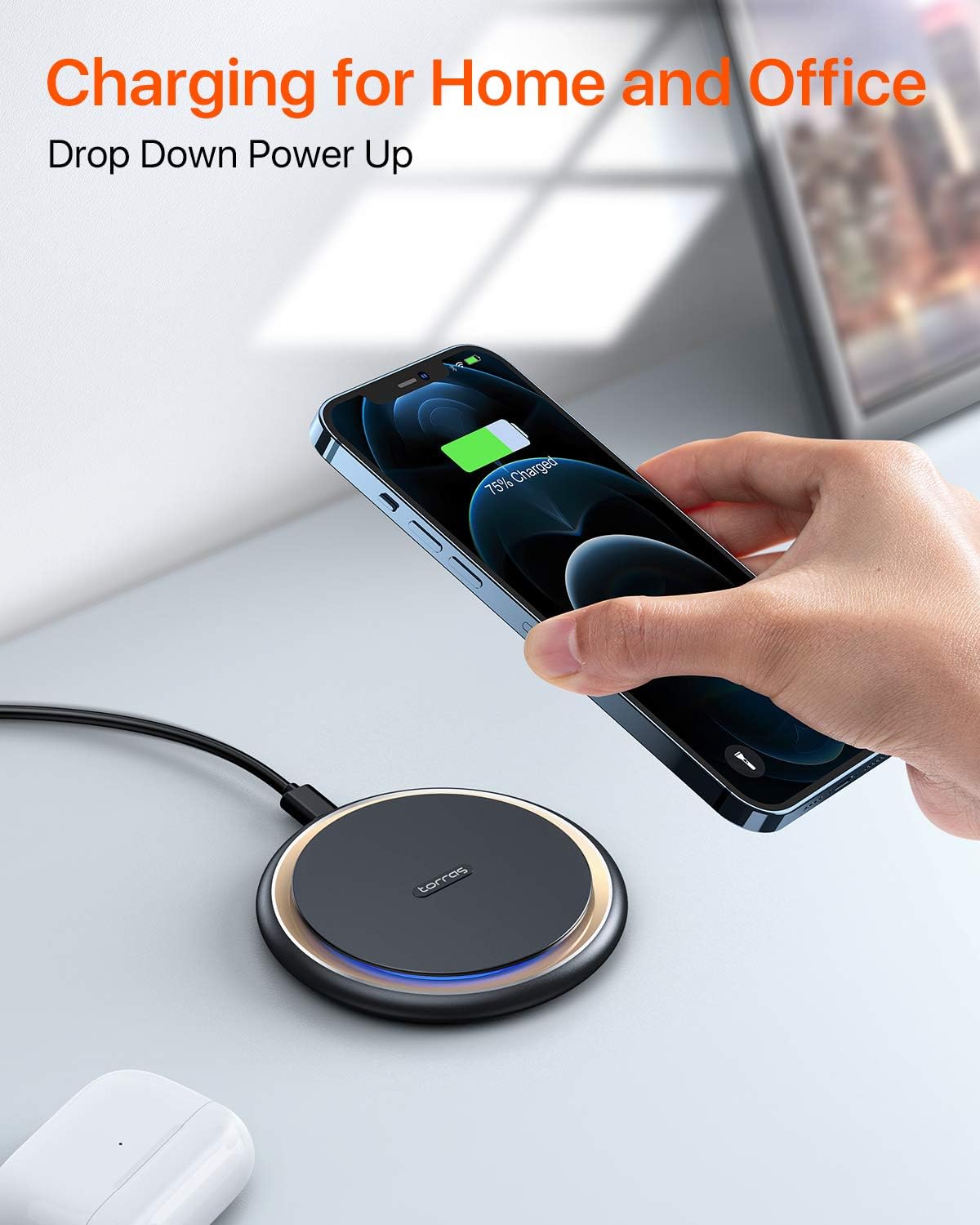
Image: A hand placing a smartphone onto the TORRAS wireless charger on a desk, illustrating its convenient use for charging in home and office environments. The phone screen shows a 75% charge.
Informazioni sulla sicurezza
The TORRAS Fast Wireless Charger incorporates an exclusive safety system to protect your devices and ensure safe operation:
- Materiale di prima qualità: Constructed with high-quality materials for durability and safety.
- Controllo della temperatura: Previene il surriscaldamento durante la ricarica.
- Sovravoltage Protezione: Protezioni contro le sovratensioni.
- Protezione da cortocircuito: Protects against electrical faults.
Always use the provided or a certified power adapter and cable. Do not expose the charger to extreme temperatures, moisture, or corrosive environments. Keep out of reach of children.

Immagine: Un esploso view diagram of the TORRAS wireless charger, highlighting its internal components and safety features such as premium material, temperature control, overvoltage protection, and short circuit protection, with a glowing Qi symbol.
Manutenzione
To ensure the longevity and optimal performance of your wireless charger:
- Pulizia: Wipe the surface of the charging pad with a soft, dry cloth. Do not use harsh chemicals or abrasive cleaners.
- Magazzinaggio: Quando non lo si utilizza, conservare il caricabatterie in un luogo fresco e asciutto, al riparo dalla luce solare diretta.
- Gestione: Evitare di far cadere o di sottoporre il caricabatterie a forti urti.
Risoluzione dei problemi
If you encounter issues with your TORRAS Fast Wireless Charger, refer to the following common solutions:
- Dispositivo non in carica:
- Ensure the charger is properly connected to a working power outlet using the provided 18W QC 3.0 adapter and USB-C cable.
- Verify that your smartphone is Qi-compatible and correctly centered on the charging pad.
- Remove any thick or metallic phone cases, credit cards, or magnetic attachments that may interfere with wireless charging.
- Try a different power outlet or USB port if available.
- Ricarica lenta:
- Confirm you are using an 18W QC 3.0 (Quick Charge 3.0) compatible wall adapter for fast charging speeds. Lower wattagGli adattatori rallenteranno la ricarica.
- Ensure your phone is perfectly aligned on the charging pad.
- Check for any background apps running on your phone that might consume significant power.
- Surriscaldamento del caricabatterie:
- It is normal for the charger and phone to become slightly warm during charging. If it becomes excessively hot, remove the phone immediately.
- Assicurarsi che ci sia una ventilazione adeguata attorno al caricabatterie.
- Evitare di caricare alla luce diretta del sole o in ambienti caldi.
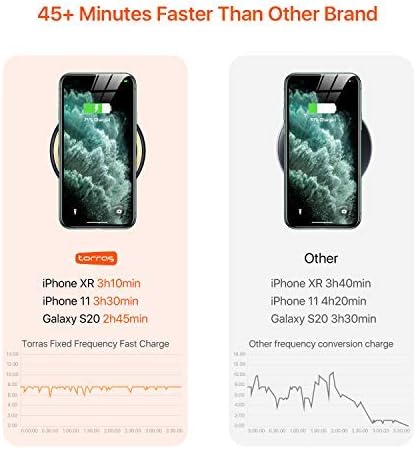
Image: A comparison chart showing the charging speed of the TORRAS wireless charger versus another brand for iPhone XR, iPhone 11, and Galaxy S20, indicating that the TORRAS charger is significantly faster.
Specifiche
| Marca | TORRE |
| Modello | B07MBL926H |
| Dimensioni del prodotto | 4 x 4 x 0.5 pollici |
| Peso dell'articolo | 10.5 once |
| Tipo di connettore | Micro USB, USB |
| Dispositivi compatibili | Cellular Phones (Qi-compatible) |
| Modelli di telefono compatibili | Samsung, iPhone 12 Series, and other Qi-enabled devices |
| Ingresso volumetage | 12 Volt |
| Porte USB totali | 1 |
| Cosatage | 15 watt |
| Caratteristica speciale | Fast Charge Wireless Charger, Fast Charging |
Garanzia e supporto
Your TORRAS Fast Wireless Charger comes with a 365-Giorno di garanzia from the date of purchase. Additionally, TORRAS provides Lifetime Quick-Response Friendly Service, con risposte in genere entro 12 ore.
For warranty claims, technical support, or any inquiries, please refer to the contact information provided in your Welcome Guide or visit the official TORRAS support websito.


