1. Introduzione e oltreview
The Foseal FO-01 OBD2 Code Reader is a professional diagnostic scan tool designed for automotive use. It allows users to quickly read and clear trouble codes, view live data, and perform various diagnostic tests on OBDII protocol compliant vehicles manufactured since 1996 (US-based) and 2000 (EU-based and Asian cars).
This device features a classic handheld design, ensuring ease of use for both professionals and beginners. Its large LCD display provides clear readability of test results.
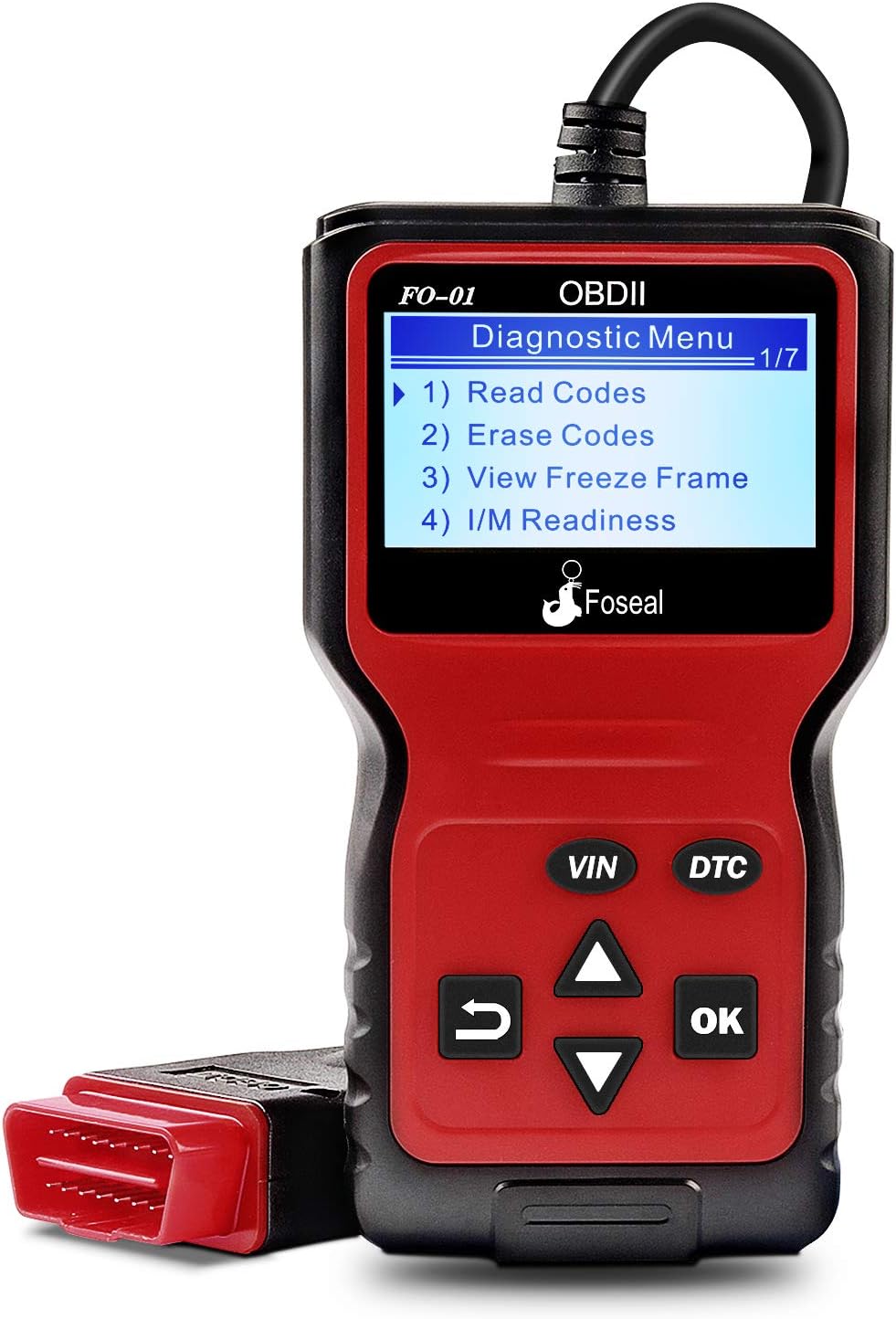
Figure 1: Foseal FO-01 OBD2 Code Reader displaying the diagnostic menu.
2. Caratteristiche del prodotto
- Classic Handheld Design: Plug and play operation for quick scanning and clearing of trouble codes.
- Funzioni diagnostiche complete: Reads and clears engine trouble codes, turns off Check Engine Light, performs I/M monitor readiness tests, views freeze frame data, and monitors engine coolant temperature.
- Ampia compatibilità con i veicoli: Works with most 1996 US-Based cars, SUVs, Light Trucks, and 2000 EU-Based and Asian cars supporting OBD2 protocols (CAN, ISO9141, J1850 VPW, J1850 PWM, KWP2000).
- Visualizzazione chiara: Built-in 128 x 64 pixel LCD display with white backlight and contrast adjustment for direct reading of test results.
- Ricerca DTC: Provides definitions for diagnostic trouble codes directly.
- Supporto multilingua: Supporta 6 lingue.

Figura 2: Oltreview of the Foseal FO-01's key functions.

Figure 3: Physical dimensions and labeled components of the Foseal FO-01.
3. Configurazione e connessione
The Foseal FO-01 OBD2 Code Reader is designed for simple plug-and-play operation. No batteries or external power supply are required as the device draws power directly from the vehicle's OBDII port.
3.1 Individuazione della porta OBDII
The OBDII (On-Board Diagnostics II) port is typically located under the dashboard on the driver's side of the vehicle. It is a 16-pin trapezoidal connector.
3.2 Procedura di connessione
- Assicurarsi che l'accensione del veicolo sia in posizione "OFF".
- Locate the vehicle's 16-pin OBDII Data Link Connector (DLC).
- Firmly plug the Foseal FO-01's OBDII connector into the vehicle's DLC.
- Turn the vehicle's ignition to the "ON" position (engine can be off or running, depending on the test). The scanner will automatically power on and establish communication with the vehicle's ECU.

Figure 4: The Foseal FO-01 connected to a vehicle's OBDII port, displaying live data.
4. Istruzioni per l'uso
Once connected, the Foseal FO-01 will automatically power on and display the main diagnostic menu. Use the navigation buttons (UP/DOWN arrows, OK, RETURN) to navigate through the menus and select functions.
4.1 Lettura dei codici di errore diagnostici (DTC)
- From the main menu, select "Read Codes" and press "OK".
- The scanner will display any stored DTCs (Pending, Confirmed, Permanent) along with their descriptions.
- Utilizzare le frecce SU/GIÙ per scorrere i codici multipli, se presenti.

Figure 5: The FO-01 displaying a Diagnostic Trouble Code (DTC) and its corresponding definition.
4.2 Erasing Codici di errore diagnostici (DTC)
Warning: Clearing DTCs will also clear the Freeze Frame data and reset the I/M Readiness Monitor Status. Ensure any underlying issues are resolved before clearing codes.
- From the main menu, select "Erase Codes" and press "OK".
- Conferma la tua selezione quando richiesto.
- The scanner will attempt to clear all stored DTCs and turn off the Check Engine Light.
4.3 Viewacquisizione dei dati del fermo immagine
Freeze Frame Data records the vehicle's operating conditions at the moment a Diagnostic Trouble Code (DTC) is set. This information can help in diagnosing the cause of the fault.
- Dal menu principale, seleziona "View Freeze Frame" and press "OK".
- The scanner will display various parameters such as engine RPM, vehicle speed, coolant temperature, fuel system status, etc., recorded at the time of the fault.
4.4 Stato del monitor di prontezza I/M
I/M Readiness Monitors are tests performed by the vehicle's onboard computer to ensure emissions-related components are functioning correctly. This function indicates if the monitors have run and completed their diagnostic testing.
- From the main menu, select "I/M Readiness" and press "OK".
- The display will show the status of various monitors (e.g., Misfire Monitor, Fuel System Monitor, Comprehensive Component Monitor) as "OK" (completed) or "INC" (incomplete).

Figure 6: The FO-01 displaying I/M Readiness status and a real-time data curve examplui.
4.5 Flusso di dati in tempo reale
La funzione Live Data Stream consente di view real-time sensor data from the vehicle's engine control unit (ECU). This can be crucial for diagnosing intermittent problems or verifying repairs.
- From the main menu, select "Data Stream" (or similar option) and press "OK".
- The scanner will display a list of available live data parameters. Select the ones you wish to view.
- Parameters may include engine RPM, vehicle speed, coolant temperature, oxygen sensor readings, fuel pressure, etc.
4.6 Ricerca DTC
The built-in DTC Lookup feature provides direct definitions for generic and manufacturer-specific diagnostic trouble codes, eliminating the need to consult external resources.
- From the main menu, select "DTC Lookup" and press "OK".
- Inserire il codice DTC utilizzando i pulsanti di navigazione.
- Lo scanner visualizzerà la definizione del codice inserito.
5. Manutenzione
The Foseal FO-01 OBD2 Code Reader requires minimal maintenance to ensure its longevity and proper functioning.
- Pulizia: Utilizzare un panno morbido e asciutto per pulire il dispositivo. Evitare l'uso di detergenti abrasivi o solventi che potrebbero danneggiare il casing o schermo.
- Magazzinaggio: Conservare lo scanner in un ambiente pulito e asciutto, lontano da temperature estreme, luce solare diretta e umidità eccessiva.
- Cura del cavo: Do not bend or crimp the OBDII cable excessively. Always grasp the connector when plugging or unplugging, not the cable itself.
- Aggiornamenti software: Controllare il produttore website periodically for any available firmware updates to ensure optimal performance and compatibility with newer vehicles.
6. Risoluzione Dei Problemi
If you encounter issues while using your Foseal FO-01 OBD2 Code Reader, refer to the following common troubleshooting steps:
| Problema | Possibile causa | Soluzione |
|---|---|---|
| Lo scanner non si accende. |
|
|
| Messaggio "Errore di collegamento" o "Errore di comunicazione". |
|
|
| Impossibile cancellare i codici. |
|
|

Figure 7: The FO-01 assisting in diagnosing vehicle system status.
7. Specifiche
| Caratteristica | Dettaglio |
|---|---|
| Numero di modello | FO-01 |
| Display | 128 x 64 pixel LCD with backlight |
| Volume di eserciziotage | 9-16 V (tramite porta OBDII del veicolo) |
| Protocolli supportati | CAN, ISO9141, J1850 VPW, J1850 PWM, KWP2000 |
| Dimensioni (circa) | 8.03 x 5.16 x 1.73 pollici (dimensioni imballo) |
| Peso dell'articolo | 10.6 once |
| Lunghezza del cavo | 2.5 piedi (circa 0.76 metri) |
| Lingue supportate | English, French, Spanish, Italian, Dutch, German |

Figure 8: The FO-01 supports multiple languages for global usability.
8. Garanzia e supporto
Foseal provides an 18-month quality insurance for the FO-01 OBD2 Code Reader. For any problems or inquiries, please contact Foseal customer support through the official channels or the retailer where the product was purchased.
For further assistance, you may refer to the official Foseal websito o contattare il loro servizio clienti.


