Introduzione
This manual provides instructions for the Calvas USARMT LTV-914 Universal Remote Control, designed for use with various LG TV models, including AKB73715634, AKB73715679, and 3D Smart TV LN577S. This remote operates via infrared (IR) technology and is intended as a direct replacement, requiring no programming for most compatible LG televisions.
Contenuto della confezione
- 1 x USARMT LTV-914 Universal Remote Control
Specifiche
- Numero modello: LTV-914
- Marca: punti calvi
- Tipo: Telecomando TV
- Comunicazione: Infrarossi (IR)
- Frequenza: 433 MHz
- Canali: 1
- Fonte di energia: 2 batterie alcaline AAA (non incluse)
- Materiale: addominali
- Dispositivi compatibili: LG Televisions (e.g., AKB73715634, AKB73715679, 3D Smart TV LN577S)
- Caratteristica speciale: Compatibilità universale
Impostare
Installazione delle batterie
- Individuare il vano batterie sul retro del telecomando.
- Far scorrere il coperchio del vano batteria verso il basso oppure premere il fermo e sollevarlo per aprirlo.
- Inserire due (2) batterie alcaline AAA, assicurandosi che i terminali positivo (+) e negativo (-) siano allineati correttamente con i segni all'interno del vano.
- Richiudere il coperchio del vano batteria facendolo scorrere in posizione finché non scatta in posizione.

Immagine: Retro del telecomando con il vano batterie aperto, che illustra l'inserimento delle batterie.
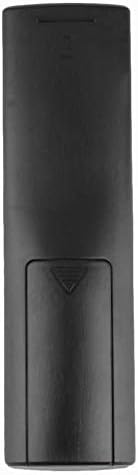
Immagine: Posteriore view del telecomando con il coperchio della batteria chiuso.
Istruzioni per l'uso
Utilizzo iniziale
The Calvas USARMT LTV-914 remote control is designed to work directly with most compatible LG TV models without requiring any programming. Simply insert the batteries and point the remote towards your television.
Direct Use and Basic Functions
Most functions, such as power on/off, volume control, channel selection, and navigation, should operate immediately upon pointing the remote at your LG TV.

Immagine: Frontale view of the remote control, displaying the button layout.
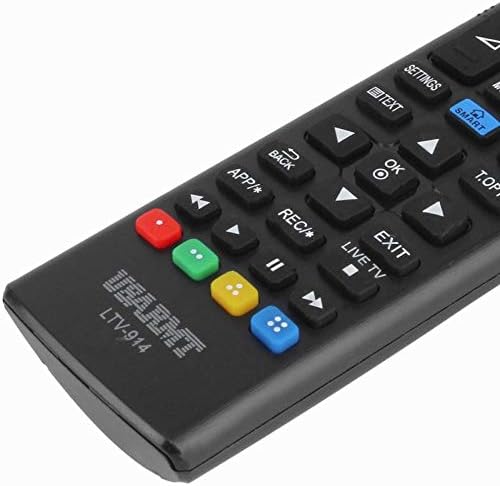
Image: Close-up of the remote's buttons, showing details of the control interface.
Factory Reset / Reconfiguration (If direct use fails)
In rare cases, if the remote does not operate your TV directly, you may need to perform a factory reset or attempt a reconfiguration.
- To reset to factory settings: Press and hold the ENERGIA button and the number 0 contemporaneamente per alcuni secondi.
- To attempt re-pairing (if applicable, though typically not required for this universal remote): Press and hold the ENERGIA button and the number 1 contemporaneamente per alcuni secondi.
After performing either of these steps, release the buttons and test the remote's functionality with your TV.
Risoluzione dei problemi
- Il telecomando non risponde:
- Controllare che le batterie siano inserite correttamente, rispettando la polarità corretta.
- Sostituisci le batterie vecchie o esaurite con nuove batterie alcaline AAA.
- Assicurarsi che non vi siano ostacoli tra il telecomando e il ricevitore IR del televisore.
- Assicuratevi di trovarvi nel raggio d'azione effettivo del ricevitore IR del televisore.
- Alcune funzioni non funzionano:
- While this is a universal remote, some advanced or specific smart TV functions might not be fully supported on all LG models.
- Try the factory reset/reconfiguration steps mentioned in the "Operating Instructions" section.
- Remote LED indicator not lighting up:
- This usually indicates dead batteries or incorrect battery insertion. Replace batteries.
Manutenzione
- Mantenere il telecomando asciutto. Evitare l'esposizione ai liquidi.
- Non far cadere il telecomando e non sottoporlo a forti urti.
- Pulisci il telecomando con un panno morbido e asciutto. Non utilizzare detergenti abrasivi o solventi.
- Se il telecomando non verrà utilizzato per un periodo prolungato, rimuovere le batterie per evitare perdite.
Garanzia e supporto
Specific warranty information for this product is not provided in the available data. For support or warranty inquiries, please contact your retailer or the manufacturer, Calvas.


