1. Introduzione
Grazie per l'acquistoasing the Karlsson Alarm Clock KA5805GD. This digital alarm clock features a unique hexagonal design, displaying time, date, and temperature. It is designed for indoor use and can be placed on a tabletop or mounted on a wall. This manual provides essential information for setting up, operating, and maintaining your alarm clock.
2. Prodotto finitoview
The Karlsson KA5805GD is a stylish and functional digital alarm clock. Its hexagonal modules display various information clearly. The clock is designed to react to touch and sound for activation, conserving battery life.
Caratteristiche principali:
- Six 4-Faceted Hexagonal Design
- Digital Display for Time, Date, and Temperature
- Touch and Sound Activation
- Versatile Placement: Tabletop or Wall-Mountable
- Gold Color Finish

Figura 2.1: Davanti view of the Karlsson KA5805GD alarm clock. The display shows the current time (15:41), day (MON), date (01 JAN), and temperature (27.5°C).
3. Impostazione
3.1. Alimentazione del dispositivo
- Individuare il vano batterie sul retro della sveglia.
- Aprire il coperchio del vano batterie.
- Inserire le batterie necessarie (non incluse), assicurandosi della corretta polarità (+/-).
- Close the battery compartment cover securely. The clock should power on and display default settings.
Nota: The clock operates on battery power. Ensure fresh batteries are used for optimal performance.

Figura 3.1: Posteriore view of the alarm clock, highlighting the battery compartment and control buttons (MODE, UP, DOWN, ALARM) for setup and operation.
3.2. Posizionamento
The Karlsson KA5805GD can be placed on any flat surface or mounted on a wall. For wall mounting, use appropriate hardware (not included) with the integrated keyhole slots on the back of the clock.
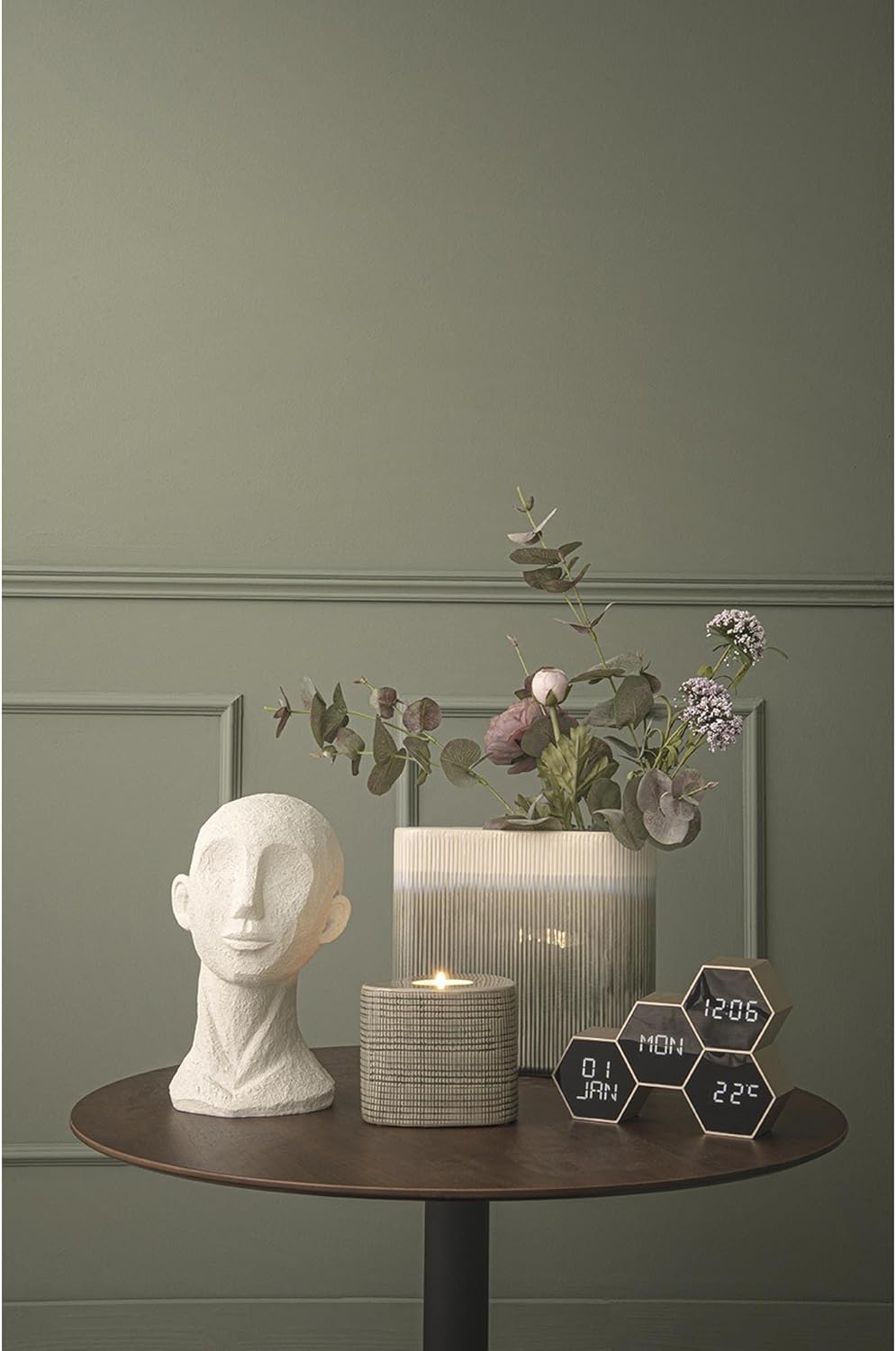
Figura 3.2: The alarm clock positioned on a tabletop, demonstrating its suitability for home office or living spaces.
4. Istruzioni per l'uso
The clock features several control buttons on the back: MODALITÀ, UP, GIÙ, E ALLARME. Specific functions may vary slightly based on the exact firmware version, but the general operation is as follows:
4.1. Impostazione di ora e data
- Premere il tasto MODALITÀ ripetutamente il pulsante finché non viene attivata la modalità di impostazione dell'ora (ad esempio, le ore lampeggiano).
- Utilizzare il UP E GIÙ pulsanti per regolare le ore.
- Premere MODALITÀ di nuovo per passare ai minuti, quindi regolare con UP/GIÙ.
- Continua a premere MODALITÀ per scorrere le impostazioni di anno, mese e giorno, regolando ciascuna con UP/GIÙ.
- Una volta completate tutte le impostazioni, premere MODALITÀ to exit the setting mode, or wait for a few seconds for it to automatically save and exit.
4.2. Impostazione dell'allarme
- Premere il tasto ALLARME button to enter alarm setting mode. The alarm time will likely flash.
- Utilizzare il UP E GIÙ pulsanti per impostare l'ora desiderata per la sveglia.
- Premere ALLARME di nuovo per passare ai minuti, quindi regolare con UP/GIÙ.
- Premere ALLARME once more to confirm and activate the alarm. An alarm icon may appear on the display.
- Per disattivare l'allarme, premere il tasto ALLARME button again until the alarm icon disappears.
4.3. Visualizzazione della temperatura
The clock automatically displays the ambient temperature. No manual setting is typically required for this feature.
4.4. Touch and Sound Activation
The display is designed to activate upon touch or sound, conserving battery power when not actively viewed. A gentle tap on the clock or a moderate sound nearby should illuminate the display.
5. Manutenzione
- Pulizia: Pulisci l'orologio con un panno morbido e asciutto. Non utilizzare detergenti abrasivi o solventi, poiché potrebbero danneggiare la finitura.
- Sostituzione della batteria: Replace batteries when the display dims or functions become erratic. Always replace all batteries at the same time with new ones of the same type.
- Magazzinaggio: Se si conserva l'orologio per un periodo prolungato, rimuovere le batterie per evitare perdite.
6. Risoluzione Dei Problemi
| Problema | Possibile causa | Soluzione |
|---|---|---|
| Il display è vuoto o poco luminoso. | Batterie scariche o esaurite. | Sostituisci tutte le batterie con batterie nuove. |
| Clock not responding to touch/sound. | Batteries are low; sensor obstruction. | Replace batteries. Ensure no objects are covering the clock's sensors. |
| Ora/data errate. | Not set correctly; battery interruption. | Reimpostare l'ora e la data seguendo la Sezione 4.1. |
| L'allarme non suona. | Alarm not activated; incorrect time set. | Ensure the alarm is activated and the alarm time is set correctly (Section 4.2). |
7. Specifiche
| Numero di modello | PTG-KA5805GD |
| Marca | Karlsson |
| Colore | Oro |
| Tipo di visualizzazione | Digitale |
| Caratteristica speciale | Temperature Display, Touch/Sound Activation |
| Dimensioni del prodotto | 17.5 cm (L) x 4.5 cm (D) x 12 cm (H) / 7.56"W x 5.63"H |
| Fonte di alimentazione | Alimentato a batteria (batterie non incluse) |
| Materiale | Plastica (acrilonitrile-butadiene-stirene) |
| Tipo di montaggio | Tabletop, Wall-Mountable |
| Peso dell'articolo | 0.19 chilogrammi (6.7 once) |
| Uso interno/esterno | Al chiuso |
8. Garanzia e supporto
For information regarding warranty coverage and customer support, please refer to the documentation provided at the time of purchase or visit the official Karlsson websito. Conservare la prova d'acquisto per eventuali reclami in garanzia.
Per ulteriore assistenza, puoi contattare il servizio clienti Karlsson tramite i suoi canali ufficiali.


