Introduzione
This manual provides instructions for the setup, operation, and maintenance of your Targus U660 USB Optical Mouse. The Targus U660 is designed for smooth and precise cursor control, featuring a 1000 DPI optical sensor and a comfortable ambidextrous design.
Contenuto della confezione
- Targus U660 USB Optical Mouse
- Manuale dell'utente (questo documento)
Prodotto finitoview
The Targus U660 USB Optical Mouse features a standard three-button layout with a scroll wheel, designed for ease of use and compatibility with various operating systems.

Figura 1: Top-down view of the Targus U660 USB Optical Mouse, showing the left and right click buttons, and the scroll wheel in the center. The Targus logo is visible on the palm rest.

Figura 2: Davanti view of the Targus U660 USB Optical Mouse, highlighting the USB cable connection point and the scroll wheel.
Impostare
- Collega il mouse: Locate an available USB port on your computer (desktop, laptop, or compatible device). Insert the USB connector of the Targus U660 mouse into the USB port.
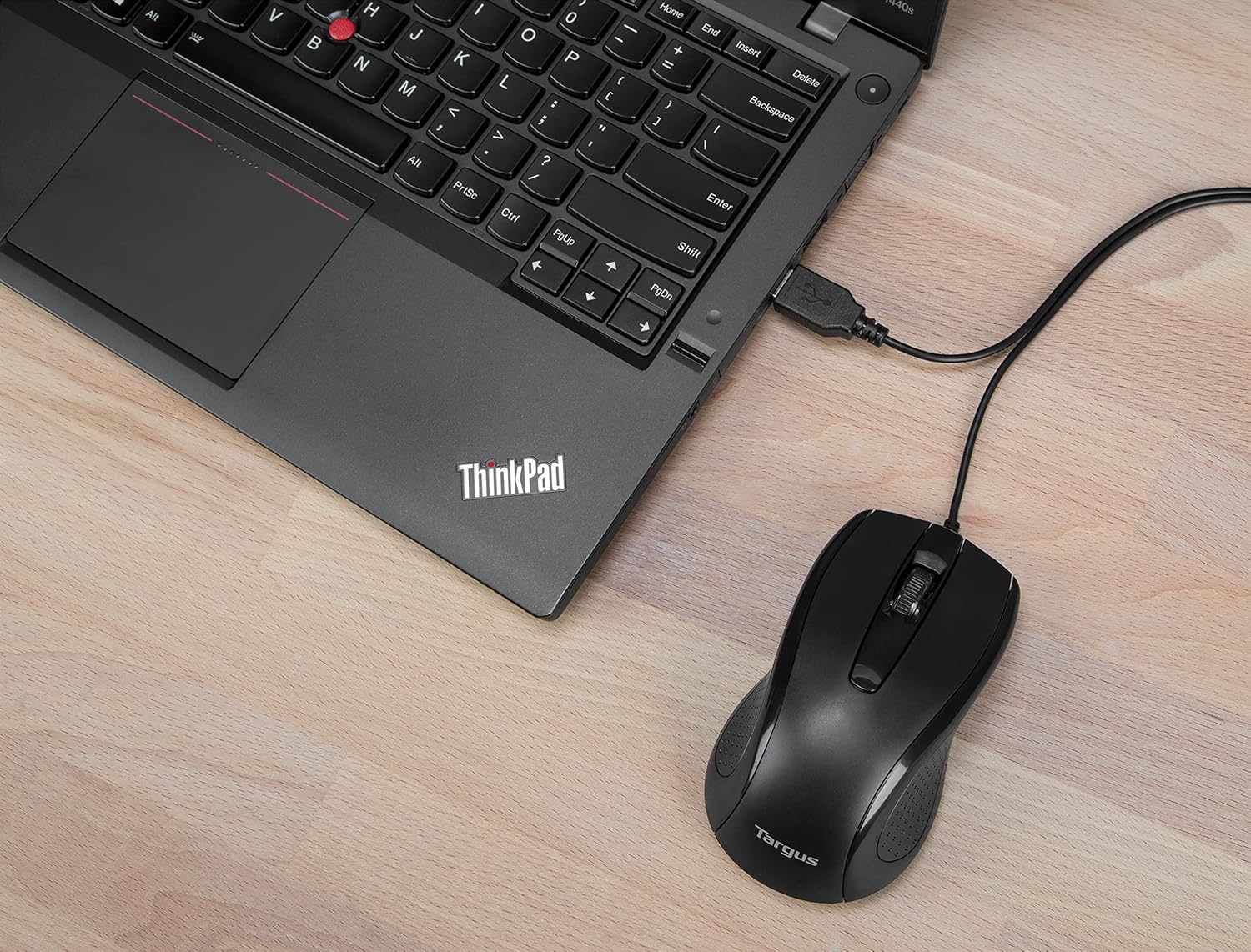
Figura 3: The Targus U660 USB Optical Mouse connected to a laptop via its USB cable.
- Installazione del driver: The Targus U660 is a plug-and-play device. Your operating system (Windows or macOS) will automatically detect and install the necessary drivers. No manual driver installation is typically required.
- Pronto per l'uso: Una volta installati i driver, il mouse è pronto per l'uso immediato.
Istruzioni per l'uso
The Targus U660 USB Optical Mouse operates like a standard computer mouse.
- Clic sinistro: Premere il pulsante sinistro per selezionare elementi, aprire applicazioni o attivare funzioni.
- Clic destro: Premere il tasto destro per aprire i menu contestuali o accedere ad opzioni aggiuntive.
- Rotella di scorrimento: Ruotare la rotellina di scorrimento verso l'alto o verso il basso per navigare tra i documenti e web pages. The scroll wheel can also be pressed as a middle button for specific functions depending on the application.
- Movimento: Move the mouse across a flat surface to control the cursor on your screen. The 1000 DPI optical sensor provides precise tracking.
Manutenzione
Una corretta manutenzione garantisce la longevità e le prestazioni ottimali del mouse.
- Pulizia: Utilizzare un panno morbido e asciutto per pulire l'esterno del mouse. Per lo sporco ostinato, un panno leggermenteamp È possibile utilizzare un panno, assicurandosi che non penetri umidità nel dispositivo. Evitare prodotti chimici aggressivi o detergenti abrasivi.
- Sensore ottico: Mantenere pulito e libero da polvere o detriti il sensore ottico sul lato inferiore del mouse per garantire un tracciamento accurato.

Figura 4: The underside of the Targus U660 USB Optical Mouse, displaying the optical sensor window and product information.
- Magazzinaggio: Quando non lo si utilizza, conservare il mouse in un ambiente pulito e asciutto, lontano da temperature estreme.
Risoluzione dei problemi
| Problema | Possibile causa | Soluzione |
|---|---|---|
| Il mouse non risponde |
|
|
| Movimento irregolare del cursore |
|
|
| Pulsanti o rotellina di scorrimento non funzionanti |
|
|
Specifiche
- Nome modello: Minore 660
- Numero parte: AMU660AP
- Connettività: USB (cablato)
- Tecnologia dei sensori: Ottico
- DPI: 1000 DPI
- Numero di pulsanti: 3 (Sinistra, Destra, Clic con la rotellina di scorrimento)
- Orientamento della mano: Ambidestro
- Lunghezza del cavo: 4.9 piedi (1.5 m)
- Peso: Circa 84 g
- Sistemi operativi compatibili: Windows, macOS
- Dispositivi compatibili: Computer portatile, personal computer
Garanzia e supporto
For warranty information and technical support, please refer to the official Targus website or contact Targus customer service. Keep your purchase receipt for warranty claims.
Targus Ufficiale Websito: www.targus.com


