1. Introduzione
Grazie per l'acquistoasing the ELEPHAS RD-606 Mini Projector. This compact and portable projector is designed to provide a versatile home theater experience with features like Wi-Fi connectivity, 3D support, and a built-in battery. This manual provides essential information for setting up, operating, and maintaining your projector to ensure optimal performance and longevity.
The RD-606 utilizes advanced DLP technology to deliver clear images with a 1000:1 contrast ratio and up to 1080P resolution. Its lightweight design and integrated battery allow for flexible use in various environments.

Image: High-Definition Display Comparison. The ELEPHAS projector delivers superior image clarity and color reproduction.
2. Informazioni sulla sicurezza
Leggere attentamente tutte le istruzioni di sicurezza prima di utilizzare il proiettore. Conservare il presente manuale per riferimento futuro.
- Non guardare direttamente nell'obiettivo del proiettore quando lamp è acceso, poiché la luce intensa può causare danni agli occhi.
- Assicurare una ventilazione adeguata attorno al proiettore. Non ostruire le aperture di ventilazione.
- Utilizzare solo l'adattatore di alimentazione fornito con il proiettore.
- Non esporre il proiettore a pioggia, umidità o temperature estreme.
- Evitare di posizionare il proiettore su superfici instabili.
- Non tentare di smontare o modificare il proiettore. Per qualsiasi intervento di assistenza, rivolgersi a personale qualificato.
3. Contenuto della confezione
Verifica che tutti gli articoli siano presenti nel tuo pacco:
- ELEPHAS Mini Projector (RD-606) x1
- Adattatore di alimentazione x1
- Telecomando x1
- Micro USB Wire x1
- Free Tripod x1
- Borsa per il trasporto x1
- Manuale utente x1
4. Impostazione
4.1 Accensione/Spegnimento
- Connect the power adapter to the projector's charging port (DC 5V) and then to a power outlet.
- Slide the Power Switch to the 'ON' position. The projector will power on.
- To power off, slide the Power Switch to the 'OFF' position.
4.2 Regolazione della messa a fuoco
Rotate the focus ring on the side of the projector until the projected image appears clear and sharp.
4.3 Correzione automatica della distorsione trapezoidale
The RD-606 features an automatic keystone correction function. The projected image will adjust automatically to optimize the angle, correcting distortion up to ±40 degrees. No manual adjustment is typically required for this feature.
4.4 Connettività
Il proiettore supporta diverse sorgenti di input:
- HDMI: Connect devices like laptops, gaming consoles (PS4), or streaming sticks (Fire TV, Roku Stick, Apple TV) using an HDMI cable.
- USB: Inserisci un'unità flash USB per riprodurre contenuti multimediali filedirettamente.
- Micro USB: For charging or connecting compatible devices.
- Audio da 3.5 mm: Collegare altoparlanti esterni o cuffie.
- Wifi: Connect to your wireless network for online content and screen mirroring.

Image: Projector Ports and Compatible Devices. This image illustrates the various input ports and devices that can be connected to the RD-606 projector.
5. Istruzioni per l'uso
5.1 Navigazione di base
Use the included remote control to navigate the projector's on-screen menu. The directional buttons allow you to move through options, and the 'OK' or 'Enter' button confirms selections. 'Back' or 'Return' buttons typically exit menus.
5.2 Connessione Wi-Fi
- Accedere al menu delle impostazioni del proiettore.
- Selezionare "Rete" o "Impostazioni Wi-Fi".
- Scegli la rete Wi-Fi desiderata dall'elenco.
- Inserisci la password Wi-Fi utilizzando la tastiera sullo schermo.
- Once connected, you can access built-in apps like YouTube and Koala (if available) for online content.
5.3 Wireless Screen Mirroring (Airplay/Miracast)
The projector supports wireless mirroring from compatible smartphones and tablets via Airplay (for iOS devices) or Miracast (for Android devices).
- Ensure your projector and smart device are connected to the same Wi-Fi network.
- Sul proiettore, seleziona l'opzione "Screen Mirroring" o "Wireless Display" dal menu principale.
- On your smart device, activate its screen mirroring feature (e.g., 'Screen Mirroring', 'Smart View', 'Airplay', 'Cast').
- Select the projector's name from the list of available devices on your smart device.
- The device's screen content will now be projected.

Image: Screen Mirroring with Phone/Tablet. This image demonstrates how to wirelessly share content from mobile devices to the projector.
5.4 3D Mode Operation
The RD-606 Series supports multiple 3D modes. To experience 3D content:
- You will need a pair of active DLP Link 3D glasses (sold separately).
- Play 3D content from a compatible source.
- Turn on your DLP Link 3D glasses. They should automatically synchronize with the projected image.
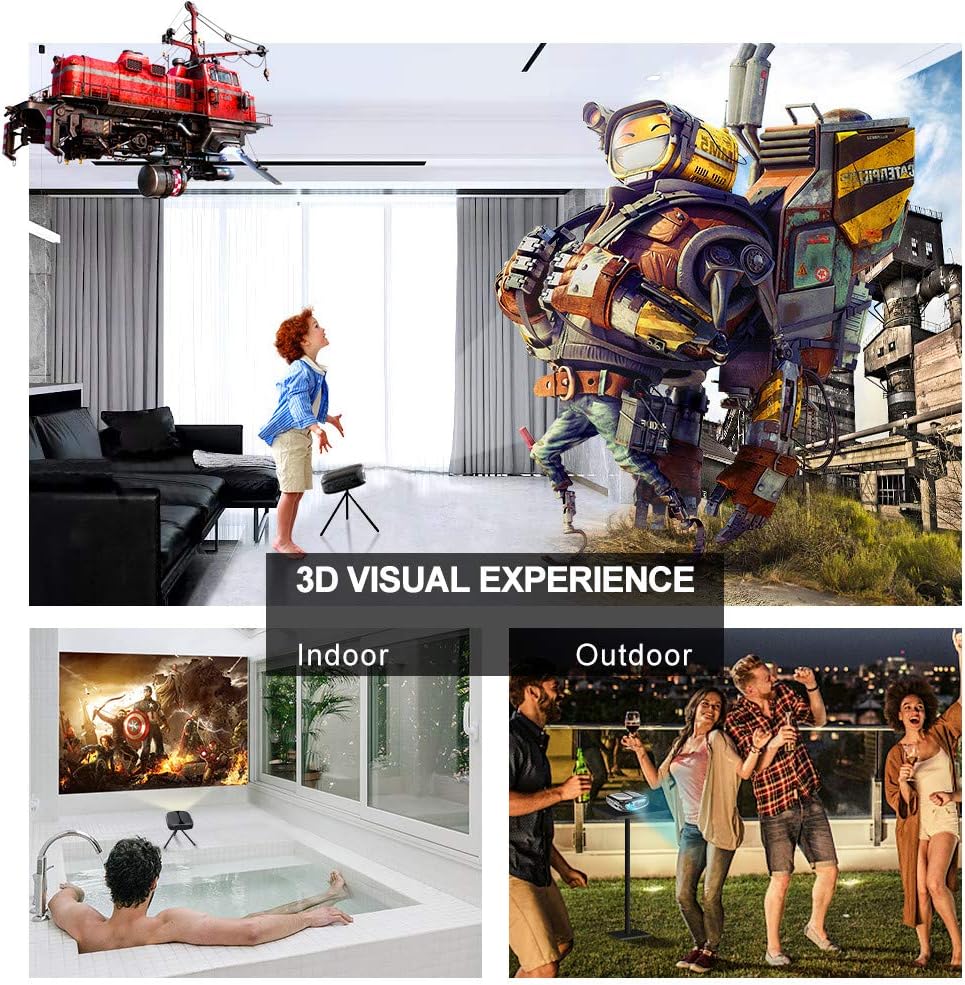
Image: 3D Visual Experience. The projector offers immersive 3D viewing for both indoor and outdoor settings.
5.5 Battery Operation and Portability
The built-in battery provides approximately two hours of continuous video playback, offering flexibility for use without a constant power source. For extended use, the projector can also be charged via a power bank.

Image: Embedded Battery for Portable Use. The projector's battery allows for convenient outdoor entertainment.

Image: Pocket Size and Lightweight Design. The projector's compact form factor makes it highly portable.
6. Manutenzione
6.1 Pulizia della lente
Gently wipe the projector lens with a soft, lint-free cloth specifically designed for optical surfaces. Do not use abrasive cleaners or harsh chemicals.
6.2 Pulizia generale
Utilizzare un panno morbido e asciutto per pulire il proiettore.asing. Per lo sporco ostinato, una leggera damp È possibile utilizzare un panno, seguito da un panno asciutto. Assicurarsi che nessun liquido penetri nel dispositivo.
6.3 Conservazione
Quando non viene utilizzato per lunghi periodi, conservare il proiettore in un luogo fresco e asciutto, lontano dalla luce solare diretta e da temperature estreme. Utilizzare la borsa per il trasporto in dotazione per proteggerlo da polvere e danni fisici.
7. Risoluzione Dei Problemi
- Nessun potere:
- Assicurarsi che l'adattatore di alimentazione sia collegato saldamente sia al proiettore sia a una presa di corrente funzionante.
- Controllare che l'interruttore di alimentazione sia in posizione 'ON'.
- Verificare che la presa di corrente funzioni.
- Nessuna immagine:
- Check the input source selection on the projector to ensure it matches your connected device (e.g., HDMI, USB).
- Verify that the connected device is powered on and outputting a signal.
- Assicurarsi che tutti i cavi siano collegati saldamente.
- Immagine sfocata:
- Regolare la ghiera di messa a fuoco del proiettore finché l'immagine non risulta nitida.
- Assicurarsi che la superficie di proiezione sia piana e che il proiettore si trovi a una distanza adeguata.
- Nessun suono:
- Controllare le impostazioni del volume sia sul proiettore che sul dispositivo sorgente collegato.
- Se si utilizzano altoparlanti esterni, assicurarsi che siano correttamente collegati e accesi.
- Verificare che le impostazioni di uscita audio sul dispositivo sorgente siano corrette.
- Wi-Fi/Screen Mirroring Issues:
- Ensure both the projector and your smart device are connected to the same Wi-Fi network.
- Check for strong Wi-Fi signal strength.
- Restart both the projector and your smart device.
- Ensure your smart device's operating system is up to date.
8. Specifiche
| Caratteristica | Specificazione |
|---|---|
| Modello | RD-606 |
| Tecnologia di visualizzazione | DLP |
| Luminosità dell'immagine | 2600 lumen |
| Rapporto di contrasto dell'immagine | 1000:1 |
| Risoluzione nativa | 1920 x 1080 (Supports 1080P) |
| Caratteristiche speciali | Auto Keystone, HDMI Connectivity, Portable, Built-in Wi-Fi, 3D Ready |
| Tecnologia di connettività | HDMI, USB, Wi-Fi |
| Dispositivi compatibili | Laptops, Smartphones, Media Players |
| Tipo di batteria | Ioni di litio (1 inclusi) |
| Durata della batteria | Approx. 2 hours video playback |
| Dimensioni del prodotto | Dimensioni: 9.91 x 10.67 x 4.06 cm |
| Peso dell'articolo | 793.79 g (0.66 libbre) |
| Tipo di montaggio | Supporto da tavolo |
9. Garanzia e supporto
ELEPHAS provides lifetime professional customer service and technical support for the RD-606 Mini Projector. If you encounter any issues or have questions regarding your product, please do not hesitate to contact our support team.
Informazioni sui contatti:
- E-mail: support@elephas.com.hk
Please have your product model number (RD-606) and purchase details ready when contacting support to facilitate a quicker resolution.


