1. Introduzione
This manual provides comprehensive instructions for the safe and efficient operation of your Retevis RT18 Rechargeable Walkie Talkies. Please read this manual thoroughly before use and retain it for future reference.
2. Contenuto della confezione
Dopo aver disimballato, verificare che siano presenti tutti gli articoli elencati di seguito:
- 2 x Radio bidirezionali Retevis RT18
- Clip 2 x cinghie
- 1 x Manuale utente
- 2 x Hand-Straps
- 1 x Adapter (USB charger)

Figure 2.1: Contents of the Retevis RT18 package.
3. Caratteristiche del prodotto
- Design compatto e leggero: Less than 0.6 inches thick and weighing only 0.26 pounds, designed for easy handling by adults and children.
- Dual PTT (Push-to-Talk) Buttons: Features both a side PTT button and a large central round PTT button for flexible communication.
- Indicatore luminoso di respirazione: A colored LED circle around the front PTT button indicates device status (on, working, standby, charging).
- Sturdy Metal Back Clip: Allows secure attachment to a belt or backpack.
- Funzione di blocco tasti: Impedisce cambi di canale accidentali.

Figure 3.1: Dual PTT design for flexible communication.

Figure 3.2: Breathing Light and Large PTT button.
4. Impostazione
4.1 Installazione della batteria
- Individuare il coperchio del vano batteria sul retro della radio.
- Gently pry open the cover using a fingernail or small tool.
- Insert the provided Lithium Metal battery (Model: BL18, 1000mAh, 3.7Wh) into the compartment, ensuring the contacts align.
- Riposizionare il coperchio del vano batteria finché non scatta saldamente in posizione.

Figure 4.1: Battery installation for the Retevis RT18.
4.2 Ricarica delle radio
The RT18 radios are equipped with rechargeable Lithium Metal batteries. Use the provided adapter and Y-type USB cable for charging.
- Collegare l'adattatore USB a una presa di corrente.
- Plug the Y-type USB cable into the adapter.
- Connect the micro USB ends of the Y-cable to the charging ports on each walkie talkie.
- The breathing light indicator will show red during charging and turn green when fully charged. Charging time is approximately 3 hours.

Figure 4.2: Charging the Retevis RT18 walkie talkies.
4.3 Fissaggio della clip da cintura
The sturdy metal back clip allows for convenient carrying.
- Allineare la clip da cintura con le apposite fessure sul retro della radio.
- Far scorrere la clip in posizione finché non si blocca saldamente.
- To remove, gently lift the tab on the clip and slide it off.
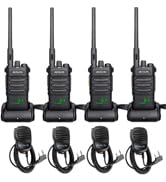
Figure 4.3: Attaching the metal belt clip.
5. Funzionamento di base
5.1 Accensione/spegnimento
To power on the radio, rotate the top-left knob clockwise until you hear a click and a voice prompt announces the channel number. To power off, rotate the same knob counter-clockwise until it clicks off.
5.2 Selezione del canale
The RT18 has 16 channels. To change channels, use the 'CH+' and 'CH-' buttons located on the side of the radio. A voice prompt will announce the selected channel number.
5.3 Regolazione del volume
Adjust the volume by rotating the top-right knob. Rotate clockwise to increase volume and counter-clockwise to decrease volume.
Video 5.1: Demonstration of volume adjustment on the Retevis RT18 walkie talkie.
5.4 Push-to-Talk (PTT)
The RT18 features two PTT buttons: a side PTT and a large central PTT button. Press and hold either PTT button to transmit your voice. Release the button to listen.
Video 5.2: Oltreview of the easy-to-use dual PTT and smart breathing lights on the Retevis RT18.
5.5 Funzione di blocco dei tasti
To prevent accidental channel changes, you can lock the current channel:
- Long press the 'CH-' (channel down) button until you hear two beeps. The current channel is now fixed.
- To unlock, long press the 'CH-' button again until you hear one beep. You can now change the channel normally.
Video 5.3: Demonstration of the keylock function on the Retevis RT18.
5.6 Indicatore luminoso di respirazione
The colored LED ring around the front PTT button provides visual feedback:
- Lampeggiante: Indicates standby state.
- Rosso: Transmitting or charging.
- Verde: Receiving or fully charged.
6. Funzionalità avanzate
6.1 Programmazione e personalizzazione
The Retevis RT18 radios can be customized using programming software (CPS) and a CPS cable connected to a computer. This allows for setting privacy codes (CTCSS/CDCSS) and assigning functions to side keys (e.g., Monitor, VOX, Scan, Emergency Alarm, FM Radio).
Video 6.1: Guide on how to set privacy codes and customize feature settings using programming software.
Video 6.2: Instructions for programming the TD-M11 (similar programming process for RT18) using the Odmaster app.
7. Specifiche
| Caratteristica | Dettaglio |
|---|---|
| Marca | Retevis |
| Numero di modello | FA9152A-C9034A |
| Peso dell'articolo | 0.01 once |
| Dimensioni del prodotto | 2.04 x 0.55 x 3.54 pollici |
| Batterie | Sono necessarie 2 batterie al litio metallico (incluse) |
| Colore | Nero |
| Numero di canali | 16 |
| Gamma di frequenza | FRS |
| Portata massima di conversazione | 2 miglia |
| Voltage | 3.7 Volt |
| Livello di resistenza all'acqua | Non resistente all'acqua |
| Identificazione FCC | 2ASNSRT18 |
8. Informazioni sulla sicurezza
Your Retevis RT18 walkie talkies are FRS (Family Radio Service) compliant and meet FCC rule part 95. The FCC ID is 2ASNSRT18. Please ensure you operate the devices in accordance with local regulations.
9. Risoluzione Dei Problemi
If you encounter issues with your RT18 walkie talkies, consider the following common solutions:
- Nessun potere: Assicurarsi che la batteria sia installata correttamente e completamente carica.
- Impossibile comunicare: Verify both radios are powered on and set to the same channel. Check if the key lock function is active on either device.
- Scarsa qualità audio: Ensure radios are within range and there are no major obstructions. Adjust volume levels.
- Cambiamenti accidentali di canale: Utilize the key lock function to prevent unintended channel switching.
10. Garanzia e supporto
Retevis provides a 2-year warranty for the radio body and a 1-year warranty for accessories. Within the warranty period, maintenance service is offered. Beyond the warranty period, maintenance service is still available, with buyers responsible for corresponding costs. For support, please contact Retevis customer service on Amazon; they will reply within 12 hours.


