1. Introduzione
Grazie per l'acquistoasing the SENCOR SWS 3000 W Weather Station. This device provides accurate indoor and outdoor temperature and humidity readings, along with time and date display. Please read this manual carefully before operating the device to ensure proper use and to maximize its lifespan.
2. Informazioni sulla sicurezza
- Non esporre l'unità principale o il sensore a temperature estreme, alla luce solare diretta o all'umidità.
- Evitare di far cadere il dispositivo o di sottoporlo a forti impatti.
- Non tentare di smontare o riparare l'unità da soli. Per qualsiasi intervento di assistenza, rivolgersi a personale qualificato.
- Smaltire le batterie usate in modo responsabile secondo le normative locali.
- Tenere il dispositivo fuori dalla portata dei bambini.
3. Contenuto della confezione
Si prega di controllare il contenuto della confezione per assicurarsi che siano presenti tutti gli articoli:
- SENCOR SWS 3000 W Main Unit (Weather Station)
- Sensore esterno wireless
- Manuale dell'utente (questo documento)
4. Prodotto finitoview

Figure 4.1: The SENCOR SWS 3000 W Weather Station main unit (left) and its accompanying wireless outdoor sensor (right).

Figura 4.2: Angolato view of the SENCOR SWS 3000 W main unit, showcasing il suo display e i pulsanti di controllo.
The SENCOR SWS 3000 W Weather Station consists of a main display unit and a wireless outdoor sensor. The main unit features a clear LCD display with white backlight, showing indoor and outdoor temperature, humidity, time, and date. The wireless sensor transmits outdoor data to the main unit.

Figura 4.3: primo piano view of the wireless outdoor sensor, which transmits temperature and humidity data to the main unit.

Figura 4.4: Posteriore view of the main unit, showing the battery compartment and the integrated stand for tabletop placement.
5. Impostazione
5.1 Installazione della batteria
The SENCOR SWS 3000 W Weather Station is battery-powered. Ensure you have the correct battery types as specified in the specifications section.
- Unità principale: Open the battery compartment cover on the back of the main unit (refer to Figure 4.4). Insert the required AAA batteries, observing the correct polarity (+/-). Close the cover securely.
- Sensore wireless: Open the battery compartment cover on the back of the wireless sensor (refer to Figure 4.3). Insert the required batteries (typically AAA), observing the correct polarity (+/-). Close the cover securely.
5.2 Posizionamento del sensore
Proper placement of the wireless sensor is crucial for accurate outdoor readings.
- Place the sensor in a shaded area to avoid direct sunlight, which can cause inaccurate temperature readings.
- Ensure the sensor is protected from direct rain or snow.
- Position the sensor within the effective transmission range (up to 30 meters in open air) of the main unit. Walls and other obstacles can reduce this range.
- Evitare di posizionare il sensore vicino a grandi oggetti metallici o apparecchi elettrici che potrebbero interferire con il segnale wireless.

Figura 5.1: Esample placement of the main unit indoors and the wireless sensor outdoors for optimal performance.
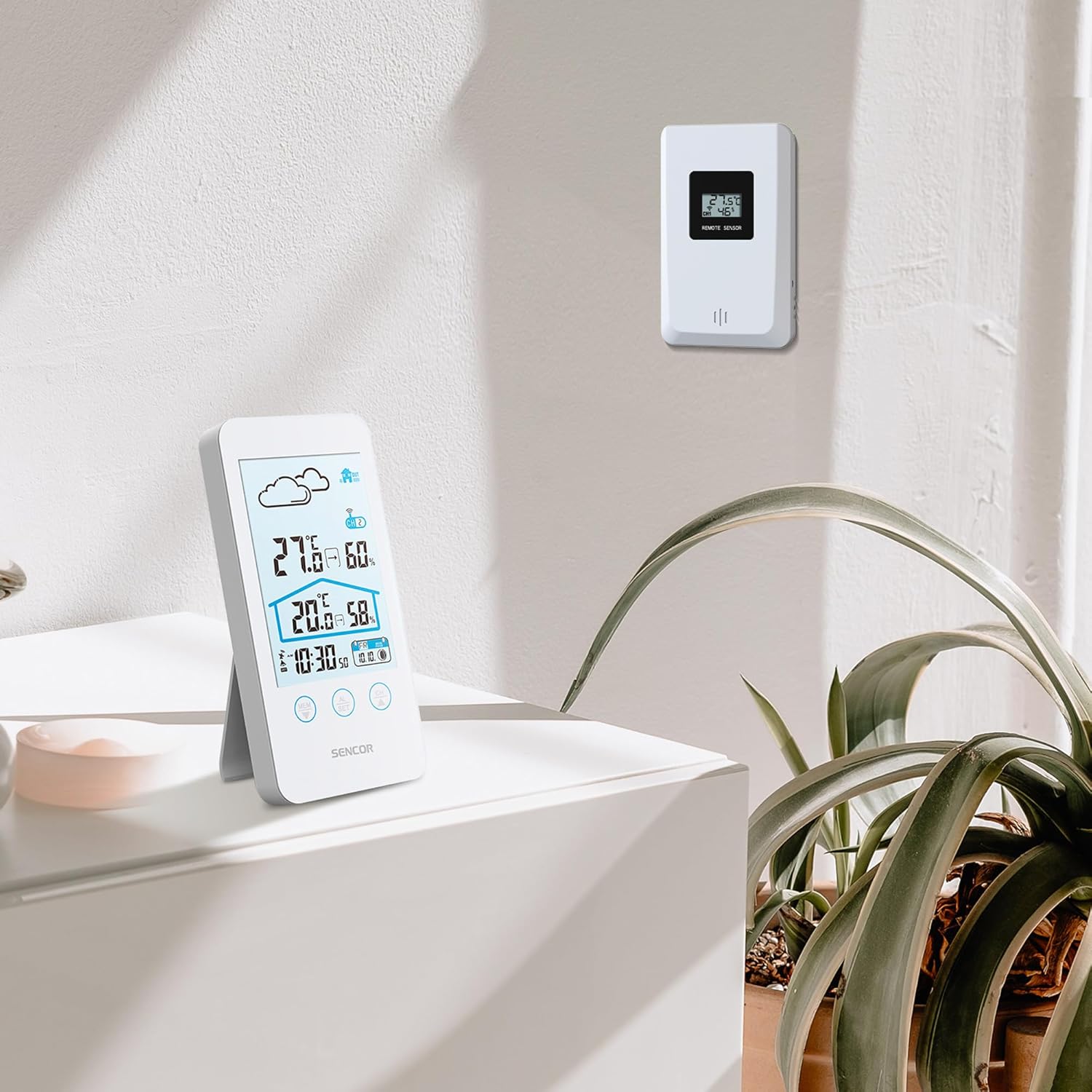
Figure 5.2: The main unit can be placed on a flat surface, while the sensor is mounted on a wall or suitable outdoor location.
5.3 Accensione iniziale e associazione
After installing batteries in both units, the main unit will automatically search for the wireless sensor. This process may take a few minutes.
- Place the main unit and the sensor close to each other during the initial pairing process.
- Una volta effettuata la connessione, la temperatura e l'umidità esterne appariranno sul display dell'unità principale.
- If the connection is not established, remove and reinsert the batteries from both units, then try again.
6. Istruzioni per l'uso
Il mio profilo
The LCD display provides various information at a glance:
- Temperatura e umidità esterne: Esposto in modo ben visibile nella parte superiore.
- Temperatura e umidità interna: Displayed below the outdoor readings.
- Ora dell'appuntamento: Situato nella parte inferiore del display.
- Icona delle previsioni del tempo: An icon indicating predicted weather conditions (e.g., sunny, cloudy, rainy).
- Indicatore di canale: Shows which sensor channel is currently displayed (if multiple sensors are used).
- Indicatore della batteria: Alerts when batteries are low for either unit.

Figura 6.1: dettagliata view of the SENCOR SWS 3000 W display, highlighting various information segments.
6.2 Impostazione di data e ora
To set the time and date on your weather station:
- Press and hold the "AL/SET" button (usually located below the display) for a few seconds until the time digits start flashing.
- Use the "CH" or "MEM" buttons to adjust the flashing value (e.g., hour, minute).
- Press "AL/SET" again to confirm the setting and move to the next adjustable item (e.g., minute, year, month, day).
- Repeat until all settings are configured. Press "AL/SET" one last time to exit the setting mode.
6.3 Selezione dell'unità di temperatura (°C/°F)
Per passare da Celsius (°C) a Fahrenheit (°F):
- Locate the °C/°F button, usually on the back or side of the main unit, or sometimes integrated with another button (e.g., "MEM" or "CH" with a short press).
- Press this button to toggle between the two temperature units. The display will update accordingly.
6.4 Selezione del canale (per più sensori)
If you have multiple wireless sensors (up to 3 supported by SWS 3000 W), you can switch between their readings:
- Press the "CH" button (Channel) on the main unit.
- Each press will cycle through the available channels (CH1, CH2, CH3) or an auto-cycle mode.
- Ensure each sensor is set to a different channel using its internal switch (if available).
6.5 Memory Function (Min/Max Readings)
The weather station records the minimum and maximum temperature and humidity readings over a period.
- Press the "MEM" button (Memory) to view the maximum recorded values.
- Press "MEM" again to view the minimum recorded values.
- Press "MEM" a third time to return to current readings.
- To clear the recorded Min/Max values, press and hold the "MEM" button while viewli.
7. Manutenzione
- Pulizia: Pulire l'unità principale e il sensore con un panno morbido e asciutto.amp panno. Non usare detergenti abrasivi o solventi.
- Sostituzione della batteria: Replace batteries when the low battery indicator appears on the display. Always replace all batteries in a unit at the same time.
- Magazzinaggio: Se si conserva il dispositivo per un periodo prolungato, rimuovere tutte le batterie per evitare perdite. Conservare in un luogo fresco e asciutto.
8. Risoluzione Dei Problemi
| Problema | Possibile causa | Soluzione |
|---|---|---|
| Nessun display sull'unità principale. | Le batterie sono scariche o inserite in modo errato. | Controllare la polarità delle batterie e sostituirle con batterie nuove. |
| Outdoor reading not displayed or flashing. | Sensore fuori portata, batteria del sensore scarica o interferenza. | Move sensor closer to main unit. Replace sensor batteries. Relocate units away from interference sources. Re-pair units if necessary. |
| Letture imprecise di temperatura/umidità. | Sensore esposto alla luce solare diretta o all'umidità. | Spostare il sensore in un'area ombreggiata e protetta. |
| Ora/data errate. | Not set correctly or batteries removed. | Follow instructions in Section 6.2 to set time and date. |
9. Specifiche
| Caratteristica | Dettaglio |
|---|---|
| Numero di modello | SWS 3000 W |
| Marca | SENCOR |
| Dimensioni dell'unità principale (L x P x A) | Dimensioni: 80 x 161 x 23 mm |
| Peso unità principale | 165 grammi |
| Intervallo di temperatura interna | da 0 °C a 60 °C |
| Intervallo di temperatura esterna | da 0 °C a 60 °C |
| Precisione della temperatura | ±1 °C |
| Umidità ambiente | 20% al 95% di umidità relativa |
| Frequenza senza fili | 433 MHz |
| Gamma di trasmissione | Fino a 30 metri (all'aria aperta) |
| Fonte di alimentazione (unità principale) | Batterie AAA (non incluse) |
| Fonte di alimentazione (sensore) | Batterie AAA (non incluse) |
| Caratteristica speciale | Design leggero |
| Colore | Bianco |
Note: Specifications are subject to change without notice. Battery quantities are typical and should be confirmed with product packaging.
10. Garanzia e supporto
SENCOR products are designed and manufactured to the highest quality standards. For warranty information, please refer to the warranty card included with your product or visit the official SENCOR website. For technical support or service inquiries, please contact SENCOR customer service through their official channels.
Conservare la ricevuta d'acquisto come prova d'acquisto ai fini della garanzia.


