1. Introduzione
Thank you for choosing the Havit HV-MS989GT Wireless Optical Mouse. This manual provides essential information for the proper setup, operation, and maintenance of your new device. Please read it thoroughly before use and retain it for future reference.
2. Informazioni sulla sicurezza
- To protect the mouse, avoid using it on rough surfaces. A high-quality mouse pad is recommended for optimal performance and longevity.
- The optical sensor emits a strong light. Do not direct the light towards your eyes or the eyes of others.
- The mouse contains precise electronic components. Do not twist, disassemble, or attempt to repair the mouse yourself, as this may shorten its service life or cause damage.
- Tenere il dispositivo lontano dall'acqua e da altri liquidi.
- Non esporre il dispositivo a temperature estreme.
3. Contenuto della confezione
Si prega di controllare il contenuto della confezione all'apertura:
- Havit HV-MS989GT Wireless Optical Mouse
- Ricevitore nano USB
- Batteria AA (potrebbe essere preinstallata o inclusa separatamente)
- Manuale dell'utente (questo documento)
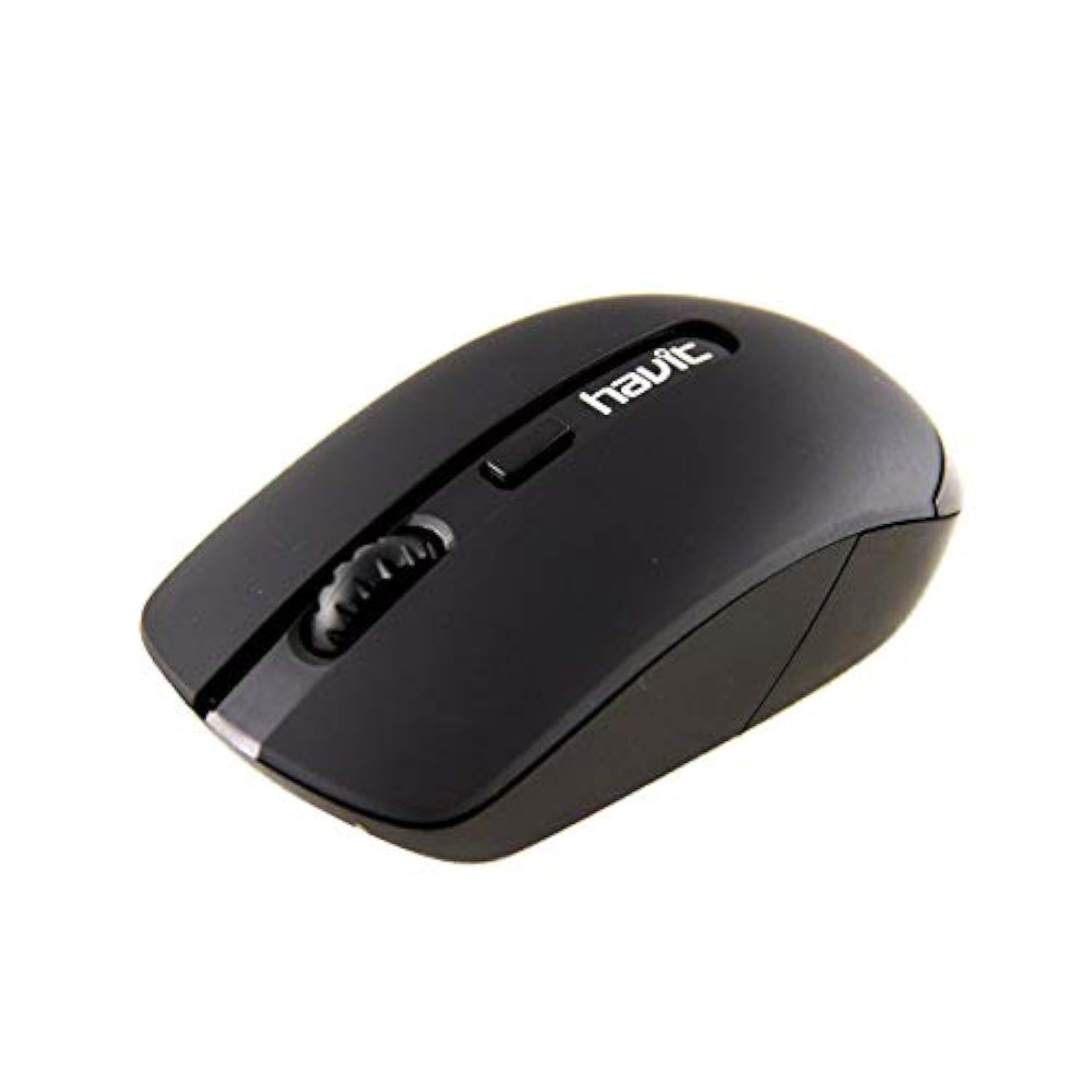
Image 1: Havit HV-MS989GT Wireless Optical Mouse in its retail packaging.
4. Prodotto finitoview
The Havit HV-MS989GT is a 2.4 GHz wireless optical mouse designed for comfort and precision. It features an ambidextrous design, making it suitable for both left and right-handed users.
- Pulsante sinistro: Funzione di clic standard.
- Pulsante destro: Funzione standard del clic destro.
- Rotella di scorrimento: Per scorrere i documenti e web pagine. Può anche funzionare come pulsante centrale.
- Sensore ottico: Located on the underside for precise tracking.
- Vano batteria: Situato nella parte inferiore del mouse.
- Memoria del ricevitore nano USB: A dedicated slot on the underside of the mouse for convenient storage of the receiver when not in use or during travel.

Immagine 2: Primo piano view of the Havit HV-MS989GT mouse, highlighting the scroll wheel and main buttons.
5. Impostazione
- Installa la batteria: Aprire il coperchio del vano batterie sul lato inferiore del mouse. Inserire una batteria AA, assicurandosi della corretta polarità (+/-). Chiudere il coperchio.
- Collegare il ricevitore USB: Remove the USB Nano Receiver from its storage slot on the underside of the mouse. Plug the receiver into an available USB port on your computer (PC or laptop).
- Accensione: The mouse should automatically power on and connect to the receiver. If there is an ON/OFF switch, ensure it is in the "ON" position. Your computer's operating system will typically install the necessary drivers automatically.
- Funzionalità di prova: Move the mouse to check if the cursor responds on your screen. If not, refer to the Troubleshooting section.
6. Istruzioni per l'uso
- Funzionamento senza fili: The mouse operates using 2.4 GHz wireless technology, providing a stable connection up to 8 meters from the USB receiver.
- Design ambidestro: The ergonomic design allows for comfortable use by both left-handed and right-handed individuals.
- Funzione di sonno automatico: To conserve battery life, the mouse features an integrated automatic sleep function. If inactive for a period, it will enter a low-power sleep mode. To wake it up, simply move the mouse or click any button.
- Sensibilità DPI: The mouse provides a resolution range of 800-1600 DPI for precise and quick tracking.
- Compatibilità del sistema: Compatible with Windows 2000, XP, Vista, Windows 7, Windows 8, Windows 10, Linux, and Mac operating systems.
7. Manutenzione
- Pulizia: Per pulire il mouse, utilizzare un panno morbido e asciutto. Evitare l'uso di prodotti chimici aggressivi o materiali abrasivi.
- Sostituzione della batteria: When the mouse performance degrades or it stops responding, replace the AA battery. Ensure proper polarity when inserting the new battery.
- Memoria del ricevitore: Always store the USB Nano Receiver in its dedicated slot on the mouse when traveling or not in use to prevent loss.
- Superficie ottimale: For best tracking performance and to protect the optical sensor, use the mouse on a clean, smooth surface, preferably with a high-quality mouse pad.
8. Risoluzione Dei Problemi
| Problema | Possibile soluzione |
|---|---|
| Mouse not responding or cursor not moving. |
|
| Movimento irregolare del cursore. |
|
| Il mouse si disconnette frequentemente. |
|
9. Specifiche
| Marca | avere |
| Numero di modello | HV-MS989GT |
| Tipo di topo | Mouse ottico |
| Connettività | Senza fili (2.4 GHz) |
| Distanza senza fili | 8 metri |
| Dimensioni (L x P x A) | Dimensioni: 104 × 58 × 37 mm |
| Numero di pulsanti | 4 |
| Risoluzione DPI | 800-1600 DPI |
| Vita chiave | 1,000,000 clic |
| Alimentazione elettrica | 1x batteria AA |
| Sistemi operativi supportati | Windows 2000, XP, Vista, Windows 7, Windows 8, Windows 10, Linux, Mac |
| Orientamento della mano | Ambidestro |
10. Garanzia e supporto
For warranty information, please refer to the warranty card included with your product or contact your retailer. You may also visit the official Havit websito per risorse di supporto e informazioni di contatto.
For additional assistance, please contact Havit customer support through their official channels.


