1. Introduzione
The Digoo DG-FT2103 is a Bluetooth-enabled digital cooking thermometer designed to help you achieve precise cooking temperatures for various foods. It features an LED touch screen, a stainless steel temperature probe, and connectivity to a smartphone application for remote monitoring and control. This manual provides detailed instructions for the proper use and maintenance of your thermometer.
2. Contenuto della confezione
Si prega di controllare il contenuto della confezione per assicurarsi che siano presenti tutti gli articoli:
- 1 x Digoo DG-FT2103 LED Touch Screen Digital Bluetooth Cooking Thermometer Unit
- 1 x Digoo DG-FT2103 Stainless Steel Temperature Probe
- 1 x Digoo DG-FT2103 User Manual

Image: The Digoo DG-FT2103 thermometer unit, its stainless steel probe, and a smartphone showing the accompanying application interface.
3. Prodotto finitoview
The Digoo DG-FT2103 consists of a main display unit and a detachable temperature probe. The main unit features an LED touch screen for displaying temperatures and settings, along with touch controls for operation.
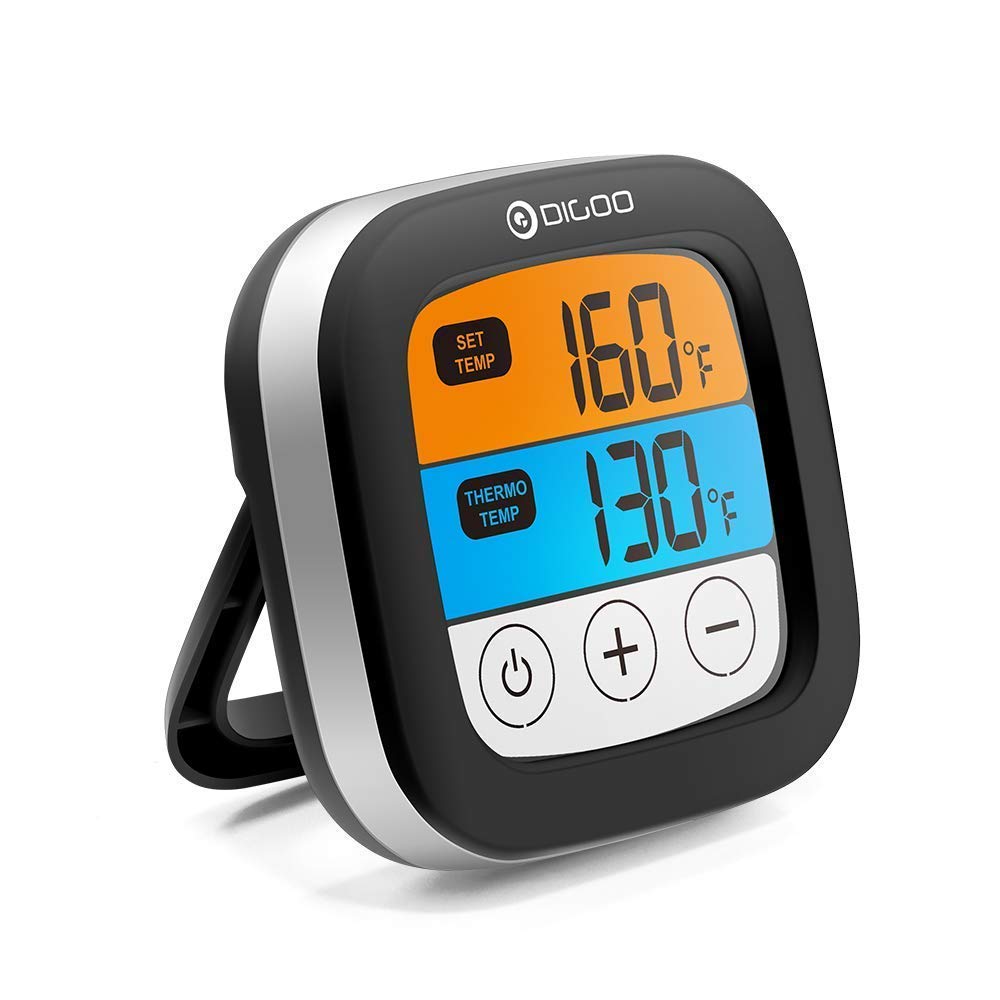
Immagine: Frontale view of the Digoo DG-FT2103 thermometer, showcasing its LED display and integrated stand.
3.1 Caratteristiche dell'unità principale
- Schermo tattile LED: Displays current and target temperatures.
- Controlli: Touch buttons for power, temperature adjustment, and mode selection.
- Supporto integrato: Allows for upright placement on a countertop.
- Connettività Bluetooth: For pairing with a smartphone application.

Immagine: Pro lateralefile of the Digoo DG-FT2103 thermometer, highlighting its slim design and adjustable stand.
3.2 Sonda di temperatura
The stainless steel probe is designed for insertion into food to measure internal temperature. It is connected to the main unit via a durable cable.

Image: The stainless steel temperature probe, showing its pointed tip, cable, and connector.
4. Impostazione
4.1 Installazione della batteria
- Individuare il vano batterie sul retro dell'unità termometro.
- Aprire il coperchio del vano batterie.
- Insert two 1.5V AA batteries (not included), ensuring correct polarity (+/-).
- Chiudere saldamente il coperchio del vano batterie.
4.2 Collegamento della sonda
- Insert the probe connector firmly into the designated port on the side of the main thermometer unit.
- Ensure the connection is secure to prevent inaccurate readings.
4.3 Installazione dell'app e associazione Bluetooth
To utilize the smart features, download the companion application to your smartphone.
- Cercare "SmartThermo" or the recommended app name (if available) in your smartphone's app store (e.g., Apple App Store or Google Play Store).
- Scarica e installa l'applicazione.
- Assicurati che il Bluetooth sia abilitato sul tuo smartphone.
- Power on the Digoo DG-FT2103 thermometer unit.
- Apri l'applicazione installata sul tuo smartphone.
- Follow the in-app instructions to pair the thermometer. Typically, this involves selecting a "Pair" or "Connect" option within the app.
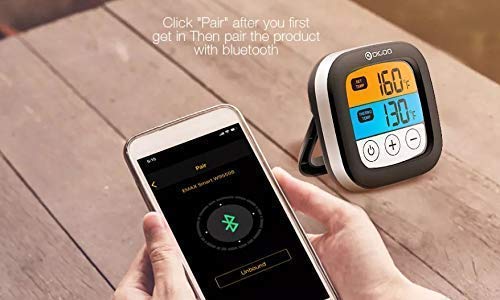
Image: A smartphone displaying the Bluetooth pairing screen within the companion application, ready to connect to the thermometer.
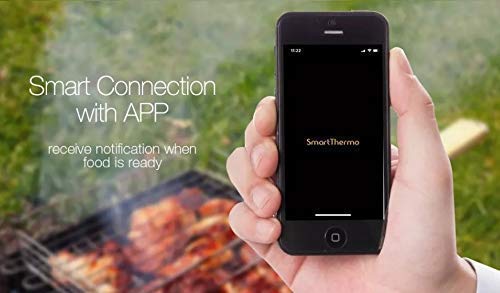
Image: A smartphone showing the "SmartThermo" application interface, indicating successful connection and readiness for use during a BBQ session.
5. Istruzioni per l'uso
5.1 Accensione/spegnimento
- Press and hold the power button (usually indicated by a circle with a vertical line) on the touch screen to turn the unit on or off.
5.2 Selezione dell'unità di temperatura
- On the device or within the app settings, you can switch between Celsius (°C) and Fahrenheit (°F) temperature units.
5.3 Setting Target Temperatures
The thermometer offers preset temperature settings for various types of meat and doneness levels, as well as the option to set custom temperatures.
Utilizzo delle temperature preimpostate:
- Access the preset menu on the device or through the app.
- Select the desired meat type (e.g., Beef, Lamb, Chicken, Pork, Turkey, Fish, Hamburger) and preferred doneness level (e.g., Rare, Medium, Well Done).
- The target temperature will be automatically set.
Setting Custom Temperatures:
- Use the '+' and '-' buttons on the device's touch screen or the app interface to manually adjust the target temperature to your desired value.
5.4 Funzione timer
The DG-FT2103 can also function as a cooking timer.
- Switch to timer mode using the appropriate button or app setting.
- Impostare il tempo di conto alla rovescia desiderato.
- An alarm will sound when the timer expires.
5.5 Using the Smartphone Application
The companion app provides enhanced control and monitoring capabilities:
- Monitoraggio remoto: View current and target temperatures from your smartphone within the Bluetooth range (up to 300ft).
- Impostazioni della temperatura: Easily select preset meat types and doneness levels or set custom temperatures.
- Controllo del timer: Start, stop, and reset the cooking timer.
- Allarmi e notifiche: Receive alerts on your phone when the target temperature is reached or the timer expires.
- Personalizzazione: Adjust notification sounds and other app settings.
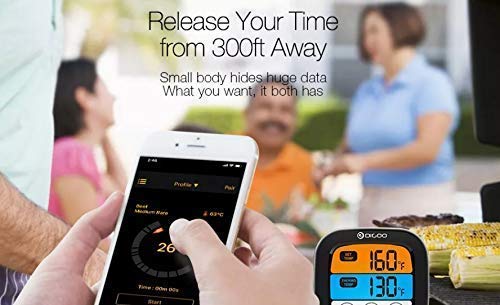
Image: The smartphone application interface showing real-time temperature monitoring and cooking progress, allowing users to manage their cooking remotely.
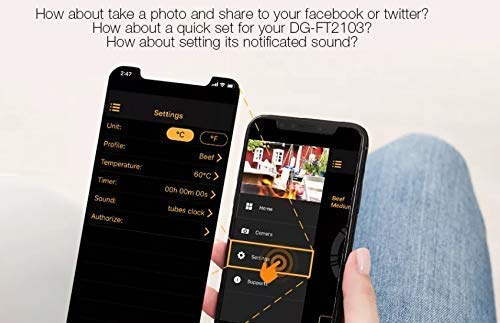
Image: The settings screen within the smartphone application, where users can customize units, profiles, temperatures, timers, and notification sounds.
6. Manutenzione
6.1 Pulizia
- Unità termometro: Pulisci l'unità principale con un pannoamp stoffa. Non immergere l'unità in acqua.
- Sonda di temperatura: The stainless steel probe can be cleaned with warm soapy water. Ensure the probe connector and cable are kept dry. The probe is oven safe, but the main unit is not.
- Do not use abrasive cleaners or scouring pads, as these may damage the surface.
6.2 Conservazione
- Quando non vengono utilizzati, conservare il termometro e la sonda in un luogo pulito e asciutto.
- Rimuovere le batterie se il dispositivo non verrà utilizzato per un periodo prolungato per evitare perdite.
7. Risoluzione Dei Problemi
- Nessun potere:
- Controllare che le batterie siano installate correttamente e con la giusta polarità.
- Sostituisci le vecchie batterie con nuove batterie AA da 1.5 V.
- Letture della temperatura imprecise:
- Ensure the probe is fully inserted into the thickest part of the meat, avoiding bone.
- Check that the probe connector is securely plugged into the main unit.
- Verify that the probe cable is not damaged.
- Problemi di connessione Bluetooth:
- Assicurati che il Bluetooth sia abilitato sul tuo smartphone.
- Make sure the thermometer unit is powered on and within the 300ft Bluetooth range.
- Restart both the thermometer and your smartphone.
- Prova a disaccoppiare e riassociare il dispositivo tramite le impostazioni dell'app.
- Assicurati che l'app sia aggiornata all'ultima versione.
- L'app non riceve notifiche:
- Check your smartphone's notification settings for the app to ensure they are enabled.
- Assicurati che l'app sia in esecuzione in background o in primo piano.
8. Specifiche
| Caratteristica | Dettaglio |
|---|---|
| Marca | Digoo |
| Modello | DG-FT2103 |
| Tecnologia di connettività | Bluetooth |
| Portata Bluetooth | Up to 300ft (approximately 91 meters) |
| Intervallo di temperatura | Da -25 ℃ a 300 ℃ (da -13 ℉ a 572 ℉) |
| Unità di temperatura | ℃ / ℉ adjustable |
| Display | Touch Screen LED |
| Fonte di alimentazione | 2 batterie AA da 1.5 V (non incluse) |
| Caratteristiche speciali | Timer Setting, Alarm, Preset Temperatures, App Synchronization |
| Istruzioni per la cura del prodotto | Oven Safe (probe only), Wipe Clean (main unit) |
| Materiale | Plastica (unità principale), acciaio inossidabile (sonda) |
9. Garanzia e supporto
This Digoo DG-FT2103 thermometer comes with a Garanzia di 14 giorni dalla data di acquisto, a copertura dei difetti di fabbricazione. Si prega di conservare la prova d'acquisto per eventuali reclami in garanzia.
For technical support or warranty inquiries, please contact your retailer or the Digoo customer service department. Refer to the product packaging or the official Digoo websito per le informazioni di contatto.


