1. Prodotto finitoview

Image: The Docooler COMFAST CF-EW71 Wireless Router, a white rectangular device with two external antennas, designed for outdoor use.
1.1. Descrizione del prodotto
The COMFAST CF-EW71 is a high-power outdoor wireless router designed to provide extensive Wi-Fi coverage. It utilizes a Qualcomm QCA9531 main chip, coupled with 64 MB of high-speed memory and 16 MB of flash memory, ensuring robust data forwarding and processing capabilities. This device is ideal for large outdoor areas such as scenic spots, communities, parks, schools, industrial plants, shopping malls, and villages.
Key features include a built-in SE2576L power amplifier for enhanced wireless reception and transmission, support for over 50 concurrent wireless clients, and an IP66 rating for resilience against severe outdoor environments. The router also supports Power over Ethernet (PoE), simplifying installation by allowing power and data transmission over a single cable.
2. Caratteristiche principali
- Copertura omnidirezionale: Equipped with two oxygen-free copper antennas, providing 360° omnidirectional Wi-Fi coverage suitable for diverse environments.
- Potenza incorporata Amplificatore: Features an SE2576L power amplifier to significantly improve wireless network reception and transmission, making it suitable for wide outdoor coverage.
- Elevata capacità di clienti: A single Access Point (AP) can concurrently handle more than 50 wireless devices, ensuring a stable and lag-free network experience for all connected users.
- Outdoor Durability (IP66): Designed to withstand harsh outdoor conditions with an IP66 rating, offering protection against lightning, water, dust, extreme temperatures, and oxidation.
- POE Power Supply: Supports Power over Ethernet, which simplifies installation by eliminating the need for a separate power outlet, allowing flexible device placement.

Immagine: Un overview of the COMFAST CF-EW71's capabilities, including 300Mbps speed, high power, Qualcomm chip, 360-degree omnidirectional coverage, and support for over 50 clients.

Image: A visual representation of the 360-degree omnidirectional Wi-Fi coverage provided by the CF-EW71, extending over a wide outdoor area.

Immagine: un primo piano view of the CF-EW71, emphasizing its built-in power amplifier (PA) for improved signal strength.

Image: The CF-EW71 shown supporting multiple wireless clients simultaneously, including laptops, desktops, and mobile phones, ensuring stable connectivity.
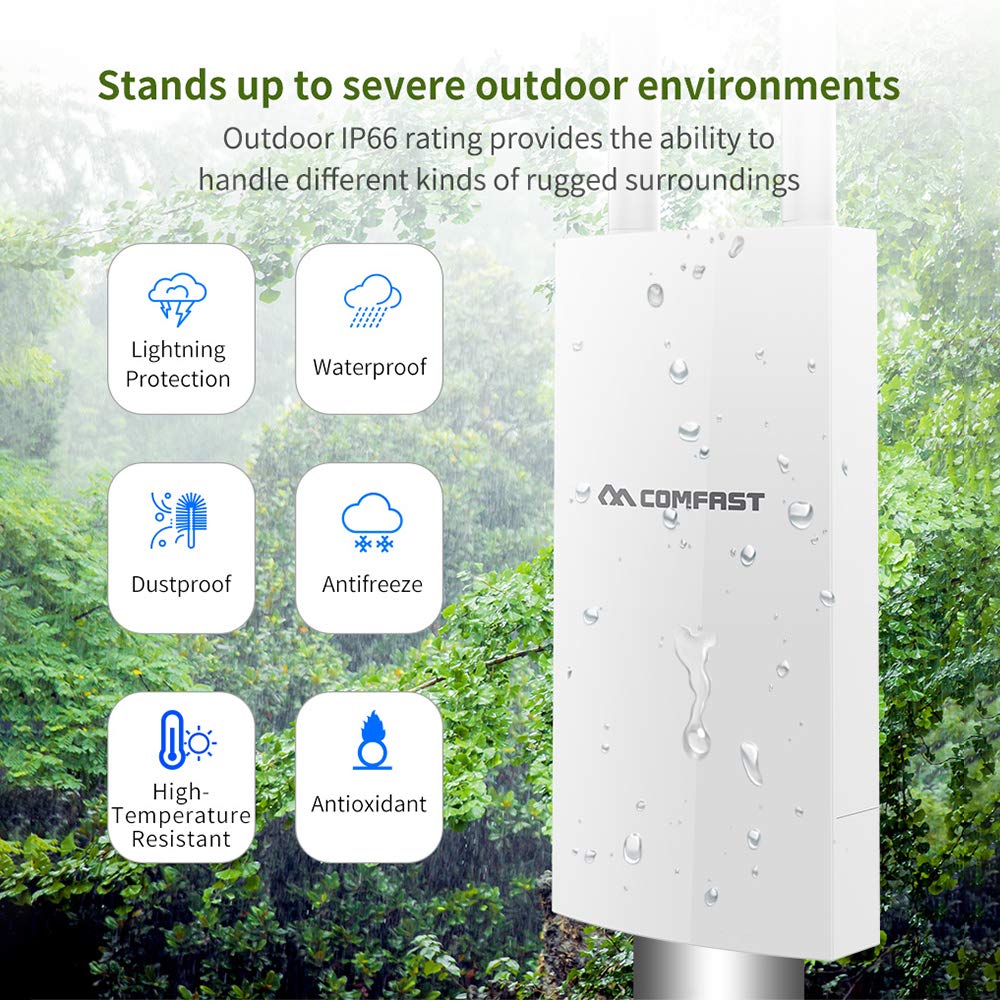
Image: An illustration detailing the CF-EW71's robust outdoor protection features, including resistance to lightning, water (IP66), dust, freezing, high temperatures, and oxidation.

Image: A diagram demonstrating the Power over Ethernet (PoE) setup for the CF-EW71, showing how it connects to a PoE switch and router for simplified power and data delivery.

Image: A diagram illustrating the CF-EW71's automatic channel selection feature, which optimizes network stability by choosing the least congested channel in an outdoor environment.

Image: A diagram showing the centralized AC management system, allowing control of multiple CF-EW71 units from a single interface, ideal for large-scale Wi-Fi deployments.
3. Specifiche tecniche
| Attributo | Valore |
|---|---|
| Marca | Docooler |
| Modello | CF-EW71 |
| Tariffa wireless | 300 Mbps |
| Banda di frequenza | 2.4GHz |
| Chip principale | Qualcomm QCA9531 |
| Energia Amppiù vivace | SE2576L |
| Memoria DDR | 64 MB |
| Memoria Flash | 16 MB |
| Antenne | 2 antenne esterne da 5dBi |
| Antenna Standard | IEEE802.11b/g/n |
| Potenza di trasmissione | 500 mW |
| Sensibilità di ricezione | -96 dBm |
| Frequenza di lavoro | 2.412GHz-2.484GHz |
| Velocità dati (11b) | 1, 2, 5.5, 11 Mbps |
| Data Rate (11g) | 6, 9, 12, 18, 24, 36, 48, 54Mbps |
| Velocità dati (11n) | MCS0-MCS15 (20MHz and 40MHz analog broadband) - 20MHz: 144.4Mbps, 40MHz: 300Mbps |
| Interfaccia fisica | 1*10/100Mbps WAN RJ45 (PoE), 1*10/100Mbps LAN RJ45 (PoE), 1*RESET button |
| Consumo energetico | <8Settembre |
| Livello di protezione | Grado IP66 |
| Recommended Clients Capacity | 50 sets (2.4GHz) |
| Dimensioni del prodotto | Dimensioni: 35.3 x 8.5 x 4.4 cm |
| Peso dell'articolo | 260 grammi |
4. Guida all'installazione
4.1. Contenuto della confezione
Prima di procedere con l'installazione, verifica che tutti gli elementi siano presenti nella confezione:
- COMFAST CF-EW71 Wireless Router
- Adattatore di alimentazione (se non si utilizza PoE)
- Cavo Ethernet
- Mounting Kit (if applicable for outdoor installation)
- Guida di installazione rapida
4.2. Installazione fisica
The CF-EW71 is designed for outdoor deployment. Consider the following for optimal performance and safety:
- Selezione del sito: Choose a location that provides clear line-of-sight to the desired coverage area, away from obstructions like large metal structures or dense foliage. Ensure the location is within reach of your network infrastructure.
- Montaggio: Securely mount the device using the provided mounting kit. Ensure it is installed vertically with antennas pointing upwards for optimal omnidirectional coverage.
- Power Connection (PoE): Connect an Ethernet cable from a PoE-enabled switch or PoE injector to the WAN/PoE port on the CF-EW71. This single cable will provide both power and data connectivity.
- Connessione di rete: If not using PoE for data, connect an Ethernet cable from your network (router/switch) to the WAN port. The LAN port can be used to connect another wired device if needed.
- Installazione dell'antenna: Ensure the two external antennas are securely screwed into their respective connectors on the device.
4.3. Configurazione iniziale
After physical installation, you will need to configure the router via its web interfaccia:
- Connettiti al dispositivo: Connect your computer directly to the LAN port of the CF-EW71 using an Ethernet cable, or connect to its default Wi-Fi network (SSID and password usually found on a label on the device or in the Quick Installation Guide).
- Accesso Web Interfaccia: Aprire un web browser e inserisci l'indirizzo IP predefinito del router (ad esempio, http://192.168.1.1 or as specified in the manual).
- Login: Enter the default username and password (e.g., admin/admin). It is highly recommended to change these credentials immediately after the first login for security purposes.
- Impostazioni di base: Follow the on-screen wizard or navigate to the wireless settings to configure your desired Wi-Fi network name (SSID) and password. Configure the WAN settings according to your internet service provider's requirements (e.g., DHCP, Static IP, PPPoE).
- Salva e riavvia: Save your settings and reboot the device if prompted.
5. Istruzioni per l'uso
5.1. Indicatori LED
The CF-EW71 features LED indicators that provide information about its operational status:
- LED di potenza: Indica se il dispositivo è acceso.
- LED WAN: Indicates activity on the WAN port.
- LED LAN: Indica attività sulla porta LAN.
- LED WLAN: Indica l'attività della rete wireless.
Refer to the Quick Installation Guide for specific LED behavior (e.g., solid, blinking) and their corresponding meanings.
5.2. Collegamento dei dispositivi
Once the router is configured, devices can connect to its Wi-Fi network:
- On your wireless device (smartphone, laptop, tablet), search for available Wi-Fi networks.
- Select the SSID (network name) you configured for the CF-EW71.
- Quando richiesto, immettere la password Wi-Fi (chiave di sicurezza).
- Your device should now be connected to the internet through the CF-EW71.
5.3. Impostazioni avanzate
IL web interface provides access to advanced settings for network optimization:
- Selezione canale: The device can automatically select the best channel to avoid interference. Manual channel selection is also available for fine-tuning.
- Gestione clienti: Monitor connected clients and manage their access.
- Aggiornamento del firmware: Controlla e installa regolarmente gli aggiornamenti del firmware per garantire prestazioni e sicurezza ottimali.
- Strumenti di sistema: Access logs, backup/restore configurations, and perform reboots.
6. Manutenzione
To ensure the longevity and optimal performance of your COMFAST CF-EW71, regular maintenance is recommended:
- Pulizia: Periodically clean the exterior of the device with a soft, dry cloth. Do not use liquid cleaners or aerosols. Ensure no dust or debris accumulates around the ports.
- Aggiornamenti del firmware: Check the official Docooler/COMFAST website regularly for new firmware versions. Updating the firmware can improve performance, add new features, and fix security vulnerabilities.
- Controllo ambientale: Although the device is IP66 rated, periodically inspect its mounting and cables for any signs of wear, damage, or loose connections, especially after severe weather conditions.
- Ventilazione: Ensure the device's ventilation areas are not blocked, even though it's an outdoor unit, proper airflow helps dissipate heat.
7. Risoluzione Dei Problemi
This section provides solutions to common issues you might encounter with your CF-EW71 router.
| Problema | Possibile causa | Soluzione |
|---|---|---|
| Nessuna alimentazione / LED di alimentazione spento | No power supply or faulty power connection. | Ensure the PoE injector/switch is powered on and the Ethernet cable is securely connected to the WAN/PoE port. Check the power adapter if not using PoE. |
| Nessun segnale Wi-Fi | Wi-Fi disabled, incorrect settings, or device malfunction. | Check the WLAN LED. Access the web interface to ensure Wi-Fi is enabled and configured correctly. Reboot the device. |
| Impossibile accedere Web Interfaccia | Incorrect IP address, network configuration issue, or browser problem. | Verify your computer's IP address is in the same subnet as the router (e.g., 192.168.1.x). Try a different browser. Clear browser cache. Ensure direct connection to LAN port. |
| Slow Internet Connection | Interference, too many connected devices, or poor signal strength. | Check for sources of interference. Ensure the device is optimally placed. Limit the number of concurrent users if exceeding capacity. Consider changing the Wi-Fi channel in the settings. |
| Password di accesso dimenticata | Lost administrative credentials. | Perform a factory reset. Locate the RESET button (often a small pinhole) and press and hold it for 5-10 seconds while the device is powered on. This will revert all settings to factory defaults, including the login credentials. |
8. Garanzia e supporto
8.1. Informazioni sulla garanzia
Docooler products typically come with a limited manufacturer's warranty. The warranty period and terms may vary based on your region and point of purchase. Please retain your proof of purchase for warranty claims. For detailed warranty information, refer to the warranty card included with your product or visit the official Docooler/COMFAST websito.
8.2. Assistenza clienti
If you encounter issues that cannot be resolved using the troubleshooting guide, or if you require further assistance, please contact Docooler/COMFAST customer support. You can usually find contact information (phone numbers, email addresses, or support portals) on the manufacturer's official websito o nella confezione del prodotto.
Quando contatti l'assistenza, tieni a portata di mano le seguenti informazioni:
- Product Model: CF-EW71
- Serial Number (if applicable, usually found on a label on the device)
- Data di acquisto
- Una descrizione dettagliata del problema riscontrato
- Any troubleshooting steps you have already attempted


