Introduzione
Thank you for choosing the Astrum ET200 Earphone. This in-ear Bluetooth 4.0 earphone is designed to provide clear sound for both voice calls and music playback. Featuring dual pairing capability and a comfortable hook design, it offers up to 5 hours of talk time. Its high-performance speakers deliver rich bass and precise treble, ensuring a premium audio experience.
Prodotto finitoview

Figura 1: Fronte view of the Astrum ET200 Earphone in white, showcasing its compact design and ear hook.
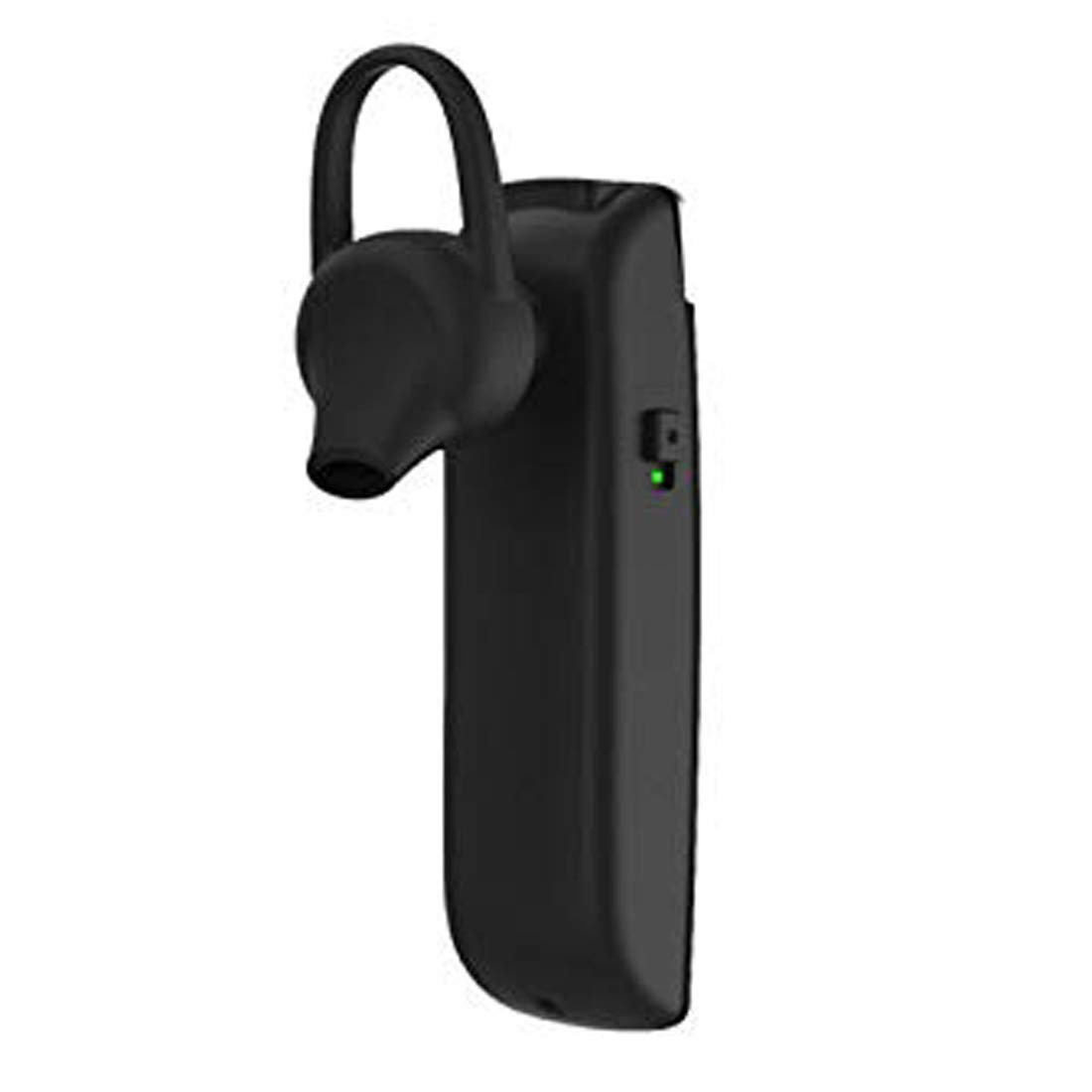
Figura 2: lato view of the Astrum ET200 Earphone, highlighting the indicator light and control button area.

Figure 3: Both white and black versions of the Astrum ET200 Earphone, illustrating the overall form factor.
Impostare
1. Ricarica dell'auricolare
Before first use, fully charge the earphone. Connect the charging cable (not specified, assuming standard micro-USB) to the charging port on the earphone and the other end to a USB power source (e.g., computer USB port, wall adapter). The indicator light will typically show red during charging and turn blue or off when fully charged.
2. Accoppiamento Bluetooth
- Accensione: Press and hold the Multi-function Button (MFB) until the indicator light flashes blue and red alternately. This indicates the earphone is in pairing mode.
- Attiva Bluetooth: On your mobile device or computer, enable Bluetooth.
- Cercare Dispositivi: Scan for available Bluetooth devices. You should see "Astrum ET200" or a similar name appear in the list.
- Collegare: Select "Astrum ET200" from the list to connect. Once successfully paired, the indicator light will typically flash blue slowly or turn off.
- Doppio accoppiamento: To pair a second device, disconnect the earphone from the first device, put it back into pairing mode, and connect to the second device. Then, reconnect to the first device from its Bluetooth settings. The earphone will now be connected to both devices simultaneously.
Istruzioni per l'uso
- Accensione: Press and hold the MFB for approximately 3 seconds until the blue indicator light flashes.
- Spegni: Press and hold the MFB for approximately 5 seconds until the red indicator light flashes and then turns off.
- Rispondi/Termina chiamata: Press the MFB once to answer an incoming call. Press the MFB once again to end an active call.
- Rifiuta chiamata: Press and hold the MFB for approximately 2 seconds to reject an incoming call.
- Ricomponi l'ultimo numero: Double-press the MFB to redial the last dialed number.
- Riproduci/Pausa musica: Press the MFB once to play or pause music playback.
- Controllo del volume: (Assuming volume buttons are present, as is common for BT earphones) Use the volume up (+) and volume down (-) buttons on the earphone to adjust the volume. If no dedicated buttons, adjust volume from your connected device.
- Traccia successiva / precedente: (Assuming track control buttons are present) Use the next track (>>) and previous track (<<) buttons on the earphone to skip tracks. If no dedicated buttons, control from your connected device.
Manutenzione
- Pulizia: Per pulire gli auricolari, utilizzare un panno morbido e asciutto. Non utilizzare detergenti abrasivi o solventi.
- Magazzinaggio: Conservare gli auricolari in un luogo fresco e asciutto, lontano dalla luce solare diretta e da temperature estreme.
- Cura della batteria: To prolong battery life, avoid fully discharging the battery frequently. Charge the earphone regularly, even if not in use for extended periods.
- Resistenza all'acqua: Questi auricolari non sono impermeabili. Evitare l'esposizione all'acqua o a umidità eccessiva.
Risoluzione dei problemi
| Problema | Possibile causa | Soluzione |
|---|---|---|
| L'auricolare non si accende. | Batteria scarica. | Caricare completamente l'auricolare. |
| Impossibile associare il dispositivo. | Auricolare non in modalità di associazione; Bluetooth disattivato sul dispositivo; troppo lontano dal dispositivo. | Ensure earphone is in pairing mode (flashing blue/red). Turn on Bluetooth on your device. Move earphone closer to device (within 10 meters). |
| Nessun suono o volume basso. | Volume too low on earphone or device; earphone not connected properly. | Increase volume on both the earphone and your connected device. Reconnect the earphone to your device. |
| Connessione intermittente. | Interferenza; troppo lontano dal dispositivo; batteria scarica. | Move closer to your device. Avoid strong electromagnetic interference. Charge the earphone. |
Specifiche
| Numero di modello | 1046 |
| Versione Bluetooth | 4.0 |
| Fattore di forma | In-Ear with Hook |
| Tempo di conversazione | Fino a 5 ore |
| Caratteristiche | Voice + Music, Dual Pairing, Clear Sound, Rich Bass, Precise Treble |
| Dimensioni (LxWxH) | Dimensioni: 3.5 x 3.5 x 12.8 cm |
| Peso dell'articolo | 10 grammi |
| Colore | Bianco |
| Produttore | Astrum Electronics India Pvt. Ltd. |
Garanzia e supporto
Informazioni sulla garanzia
The Astrum ET200 Earphone comes with a Garanzia di 1 anni dalla data di acquisto. La presente garanzia copre i difetti di fabbricazione. Si prega di conservare la prova d'acquisto per eventuali reclami in garanzia.
Assistenza clienti
For any technical assistance, troubleshooting, or warranty claims, please contact Astrum customer support through their official website or the retailer from whom you purchased the product. Please have your product model number (1046) and proof of purchase ready when contacting support.


