Introduzione
This manual provides essential instructions for the safe and efficient operation of your Hama TH50 Thermo/Hygrometer. This device is designed to accurately measure and display indoor temperature and humidity levels. Please read this manual thoroughly before using the device and keep it for future reference.
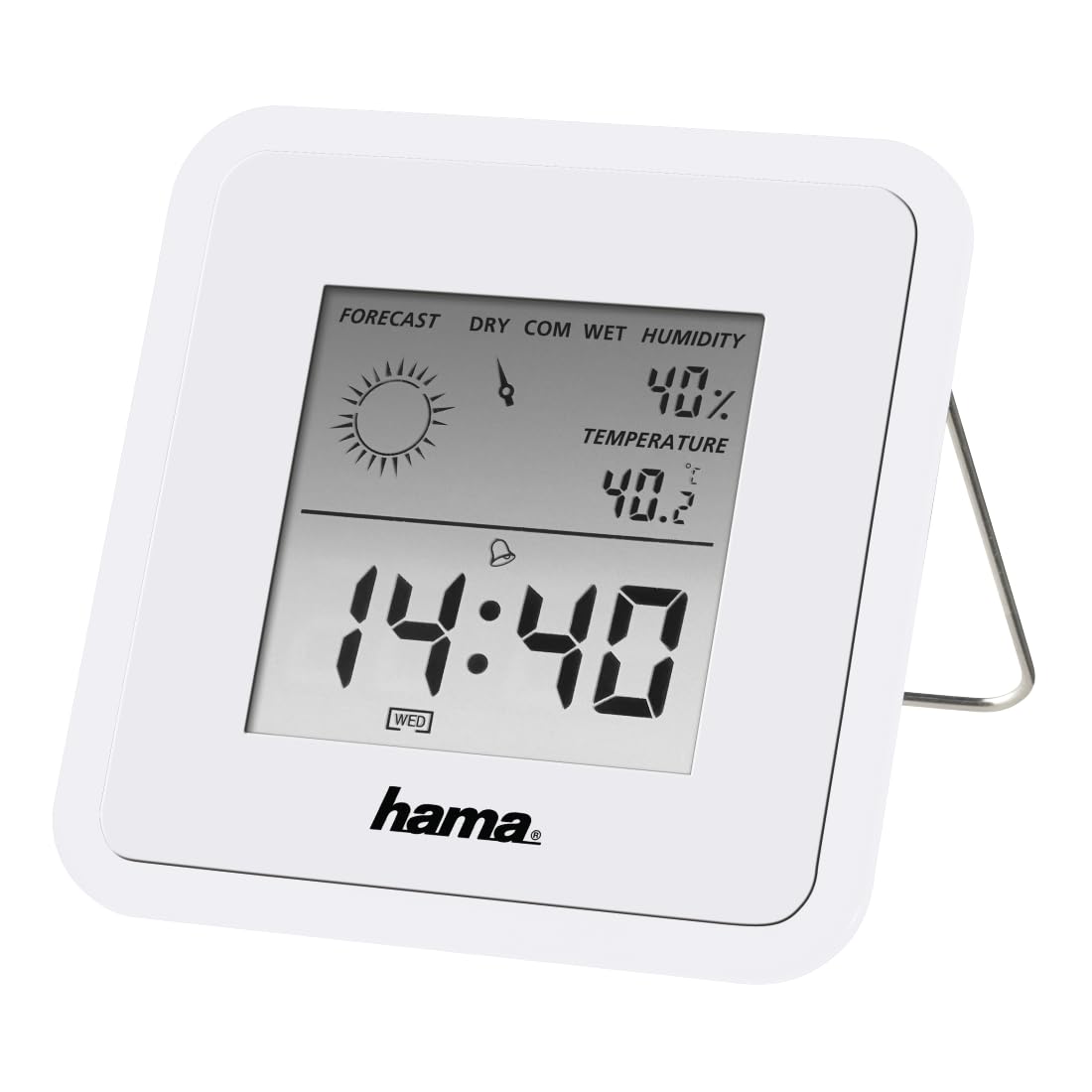
Image: The Hama TH50 Thermo/Hygrometer, a compact white device displaying digital temperature and humidity readings.
Istruzioni di sicurezza
- Non esporre il dispositivo a temperature estreme, alla luce solare diretta o a elevata umidità.
- Evitare di far cadere il dispositivo o di sottoporlo a forti impatti.
- Non aprire il dispositivo casing o tentare di ripararlo autonomamente. Affidare qualsiasi intervento di assistenza a personale qualificato.
- Tenere il dispositivo fuori dalla portata dei bambini.
- Smaltire le batterie secondo le normative locali.
Contenuto della confezione
Si prega di verificare che tutti gli articoli siano presenti e in buone condizioni:
- Hama TH50 Thermo/Hygrometer
- 1 Lithium Metal Battery (pre-installed or separate)
- Questo manuale di istruzioni
Impostare
1. Installazione della batteria
The Hama TH50 requires one Lithium Metal battery for operation. If the battery is not pre-installed, follow these steps:
- Individuare il coperchio del vano batteria sul retro del dispositivo.
- Aprire il coperchio del vano batterie.
- Inserire la batteria al litio metallico, assicurandosi della corretta polarità (+/-) come indicato all'interno del vano.
- Chiudere saldamente il coperchio del vano batterie.
2. Posizionamento
The Hama TH50 is designed for tabletop mounting. For accurate readings, place the device in a central location within the room, away from direct heat sources, air conditioning vents, or open windows that could affect temperature and humidity measurements.

Image: The Hama TH50 Thermo/Hygrometer displayed on a small table in a modern living room setting, demonstrating typical placement.
Funzionamento del dispositivo
Visualizza informazioni
Once the battery is installed, the device will automatically power on and begin displaying the current temperature and humidity. The display typically shows:
- Temperatura: Measured in degrees Celsius (°C). The accuracy is ±1°C.
- Umidità: Measured as a percentage(%).
- Tempo: The current time may also be displayed, depending on the model's features.
There are no user-adjustable settings or buttons on this model for changing units or modes. The device operates automatically.
Manutenzione
Pulizia
To clean the device, use a soft, dry, lint-free cloth. Do not use abrasive cleaners, solvents, or chemical agents, as these can damage the display or casing. Avoid getting moisture into the device.
Sostituzione della batteria
When the display becomes dim or the readings appear inaccurate, it may be time to replace the battery. Follow the battery installation steps outlined in the "Setup" section to replace the Lithium Metal battery. Ensure proper disposal of the old battery.
Risoluzione dei problemi
| Problema | Possibile causa | Soluzione |
|---|---|---|
| Device does not power on / Display is blank. | Battery is not installed or is depleted. Incorrect battery polarity. | Check battery installation and polarity. Replace with a new Lithium Metal battery if necessary. |
| Letture imprecise di temperatura/umidità. | Device placed near heat sources, vents, or in direct sunlight. Battery low. | Relocate the device to a more central and stable environment. Replace the battery. |
| Il display è scuro. | Batteria scarica. | Replace the Lithium Metal battery. |
Specifiche
- Numero modello: 00186371
- Marca: Hama
- Dimensioni del prodotto: Dimensioni: 10.5 x 8.6 x 3.2 cm
- Peso dell'articolo: 66 grammi
- Colore: Bianco
- Tipo di montaggio: Da tavolo
- Precisione di lettura della temperatura: ±1°C
- Batterie: 1 batteria al litio metallico (inclusa)
Garanzia e supporto
Hama provides a limited warranty for this product. For detailed warranty information, technical support, or service inquiries, please refer to the official Hama websito o contattare il servizio clienti. Conservare la ricevuta d'acquisto come prova d'acquisto.
Nota: le specifiche e l'aspetto del prodotto sono soggetti a modifiche senza preavviso.


