1. Introduzione
1.1 Prodotto finitoview
This manual provides comprehensive instructions for the installation, operation, and maintenance of your KMC 55 Inch LED Standard TV, Model K16M55260. This television features a 55-inch Full HD LED display with a resolution of 1920x1080, offering a clear and vibrant viewing experience. It includes various input options such as USB, Component, AV, and PC/VGA for versatile connectivity.
1.2 Informazioni sulla sicurezza
Si prega di leggere attentamente tutte le avvertenze e le istruzioni di sicurezza prima di utilizzare questo prodotto per evitare lesioni o danni. Conservare questo manuale per riferimento futuro.
- Non esporre il televisore alla pioggia o all'umidità.
- Non ostruire le aperture di ventilazione.
- Garantire una corretta alimentazione voltage.
- Evitare di posizionare il televisore su superfici instabili.
- Scollegare il televisore durante i temporali o quando non viene utilizzato per lunghi periodi.
- Affidare tutti gli interventi di assistenza a personale qualificato.
2. Impostazione
2.1 Disimballaggio
Estrarre con cautela il televisore e tutti gli accessori dall'imballaggio. Conservare il materiale di imballaggio per un eventuale trasporto o stoccaggio futuro.
- KMC 55 Inch LED Standard TV
- Telecomando
- Batterie per telecomando
- Componenti del supporto TV
- Manuale dell'utente (questo documento)
2.2 Montaggio del supporto
To assemble the table stand, align the stand components with the designated slots at the bottom of the TV. Secure them using the provided screws. Ensure the stand is firmly attached before placing the TV on a flat, stable surface.
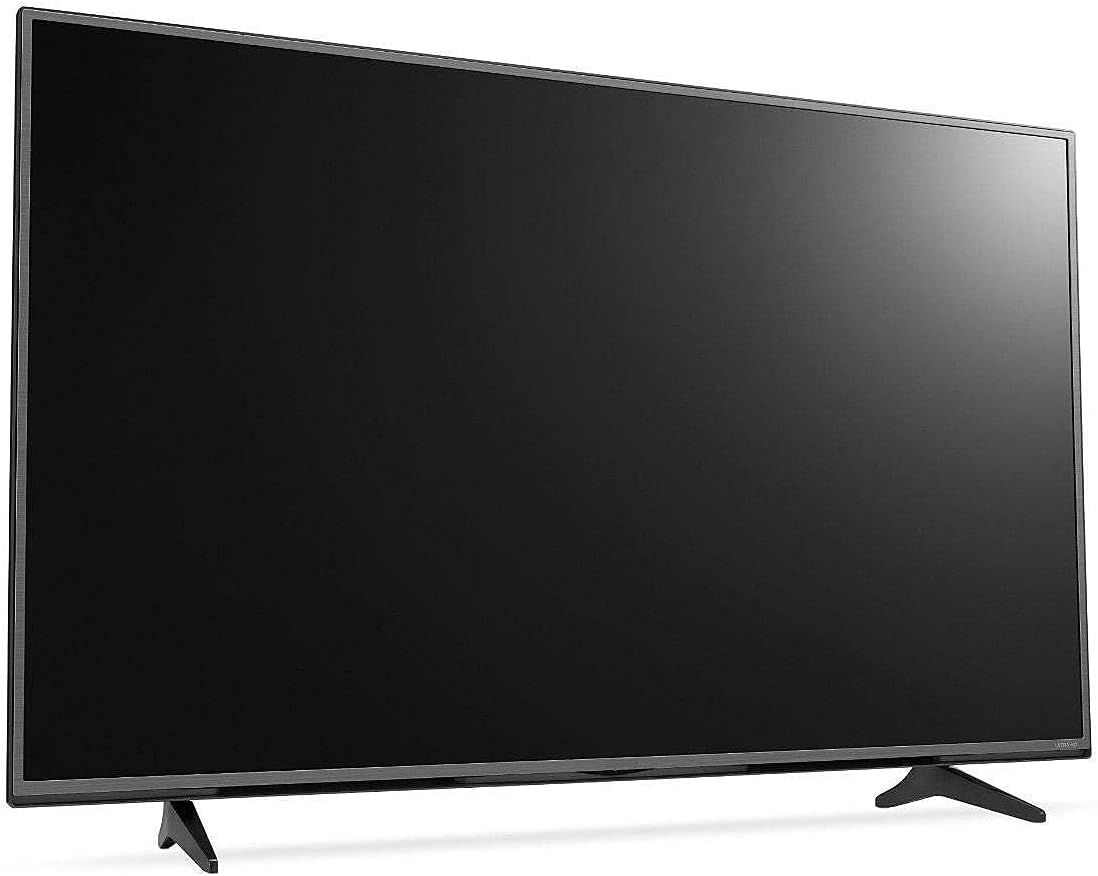
Figura 2.1: Fronte view of the KMC 55 Inch LED Standard TV with its table stand assembled. The screen is black, and the slim bezels are visible.
2.3 Connessioni
Connect your external devices to the appropriate ports on the rear of the TV. The KMC K16M55260 supports USB, Component, AV, and PC/VGA inputs.
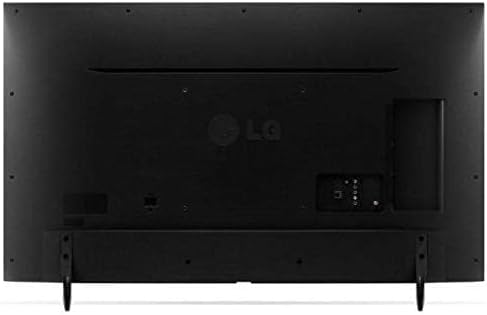
Figura 2.2: Posteriore view of the KMC 55 Inch LED Standard TV, displaying the various input ports including USB, Component, AV, and PC/VGA connections.
- Collegamento elettrico: Collegare il cavo di alimentazione al televisore e poi a una presa a muro.
- Ingresso USB: Per collegare dispositivi di archiviazione USB per riprodurre contenuti multimediali.
- Ingresso componente: For high-quality analog video and audio connections.
- Ingresso AV: Per connessioni video a definizione standard e audio stereo.
- Ingresso PC/VGA: For connecting a computer or laptop.
3. Operativo
3.1 Funzionamento di base
After connecting the TV to power, press the Power button on the remote control or on the TV itself to turn it on. The initial setup wizard may guide you through language selection and channel scanning.
3.2 telecomando
The included remote control allows you to access all TV functions. Insert the provided batteries into the remote control, ensuring correct polarity.
- Pulsante di accensione: Accende o spegne la TV.
- Ingresso/sorgente: Seleziona la sorgente di ingresso (HDMI, AV, USB, ecc.).
- Volume su/giù: Regola il livello del suono.
- Canale su/giù: Cambia canale TV.
- Menu: Apre il menu principale per la regolazione delle impostazioni.
- Pulsanti di navigazione (su/giù/sinistra/destra): Consente di navigare tra le opzioni del menu.
- OK/Inserisci: Conferma le selezioni.
- Uscita/Indietro: Ritorna alla schermata precedente o esce dal menu.
3.3 Navigazione nel menu
Premere il tasto Menu button on the remote control to access the TV's settings. Use the navigation buttons to move between categories such as Picture, Sound, Channel, Time, and Setup. Press OK to enter a sub-menu or confirm a setting. Press Uscita per chiudere il menu.
4. Manutenzione
4.1 Pulizia
Per pulire lo schermo del televisore, strofinarlo delicatamente con un panno morbido e privo di lanugine. Per macchie ostinate, strofinare leggermenteampen the cloth with water or a specialized screen cleaner. Do not spray cleaner directly onto the screen. For the TV casing, utilizzare un panno morbido e asciutto.
- Scollegare sempre la TV prima di pulirla.
- Evitare l'uso di detergenti o solventi abrasivi.
- Non esercitare una pressione eccessiva sullo schermo.
4.2 Conservazione
If you need to store the TV for an extended period, ensure it is unplugged and stored in a cool, dry place, away from direct sunlight and extreme temperatures. It is recommended to use the original packaging for protection during storage or transport.
5. Risoluzione Dei Problemi
This section provides solutions to common issues you might encounter with your KMC TV. If the problem persists, please contact customer support.
| Problema | Possibile causa | Soluzione |
|---|---|---|
| Nessun potere | Cavo di alimentazione non collegato; presa di corrente non funzionante. | Assicurarsi che il cavo di alimentazione sia collegato saldamente; testare la presa con un altro dispositivo. |
| Nessuna immagine, ma l'audio è presente | È stata selezionata una sorgente di input errata; problema di retroilluminazione. | Premere il tasto Ingresso/Sorgente button to select the correct input; Contact support if backlight is suspected. |
| Nessun suono, ma l'immagine è presente | Il volume è disattivato o troppo basso; i cavi audio non sono collegati correttamente. | Disattivare il volume o aumentarne il livello; controllare i collegamenti dei cavi audio. |
| Il telecomando non funziona | Le batterie sono scariche o inserite in modo errato; c'è un ostacolo tra il telecomando e la TV. | Sostituire le batterie; assicurarsi che il sensore IR del televisore sia ben visibile. |
6. Specifiche
Technical specifications for the KMC 55 Inch LED Standard TV, Model K16M55260.
- Marca: Il KMC
- Numero modello: K16M55260
- Dimensioni dello schermo: 55 pollici (diagonale visibile 140 cm)
- Tecnologia di visualizzazione: GUIDATO
- Risoluzione: 1920x1080 (Full HD, 1080p)
- Colore: Nero
- Caratteristiche speciali: Schermo piatto
- Tecnologia di connettività: USB, VGA, Component, AV
- Componenti inclusi: TV, Remote Control, Batteries, Stand
- Tipo di montaggio: Montaggio da tavolo
- Dimensioni della confezione: Dimensioni: 129 x 77 x 13 cm
- Peso del pacco: 16 kg
7. Garanzia e supporto
For warranty information or technical support, please contact KMC customer service. Details regarding warranty coverage and service procedures are typically provided with your purchase documentation or can be found on the official KMC websito.
When contacting support, please have your TV's model number (K16M55260) and serial number ready.


