Introduzione
This manual provides comprehensive instructions for the Lezyne Connect Smart 1000XL Headlight and KTV Pro Smart Taillight Set. This intelligent lighting system is designed to enhance cyclist visibility and safety through powerful illumination and customizable control via the Lezyne LED Ally app. Please read these instructions carefully before use to ensure proper installation, operation, and maintenance of your lights.
Cosa c'è nella scatola
- Lezyne Connect Smart 1000XL Headlight
- Lezyne KTV Pro Smart Taillight
- Silicone Mounting Straps (for Headlight and Taillight)
- Cavo di ricarica USB
Impostare
1. Ricarica iniziale
Before first use, fully charge both the headlight and taillight. Connect the provided USB cable to the charging port on each light and to a powered USB port. The indicator light will show charging status and turn solid when fully charged.
2. Montaggio del faro
Secure the Lezyne Connect Smart 1000XL Headlight to your bicycle's handlebar using the silicone strap. Ensure the light is firmly attached and positioned to illuminate the path ahead without obstructing your view o controlli.

Image: Lezyne Connect Smart 1000XL Headlight securely mounted on a bicycle handlebar.
3. Mounting the Taillight
Attach the Lezyne KTV Pro Smart Taillight to your bicycle's seatpost using its integrated silicone strap. Position the taillight to be clearly visible from the rear, ensuring it is not obscured by bags or clothing.
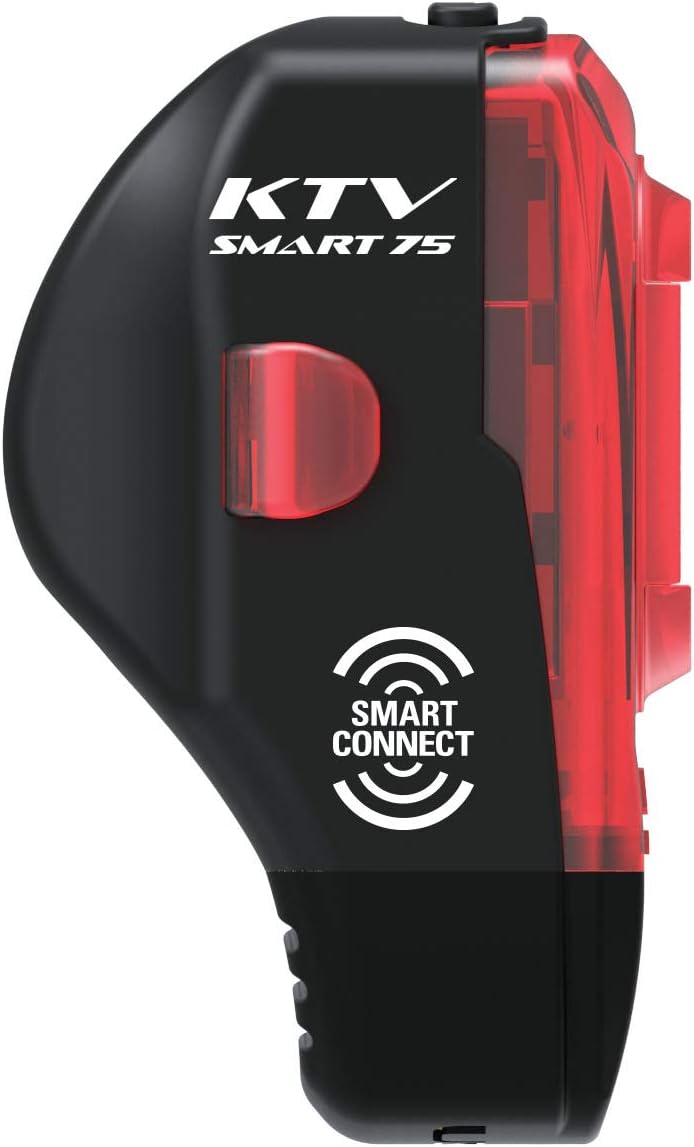
Image: Lezyne KTV Pro Smart Taillight mounted on a bicycle seatpost for rear visibility.
4. Smart Connect App Pairing
Download the Lezyne LED Ally app from your device's app store. Follow the in-app instructions to pair your 1000XL Headlight and KTV Pro Smart Taillight. This enables wireless control and customization of light modes.
Video: This video demonstrates the Lezyne Smart Connect feature, showing how to customize and control your Lezyne bike lights wirelessly using the LED Ally app.
Istruzioni per l'uso
Accensione/spegnimento
Press and hold the power button on each light for approximately 2 seconds to turn it on or off. A short press will cycle through the available light modes.
Modalità di luce
Each light offers multiple output modes (e.g., Overdrive, Blast, Enduro, Economy, Day Flash, Flash 1, Flash 2, Pulse). Cycle through these modes by briefly pressing the power button. The Lezyne LED Ally app allows for customization of these modes and their order.
Smart Connect Functionality
Once paired with the LED Ally app, you can:
- Customize Modes: Select and arrange your preferred light modes for both front and rear lights.
- Linked Control: Operate both the headlight and taillight simultaneously from a single control point (either light or the app). For example, turning on the headlight can automatically activate the taillight in a synchronized mode.
- Stato della batteria: Monitor battery levels for both lights directly from the app.
Manutenzione
Pulizia
Pulisci le luci con un panno morbido eamp cloth to remove dirt and debris. Avoid using abrasive cleaners or solvents, as these can damage the casing o lente.
Cura della batteria
To prolong battery life, charge the lights regularly and avoid completely draining the battery. If storing for an extended period, charge the battery to approximately 50% and recharge every few months.
Magazzinaggio
Conservare le luci in un luogo fresco e asciutto, lontano dalla luce solare diretta e da temperature estreme.
Risoluzione dei problemi
- La luce non si accende: Ensure the battery is charged. Press and hold the power button firmly for 2 seconds. If the issue persists, attempt to charge the light.
- La luce non si carica: Verify the USB cable is securely connected to both the light and a working USB power source. Try a different USB cable or power adapter. Inspect the charging port for any obstructions or damage.
- Problemi di connessione all'app: Ensure Bluetooth is enabled on your smartphone. Close and reopen the Lezyne LED Ally app. Try unpairing and re-pairing the lights within the app's settings. Ensure the app is updated to the latest version.
- Durata ridotta della batteria: Battery performance can decrease in cold weather. Ensure the light is fully charged. Over time, rechargeable batteries may experience reduced capacity; this is normal wear.
Specifiche
| Marca | LEZYNE |
| Nome del modello | Connect Smart 1000XL |
| Numero di parte | 1-LED-32P-V104 |
| Brightness (Headlight) | 1000 lumen |
| Numero di impostazioni | 5 (customizable via app) |
| Fonte di alimentazione | Alimentato a batteria |
| Livello di resistenza all'acqua | Impermeabile (IPX7) |
| Materiale | Plastica |
| Peso dell'articolo | 0.15 libbre (circa) |
| Dimensioni del prodotto | 8"L x 5"W x 3"H (dimensioni approssimative della confezione) |
Garanzia
This product comes with a Limited Warranty. For detailed information regarding warranty coverage, terms, and conditions, please refer to the official LEZYNE website or contact LEZYNE customer support directly.
Supporto
Per ulteriore assistenza, supporto tecnico o per view additional product resources, please visit the official LEZYNE websito o contattare il servizio clienti. Puoi anche visitare il sito Negozio LEZYNE su Amazon per informazioni e aggiornamenti sui prodotti.