Introduzione
This manual provides essential information for the setup, operation, and maintenance of your OREI Sony UBP-X800M2 Region Free 4K UHD Blu-ray Player. This player is designed for worldwide use, supporting all Blu-ray disc zones (A/B/C) and DVD regions (0-8), with a built-in NTSC↔PAL 4K HD converter. Enjoy stunning 4K UHD visuals, high-resolution audio including Dolby Atmos and DTS:X, and seamless access to streaming services via Wi-Fi or Ethernet.

Figura 1: Fronte view of the OREI Sony UBP-X800M2 4K UHD Blu-ray Player.
Impostare
1. Disimballaggio e posizionamento
- Rimuovere con attenzione tutti i componenti dalla confezione.
- Place the player on a stable, level surface with adequate ventilation.
- Ensure no objects block the ventilation openings.
2. Collegamento alla TV
Connect the player to your TV using an HDMI cable for optimal 4K UHD video and audio.
- Collegare un'estremità di un cavo HDMI al Uscita HDMI porta sul retro del lettore Blu-ray.
- Collega l'altra estremità del cavo HDMI a un ingresso HDMI sulla TV.
- If using an audio receiver, connect the player's HDMI OUT to the receiver's HDMI IN, then the receiver's HDMI OUT to the TV's HDMI IN.

Figure 2: Rear panel connections, showing HDMI, LAN, and audio outputs.
3. Collegamento elettrico
- Connect the AC power cord to the player's power input and then to a suitable electrical outlet.
4. Connessione di rete (facoltativa)
For streaming services and firmware updates, connect the player to your home network.
- Connessione cablata: Connect an Ethernet cable from the player's LAN (100) port to your router or modem.
- Connessione wireless: Navigate to the network settings in the player's menu to connect to your Wi-Fi network.
5. Region Changing Instructions
This player supports all DVD regions (0-8) automatically. Blu-ray regions (A, B, C) are changed manually using the remote control.
- Turn the player ON E OPEN THE DISC TRAY.
- Once the tray is completely open, press the corresponding colored button on the remote to select the desired Blu-ray region:
- Zona A: Premere il tasto BOTTONE GIALLO sul telecomando.
- Zona B: Premere il tasto BOTTONE BLU sul telecomando.
- Zona C: Premere il tasto TASTO ROSSO sul telecomando.
- Ora puoi inserire il disco nel vassoio e poi chiuderlo.

Figure 3: Remote control with colored buttons for region selection.
Istruzioni per l'uso
1. Riproduzione del disco
The player supports a wide range of disc formats, including 4K UHD Blu-ray, standard Blu-ray, Blu-ray 3D, DVD, CD, and Super Audio CD (SACD).
- Premere il tasto APRI/CHIUDI pulsante sul lettore o sul telecomando per aprire il vassoio del disco.
- Place the disc gently onto the tray with the label side facing up.
- Premere il tasto APRI/CHIUDI nuovamente il pulsante per chiudere il vassoio.
- The player will automatically begin playback or display a disc menu.

Figura 4: Fronte view del lettore con il vassoio del disco aperto, pronto per l'inserimento del disco.
2. Servizi di streaming
Access popular streaming services like Netflix and YouTube directly from the player's home menu.
- Ensure the player is connected to the internet (Wi-Fi or Ethernet).
- From the home screen, select the desired streaming application.
- Log in with your account credentials to begin streaming.
3. Riproduzione di supporti USB
Riproduci contenuti multimediali files (audio, video, photos) from a USB storage device.
- Insert your USB device into the front USB port.
- Select the USB option from the player's home menu to browse and play your media.
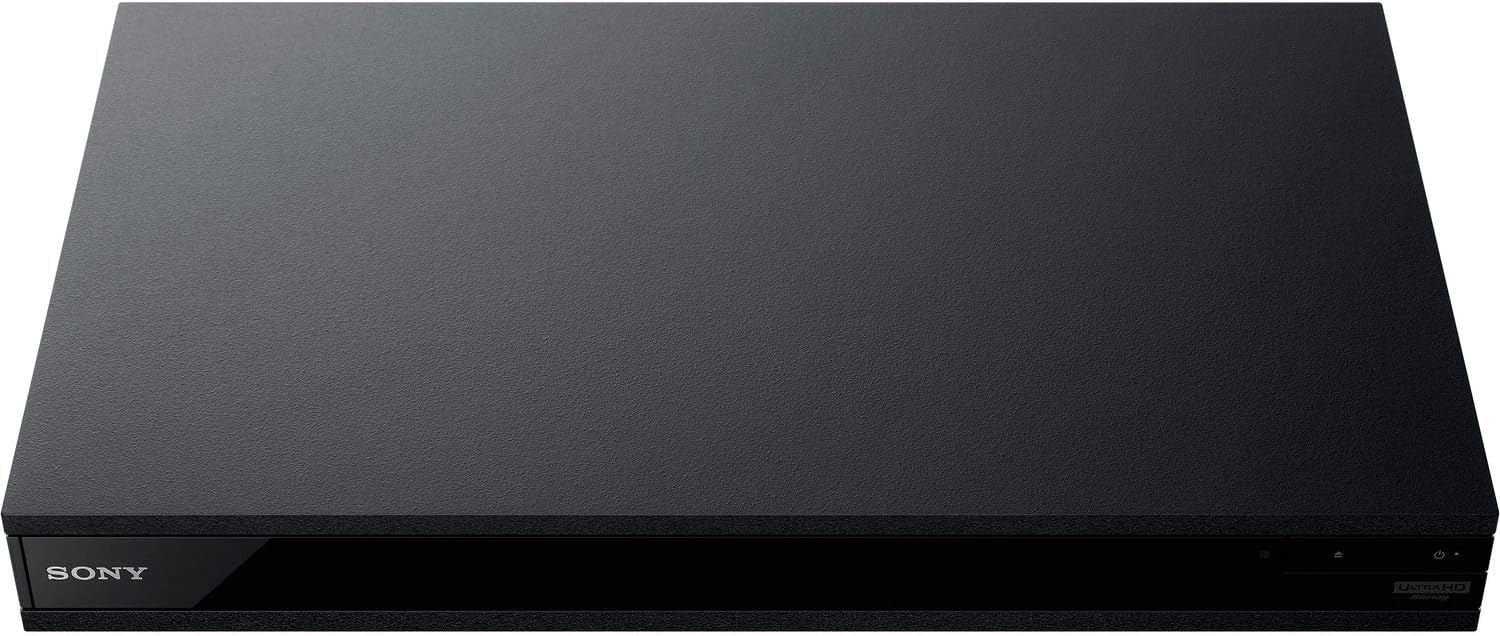
Figura 5: Fronte view of the player with a USB drive inserted into the front port.
Manutenzione
1. Pulizia del lettore
- Pulire la parte esterna del lettore con un panno morbido e asciutto.
- Non utilizzare detergenti abrasivi, cere o solventi.
- Assicurarsi che le aperture di ventilazione siano libere da polvere e detriti.
2. Cura del disco
- Maneggiare i dischi tenendoli per i bordi per evitare impronte digitali e graffi.
- Pulire i dischi con un panno morbido e privo di lanugine, procedendo dal centro verso l'esterno.
- Conservare i dischi nelle loro custodie, lontano dalla luce solare diretta e da temperature estreme.
3. Aggiornamenti del firmware
Firmware updates can be done via the internet to ensure optimal performance and access to the latest features.
- Go to the home menu, then setup menu, and then to Software Update.
- Click on "Update Via Internet". If a new firmware is available, the player will automatically update.
- NON FARE turn off the player while it is updating.
- NON FARE perform firmware updates by USB unless instructed by OREI support.
Risoluzione dei problemi
Problemi comuni
- Nessuna immagine/suono:
- Check all HDMI and audio cable connections.
- Ensure the TV input is set to the correct HDMI port.
- Verify the player is powered on.
- Disc Does Not Play:
- Assicurarsi che il disco sia pulito e privo di graffi.
- Verificare che il disco sia inserito correttamente (con l'etichetta rivolta verso l'alto).
- For Blu-ray discs, confirm the player's region setting matches the disc's region (refer to "Region Changing Instructions" in the Setup section).
- Open the tray again and leave the disc in the tray. Once fully open, press the color button to select the region. Then close the tray.
- Region Code Error Message:
If you put in a disc before changing regions, you may get an error message indicating the wrong region. The player remembers this message. To remove that error, you need to reset the player.
- Premere il tasto CASA button on the remote with no disc inside to go to the home screen.
- Utilizzare i pulsanti freccia sul telecomando per andare nell'angolo in alto a destra dove c'è scritto Impostare e premere ENTRARE.
- Scorri verso il basso fino a Ripristino in fondo al menu.
- Selezionare Ripristina le impostazioni predefinite di fabbrica.
- Scorri verso il basso e seleziona TUTTE LE IMPOSTAZIONI e premere ENTRARE -> Premere Inizio Entra -> Close ENTRARE.
- Spegnere il lettore e riaccenderlo dopo 30 secondi.
- Select Language English and then select quick start mode OFF. You may need to activate network settings again.
- If you prefer not to connect the player to the internet, you may press the CASA button and go to the home screen. Now start from step 1 under "Region Changing Instructions" to change regions.
Specifiche
| Marca | OREI |
| Nome del modello | Sony X800M2 (UBP-X800M2) |
| Dimensioni del prodotto | 19 x 14.1 x 3.8 pollici |
| Peso dell'articolo | 8.82 libbre (4000 grammi) |
| Tipo di supporto | Blu-Ray Disc, DVD, 4K UHD Blu-ray, Blu-ray 3D, CD, Super Audio CD |
| Risoluzione | 3840x2160 (4K UHD) |
| Tecnologia di connettività | Ethernet, HDMI, USB, Wi-Fi |
| Tipo di connettore | Cavo HDMI |
| Modalità di uscita audio | Surround (Dolby Atmos, DTS:X, High-Resolution Audio) |
| Colore | Nero |
| Batterie | Sono necessarie 2 batterie AAA (per il telecomando) |
| Caratteristica speciale | Region Free (Blu-ray Zones A/B/C, DVD Regions 0-8), Built-in NTSC↔PAL 4K HD Converter |
Garanzia e supporto
Informazioni sulla garanzia
For specific warranty details, please refer to the warranty card included with your product or visit the official OREI websito. Conserva la ricevuta d'acquisto come prova d'acquisto.
Assistenza clienti
If you encounter any issues or have questions regarding your OREI Sony UBP-X800M2 Blu-ray Player, please contact OREI customer support.
- Supporto online: Visitare il OREI Store on Amazon per domande frequenti e risorse di supporto.
- Assistenza tecnica: Contact OREI directly for technical support. (Specific contact details not provided in source data, please refer to product packaging or official webposto).


