1. Introduzione
This manual provides detailed instructions for the setup, operation, and maintenance of your WiMiUS P21 Full HD 1080P LED Projector. Please read this manual thoroughly before using the projector to ensure proper function and longevity of the device.

Immagine: Frontale view of the WiMiUS P21 Projector, showing the lens and control panel.
2. Contenuto della confezione
Verifica che tutti gli articoli elencati di seguito siano inclusi nel pacco. Se alcuni articoli risultano mancanti o danneggiati, contatta l'assistenza clienti.
- Proiettore WiMiUS P21
- Telecomando
- Cavo di alimentazione
- Cavo HDMI
- Cavo VGA
- cavo AV
- Copriobiettivo
- Manuale dell'utente (questo documento)

Image: The WiMiUS P21 Projector displayed with its remote control, power cable, HDMI cable, VGA cable, AV cable, and user manual.
3. Caratteristiche del prodotto
The WiMiUS P21 Projector offers advanced features for an enhanced viewesperienza di ing:
- Elevata luminosità e contrasto: 6500 Lumens brightness and an 8000:1 contrast ratio for clear and vivid images.
- Risoluzione nativa 1080P: Delivers a native resolution of 1920x1080 pixels, supporting 1080P at 60Hz and 4K input for detailed visuals.
- Dimensioni di proiezione flessibili: Adjustable projection size from 50 to 300 inches with a projection distance of 1.5 to 6.5 meters.
- Funzione zoom digitale: Allows image size reduction from 100% to 75% via remote control without moving the projector.
- Audio integrato: Dual built-in 5W stereo speakers provide clear sound.
- Ampia connettività: Equipped with 2 HDMI ports, 2 USB ports, 1 VGA port, and 1 AV port for connecting various devices.
- Lungo Lamp Vita: LED lamp progettato per un massimo di 100,000 ore di funzionamento.

Image: Visual comparison illustrating the difference between 6500 lumens with 8000:1 contrast and lower specifications, highlighting improved clarity and color saturation.
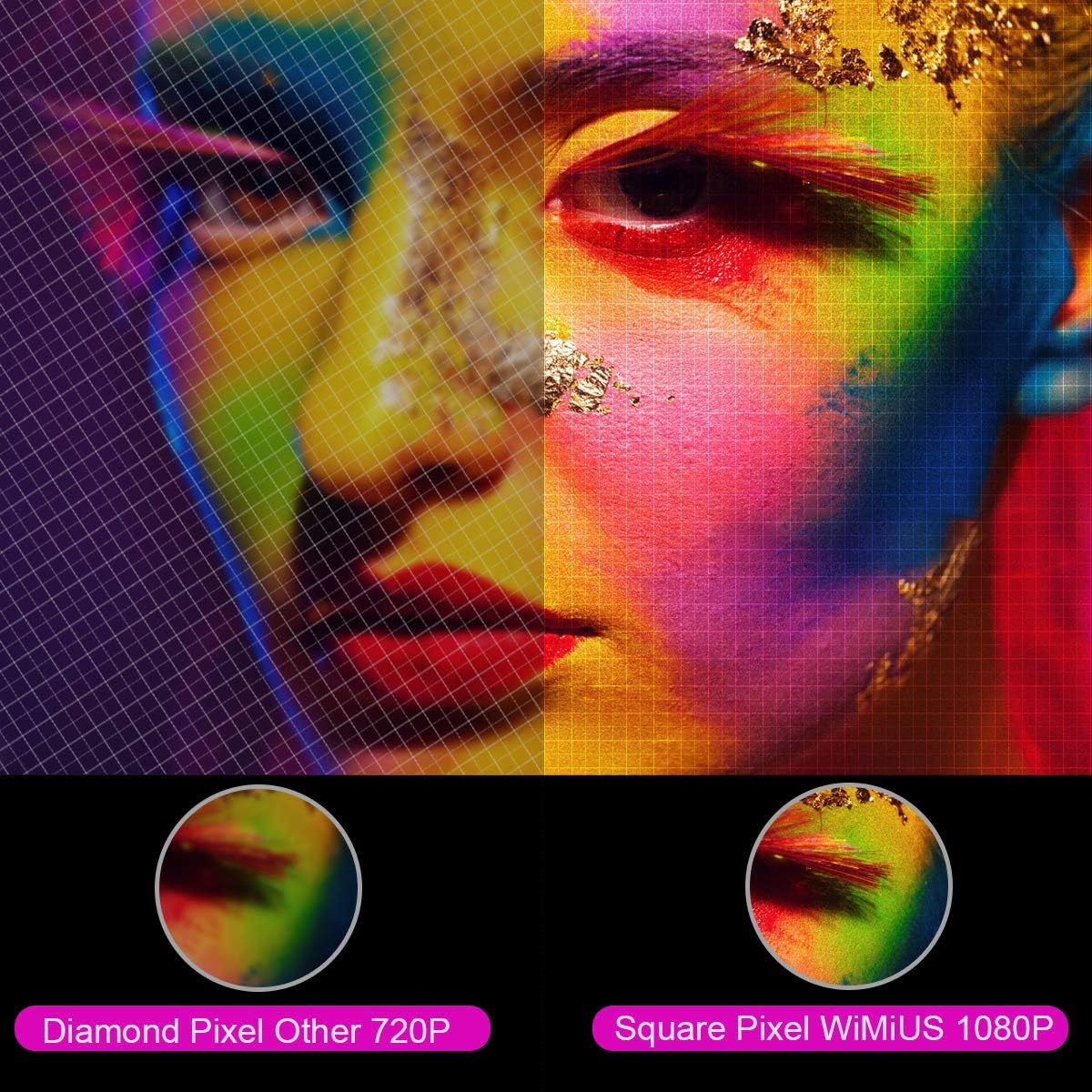
Immagine: Ingrandita view comparing the pixel structure of a 720P projector (diamond pixel) versus the WiMiUS 1080P projector (square pixel), demonstrating higher resolution.

Image: Diagram showing the projector with sound waves emanating from it, indicating the presence of built-in dual 5W speakers.
4. Impostazione
4.1 Posizionamento
Place the projector on a stable, flat surface or mount it to a ceiling. Ensure there is adequate ventilation around the unit. The optimum projection distance is approximately 3 meters (9.8 feet) for a balanced image size and clarity.

Image: A diagram illustrating various projection sizes (50-300 inches) and corresponding projection distances (1.5m to 6.5m), with an optimal distance of 3m highlighted.
4.2 Collegamento di alimentazione
- Collegare il cavo di alimentazione all'ingresso di alimentazione del proiettore.
- Collegare l'altra estremità del cavo di alimentazione a una presa di corrente.
- Premere il pulsante di accensione sul proiettore o sul telecomando per accendere il dispositivo.
4.3 Collegamento di dispositivi esterni
The P21 projector supports multiple input sources. Refer to the diagram below for port locations.

Image: A detailed diagram highlighting the various connection ports on the projector, including HDMI (x2), USB (x2), AV, Audio Out, Y/Pb/Pr, and PC-RGB (VGA).
- HDMI: Connect devices like laptops, Blu-ray players, gaming consoles (PS3, PS4, Xbox), Chromecast, or Fire TV Stick using an HDMI cable.
- USB: Inserisci un'unità USB per riprodurre contenuti multimediali filedirettamente.
- VGA (PC-RGB): Connect to a computer using a VGA cable.
- AV: Per collegare i dispositivi più vecchi, utilizzare il cavo AV in dotazione.
- Uscita audio: Se lo si desidera, è possibile collegare altoparlanti esterni o cuffie.
Note: If connecting a device and experiencing no sound, ensure that Dolby Digital output is turned off on the connected device, as the projector may not support it directly.
5. Istruzioni per l'uso
5.1 Accensione/spegnimento
Premere il pulsante di accensione sul proiettore o sul telecomando per accendere o spegnere l'unità.
5.2 Selezione della sorgente
Use the "Source" button on the remote control or projector panel to select the desired input source (HDMI1, HDMI2, USB1, USB2, VGA, AV).
5.3 Correzione della messa a fuoco e della distorsione trapezoidale
- Messa a fuoco: Ruotare l'anello di messa a fuoco vicino all'obiettivo finché l'immagine non diventa nitida.
- Correzione trapezoidale: Adjust the keystone ring or use the menu settings for vertical ±15° keystone correction to correct distorted images.
5.4 Funzione Zoom
The digital zoom function allows you to adjust the image size without moving the projector. Use the zoom controls on the remote control to reduce the image size from 100% down to 75%.

Image: A visual representation of the zoom function, showing a projected image shrinking from 100% to 75% on a screen, controlled by the projector.
5.5 Impostazioni del menu
Press the "Menu" button on the remote to access settings for picture mode, sound mode, aspect ratio (4:3/16:9), and other advanced options.
6. Manutenzione
6.1 Pulizia della lente
Use a soft, lint-free cloth specifically designed for optical lenses to gently clean the projector lens. Avoid using abrasive cleaners or excessive force.
6.2 Pulizia del filtro dell'aria
Controllare e pulire regolarmente il filtro dell'aria per evitare l'accumulo di polvere, che può influire sulle prestazioni e lamp life. Refer to the projector's exterior for the air filter location and cleaning instructions.
6.3 Lamp Vita
Il LED lamp in your WiMiUS P21 projector has an estimated lifespan of up to 100,000 hours. No user replacement is typically required during the product's operational life. If the lamp stops working, please contact customer support.
7. Risoluzione Dei Problemi
| Problema | Possibile causa | Soluzione |
|---|---|---|
| Nessuna immagine visualizzata | Cavo di alimentazione scollegato, sorgente di ingresso errata, copriobiettivo inserito. | Controllare il collegamento dell'alimentazione, selezionare la sorgente di ingresso corretta, rimuovere il tappo dell'obiettivo. |
| L'immagine è sfocata | Messa a fuoco non regolata, proiettore troppo vicino/lontano dallo schermo. | Adjust the focus ring, ensure optimal projection distance. |
| L'immagine è distorta (forma trapezoidale) | Proiettore non perpendicolare allo schermo. | Regola la correzione trapezoidale. |
| Nessun suono dal proiettore | Volume too low, incorrect audio settings, Dolby Digital enabled on source device. | Increase volume, check audio settings, turn off Dolby Digital on the connected device. |
| Il telecomando non funziona | Batteries depleted, obstruction between remote and projector. | Replace batteries, ensure clear line of sight to IR receiver. |
8. Specifiche
| Caratteristica | Dettaglio |
|---|---|
| Marca | WiMiUS |
| Modello | P21 |
| Luminosità | 6500 lumen |
| Rapporto di contrasto | 8000:1 |
| Risoluzione nativa | 1920 x 1080 (Full HD) |
| Supporto alla risoluzione massima | 4K Ultra HD |
| Tecnologia di visualizzazione | GUIDATO |
| LED lamp Vita | 100,000 ore |
| Dimensioni della proiezione | 50-300 pollici |
| Distanza di proiezione | 1.5 - 6.5 metri |
| Funzione di zoom | 100% - 75% (Reduced) |
| Proporzioni | 4:3 / 16:9 |
| Correzione Keystone | Verticale ± 15 ° |
| Altoparlanti | Dual built-in stereo (2 x 5W) |
| Connettività | 2x HDMI, 2x USB, 1x VGA, 1x AV, Audio Out |
| Livello di rumore | 30 decibel |
| Consumo energetico | 140 watt |
| Dimensioni del prodotto | Dimensioni: 32 x 24 x 11 cm |
| Peso | 2.5 kg |
9. Garanzia e supporto
The WiMiUS P21 HD Projector comes with a lifetime warranty. If the LED lamp stops functioning or any other issues arise with the projector, please contact WiMiUS customer support for assistance or replacement. A repair center is available in the USA for service needs.
For further support, please refer to the official WiMiUS websito o contattare il loro servizio clienti.


