Introduzione
This manual provides comprehensive instructions for the installation, operation, and maintenance of your WeMo Wi-Fi Light Switch Bundle. This bundle includes both 3-Way and Smart WiFi Light Switches, designed to integrate seamlessly with your smart home ecosystem, offering control via Amazon Alexa, Google Assistant, and the WeMo app.

Image: The WeMo Wi-Fi Light Switch Bundle, showcasing both the 3-Way and Smart WiFi models.
Informazioni importanti sulla sicurezza
Please read and understand all safety instructions before installation and use. Improper installation can lead to electric shock or fire. If you are unsure about any part of these instructions, consult a qualified electrician.
- AVVERTIMENTO: Risk of Electric Shock. Disconnect power at the circuit breaker or fuse box before installing.
- Installare solo all'interno.
- Do not exceed the electrical ratings of the switch.
- Assicurarsi che i collegamenti elettrici siano sicuri e conformi alle normative elettriche locali.
Configurazione e installazione
Cosa c'è nella scatola

Image: Product packaging for the WeMo Wi-Fi Light Switch bundle.
Your WeMo Wi-Fi Light Switch bundle typically includes:
- WeMo Wi-Fi Light Switch (WLS0403-BDL)
- WeMo Smart WiFi Light Switch (F7C030-BDL)
- Piastre frontali
- Dadi per cavi
- Guida rapida
Lista di controllo pre-installazione
- Neutral wire required (usually white).
- Single-pole or 3-way wiring configuration.
- Rete Wi-Fi a 2.4 GHz.
- Smartphone or tablet with the WeMo app installed.
Fasi di installazione
- Spegnere l'alimentazione: At the circuit breaker, turn off the power to the switch you are replacing. Verify power is off using a voltagetester.
- Rimuovere il vecchio interruttore: Rimuovere con cautela la piastra a muro esistente e svitare il vecchio interruttore dalla scatola a muro. Scollegare i cavi.
- Identificare i fili: Identify the Line (hot), Load, Neutral, and Ground wires. The neutral wire is essential for WeMo switches.
- Connect WeMo switch:
- Connect the WeMo switch's ground wire to your home's ground wire (bare copper or green).
- Connect the WeMo switch's neutral wire to your home's neutral wire (white).
- Connect the WeMo switch's line wire to your home's line wire (black, usually from the breaker).
- Connect the WeMo switch's load wire to your home's load wire (black, usually to the light fixture).
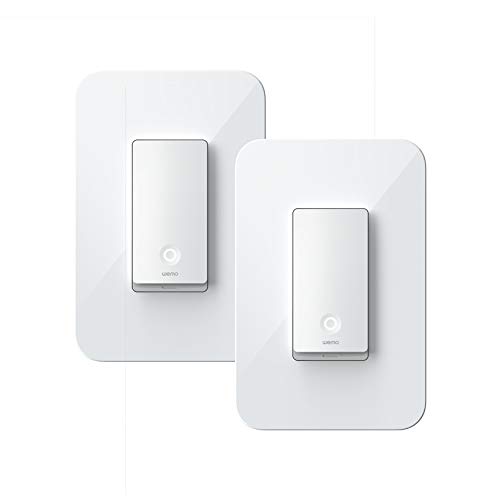
Image: A single WeMo Wi-Fi Light Switch, ready for installation.
- Secure switch: Gently push the wires into the wall box and secure the WeMo switch with screws. Attach the new faceplate.
- Ripristinare l'alimentazione: Turn the power back on at the circuit breaker. The Wi-Fi indicator light on the WeMo switch should blink.
- Configurazione dell'app: Download the WeMo app from the App Store or Google Play. Follow the in-app instructions to connect your WeMo switch to your Wi-Fi network and complete the setup.
Operating Your WeMo Light Switch
Controllo manuale
Press the physical button on the WeMo light switch to manually turn the connected lights on or off.

Immagine: dettagliata view of the WeMo Light Switch's power button and indicator light.
Controllo dell'app
Once connected to the WeMo app, you can control your lights from anywhere using your smartphone or tablet. The app allows you to:
- Turn lights on/off remotely.
- Set schedules and timers for automatic lighting.
- Create rules for specific events (e.g., turn on at sunset).
- Group multiple WeMo devices for simultaneous control.
Controllo vocale (Alexa e Google Assistant)
Integrate your WeMo switches with Amazon Alexa or Google Assistant for convenient voice control. Follow the instructions in the WeMo app or your smart assistant's app to link your accounts.
Exampi comandi vocali:
- "Alexa, accendi la luce del soggiorno."
- "Ehi Google, spegni le luci della cucina."
- "Alexa, set the bedroom light to 50%." (If dimmer functionality is available on your specific model)

Image: WeMo switches integrated into a smart home environment, alongside other smart devices.
Manutenzione
WeMo light switches require minimal maintenance. Keep the device clean by wiping it with a soft, dry cloth. Do not use harsh chemicals or abrasive cleaners.
Periodically check for firmware updates through the WeMo app to ensure optimal performance and access to new features.
Risoluzione dei problemi
Interruttore non risponde
- Assicurarsi che l'interruttore automatico sia acceso.
- Check the Wi-Fi indicator light on the switch. If it's off or blinking unusually, it may not be connected to Wi-Fi.
- Riavvia il router Wi-Fi.
- Try restarting the switch by turning off power at the breaker for 10 seconds, then turning it back on.
Impossibile connettersi al Wi-Fi
- Ensure your Wi-Fi network is 2.4 GHz. WeMo switches do not support 5 GHz networks.
- Verifica che la password del tuo Wi-Fi sia corretta.
- Move your Wi-Fi router closer to the switch, or consider a Wi-Fi extender.
- Perform a factory reset on the WeMo switch (refer to the WeMo app or online support for specific instructions).
Problemi di controllo vocale
- Ensure your WeMo account is correctly linked in the Alexa or Google Home app.
- Controlla la tua connessione Internet.
- Try re-discovering devices in your smart assistant's app.
Specifiche
| Caratteristica | Dettaglio |
|---|---|
| Marca | Wemo |
| Numeri di modello | WLS0403-BDL, F7C030-BDL |
| Tipo di circuito | 3-way (WLS0403-BDL), Single-pole (F7C030-BDL) |
| Tipo di montaggio | Montaggio a parete |
| Tipo di controllore | Amazon Alexa, Google Assistant, WeMo App |
| Metodo di controllo | App, Voce, Manuale |
| Protocollo di connettività | Wi-Fi (2.4 GHz) |
| Data prima disponibilità | 2 marzo 2020 |
Garanzia e supporto
For detailed warranty information and technical support, please visit the official WeMo website or contact WeMo customer service. Keep your proof of purchase for warranty claims.
Official WeMo Websito: www.wemo.com


