1. Prodotto finitoview
The UGREEN 20883 USB 3.0 A Male to Type C Male Cable, measuring 1.5 meters in length, is designed for efficient charging and high-speed data syncing. It offers a transfer rate of up to 5Gbps, enabling swift transfer of large files such as HD videos and lossless audio. This cable supports fast charging with a maximum output of 3A for lengths up to 1.5 meters, and 2.4A for lengths exceeding 2 meters. Its durable construction includes a tin-plated oxygen-free copper wire core and multiple internal shielding for reliable performance. A built-in 56kΩ pull-up resistor protects connected devices from overcurrent during charging.
Caratteristiche principali:
- Ricarica rapida: Supports up to 3A fast charging for lengths ≤1.5m, and 2.4A for lengths ≥2m.
- High-Speed Data Syncing: Transfers data at speeds up to 5Gbps, ideal for large file trasferimenti.
- Compatibilità energetica: Supports QC3.0/AFC/FCP fast charging protocols.
- Costruzione durevole: Tin-plated oxygen-free copper wire core and multiple internal shielding ensure durability.
- Protezione da sovracorrente: 56kΩ pull-up resistor protects devices from excessive current during charging.

Image 1.1: UGREEN USB 3.0 to Type C Cable, illustrating the USB-A and USB-C connectors.

Immagine 1.2: Interno view of the USB-C connector, highlighting the integrated 56kΩ pull-up resistor for overcurrent protection.

Image 1.3: Cable design featuring reinforced strain relief for enhanced durability and resistance to bending.
2. Specifiche
| Caratteristica | Dettaglio |
|---|---|
| Marca | Non verde |
| Numero di modello | 20883 |
| Tipo di connettore | USB Type C (Male) to USB Type A (Male) |
| Tipo di cavo | USB 3.0 |
| Velocità di trasferimento dati | Fino a 5 Gigabit al secondo (5 Gbps) |
| Supporto per la ricarica rapida | Fino a 3 Amps (for lengths ≤1.5m), 2.4 Amps (for lengths ≥2m) |
| Protocolli di ricarica | QC3.0/AFC/FCP |
| Protezione da sovracorrente | 56kΩ Pull-up Resistor |
| Lunghezza del cavo | 1.5 metri |
| Colore | Nero |
| Peso dell'articolo | 60 grammi |
| Dimensioni del prodotto | Dimensioni: 150 x 1 x 3 cm |
| Dispositivi compatibili | Devices with USB-C port (e.g., smartphones, tablets, laptops) and USB-A port (e.g., charging adapters, computers) |
3. Impostazione
The UGREEN 20883 USB 3.0 to Type C cable is designed for plug-and-play functionality. No special drivers or software installation is required.
- Identificare le porte: Individua la porta USB-A sull'adattatore di alimentazione, sul computer o su un altro dispositivo host e la porta USB-C sullo smartphone, sul tablet o su un altro dispositivo compatibile.
- Collegare l'estremità USB-A: Insert the USB-A connector of the cable into the USB-A port of your host device.
- Collega l'estremità USB-C: Insert the USB-C connector of the cable into the USB-C port of your target device. Ensure a firm connection at both ends.

Image 3.1: Illustrates connecting the USB-C end to a smartphone and the USB-A end to a laptop for charging or data transfer.
4. Istruzioni per l'uso
4.1. Ricarica del dispositivo
To charge your USB-C compatible device:
- Connect the USB-A end of the cable to a compatible USB wall charger, power bank, or computer USB-A port.
- Connect the USB-C end of the cable to your device's USB-C charging port.
- Ensure the power source is active. Your device should indicate that it is charging.
This cable supports fast charging protocols such as QC3.0, AFC, and FCP, delivering up to 3A for optimal charging speeds when paired with a compatible fast charger and device.
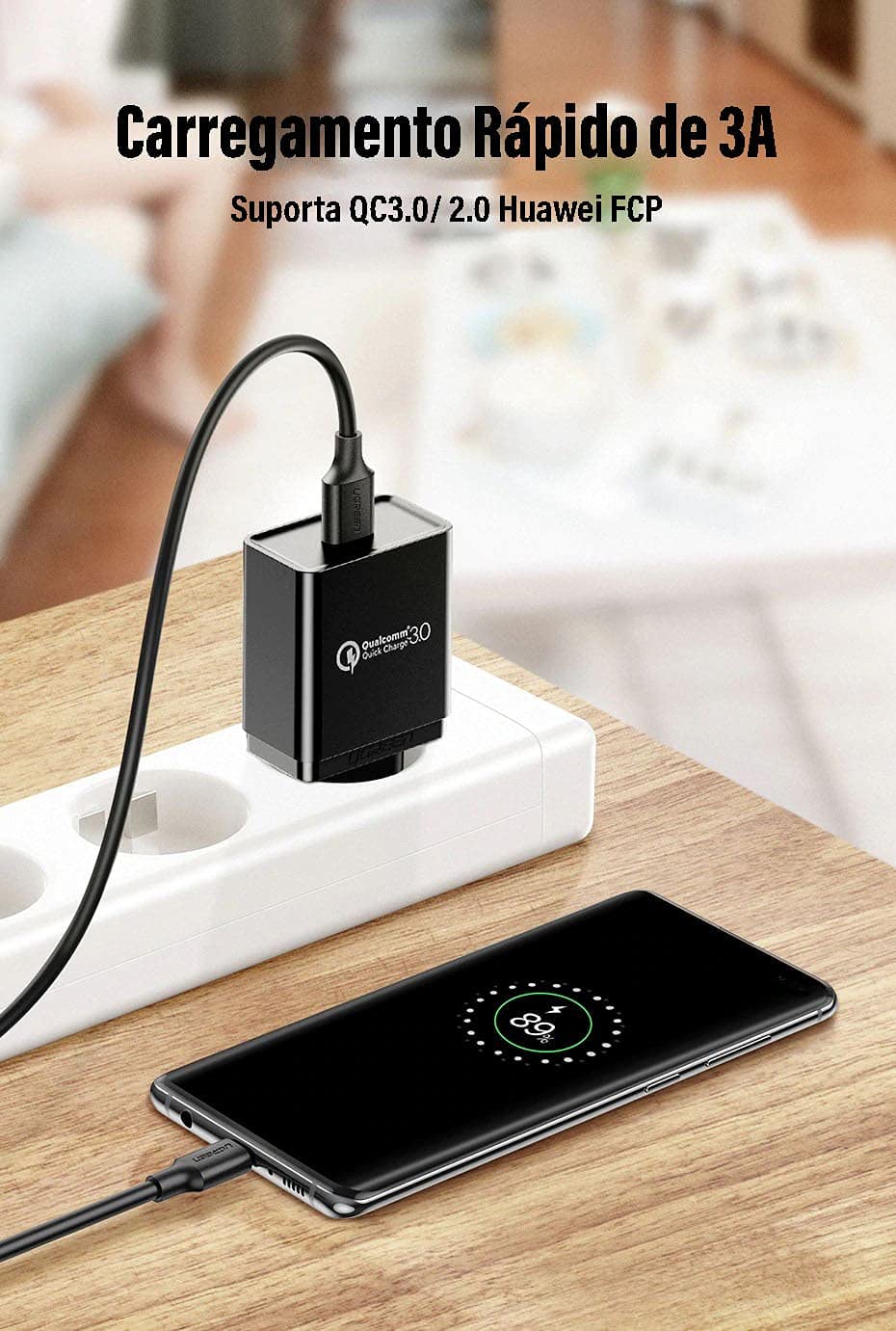
Image 4.1: A smartphone connected to a fast charging adapter via the UGREEN USB-C cable, demonstrating fast charging capability.
4.2. Trasferimento dei dati
To transfer data between your USB-C device and a computer:
- Collegare l'estremità USB-A del cavo a una porta USB 3.0 disponibile sul computer.
- Connect the USB-C end of the cable to your smartphone, tablet, or other USB-C storage device.
- Your computer should recognize the connected device. Follow your operating system's prompts to access and transfer files.
The cable supports USB 3.0 speeds, allowing data transfer rates of up to 5Gbps. This enables quick transfer of large files, such as high-definition videos and extensive photo libraries.

Image 4.2: Data transfer from a laptop to an external hard drive using the UGREEN USB-C cable, illustrating 5Gbps transfer speed.

Image 4.3: Visual representation of the USB 3.0 connector and its capability for faster data transmission at 5Gbps.
5. Manutenzione
Proper care will extend the life and performance of your UGREEN USB 3.0 to Type C cable:
- Magazzinaggio: Conservare il cavo in un luogo fresco e asciutto, lontano dalla luce solare diretta e da temperature estreme.
- Gestione: Evitare piegature brusche, attorcigliamenti o trazioni eccessive sul cavo, soprattutto in prossimità dei connettori. Afferrare sempre la testa del connettore quando si collega o si scollega, non il cavo stesso.
- Pulizia: Se necessario, pulire delicatamente il cavo e i connettori con un panno morbido, asciutto e privo di lanugine. Non utilizzare detergenti liquidi o solventi.
- Protezione: Keep the connectors free from dust, dirt, and moisture.
6. Risoluzione Dei Problemi
If you encounter issues with your UGREEN USB 3.0 to Type C cable, try the following solutions:
- Dispositivo non in carica:
- Assicurarsi che entrambe le estremità del cavo siano collegate saldamente.
- Verify that the power adapter or USB port you are using is functional and providing power.
- Prova a utilizzare un adattatore di alimentazione o una porta USB diversi.
- Test the cable with another compatible device to rule out a device-specific issue.
- Ricarica lenta:
- Ensure your power adapter supports fast charging protocols (e.g., QC3.0, AFC, FCP) and provides sufficient ampmediazione (ad esempio, 3A).
- Confirm your device also supports fast charging.
- Avoid charging from low-power USB ports (e.g., some older computer USB 2.0 ports).
- Trasferimento dati non funzionante o lento:
- Ensure the USB-A end is connected to a USB 3.0 port on your computer for optimal speeds. USB 2.0 ports will result in slower transfer rates.
- Check that your device is set to "File Transfer" mode (or similar) when connected to a computer, rather than "Charging Only".
- Restart both your computer and the connected device.
- Prova una porta USB diversa sul tuo computer.
- Cable Appears Damaged:
Discontinue use immediately if the cable or connectors show signs of damage (e.g., fraying, exposed wires, bent pins). Using a damaged cable can be unsafe.
7. Garanzia e supporto
For warranty information or technical support regarding your UGREEN 20883 USB 3.0 to Type C Cable, please refer to the official UGREEN website or contact UGREEN customer service directly. Details can typically be found on the product packaging or the UGREEN brand store.
UGREEN Ufficiale Websito: www.ugreen.com
UGREEN Amazon Store: Visita lo Store UGREEN su Amazon


