1. Prodotto finitoview
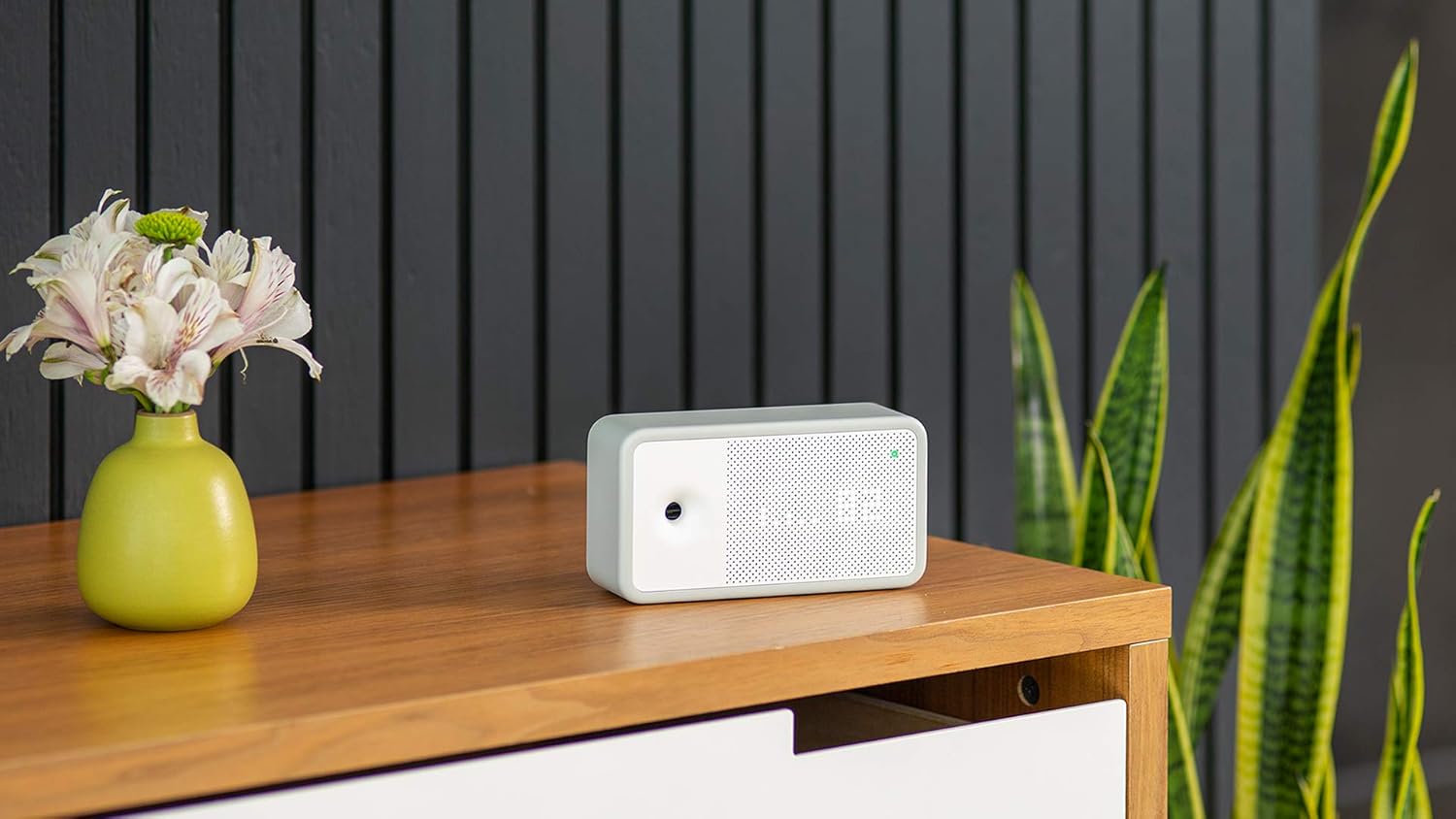
The Awair Element is an advanced indoor air quality monitor designed to provide real-time insights into your home or office environment. It accurately tracks five key air quality factors: temperature, humidity, carbon dioxide (CO2), volatile organic compounds (VOCs), and particulate matter (PM2.5).

Understanding these factors helps you identify potential issues and take steps to improve your indoor air quality, contributing to a healthier living or working space.
2. Guida all'installazione
2.1 Disimballaggio e posizionamento
Carefully remove the Awair Element from its packaging. The device is designed for indoor use only. Place the monitor on a flat, stable surface in the area where you wish to monitor air quality. Avoid placing it near windows, vents, or direct heat sources, as this can affect sensor accuracy.
2.2 Collegamento di alimentazione
Connect the provided USB-C power cable to the port on the back of the Awair Element and plug the power adapter into a standard electrical outlet. The device will power on automatically.

2.3 Download e associazione dell'app
- Download the 'Awair Home' app from your smartphone's app store (available on iOS and Android).
- Apri l'app e crea un account o accedi.
- Follow the in-app instructions to pair your Awair Element. This process typically involves enabling Bluetooth on your phone and connecting to the device via Wi-Fi (2.4 GHz network required).
3. Utilizzo del dispositivo
3.1 Understanding the Device Display
The Awair Element features a minimalist LED display that shows your overall air quality score or individual sensor readings. A small button on the back allows you to cycle through different display modes, including temperature, humidity, CO2, chemicals (VOCs), PM2.5, and time.

3.2 Using the Awair Home App
The Awair Home app provides a comprehensive view of your air quality data, historical trends, and personalized recommendations. You can view real-time readings for all five factors, track daily and weekly averages, and receive alerts when air quality levels change.

The app also offers integration with smart home systems like Amazon Alexa and Google Assistant, allowing for voice control and automated actions based on air quality data.

4. Manutenzione
4.1 Istruzioni per la pulizia
To ensure optimal performance, keep your Awair Element clean. Gently wipe the exterior with a soft, dry cloth. Do not use liquid cleaners or abrasive materials, as these can damage the sensors or finish. Ensure the air intake and exhaust vents are free from dust and obstructions.
5. Risoluzione Dei Problemi
5.1 Problemi di connettività
- Dispositivo non connesso al Wi-Fi: Ensure your Wi-Fi network is 2.4 GHz. Check that the device is within range of your router. Try restarting your router and the Awair Element.
- L'app non visualizza i dati: Verify that your smartphone has an active internet connection and that the Awair Element is powered on and connected to Wi-Fi. Close and reopen the app.
5.2 Letture imprecise
- Sudden spikes in VOCs or PM2.5: This can be normal during activities like cooking, cleaning with chemicals, or burning candles. Observe if readings return to normal after the activity ceases.
- Consistent unusual readings: Ensure the device is not placed near strong air currents, direct sunlight, or sources of heat/cold. Allow the device to operate for at least 24 hours after initial setup for sensors to stabilize.
5.3 Ripristino del dispositivo
If you experience persistent issues, a factory reset may be necessary. Locate the reset button on the back of the device (often a small pinhole). Use a paperclip to press and hold the button for approximately 5-10 seconds until the display changes or the device restarts. You will then need to re-pair the device with the Awair Home app.
6. Specifiche
| Caratteristica | Dettaglio |
|---|---|
| Marca | ATTENZIONE |
| Numero di modello | Elemento |
| Dimensioni | 1.8"P x 6.06"L x 3.33"A |
| Peso | 8.5 once |
| Fonte di alimentazione | Electric (Power Adapter, USB-C Power Cable included) |
| Connettività | Bluetooth (for setup), 2.4 GHz Wi-Fi |
| Monitored Factors | Temperature, Humidity, Carbon Dioxide (CO2), Chemicals (VOCs), Particulate Matter (PM2.5) |
| Tipo di controllore | Amazon Alexa, Assistente Google, Vera |
| Livello di rumore | 50 decibel |
7. Garanzia e supporto
7.1 Informazioni sulla garanzia
The Awair Element Indoor Air Quality Monitor comes with a Garanzia limitata di 1 anno dalla data di acquisto. La presente garanzia copre i difetti di materiali e fabbricazione in condizioni di normale utilizzo. Si prega di conservare la prova d'acquisto per eventuali reclami in garanzia.
7.2 Assistenza clienti
For further assistance, technical support, or to inquire about warranty services, please visit the official AWAIR websito o contattare il servizio clienti. Le informazioni di contatto dettagliate sono in genere reperibili sul sito web del produttore. websito o nella confezione del prodotto.


