1. Introduzione
This manual provides detailed instructions for the setup, operation, and maintenance of your HP S1000 Wireless Mouse. Please read this manual thoroughly before using the product to ensure proper functionality and to maximize your user experience.
The HP S1000 Wireless Mouse is designed for reliable and comfortable use, featuring a 2.4 GHz wireless connection, 1600 DPI optical tracking, and a symmetrical design suitable for both left and right-handed users.
2. Contenuto della confezione
Si prega di verificare che tutti gli articoli siano presenti nella confezione del prodotto:
- Mouse wireless HP S1000
- USB Receiver (dongle)
- 1 AA Battery (may be pre-installed or included separately)
- Guida rapida (questo manuale)
3. Istruzioni per l'installazione
Follow these steps to set up your HP S1000 Wireless Mouse:
- Installare la batteria:
Locate the battery compartment on the underside of the mouse. Open the cover, insert the provided AA battery, ensuring correct polarity (+/-), and close the cover securely.
- Collegare il ricevitore USB:
Remove the USB receiver from its storage slot, usually located within the battery compartment. Plug the USB receiver into an available USB port on your computer. Your computer should automatically detect and install the necessary drivers.

Illustration showing the HP S1000 Wireless Mouse's 2.4 GHz wireless connection and the included USB dongle for stable connectivity.
- Accendere il mouse:
If your mouse has a power switch (usually on the underside), slide it to the 'ON' position. The mouse should now be ready for use.
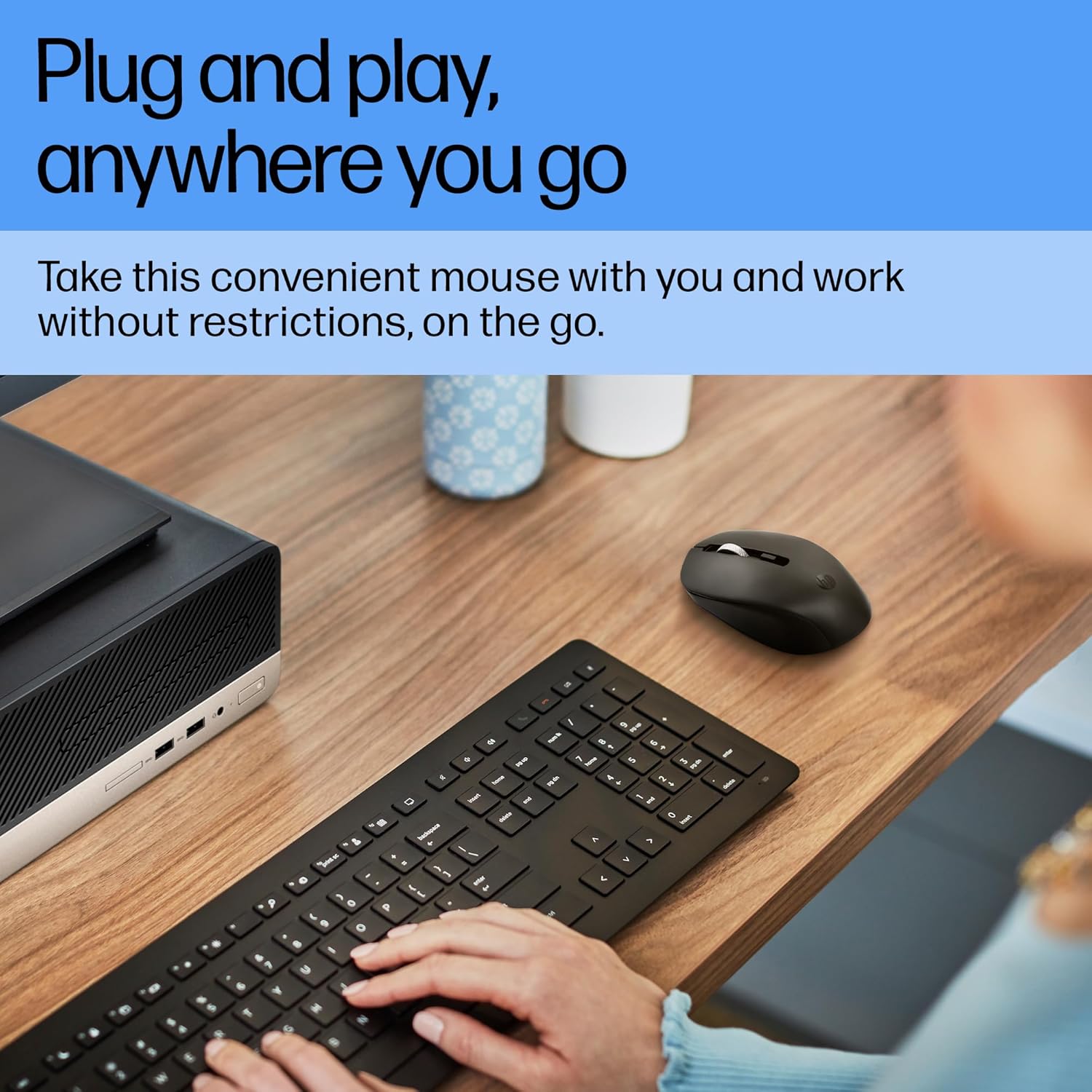
A user operating the HP S1000 Wireless Mouse next to a laptop and keyboard, emphasizing its portability and ease of use.
4. Istruzioni per l'uso
The HP S1000 Wireless Mouse offers intuitive control for various tasks:
- Clic sinistro: Premere il pulsante sinistro per selezionare gli elementi, aprire files, o attivare funzioni.
- Clic destro: Press the right button to access contextual menus or specific options.
- Rotella di scorrimento: Ruotare la rotellina di scorrimento verso l'alto o verso il basso per navigare tra i documenti e web pagine. La rotellina di scorrimento funziona anche come pulsante centrale.
- Regolazione DPI: The mouse features an optical sensor with up to 1600 DPI for precise tracking. While there isn't a dedicated DPI button, the mouse is optimized for smooth and responsive cursor movement across various surfaces.
- Clic silenziosi: Il mouse è progettato con tecnologia Silent Click, che riduce il rumore durante l'uso.
- Symmetrical Design: Its symmetrical shape ensures comfortable use for both left-handed and right-handed individuals.
- Cross-OS Compatibility: The mouse is compatible with Windows 7, 8, 10, Mac OS, and Chrome OS.

Detailed diagram of the HP S1000 Wireless Mouse, labeling its key features including silent clicks, 1600 DPI optical sensor, USB dongle, cross-OS compatibility, and symmetrical design.
5. Manutenzione
Proper care and maintenance will extend the life of your mouse:
- Pulizia: Utilizzare un panno morbido e asciutto per pulire il mouse. Per lo sporco ostinato, leggermente dampLavare il panno con acqua. Evitare l'uso di prodotti chimici aggressivi o detergenti abrasivi.
- Sostituzione della batteria: When the mouse performance degrades or it stops responding, replace the AA battery. Ensure to dispose of old batteries responsibly according to local regulations.
- Magazzinaggio: When not in use for extended periods, turn off the mouse (if it has a power switch) and store the USB receiver in its designated slot to prevent loss.
6. Risoluzione Dei Problemi
If you encounter issues with your HP S1000 Wireless Mouse, refer to the following common solutions:
- Il mouse non risponde:
- Controllare che il mouse sia acceso.
- Sostituisci la batteria AA con una nuova.
- Assicurarsi che il ricevitore USB sia collegato saldamente a una porta USB funzionante del computer.
- Prova a collegare il ricevitore USB a un'altra porta USB.
- Move the mouse closer to the USB receiver to rule out interference or range issues.
- Choppy or Inconsistent Movement:
- Pulisci il sensore ottico sul lato inferiore del mouse.
- Assicurati di utilizzare il mouse su una superficie adatta. Evita superfici altamente riflettenti o trasparenti.
- Check for potential wireless interference from other devices.
- USB Receiver Not Detected:
- Riavvia il computer.
- Try the USB receiver in another computer to determine if the issue is with the receiver or the computer's USB ports.
If these steps do not resolve the issue, please contact HP customer support for further assistance.
7. Specifiche
| Caratteristica | Specificazione |
|---|---|
| Marca | HP |
| Modello | S1000 |
| Tecnologia di connettività | Wireless a 2.4 GHz (ricevitore USB) |
| Rilevamento del movimento | Ottico |
| DPI | Fino a 1600 DPI |
| Caratteristiche speciali | Silent Clicks, Symmetrical Design |
| Fonte di alimentazione | Alimentato a batteria |
| Tipo di batteria | 1 batteria AA |
| Durata media della batteria | Up to 24 Months (varies with usage) |
| Compatibilità del sistema operativo | Windows 7, Windows 8, Windows 10, Mac OS, Chrome OS |
| Dimensioni (LxWxH) | 13.1 x 8.1 x 0.1 cm (circa) |
| Peso dell'articolo | 100 grammi |
| Colore | Nero |
8. Garanzia e supporto
Informazioni sulla garanzia:
The HP S1000 Wireless Mouse comes with a 1-year limited warranty from the date of purchase. This warranty covers manufacturing defects under normal use. Please retain your proof of purchase for warranty claims.
Assistenza clienti:
For technical assistance, warranty claims, or further inquiries, please visit the official HP support website or contact HP customer service in your region. Refer to the HP websito per le informazioni di contatto e le risorse di supporto più aggiornate.