1. Introduzione
The Ledvance DOT-IT TOUCH SLIM is a compact, dimmable, and USB-rechargeable LED luminaire designed for versatile indoor use. Its compact design makes it suitable for small spaces where light is needed but no power outlet is available. This manual provides essential information for the safe and efficient use of your luminaire.

Image 1.1: The Ledvance DOT-IT TOUCH SLIM LED Luminaire, a compact and versatile lighting solution.
2. Istruzioni di sicurezza
Please read and follow these safety instructions carefully to prevent injury or damage to the product:
- Leggere tutte le istruzioni prima di utilizzare il dispositivo.
- This product is intended for indoor use only (IP20 rating). Do not expose to water, high humidity, or extreme temperatures.
- Keep the luminaire out of reach of children.
- Utilizzare solo il cavo USB in dotazione per la ricarica. Non utilizzare cavi o caricabatterie danneggiati.
- Do not attempt to disassemble, modify, or repair the luminaire yourself. Refer all servicing to qualified personnel.
- Evitare l'esposizione diretta degli occhi alla sorgente luminosa a LED.
3. Contenuto della confezione
Verificare che tutti gli articoli siano presenti nel pacco:
- 1x Ledvance DOT-IT TOUCH SLIM LED Luminaire
- 1x Self-adhesive Mounting Magnet
- Cavo di ricarica USB 1x
4. Configurazione e installazione
The DOT-IT TOUCH SLIM luminaire is designed for easy installation using its magnetic mount.
- Scegli una posizione: Select a clean, dry, and smooth surface where you wish to install the light. Ensure the surface is free from dust, grease, and moisture.
- Prepare the Magnet: Peel off the protective film from one side of the self-adhesive mounting magnet.
- Attacca il magnete: Firmly press the adhesive side of the magnet onto the chosen surface. Hold for a few seconds to ensure a strong bond.
- Mount the Luminaire: Place the DOT-IT TOUCH SLIM luminaire onto the attached magnet. The luminaire will securely attach magnetically. This allows for easy removal when charging is required.
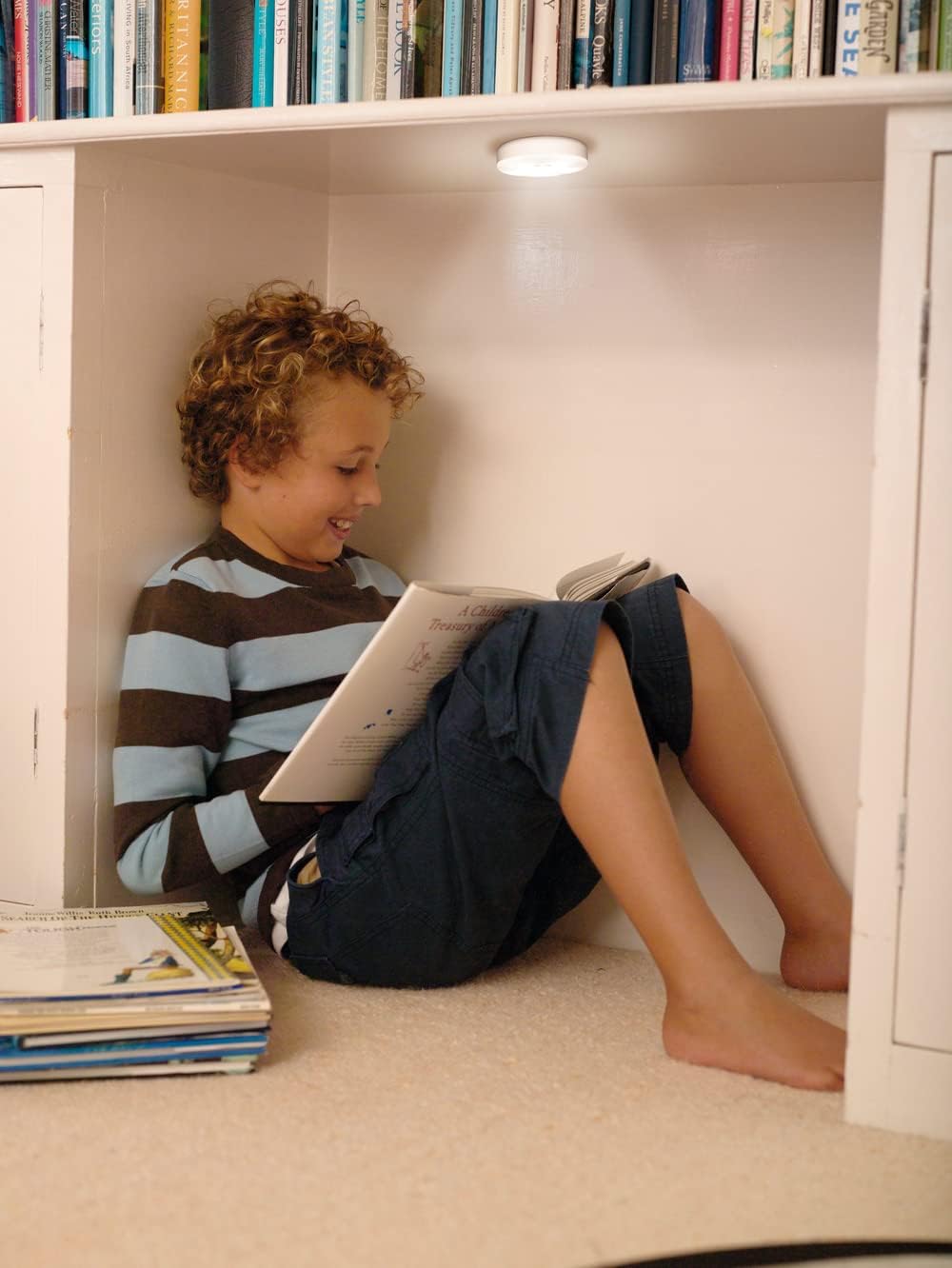
Image 4.1: The luminaire provides convenient lighting in various indoor settings, such as under shelves.
5. Funzionamento
The luminaire features a simple touch interface for control.
- Accensione/spegnimento: Lightly press the center of the luminaire to turn it on or off.
- dimming: When the light is on, press and hold the center of the luminaire to adjust its brightness. Release your finger when the desired brightness level is achieved.
6. Ricarica
The DOT-IT TOUCH SLIM is equipped with a built-in rechargeable lithium battery.
- Remove from Mount: Gently pull the luminaire off its magnetic mount.
- Collegare il cavo USB: Insert the small end of the provided USB charging cable into the charging port on the side of the luminaire. Connect the larger end of the USB cable to a standard USB power source (e.g., computer USB port, USB wall adapter, power bank).
- Indicatore di carica: A red indicator light will illuminate on the luminaire to show that it is charging. The light will turn off once the battery is fully charged.
- Primo utilizzo: For optimal battery life, ensure the luminaire is fully charged before its initial use.
7. Manutenzione
To ensure the longevity and proper functioning of your luminaire:
- Pulizia: Clean the exterior of the luminaire with a soft, dry cloth. Do not use liquid cleaners, abrasive materials, or solvents.
- Porta di ricarica: Periodically check the USB charging port for dust or debris and gently clean if necessary to ensure proper connection.
- Magazzinaggio: If storing the luminaire for an extended period, ensure it is fully charged and store it in a cool, dry place. Recharge every few months to maintain battery health.
8. Risoluzione Dei Problemi
If you encounter issues with your DOT-IT TOUCH SLIM luminaire, refer to the following common solutions:
- La luce non si accende:
- Ensure the battery is charged. Connect to a USB power source and allow it to charge.
- Verify that the touch surface is clean and unobstructed.
- Light does not dim:
- Ensure you are pressing and holding the center of the luminaire correctly to activate the dimming function.
- La luce non si carica:
- Check the USB cable for damage and try a different cable if available.
- Try a different USB power source (e.g., another wall adapter, computer port).
- Inspect the charging port on the luminaire for any debris or damage.
9. Specifiche
| Caratteristica | Specificazione |
|---|---|
| Modello | DOT-IT TOUCH SLIM WT LEDV |
| Marca | LEDVANCE |
| Dimensioni (L x P x A) | Dimensioni: 6.5 x 6.5 x 1.8 cm |
| Peso | 35 grammi |
| Materiale | Acrilonitrile Butadiene Stirene (ABS) |
| Voltage | 5 Volt |
| Cosatage | 0.45 L |
| Temperatura del colore | 4000 Kelvin (bianco freddo) |
| Indice di resa cromatica (CRI) | 80 |
| Durata media della vita | 30,000 ore |
| Tipo di interruttore | Tocco |
| Batteria | Rechargeable Lithium (included) |
| Grado di protezione IP | IP20 (solo per uso interno) |

Image 9.1: Technical drawing showing the dimensions of the luminaire (65mm diameter, 18mm thickness).
10. Garanzia e supporto
For detailed warranty information, product registration, or customer support, please refer to the official LEDVANCE webo contattare il rivenditore autorizzato. Conservare la prova d'acquisto per eventuali reclami in garanzia.


