Introduzione
This manual provides detailed instructions for the setup, operation, and maintenance of your La Crosse Technology CA80994 Color Mood Light Alarm Clock. This device combines an alarm clock with a versatile mood light, offering various color options and melody sounds to enhance your daily routine. Please read this manual thoroughly before using the product to ensure proper function and longevity.
Contenuto della confezione
Dopo aver disimballato, verificare che tutti gli articoli elencati di seguito siano presenti e in buone condizioni:
- La Crosse Technology CA80994 Color Mood Light Alarm Clock
- Adattatore di alimentazione
- Manuale dell'utente (questo documento)
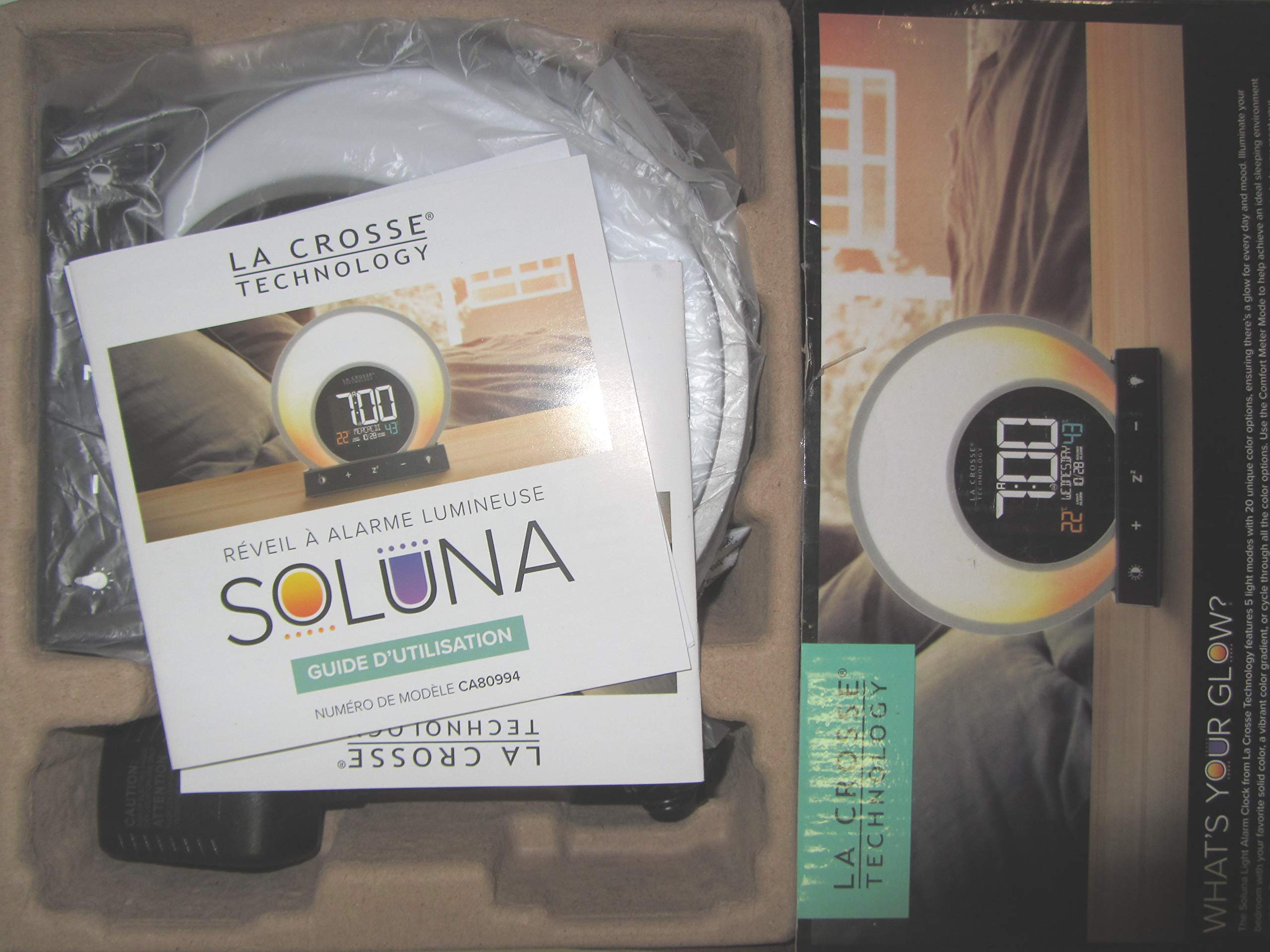
This image displays the La Crosse Technology CA80994 Color Mood Light Alarm Clock and its power adapter, still sealed in their protective plastic within the product's cardboard packaging. The clock features a circular design with control buttons visible at the bottom.
Impostare
- Disimballaggio: Carefully remove the alarm clock and all accessories from the packaging. Retain the packaging for future storage or transport.
- Collegamento elettrico: Insert the small end of the power adapter into the DC IN port located on the back of the alarm clock. Plug the other end of the power adapter into a standard electrical outlet. The clock display should illuminate.
- Battery Installation (Optional for backup): If your model supports battery backup, insert the required batteries (e.g., 2 x AAA, not included) following the polarity indicators in the battery compartment on the underside. This will preserve time settings during a power outage.
- Impostazione dell'ora iniziale:
- Press and hold the "SET" button (or similar button, refer to device markings) for 3 seconds to enter time setting mode.
- Use the "+" or "-" buttons to adjust the hour. Press "SET" to confirm.
- Use the "+" or "-" buttons to adjust the minute. Press "SET" to confirm.
- Continue to set the year, month, and day if applicable, confirming each with the "SET" button.
Istruzioni per l'uso
Impostazione della sveglia
- Press and hold the "ALARM" button (or similar icon) for 3 seconds to enter alarm setting mode.
- Use the "+" or "-" buttons to adjust the desired alarm hour. Press "ALARM" to confirm.
- Use the "+" or "-" buttons to adjust the desired alarm minute. Press "ALARM" to confirm.
- Select your preferred alarm melody sound using the "+" or "-" buttons. Press "ALARM" to confirm.
- To activate or deactivate the alarm, press the "ALARM" button once. An alarm icon will appear or disappear on the display.
Utilizzo della luce d'atmosfera
- Accensione/spegnimento: Press the "LIGHT" button (often represented by a light bulb icon) to turn the mood light on or off.
- Modifica delle modalità di illuminazione: While the light is on, press the "LIGHT" button repeatedly to cycle through the available light modes:
- Solid Color Mode (20 unique color options)
- Vibrant Color Gradient Mode
- Color Cycle Mode (automatically transitions through all colors)
- Regolazione della luminosità: Use the "Brightness" button (often represented by a sun icon) or the "+" and "-" buttons when in light mode to adjust the intensity of the light.
Funzione snooze
When the alarm sounds, press the "SNOOZE" button (often marked with "Zz" or a large button on top) to temporarily silence the alarm. The alarm will sound again after a preset snooze interval (typically 5-10 minutes). To turn off the alarm completely, press any other button or allow it to sound for its full duration.
Regolazione della luminosità del display
Press the "DIMMER" button (or similar) to cycle through different display brightness levels (e.g., High, Medium, Low, Off). This allows you to adjust the display's visibility to your preference, especially in a dark room.
Manutenzione
- Pulizia: Use a soft, dry cloth to clean the surface of the alarm clock. Do not use abrasive cleaners, waxes, or solvents as they may damage the finish.
- Disconnessione dell'alimentazione: If the device will not be used for an extended period, disconnect the power adapter from the wall outlet.
- Sostituzione della batteria: If using battery backup, replace batteries annually or when the display shows signs of dimming during a power outage.
Risoluzione dei problemi
| Problema | Possibile soluzione |
|---|---|
| Nessun display né alimentazione. | Ensure the power adapter is securely plugged into both the alarm clock and a working electrical outlet. Check the outlet with another device. |
| L'allarme non suona. | Verify that the alarm is activated (alarm icon visible on display). Check that the alarm volume is not set to zero. Ensure the alarm time is correctly set. |
| Mood light not working. | Press the "LIGHT" button to ensure it is turned on. If the light is on but not changing colors, try cycling through the light modes again. |
| Visualizzazione dell'ora errata. | Reset the time according to the "Initial Time Setting" instructions in the Setup section. If using battery backup, ensure batteries are fresh. |
Specifiche
- Modello: CA80994
- Marca: Tecnologia La Crosse
- Caratteristiche speciali: Alarm, Color Mood Light, Melody Sounds
- Energia: AC Adapter (included), Battery Backup (type and quantity not specified, typically AAA or AA)
- Peso dell'articolo: 650 grammi
- Dimensioni del pacco: Dimensioni: 24.2 x 20 x 8.8 cm
- Data prima disponibilità: 12 marzo 2020
Nota: le specifiche sono soggette a modifiche senza preavviso.
Garanzia e supporto
La Crosse Technology products are designed to provide reliable performance. For specific warranty information, please refer to the warranty card included with your product or visit the official La Crosse Technology website. For technical support or service inquiries, please contact La Crosse Technology customer service through their official channels.
Websito: www.lacrossetechnology.com


