1. Introduzione
The ARENTI GO1 is a 100% wireless, battery-powered outdoor security camera designed to provide reliable surveillance for your home. Featuring 1080P Full HD video, night vision, two-way audio, and IP65 weather resistance, this camera offers comprehensive monitoring capabilities. Its AI motion detection ensures you receive relevant alerts, keeping you informed about activity around your property.
2. Cosa c'è nella scatola
Disimballare con cura la scatola e assicurarsi che tutti gli articoli siano presenti. Se alcuni articoli risultano mancanti o danneggiati, contattare l'assistenza clienti.

Image: Contents of the ARENTI GO1 package, including the camera, mounting options, charging cable, power adapter, and quick start guide.
- ARENTI GO1 Camera (1X)
- Cavo USB (1X)
- Adattatore di alimentazione (1X)
- Mounting Bracket (A) (1X)
- Mounting Bracket (B) (1X)
- Viti (3X)
- Reset Key (1X)
- Quick Guide (1X)
Video: An unboxing of the ARENTI GO1 camera, showing all included components and accessories.
3. Prodotto finitoview
The ARENTI GO1 camera is designed for ease of use and robust performance. It features a compact, wireless design with dual mounting options for flexible placement.

Image: The ARENTI GO1 camera shown with both the traditional outdoor stand and a magnetic stand for versatile installation.
Caratteristiche principali:
- Video Full HD 1080P: Provides clear and detailed video recordings.
- Grandangolo 145° View: Captures a broad area for comprehensive surveillance.
- Visione notturna: Equipped with infrared sensors for clear monitoring in low-light conditions.
- Audio bidirezionale: Allows for real-time communication with visitors or intruders.
- Rilevamento del movimento tramite IA: Intelligently detects human motion to reduce false alarms.
- Resistenza alle intemperie IP65: Design durevole adatto all'uso all'aperto in diverse condizioni atmosferiche.
- Batteria ricaricabile da 6700 mAh: Offers long-lasting operation (30-180 days depending on usage).
- Archiviazione locale e cloud: Supports SD card storage and optional cloud service.
Video: An introductory video highlighting the key features and benefits of the ARENTI GO1 camera.
4. Impostazione
4.1. Caricare la fotocamera
Before initial use, fully charge the ARENTI GO1 camera using the provided USB cable and power adapter. The battery is rechargeable and designed for long-term use.
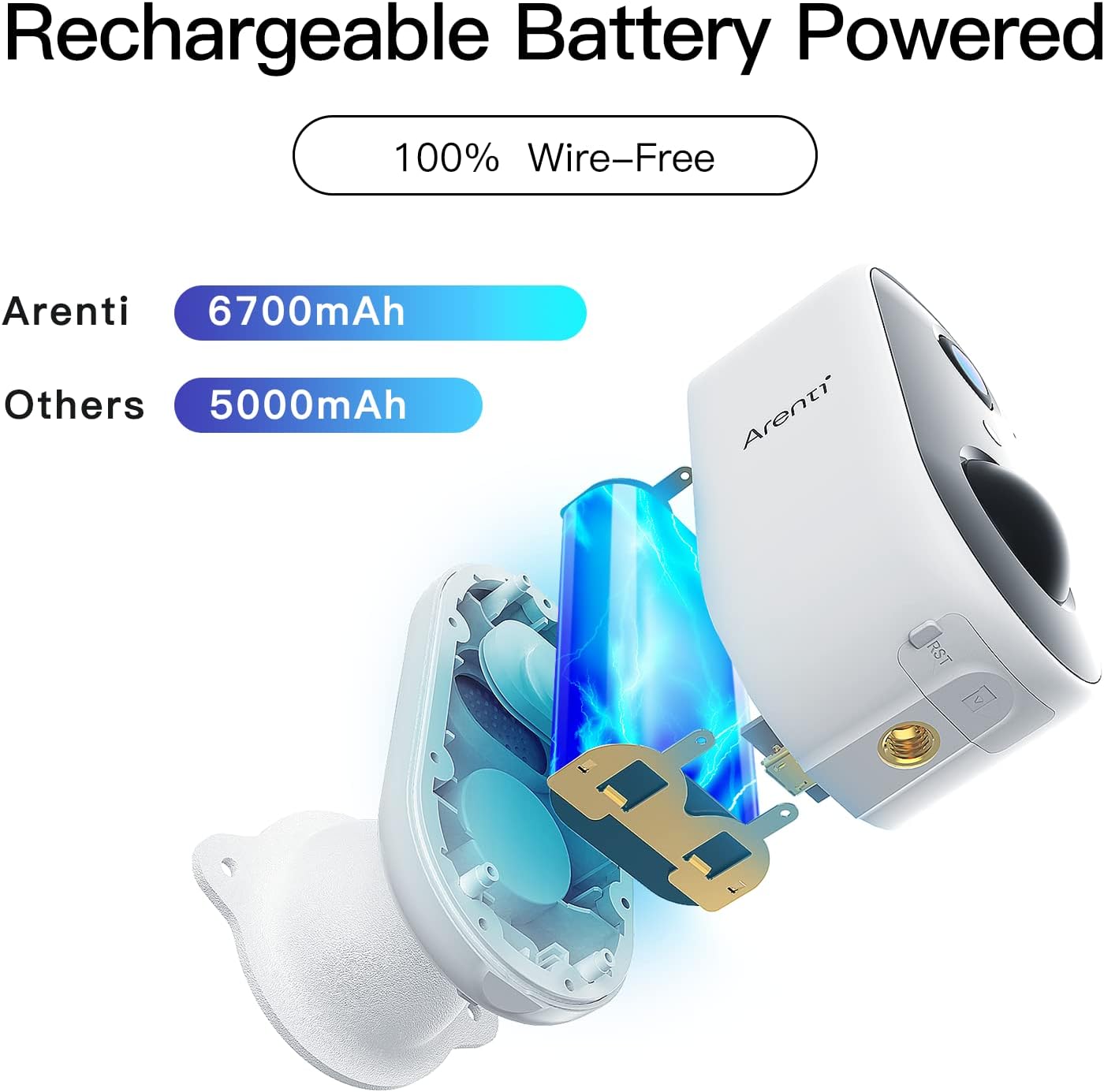
Immagine: Un interno view of the ARENTI GO1 camera, highlighting its 6700mAh rechargeable battery.
4.2. Installazione dell'app
Download the 'Arenti' app from your device's app store (Google Play Store for Android or Apple App Store for iOS). Ensure your smartphone is connected to a 2.4GHz Wi-Fi network, as the camera does not support 5GHz Wi-Fi.
4.3. Associazione del dispositivo
Follow these steps to pair your ARENTI GO1 camera with the app:
- Open the Arenti app and sign up or log in to your account.
- Tocca l'icona '+' per aggiungere un nuovo dispositivo.
- Selezionare "Battery Camera" dall'elenco dei dispositivi.
- Tieni premuto il pulsante di accensione del dispositivo per avviare il dispositivo.
- Press the [battery camera] button to wake the device if it is asleep.
- Hold the RESET button on your device for 4-5 seconds (refer to the user manual for more details). Wait for a flashing RED indicator light.
- Seleziona la tua rete Wi-Fi a 2.4 GHz e inserisci la password.
- Rimuovere qualsiasi pellicola protettiva dall'obiettivo della fotocamera.
- Tap 'Next' to show a QR code on your phone.
- Hold your phone 5-8 inches (15-25cm) from the camera lens, allowing the camera to scan the QR code. A tone will be heard upon successful scan.
- The app will then connect and register the device.
Video: A step-by-step guide on how to connect the ARENTI GO1 camera to the Arenti app.
4.4. Opzioni di montaggio
The ARENTI GO1 offers dual mounting options for versatile placement:
- Outdoor Stand: Use the metal bracket and screws for secure, permanent installation on walls or ceilings.
- Supporto magnetico: For temporary or easily adjustable placement, use the magnetic bracket. This allows for quick removal for charging.
5. Utilizzo della fotocamera
5.1. Vivere View & Registrazione
Once connected, access the live feed from your camera through the Arenti app. You can view real-time video and manually initiate recordings. The camera supports both event recording and 24-hour continuous recording to an SD card or cloud storage.

Image: The ARENTI GO1 camera illustrating its support for both cloud storage and local SD card storage.
5.2. Audio bidirezionale
The camera features a built-in microphone and speaker, enabling two-way communication. Use the app to speak through the camera and hear responses from the other end.

Image: A user communicating with a delivery person via the ARENTI GO1 camera's two-way audio feature.
5.3. Rilevamento del movimento e avvisi
The ARENTI GO1 utilizes AI motion detection to identify human activity. When motion is detected, you will receive instant push notifications on your smartphone, allowing you to monitor suspicious activity promptly.
Video: Demonstrates the night vision capabilities of the ARENTI GO1 camera, showing clear footage in condizioni di scarsa illuminazione.
5.4. Visione notturna
La telecamera passa automaticamente alla modalità di visione notturna in condizioni di scarsa illuminazione, fornendo immagini nitide in bianco e nero.tage fino a 32 piedi.
5.5. Integrazione della casa intelligente
The ARENTI GO1 camera is compatible with Amazon Alexa and Google Assistant. You can use voice commands to view il feed della telecamera sui display intelligenti compatibili.
Video: Instructions on how to connect and use the ARENTI GO1 camera with Amazon Alexa.
5.6. Condivisione del dispositivo
You can share access to your camera's live feed with family members through the Arenti app, allowing multiple users to monitor the property simultaneously.

Image: Illustration of multiple family members sharing and viewing the camera feed on various mobile devices.
6. Manutenzione
6.1. Gestione della batteria
The 6700mAh rechargeable battery provides 30-180 days of operation depending on environmental factors and the number of wake-ups. Recharge the camera when the battery level is low. The app will notify you when charging is required.
6.2 Resistenza alle intemperie
The ARENTI GO1 camera has an IP65 rating, making it resistant to dust and water. It is designed to withstand various weather conditions, ensuring year-round security.

Image: The ARENTI GO1 camera installed on an exterior wall, shown enduring rainfall, highlighting its IP65 weather resistance.
7. Risoluzione Dei Problemi
- La fotocamera non si connette al Wi-Fi: Ensure your Wi-Fi network is 2.4GHz. Move the camera closer to the router for a stronger signal. Reset the camera using the reset key and try pairing again.
- Visione notturna scarsa: Ensure the camera lens is clean. Check for any obstructions that might reflect infrared light back into the lens.
- Breve durata della batteria: Reduce motion detection sensitivity or frequency of alerts. Ensure the camera is not placed in an area with constant motion (e.g., tree branches moving in the wind).
- Nessun avviso ricevuto: Check app notification settings on your smartphone and within the Arenti app. Ensure the camera is connected to Wi-Fi.
8. Specifiche
| Caratteristica | Dettaglio |
|---|---|
| Nome del modello | Vai1 |
| Risoluzione video | 1080P Full HD |
| Viewangolo di ing | 145 gradi |
| Gamma di visione notturna | 32 piedi |
| Capacità della batteria | 6700 mAh agli ioni di litio |
| Resistenza alle intemperie | Grado di protezione IP65 |
| Connettività | 2.4GHz Wi-Fi (not 5GHz) |
| Opzioni di archiviazione | Scheda SD (fino a 128 GB), archiviazione cloud |
| Audio | Audio bidirezionale |
| Rilevamento del movimento | Rilevazione del movimento AI |
| Compatibilità con la casa intelligente | Amazon Alexa, Assistente Google |
| Dimensioni | 2.05 x 1.97 x 3.74 pollici |
| Peso | 6.7 once |
9. Garanzia e supporto
The ARENTI GO1 camera comes with a manufacturer's warranty. Please refer to the warranty card included in your package for specific terms and conditions. For technical support, troubleshooting, or any inquiries, please visit the official ARENTI websito o contattare direttamente il servizio clienti.