Introduzione
This manual provides detailed instructions for the setup, operation, and maintenance of your Anker 553 USB-C Hub (8-in-1). Please read this guide thoroughly to ensure proper usage and to maximize the functionality of your device.
Impostare
Cosa c'è nella scatola
- Anker 553 USB-C Hub (8-in-1)
- Guida di benvenuto
Connessione al tuo dispositivo
Connect the integrated USB-C cable from the Anker 553 USB-C Hub to a compatible USB-C port on your laptop or host device. Ensure your device supports USB-C, USB4, or Thunderbolt connections with DP Alt Mode and Power Delivery for full functionality.
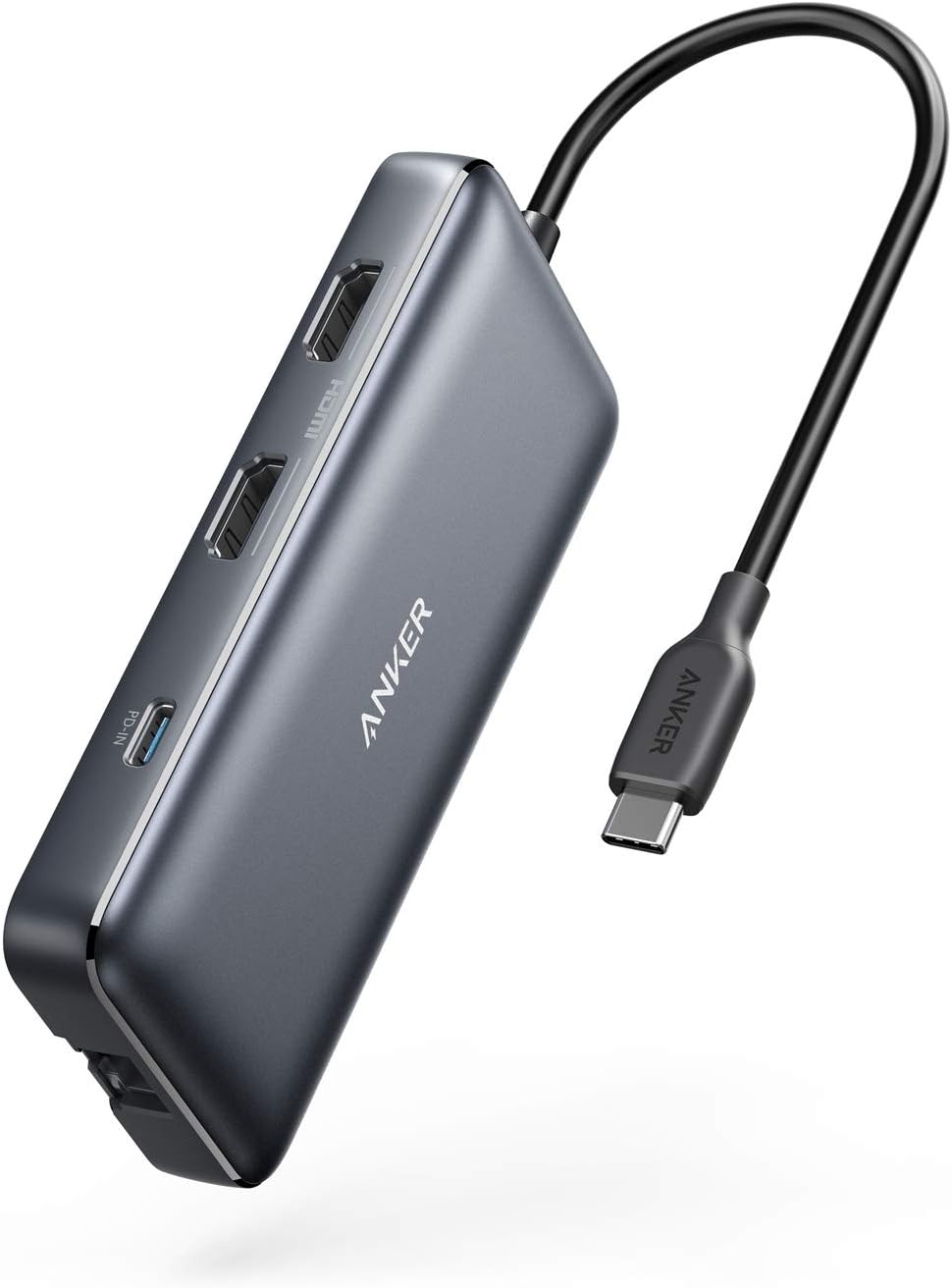
Prodotto ufficiale finitoview
Video 1: Un funzionario sopraview of the Anker 553 USB-C Hub, showcasinle sue caratteristiche e opzioni di connettività.
Istruzioni per l'uso
Porta oltreview
The Anker 553 USB-C Hub provides a variety of ports for expanded connectivity:
- USB-C PD-IN Charging Port: For power input to charge your laptop.
- 2 USB-A Data Ports: For connecting USB peripherals and data transfer.
- 2 porte HDMI: Per collegare display esterni.
- Porta Ethernet: Per una connessione di rete cablata stabile.
- microSD/SD Card Reader: Per accedere ai dati dalle schede di memoria.

Erogazione di potenza
The hub supports USB-C Power Delivery, allowing pass-through charging up to 85W for your connected laptop. A 100W PD wall charger and a USB-C to C cable are required for this functionality (charger and cable not included).

Configurazione del doppio display
Connect up to two external displays via the HDMI ports. You can stream or mirror content to a single device in 4K@60Hz, or connect two displays in 4K@30Hz. For macOS users, please note that the display on both external monitors will be identical (mirror mode only).


Trasferimento dati
The two USB-A data ports support high-speed data transfer. The integrated SD and microSD card readers also allow for quick access to photos and other media files.

Connessione Ethernet
For a reliable and fast internet connection, use the 1 Gbps Ethernet port.

Compatibilità
The Anker 553 USB-C Hub supports USB-C, USB4, and Thunderbolt connections. It is compatible with:
- MacBook (macOS 12 e versioni successive)
- Windows 10 e 11
- ChromeOS
- Computer portatili dotati di DP Alt Mode e Power Delivery
Nota: This device is not compatible with Linux. For macOS, the display on both external monitors will be identical (mirror mode).
Manutenzione
To ensure the longevity and optimal performance of your Anker 553 USB-C Hub, follow these guidelines:
- Mantenere il dispositivo pulito e privo di polvere. Utilizzare un panno morbido e asciutto per la pulizia.
- Evitare di esporre l'hub a temperature o umidità estreme.
- Non tentare di smontare o riparare il dispositivo da soli. In caso di problemi, contattare l'assistenza clienti.
- Store the hub in a safe place when not in use to prevent physical damage.
Risoluzione dei problemi
Problemi di visualizzazione
- No display or flickering: Ensure all HDMI cables are securely connected. Verify your laptop's USB-C port supports DP Alt Mode. Try restarting your laptop.
- Dual monitors showing identical content on macOS: This is expected behavior for macOS. The hub supports mirror mode for dual external displays on macOS.
Problemi di erogazione di potenza
- Laptop not charging or slow charging: Ensure you are using a 100W Power Delivery wall charger and a compatible USB-C to C cable. The hub reserves 15W for its own operation, providing up to 85W to the laptop.
Problemi di connettività
- Dispositivi USB non riconosciuti: Ensure the hub is properly connected to your laptop. Try connecting the USB device directly to your laptop to rule out device-specific issues.
- Ethernet connection unstable: Check the Ethernet cable connection. Ensure your laptop's drivers are up to date.
Specifiche
| Dimensioni del prodotto | 4.65 x 2.01 x 0.69 pollici |
| Peso dell'articolo | 3.2 once |
| Numero di modello | A83800A1 |
| Marca | Ancora |
| Colore | Grigio |
| Interfaccia Hardware | USB |
| Caratteristica speciale | HDMI, Powered |
| Dispositivi compatibili | Desktops, Laptops, Monitors, Smartphones, Tablets |
Garanzia e supporto
The Anker 553 USB-C Hub comes with an 18-month warranty. For any questions, technical support, or warranty claims, please refer to the contact information provided in your Welcome Guide or visit the official Anker support website. Our friendly customer service team is available to assist you.


