
1. Introduzione
The i-Star Portable DAB/DAB+/FM Radio offers a versatile listening experience with clear digital and analog radio reception. Designed for portability, it features a built-in rechargeable battery and a compact design, making it suitable for use at home or on the go. This manual provides essential information for setting up, operating, and maintaining your radio.

Figura 1: Davanti view of the i-Star Portable DAB/DAB+/FM Radio, highlighting its compact design and user interface.
2. Impostazione
2.1 Disimballaggio e carica iniziale
- Estrarre con cautela la radio e tutti gli accessori dalla confezione.
- Connect the supplied USB charging cable to the radio's Micro USB port and to a compatible USB power adapter (not included) or a computer's USB port.
- Allow the radio to charge fully before first use. The charging indicator will typically change or turn off when charging is complete. A full charge provides up to 4 hours of playback.
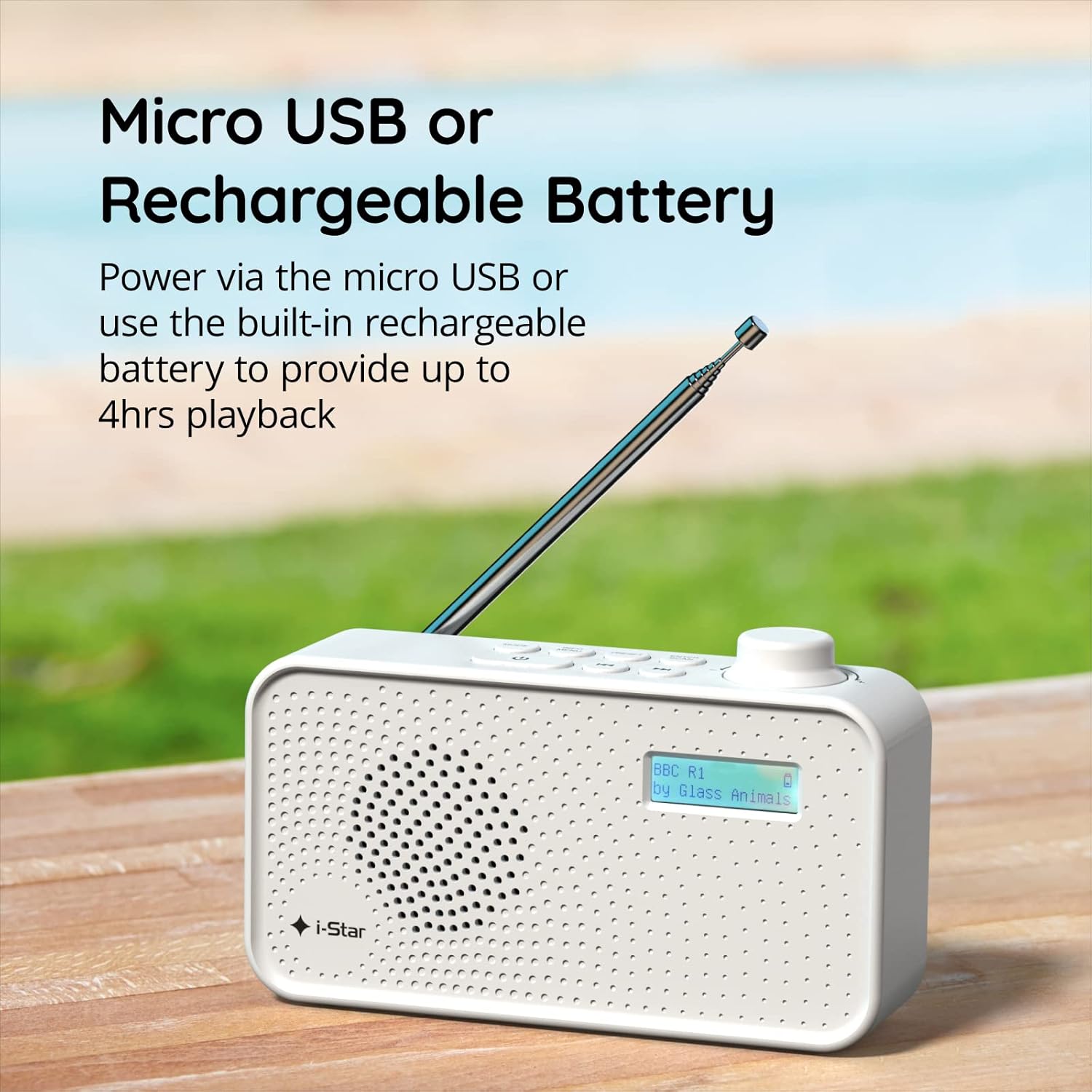
Figura 2: The radio powered via Micro USB or its built-in rechargeable battery.
2.2 First Power On and Automatic Scan
- Per una ricezione ottimale, estendere completamente l'antenna telescopica.
- Premere e tenere premuto il tasto PAUSA pulsante per accendere la radio.
- Upon first power-on, the radio will automatically perform a scan for available DAB/DAB+ stations. This process may take a few minutes.
- Una volta completata la scansione, la radio si sintonizzerà sulla prima stazione disponibile.
3. Istruzioni per l'uso
3.1 Switching Between DAB/DAB+ and FM Modes
- Premere il tasto MODALITÀ button repeatedly to switch between DAB/DAB+ and FM radio modes. The current mode will be displayed on the LCD screen.

Figura 3: The radio supports DAB, DAB+, and FM for a wide range of listening options.
3.2 Sintonizzazione delle stazioni
- Modalità DAB/DAB+: Utilizzare il PRESET or SINTONIZZARE buttons (left/right arrows) to navigate through the list of available stations. Press INVIO/SCANSIONE per selezionare una stazione.
- Modalità FM: Premere il tasto INVIO/SCANSIONE button to automatically scan for the next available FM station. Alternatively, use the SINTONIZZARE buttons for manual fine-tuning.
3.3 Salvataggio e richiamo dei preset
- Sintonizzati sulla stazione desiderata.
- Premere e tenere premuto il tasto PRESET finché sul display non compare la scritta 'Preset Store'.
- Utilizzare il SINTONIZZARE pulsanti per selezionare un numero preimpostato (1-60).
- Premere INVIO/SCANSIONE per confermare e salvare la stazione.
- Per richiamare una stazione salvata, premere brevemente il tasto PRESET pulsante, quindi utilizzare il SINTONIZZARE buttons to select the desired preset number, and press INVIO/SCANSIONE.
3.4 Controllo del volume
- Ruotare il VOLUME knob (located on the right side) clockwise to increase volume and counter-clockwise to decrease volume.
3.5 Funzione timer di spegnimento
- Per attivare il timer di spegnimento, premere il tasto INFORMAZIONI/MENU button repeatedly until 'Sleep' appears.
- Utilizzare il SINTONIZZARE buttons to select the desired sleep duration (e.g., 15, 30, 45, 60, 90 minutes).
- Premere INVIO/SCANSIONE to confirm. The radio will automatically turn off after the set time.

Figura 4: The sleep timer feature allows the radio to automatically switch off after a set period.
3.6 Ascolto in cuffia
- Connect standard 3.5mm headphones (not included) to the headphone jack located on the side of the radio for private listening. The internal speaker will be muted automatically.

Figura 5: Connect headphones for personal listening without disturbing others.
4. Manutenzione
4.1 Cura generale
- Tenere la radio lontana dalla luce solare diretta, da fonti di calore e dall'umidità.
- Evitare di far cadere la radio o di sottoporla a forti urti.
- Non tentare di smontare la radio; ciò invaliderebbe la garanzia.
4.2 Pulizia
- Pulire l'esterno della radio con un panno morbido e asciutto.
- Non utilizzare detergenti abrasivi, cere o solventi poiché potrebbero danneggiare la finitura.
5. Risoluzione Dei Problemi
- Nessun potere: Ensure the radio is charged or connected to a power source via the USB cable. Check if the STANDBY button has been pressed.
- Nessun suono: Controllare il livello del volume. Assicurarsi che le cuffie non siano collegate se si intende utilizzare l'altoparlante.
- Poor Reception (DAB/DAB+ or FM): Fully extend the telescopic antenna. Try repositioning the radio. Perform a full scan for DAB/DAB+ stations. In FM mode, try manual tuning.
- La radio si blocca/non risponde: Turn the radio off and on again. If the issue persists, allow the battery to fully discharge and then recharge it.
6. Specifiche
| Caratteristica | Specificazione |
|---|---|
| Marca | io stella |
| Numero di modello | 90059PI |
| Colore | Bianco |
| Bande radio supportate | DAB, DAB+, FM |
| Tecnologia di messa a punto | Digital (DAB/DAB+), Analog (FM) |
| Connettività | USB (per la ricarica), jack per cuffie da 3.5 mm |
| Fonte di alimentazione | Rechargeable Lithium-ion Battery (1200 mAh), USB Power |
| Durata della batteria | Fino a 4 ore (con una singola carica) |
| Caratteristiche speciali | Portable, Sleep Timer, 60 Station Presets |
| Componenti inclusi | Cavo di ricarica USB, manuale utente |
| Peso dell'articolo | 440 grammi |
7. Garanzia e supporto
This product is covered by a standard manufacturer's warranty. Please refer to the warranty card included in your packaging for specific terms and conditions. For technical support, troubleshooting assistance, or warranty claims, please contact your retailer or the i-Star customer service department. Contact details can typically be found on the product packaging or the official i-Star websito.


