1. Introduzione
This manual provides essential information for the safe and effective installation, operation, and maintenance of your BSEED 1 Gang 3-Way Mechanical Cross Light Switch. Please read this manual thoroughly before installation and retain it for future reference. This product is designed for controlling lighting circuits from multiple locations.
2. Informazioni sulla sicurezza
- Rischio elettrico: L'installazione deve essere eseguita da un elettricista qualificato, nel rispetto di tutti i codici elettrici locali e nazionali.
- Disconnessione dell'alimentazione: Prima di installare o effettuare la manutenzione dell'interruttore, scollegare sempre l'alimentazione dall'interruttore automatico o dalla scatola dei fusibili.
- Voltage Compatibilità: Assicurare il volume dell'interruttoretage rating (250 Volts) is compatible with your electrical system.
- Protezione per i bambini: This wall switch features a child protection design. However, always exercise caution around electrical installations.
- Solo per uso interno: This product is intended for indoor use in dry locations.
3. Specifiche
| Produttore | SEME DI BOSCO |
| Dimensioni del prodotto | Dimensioni: 5 x 5 x 2.5 cm |
| Misurare | 1 Gang 3-Way Functional Key |
| Colore | Bianco |
| Forma | Piazza |
| Voltage | 250 Volt |
| Amprabbia | 10000 milioneampqui |
| Numero di prodotti | 1 |
| Intervallo di temperatura | 0~70 gradi Celsius |
| Tipo di circuito | 3-Way (Cross Switch) |
| Batterie incluse | NO |
| Batterie richieste | NO |
| Peso dell'articolo | 90 grammi |
| Modalità operativa | ACCESO SPENTO |
| Tipo di contatto | Normalmente aperto |
| Tipo di connettore | Clamp |
| terminale | Vite |
| Tipo di attuatore | Tocco |
| Materiale di contatto | Metallo |
| Numero di posizioni | 1 |
4. Configurazione e installazione
Importante: All electrical work should be carried out by a qualified electrician. Ensure power is OFF at the main circuit breaker before proceeding.
- Preparare il cablaggio: Identify the live (L), neutral (N), and load (L1, L2, etc.) wires in your wall box. For a 3-way (cross) switch, you will typically have two traveler wires connecting to other switches in the circuit, in addition to the live and load wires.
- Collegare i fili: Refer to the wiring diagram provided with your product packaging. Connect the wires to the appropriate terminals on the back of the switch module. The terminals are usually labeled. Ensure all connections are secure using the screw terminals.
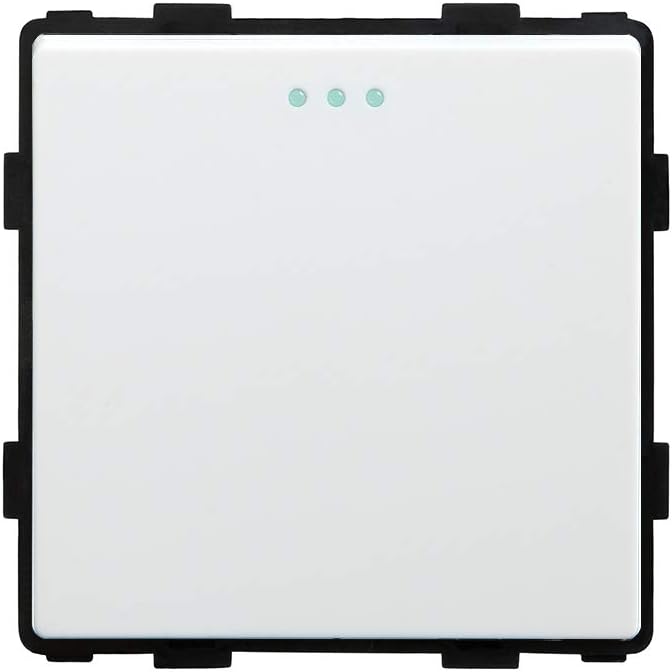
Figura 1: Fronte view of the BSEED 1 Gang 3-Way Mechanical Cross Light Switch module. This image shows the white faceplate with three small indicator lights at the top, indicating its functional status.

Figura 2: Indietro view of the BSEED 1 Gang 3-Way Mechanical Cross Light Switch module, showing the integrated mounting frame and the terminal connections. This view is crucial for understanding the wiring points during installation.
- Montare l'interruttore: Carefully place the switch module into the wall box. Secure it using the provided screws.
- Installa il frontalino: Attach the decorative faceplate (if separate) over the switch module.
- Ripristina alimentazione: Una volta completata l'installazione e verificati tutti i collegamenti, ripristinare l'alimentazione tramite l'interruttore automatico.
5. Istruzioni per l'uso
The BSEED 1 Gang 3-Way Mechanical Cross Light Switch operates as a standard ON/OFF switch within a multi-location control setup. Simply press the switch surface to toggle the connected light fixture(s) between ON and OFF states. The three small indicator lights at the top of the switch provide visual feedback on its status.
6. Manutenzione
- Pulizia: To clean the switch surface, gently wipe with a soft, dry cloth. Do not use abrasive cleaners, solvents, or excessive moisture, as these can damage the finish or internal components.
- Controlli periodici: Periodically inspect the switch for any signs of damage, loose connections, or unusual operation. If any issues are observed, disconnect power and consult a qualified electrician.
- Nessuna parte riparabile dall'utente: There are no user-serviceable parts inside the switch. Do not attempt to open or repair the unit yourself.
7. Risoluzione Dei Problemi
| Problema | Possibile causa | Soluzione |
|---|---|---|
| La luce non si accende/spegne. | No power to the switch, incorrect wiring, faulty bulb, or internal switch issue. | Check circuit breaker. Verify wiring connections against the diagram. Test the bulb. If issues persist, consult a qualified electrician. |
| L'interruttore sembra allentato nel muro. | Mounting screws are not tightened sufficiently. | Disconnect power, then carefully tighten the mounting screws. |
| Le spie luminose non funzionano. | No power to the switch or internal component failure. | Check power supply. If power is present and lights remain off, the unit may be faulty. |
| Difficulty with multi-point control (e.g., 3-way functionality). | Incorrect wiring for a 3-way or cross-switch configuration. | Rimettere con attenzioneview the wiring diagram for 3-way/cross-switch setups. Ensure traveler wires are correctly connected between all switches in the circuit. This often requires precise connection as per the provided schematic. If uncertain, consult a qualified electrician. |
8. Garanzia e supporto
For warranty information or technical support, please contact BSEED customer service through the retailer where the product was purchased or visit the official BSEED website. Please have your product model number (1 Gang 3-Way Functional Key) and purchase details available when contacting support.


