1. Introduzione
Grazie per l'acquistoasing the HOMPOW Mini Projector. This projector is designed to provide a high-quality viewing experience with its 1080P Full HD support and 6500 lumens brightness. It includes a 100-inch projection screen for immediate use. This manual will guide you through the setup, operation, and maintenance of your new projector.
Contenuto della confezione
- HOMPOW Mini Projector
- 100-inch Projection Screen
- Telecomando
- Cavo HDMI
- Adattatore di alimentazione
- Manuale d'uso
2. Istruzioni di sicurezza
Leggere attentamente tutte le istruzioni di sicurezza prima di utilizzare il proiettore. La mancata osservanza di queste istruzioni può causare incendi, scosse elettriche o altre lesioni.
- Non guardare direttamente nell'obiettivo del proiettore quando lamp è acceso. La luce intensa può causare danni agli occhi.
- Non ostruire le aperture di ventilazione. Un corretto flusso d'aria è essenziale per evitare il surriscaldamento.
- Tenere il proiettore lontano da acqua o altri liquidi. Non utilizzare in ambienti umidi.
- Posizionare il proiettore su una superficie stabile e piana per evitare che cada.
- Utilizzare solo l'adattatore di alimentazione fornito con il proiettore.
- Scollegare il proiettore durante i temporali o quando non viene utilizzato per lunghi periodi.
- Non tentare di riparare il proiettore da soli. Per qualsiasi intervento di assistenza, rivolgersi a personale qualificato.
3. Prodotto finitoview
Componenti del proiettore
Familiarize yourself with the main parts of your HOMPOW Mini Projector.


Porte di ingresso/uscita
- Porta HDMI: Connect to devices like laptops, gaming consoles (PS3/PS4), Fire TV Stick, and TV boxes.
- Porta USB: Collega unità USB per la riproduzione di contenuti multimediali o per alimentare dispositivi di streaming.
- Slot per scheda SD: Insert SD cards for direct media playback.
- Porta AV: Collegati ai dispositivi più vecchi tramite un cavo AV.
- Porta VGA: Collegare ai computer con uscita VGA.
- Uscita audio (jack da 3.5 mm): Collegare altoparlanti esterni o cuffie.
- Ingresso CC: Ingresso di alimentazione per il proiettore.
4. Impostazione
Posizionamento iniziale
Place the projector on a stable surface. For optimal viewing, ensure the projector is positioned directly in front of the projection surface (wall or screen). The recommended projection distance is approximately 3 meters for a clear image.
Collegamento di potenza
- Collegare l'adattatore di alimentazione alla porta DC In del proiettore.
- Collegare l'adattatore di corrente a una presa di corrente.
- Premere il pulsante di accensione sul proiettore o sul telecomando per accenderlo.
Collegamento dei dispositivi
The projector supports various input sources. Below are common connection methods:
HDMI Connection (e.g., Fire TV Stick, Laptop, Gaming Console)
- Connect the HDMI output cable from your device (e.g., Fire TV Stick) to the HDMI input port on the projector.
- If using a streaming stick like Fire TV Stick, connect its USB power cable to the projector's USB port for power.
- On the projector's main menu, select the "HDMI" input source.
Smartphone/Tablet Connection
To connect a smartphone or tablet, an HDMI conversion adapter (not included) is required. Connect your device to the adapter, then connect the adapter to the projector's HDMI port.

USB Drive/SD Card Playback
Insert a USB drive into the USB port or an SD card into the SD card slot. Select the corresponding input source from the main menu to browse and play media files.
5. Istruzioni per l'uso
Regolazione della messa a fuoco
Rotate the focus ring on the projector lens until the image appears clear and sharp on the screen.
Correzione Keystone
The projector features a ±15-degree keystone correction function. Adjust the keystone dial to correct distorted images (trapezoidal shape) if the projector is not perfectly perpendicular to the screen.
Selezione della fonte
Use the remote control or the buttons on the projector to navigate the main menu and select your desired input source (HDMI, USB, SD, AV, VGA).
Uscita audio
The projector has two built-in speakers for immersive sound. For a different audio experience, you can connect external speakers or headphones via the 3.5mm audio jack.
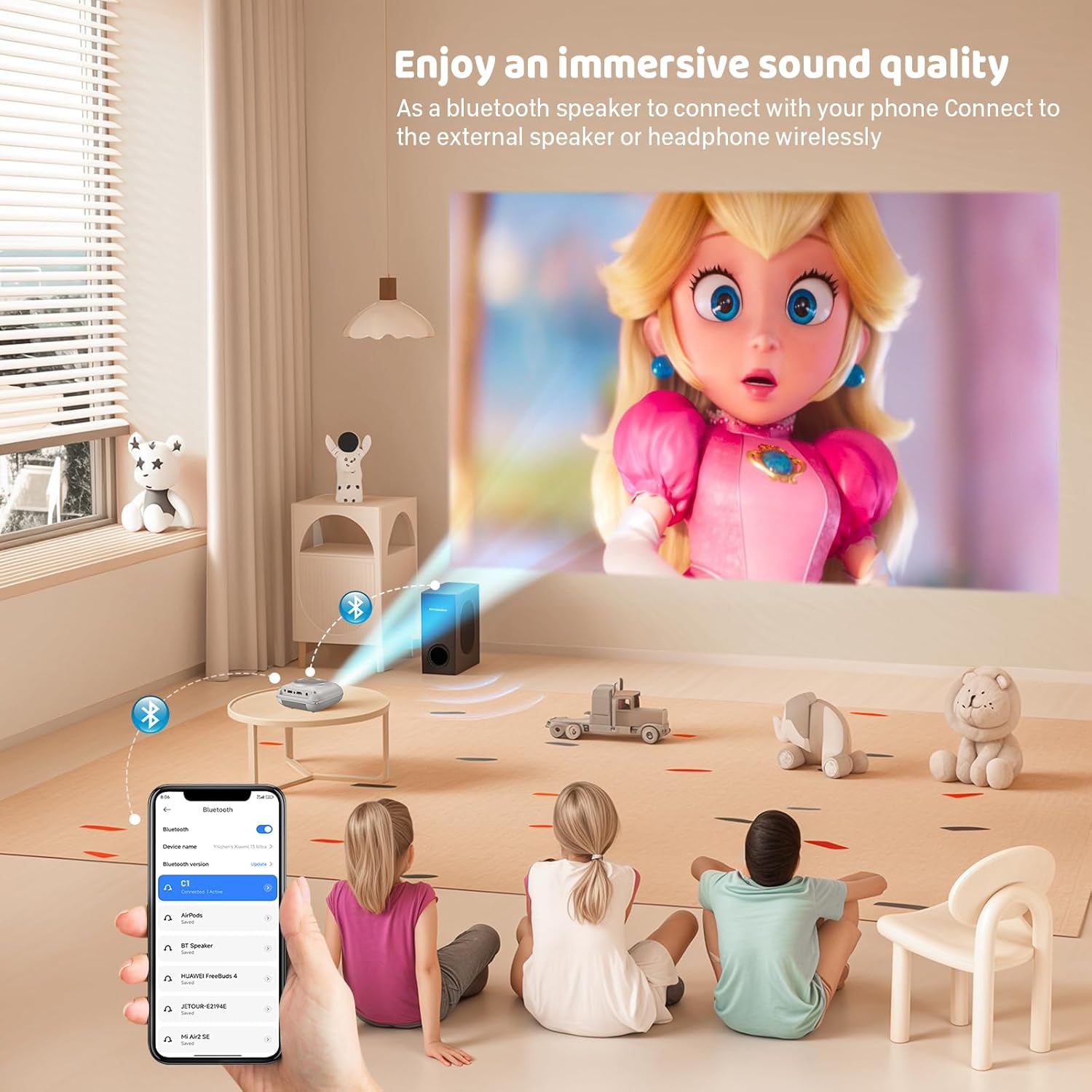
Mirroring dello schermo
The projector supports screen mirroring for compatible devices. Refer to the on-screen instructions or the projector's menu for specific steps to enable screen mirroring from your smartphone or tablet.
6. Manutenzione
Pulizia della lente
Utilizzare un panno morbido e privo di lanugine, specificamente progettato per lenti ottiche, per pulire delicatamente la lente del proiettore. Evitare l'uso di detergenti abrasivi o panni che potrebbero graffiare la lente.
Pulizia del corpo del proiettore
Pulire l'esterno del proiettore con un panno morbido e asciutto. Non utilizzare detergenti liquidi o solventi.
Ventilazione
Ensure the ventilation openings are clear of dust and debris. The projector features a dual-fan cooling system to maintain optimal operating temperature and extend lamp life. Do not obstruct these vents.
Lamp Vita
Il LED lamp in your HOMPOW projector has a lifespan of approximately 60,000 hours, providing long-term use without frequent lamp sostituzione.
7. Risoluzione Dei Problemi
| Problema | Possibile causa | Soluzione |
|---|---|---|
| Nessuna immagine o immagine sfocata | Focus not adjusted; incorrect input source; cable not connected properly. | Adjust the focus ring; select the correct input source; check all cable connections. |
| Nessun suono | Volume too low; audio cable not connected; device audio settings. | Increase projector volume; ensure audio cables are connected; check audio output settings on the connected device. |
| L'immagine è trapezoidale | Proiettore non perpendicolare allo schermo. | Adjust the keystone correction dial or reposition the projector. |
| Il telecomando non funziona | Batteries low or dead; obstruction between remote and projector. | Sostituire le batterie; assicurarsi che ci sia una visuale libera verso il ricevitore IR del proiettore. |
| Il proiettore si surriscalda | Porte di ventilazione bloccate. | Ensure all ventilation ports are clear and unobstructed. |
8. Specifiche
- Tecnologia di visualizzazione: LCD
- Risoluzione nativa: 1280 x 720 pixel
- Risoluzione supportata: Fino a 1080P Full HD
- Luminosità: 6500 lumen
- Rapporto di contrasto: 3000:1
- Lamp Vita: 60,000 ore
- Dimensioni della proiezione: 32-176 inches (Recommended: 100 inches)
- Distanza di proiezione: 1m - 5.2m (Recommended: 3m)
- Correzione trapezoidale: ±15 degrees manual
- Connettività: HDMI, USB, SD, AV, VGA
- Audio: Built-in dual speakers, 3.5mm audio out
- Consumo energetico: 48W
- Dimensioni del prodotto: Dimensioni: 19 x 15 x 8 cm
- Peso del prodotto: 1.71 kg
9. Garanzia e supporto
The HOMPOW Mini Projector comes with a manufacturer's warranty. Please refer to the warranty card included in your package for specific terms and conditions. For any product inquiries, technical support, or warranty claims, please contact HOMPOW customer service through the contact page on their official website or the platform where you purchased the product. Our customer support team aims to respond promptly during business hours.


