Introduzione
Grazie per l'acquistoasing the SAMI RS-11807 3-Band Radio. This portable analog radio offers versatile listening options with FM, AM, and SW bands, along with modern connectivity features including Bluetooth, USB, Micro SD, and Aux-In. It features a telescopic antenna for enhanced reception, an ambient LED light, and can be powered by its rechargeable battery or two UM-1 batteries (not included).
Istruzioni di sicurezza
- Leggere attentamente tutte le istruzioni prima di utilizzare il dispositivo.
- Do not expose the unit to rain, moisture, or direct sunlight for extended periods.
- Evitare di posizionare l'unità vicino a fonti di calore come termosifoni, stufe o altri apparecchi che producono calore.
- Utilizzare solo l'adattatore di alimentazione o le batterie specificati.
- Non aprire il casing; affidare ogni intervento di manutenzione a personale qualificato.
- Tenere fuori dalla portata dei bambini.
Contenuto della confezione
- SAMI RS-11807 3-Band Radio
- Cavo di alimentazione CA.
- Manuale di istruzioni (questo documento)
Layout del prodotto
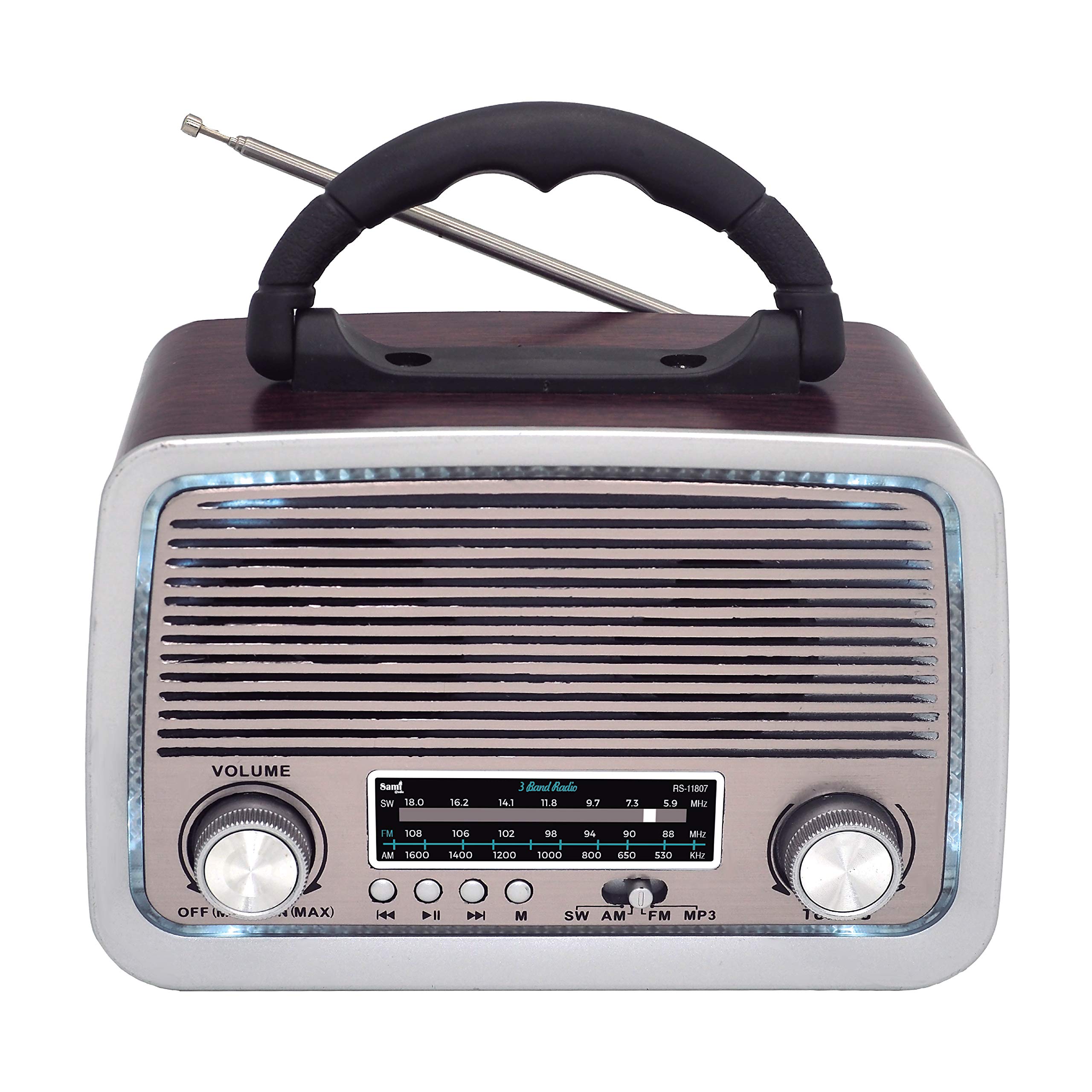
Figura 1: Fronte View of SAMI RS-11807 Radio. Displays the main speaker, frequency display, volume control (left), tuning control (right), and playback buttons (rewind, play/pause, fast forward, mode).
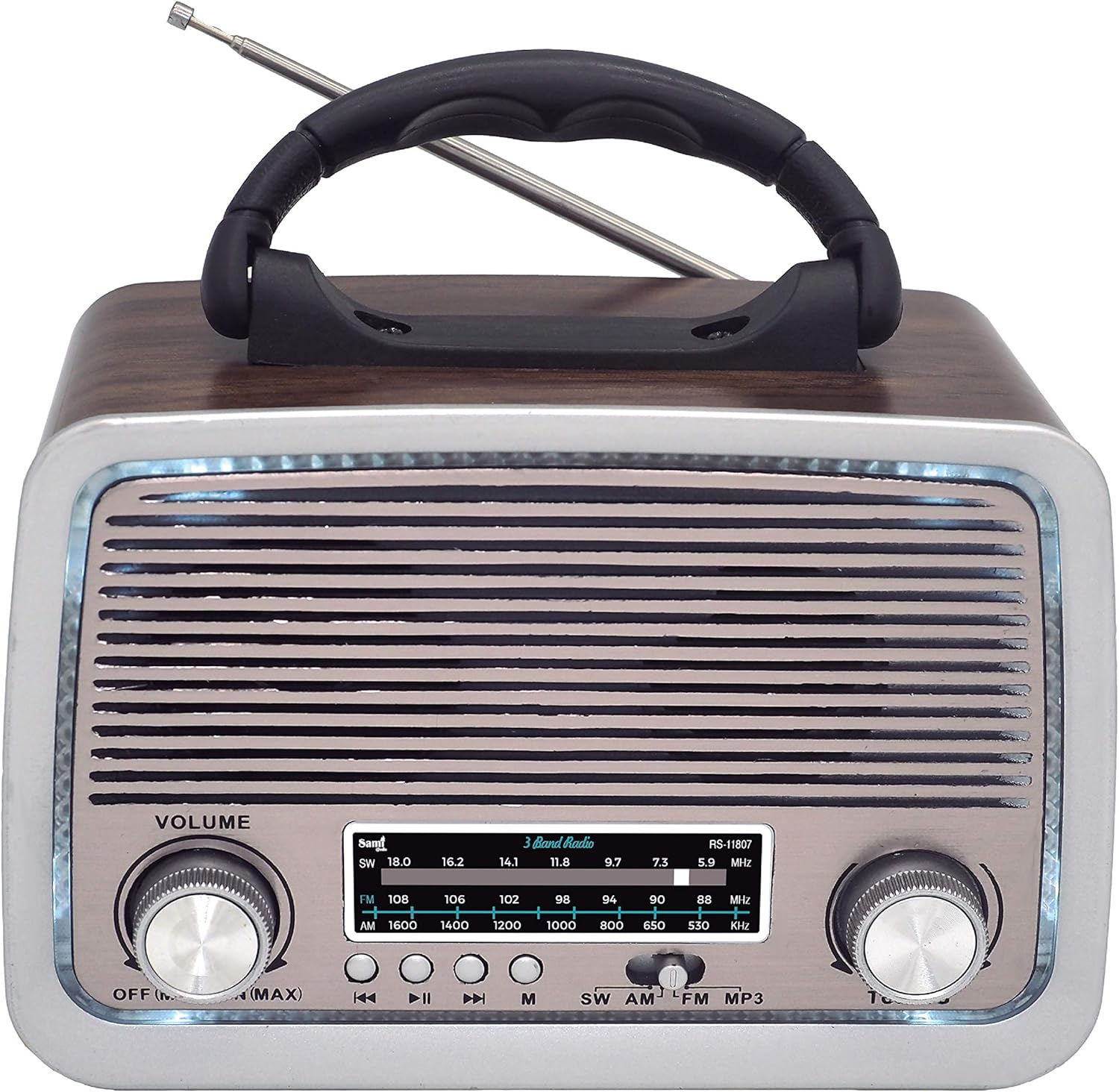
Figura 2: lato View of SAMI RS-11807 Radio. Shows the telescopic antenna extended, the carry handle, and the various input ports on the side: USB, Micro SD card slot, Aux-In, and the DC charging port.
Controlli e porte:
- Manopola del volume: Rotate to adjust sound level.
- Manopola di sintonia: Rotate to select radio frequencies.
- Selettore di banda: Switch between FM, AM, SW, BT, USB/SD, and Aux modes.
- Controlli di riproduzione: For USB/Micro SD/Bluetooth modes (Previous Track, Play/Pause, Next Track).
- Porta USB: Per le unità flash USB.
- Slot per scheda microSD: Per schede di memoria Micro SD.
- Porta Aux-In: Per collegare dispositivi audio esterni.
- Porta di ricarica CC: For connecting the AC power cable to charge the internal battery or power the unit.
- Antenna telescopica: Estendi per una migliore ricezione radio.
- Vano batteria: Located on the back/bottom for UM-1 batteries.
Impostare
1. Alimentazione del dispositivo
- Batteria interna ricaricabile: The radio has a built-in rechargeable battery. Connect the provided AC power cable to the DC charging port on the radio and plug the other end into a wall outlet to charge the battery. The LED indicator will show charging status.
- UM-1 Batteries (Not Included): For portable use without recharging, open the battery compartment and insert two UM-1 size batteries, ensuring correct polarity (+/-).
2. Antenna
For optimal radio reception, fully extend the telescopic antenna. Adjust its direction for the clearest signal.
Istruzioni per l'uso
1. Funzionamento radio (FM/AM/SW)
- Turn the Volume knob clockwise to power on the radio and set a low volume.
- Use the Band Selector to choose your desired band: FM, AM, or SW.
- Extend the telescopic antenna and adjust its position for best reception.
- Rotate the Tuning knob to scan for radio stations. The frequency display will show the selected frequency.
- Regola la manopola del volume al livello di ascolto preferito.
2. Funzione Bluetooth (BT)
- Turn on the radio and set the Band Selector to 'BT' mode. A voice prompt will indicate Bluetooth pairing mode.
- Abilita il Bluetooth sul tuo dispositivo mobile (smartphone, tablet, ecc.).
- Cercare available devices and select 'SAMI RS-11807' (or similar name) from the list.
- Once paired, a confirmation sound will be heard. You can now play audio from your device through the radio.
- Use the playback controls on the radio or your device to manage music.
3. Riproduzione USB/Micro SD
- Inserire una chiavetta USB nella porta USB o una scheda Micro SD nello slot Micro SD.
- Set the Band Selector to 'USB/SD' mode. The radio will automatically detect and begin playing audio files (formato MP3 consigliato).
- Use the playback controls (Previous Track, Play/Pause, Next Track) to navigate your music.
4. Connessione Aux-In
- Connect one end of a 3.5mm audio cable (not included) to the Aux-In port on the radio.
- Collegare l'altra estremità del cavo alla presa delle cuffie o all'uscita audio del dispositivo esterno (ad esempio, lettore MP3, smartphone).
- Set the Band Selector to 'Aux In' mode.
- Riproduci l'audio dal tuo dispositivo esterno. Il suono verrà riprodotto tramite l'altoparlante della radio.
5. Ambient LED Light
The radio features an ambient LED light. This light typically activates automatically when the radio is powered on. There may be a dedicated switch or a long press on a mode button to toggle it on/off, depending on the specific model variant.
Manutenzione
- Pulizia: Pulire la radio con un panno morbido e asciutto. Non utilizzare detergenti abrasivi o solventi.
- Cura della batteria: If using UM-1 batteries, remove them if the radio will not be used for an extended period to prevent leakage. For the rechargeable battery, charge it regularly to maintain its lifespan.
- Magazzinaggio: Conservare la radio in un luogo fresco e asciutto, lontano dalla luce solare diretta e da temperature estreme.
Risoluzione dei problemi
| Problema | Possibile causa | Soluzione |
|---|---|---|
| Nessun potere | Battery depleted or incorrectly installed; AC cable not connected. | Charge the internal battery, check UM-1 battery polarity, or ensure AC cable is securely connected. |
| Scarsa ricezione radio | Antenna non estesa o posizionata male; area con segnale debole. | Estendere completamente e regolare l'antenna telescopica. Provare a spostare la radio in una posizione diversa. |
| Il Bluetooth non si connette | Radio not in BT mode; device Bluetooth off; already connected to another device. | Ensure radio is in BT mode. Turn on Bluetooth on your device. Disconnect from other devices. |
| USB/Micro SD non riproduce | Non corretto file format; media not inserted correctly; radio not in USB/SD mode. | Garantire l'audio files are MP3. Reinsert media. Select USB/SD mode. |
Specifiche
| Caratteristica | Dettaglio |
|---|---|
| Marca | Sami |
| Modello | Tipo RS-11807 |
| Bande radiofoniche | FM, AM, SW (3 Bands) |
| Tecnologia sintonizzatore | AM, FM, SO |
| Connettività | Bluetooth, USB, Micro SD, Aux-In |
| Fonte di alimentazione | Rechargeable Battery, 2 x UM-1 Batteries (not included), AC Power Cable |
| Caratteristiche speciali | Telescopic Antenna, Ambient LED Light, Portable Design |
| Dispositivi compatibili | Smartphone, MP3 Player, Laptop |
| Colore | Legna |
Garanzia e supporto
This product comes with a standard manufacturer's warranty. For specific warranty details, please refer to the documentation provided at the time of purchase or contact your retailer. If you encounter any issues or require technical assistance, please contact Sami customer support through their official websito o le informazioni di contatto fornite con l'acquisto.


