Introduzione
Thank you for choosing the Haylou Solar LS05 Smartwatch. This manual provides essential information for setting up, operating, maintaining, and troubleshooting your device. Please read it carefully to ensure proper use and to maximize the benefits of your smartwatch. The Haylou Solar LS05 is designed to enhance your daily life with features like fitness tracking, heart rate monitoring, and smart notifications, compatible with both Android and iOS devices.
Cosa c'è nella scatola
- Haylou Solar LS05 Smartwatch (with black rubber strap)
- Cavo di ricarica
- Manuale d'uso
Impostare
1. Ricarica dello smartwatch
Before first use, fully charge your Haylou Solar LS05. Connect the charging cable to the charging contacts on the back of the watch and to a USB power source. The watch display will show the charging status.
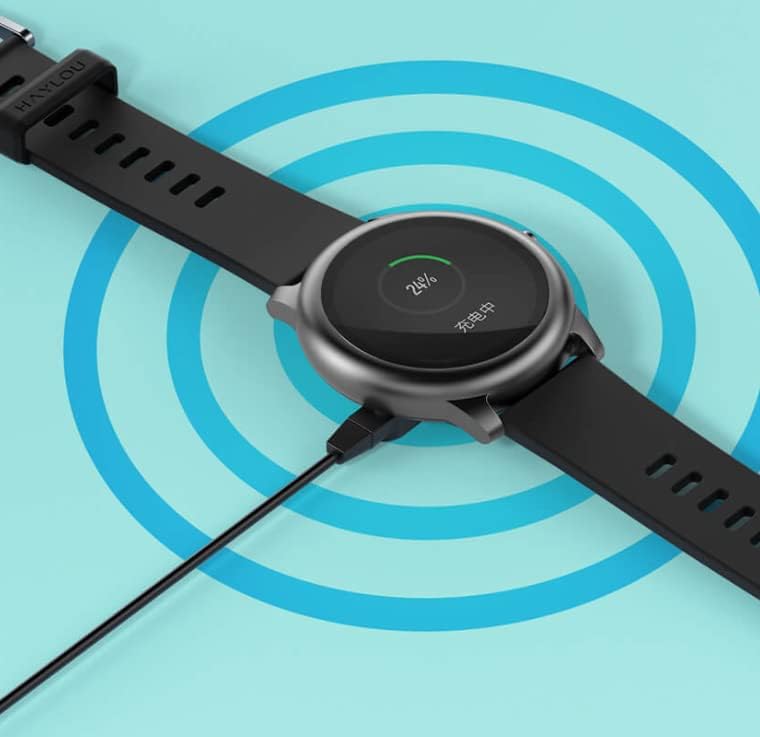
Image: The Haylou Solar LS05 Smartwatch connected to its charging cable, displaying a 24% charge level.
2. Accensione
Press and hold the side button for a few seconds until the Haylou logo appears on the screen.
3. Installing the Haylou Fit App
Download the official Haylou Fit app from your smartphone's app store (Google Play Store for Android or Apple App Store for iOS). Cercare "Haylou Fit".
4. Associazione con lo smartphone
- Assicurati che il Bluetooth sia abilitato sul tuo smartphone.
- Open the Haylou Fit app and follow the on-screen instructions to create an account or log in.
- In the app, select "Add Device" and choose the Haylou Solar LS05 from the list of available devices.
- Conferma la richiesta di associazione sia sullo smartphone che sullo smartwatch.
Once paired, your smartwatch will synchronize data with the app and receive notifications.
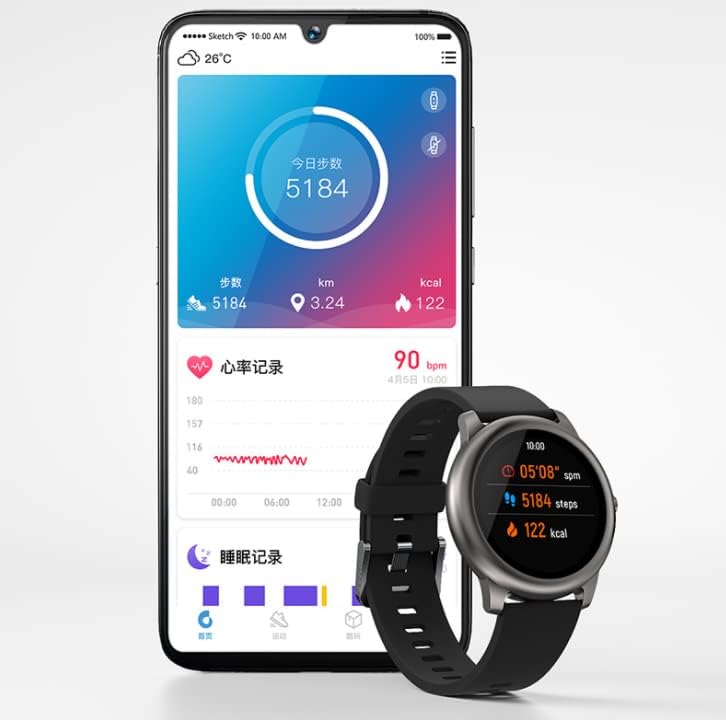
Image: The Haylou Solar LS05 Smartwatch displaying steps and calories, alongside a smartphone showing the Haylou Fit app interface with daily activity and sleep records.
Istruzioni per l'uso
Navigazione di base
- Schermo tattile: Scorri verso l'alto, verso il basso, verso sinistra o verso destra per navigare tra i menu e le funzioni. Tocca per selezionare.
- Pulsante laterale: Press to return to the home screen or wake the device. Press and hold to power off or restart.
Caratteristiche principali
- Monitoraggio delle attività: Monitora i passi, la distanza e le calorie bruciate durante il giorno.
- Monitoraggio della frequenza cardiaca: Continuously tracks your heart rate. Access detailed data in the Haylou Fit app.
- Monitoraggio del sonno: Tiene traccia dei tuoi schemi di sonno, inclusi sonno profondo, sonno leggero e orari di veglia.
- Modalità Sportive: Seleziona tra diverse modalità sportive (ad esempio corsa, ciclismo) per monitorare dati specifici dell'allenamento.
- Notifiche intelligenti: Ricevi notifiche di chiamate, messaggi e app direttamente sul tuo polso.
- Controllo della musica: Controlla la riproduzione musicale sul tuo smartphone direttamente dall'orologio.
- Previsioni del tempo: View current weather conditions and forecasts for the coming days.
- Allenamento alla respirazione: Esercizi di respirazione guidati per aiutarti a rilassarti.
- Timer e cronometro: Strumenti essenziali per cronometrare le attività.
- Trova telefono: Utilizza l'orologio per localizzare lo smartphone associato.
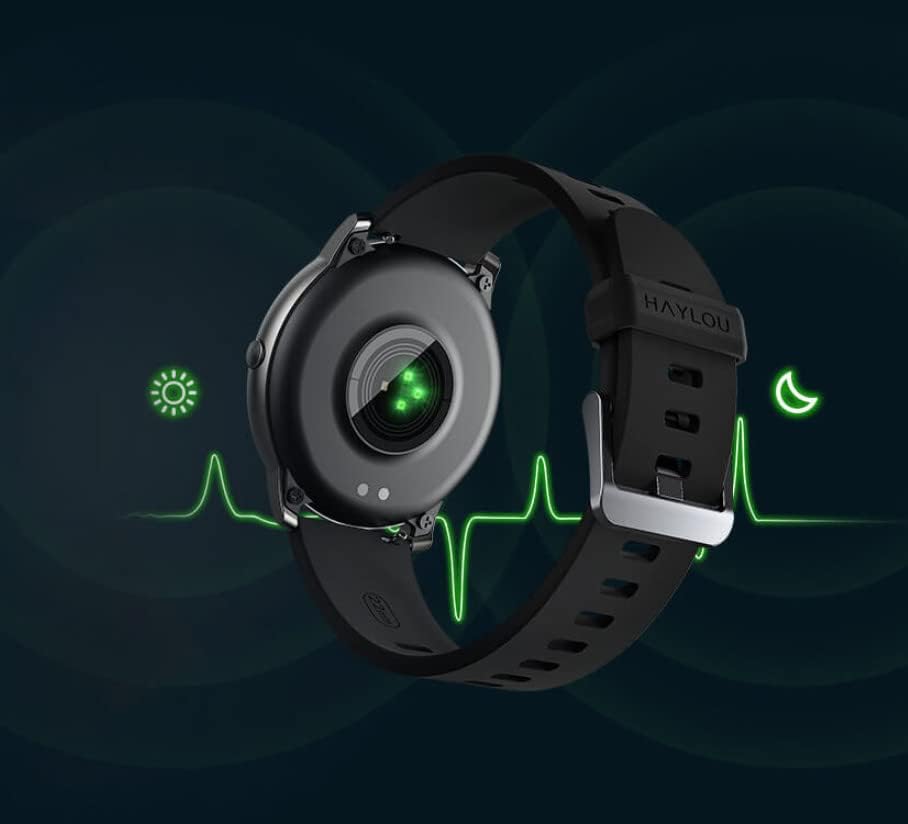
Image: The back of the Haylou Solar LS05 Smartwatch, highlighting the optical heart rate sensor with a green light, indicating active monitoring.
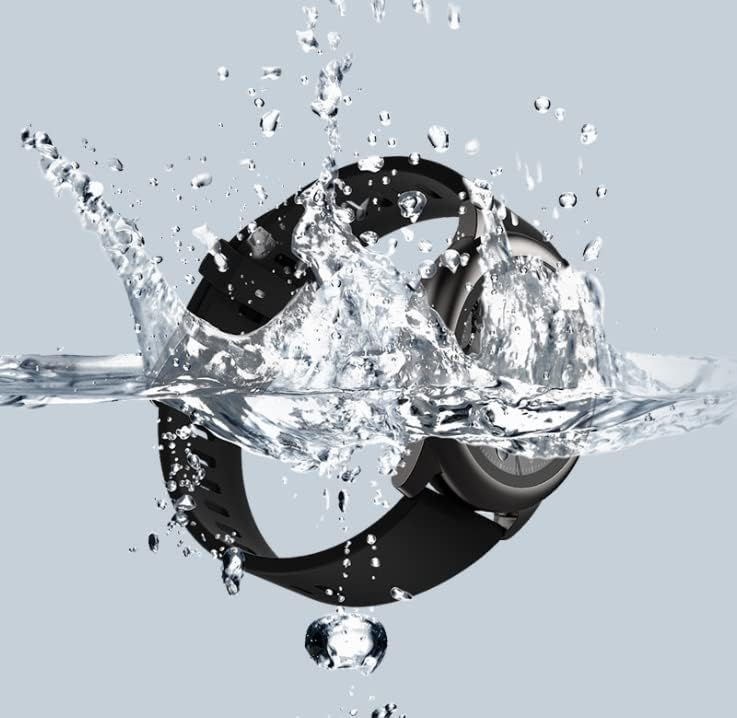
Image: A collage of Haylou Solar LS05 watch faces demonstrating various functions: 'Take a break' for breathing training, 'Find phone' for locating a device, 'Timer and stopwatch', 'Music Control', and 'Weather Forecast'.

Image: The Haylou Solar LS05 Smartwatch worn on a wrist, displaying the current time (00:15:18), heart rate (90 bpm), steps (3.24k), and distance, indicating active use during an activity.
Manutenzione
Pulizia
Pulisci regolarmente lo smartwatch e il cinturino per prevenire irritazioni cutanee e mantenere la funzionalità del dispositivo. Usa un panno morbido eamp panno per pulire lo schermo e il cinturino. Evitare prodotti chimici aggressivi o materiali abrasivi.
Resistenza all'acqua
The Haylou Solar LS05 is water-resistant. It can withstand splashes, rain, and brief immersion. However, it is not suitable for hot showers, saunas, or diving. Avoid prolonged exposure to water and ensure the watch is dry before charging.

Image: The Haylou Solar LS05 Smartwatch partially submerged in water, with water splashing around it, illustrating its water-resistant capabilities.
Pratiche di addebito
Use only the provided charging cable. Do not charge the watch in wet conditions. Avoid exposing the watch to extreme temperatures during charging.
Risoluzione dei problemi
- L'orologio non si accende: Assicurati che l'orologio sia completamente carico. Tieni premuto il pulsante laterale per almeno 10 secondi per forzare il riavvio.
- Impossibile associare lo smartphone: Make sure Bluetooth is enabled on your phone and the watch is within range. Restart both devices and try pairing again through the Haylou Fit app.
- Dati imprecisi sulla frequenza cardiaca/attività: Assicurati che l'orologio sia ben aderente al polso, né troppo stretto né troppo largo. Pulisci il sensore sul retro dell'orologio.
- Notifiche non visualizzate: Check notification settings in the Haylou Fit app and your phone's system settings to ensure permissions are granted for the app to display notifications.
- Breve durata della batteria: Reduce screen brightness, disable continuous heart rate monitoring if not needed, and limit background app refresh.
Specifiche
| Caratteristica | Dettaglio |
|---|---|
| Nome del modello | LS05 |
| Marca | Haylou |
| Sistema operativo | Indossare il sistema operativo |
| Dimensioni | Dimensioni: 7 x 1 x 6 cm |
| Peso | 57 grammi |
| Batteria | 1 polimero di litio (incluso) |
| Connettività | Bluetooth |
| GPS | NO |
| Caratteristiche speciali | Monitor della frequenza cardiaca |
| Tipo di visualizzazione | Schermo tattile |
| Dimensioni dello schermo | 1.28 pollici |
| Risoluzione | 240x240 |
| Colore | Nero |
| Materiale del cinturino | Gomma |
| Capacità di archiviazione | 512 MB |
Garanzia e supporto
Per informazioni sulla garanzia, consultare la documentazione fornita al momento dell'acquisto o contattare il rivenditore. I termini di garanzia specifici possono variare a seconda della regione e del venditore.
For technical support, software updates, and frequently asked questions, please refer to the official Haylou website or the Haylou Fit application. The app often provides troubleshooting tips and direct support options.


