1. Introduzione
This manual provides essential information for the safe and efficient operation of your Sharp 32Bi3EA Smart Android TV. Please read these instructions thoroughly before using the television and retain them for future reference. This television features Android TV 9.0, Google Assistant with voice control, integrated Chromecast, Bluetooth connectivity, Harman/Kardon speakers, HDR10 support, and DTS Virtual X audio technology.
2. Informazioni sulla sicurezza
Per evitare scosse elettriche, incendi o danni al televisore, osservare sempre le seguenti precauzioni di sicurezza:
- Non esporre il televisore alla pioggia o all'umidità.
- Non aprire l'involucro; per l'assistenza rivolgersi a personale qualificato.
- Assicurare una ventilazione adeguata attorno al televisore.
- Evitare di posizionare il televisore vicino a fonti di calore o alla luce diretta del sole.
- Utilizzare solo il cavo di alimentazione fornito con il televisore.
- Tenere le batterie fuori dalla portata dei bambini.
3. Cosa c'è nella scatola
Verify that all the following items are included with your Sharp 32Bi3EA Smart Android TV:
- Sharp 32Bi3EA Smart Android TV Unit
- Pedestal Stand (2 pieces)
- Telecomando
- Batterie AAA (2x)
- Manuale di istruzioni (questo documento)
- Cavo di alimentazione
4. Impostazione
4.1. Installazione fisica
Your television can be installed using the included pedestal stand or mounted on a wall (wall mount not included).
Attaching the Pedestal Stand
Carefully place the TV screen-down on a soft, flat surface. Align the pedestal stands with the screw holes on the bottom of the TV and secure them using the provided screws. Ensure the stands are firmly attached before placing the TV upright.

Immagine: Lato view of the Sharp 32Bi3EA TV, illustrating the slim profile and the attached pedestal stand.
Montaggio a parete
If you choose to wall mount the television, use a VESA compatible bracket with dimensions of 200x100 mm. Consult a professional for wall mounting to ensure proper installation and safety.
4.2. Collegamento dei dispositivi
Connect your external devices to the appropriate ports on the back or side of the television.
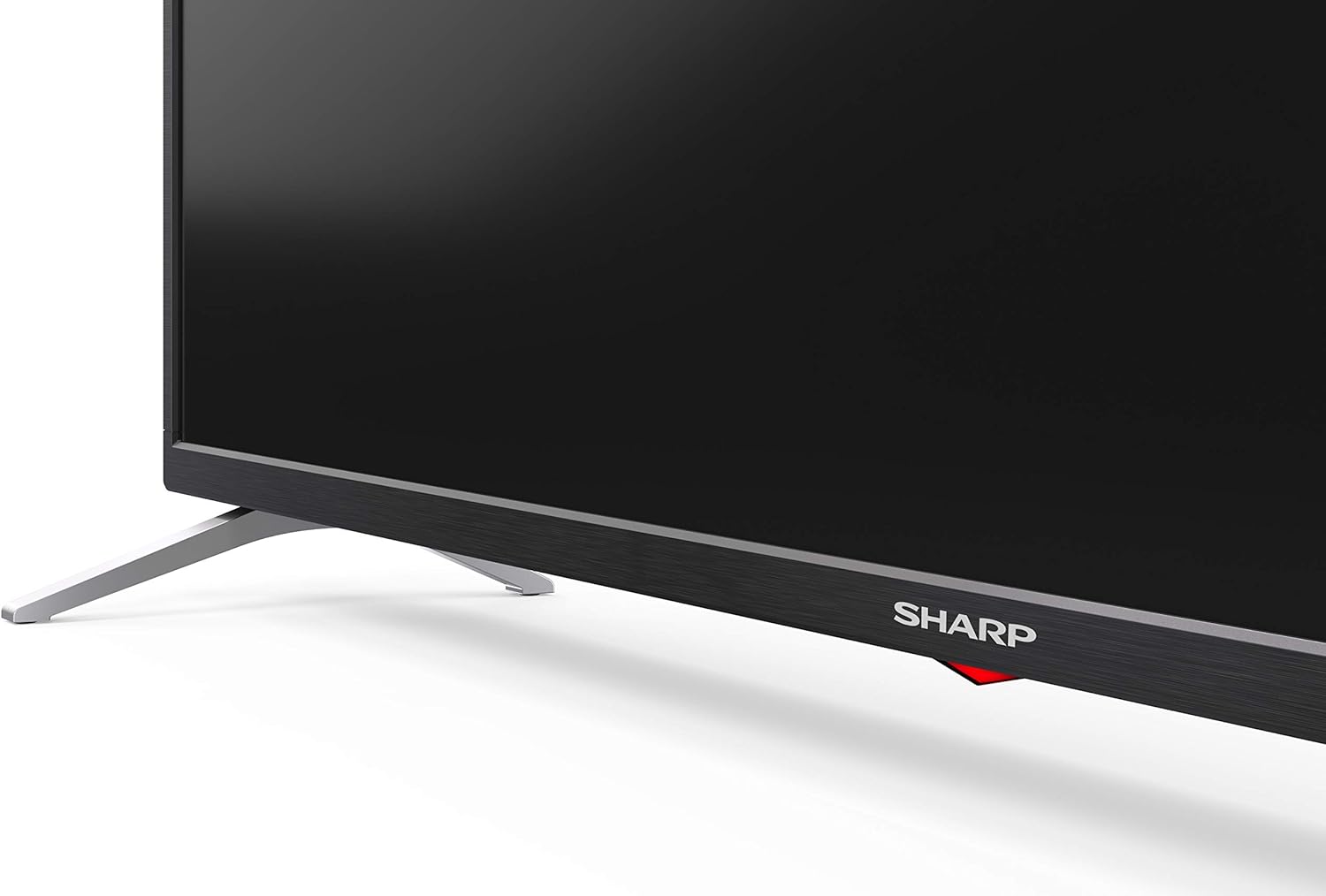
Immagine: Posteriore view of the Sharp 32Bi3EA TV, highlighting the Ethernet, Optical, HDMI, USB, and AV input ports.
- Porte HDMI (3x): Collega lettori Blu-ray, console di gioco o decoder.
- Porte USB (2x): Collegare dispositivi di archiviazione USB per la riproduzione di contenuti multimediali o per gli aggiornamenti software.
- Porta Ethernet: Per una connessione Internet cablata.
- Uscita audio digitale ottica: Per il collegamento a un sistema audio esterno.
- Ingresso AV: Per dispositivi più vecchi che utilizzano video composito e audio stereo.
4.3. Accensione iniziale e configurazione di Android TV
After connecting the power cord and turning on the TV, follow the on-screen instructions to complete the initial setup. This includes selecting your language, connecting to a Wi-Fi network, and logging into your Google account to activate Android TV features like Google Assistant and Chromecast.
5. Utilizzo del televisore
5.1. Controllo remoto
The included remote control allows you to navigate the Android TV interface, adjust settings, and use Google Assistant voice commands. Insert the two AAA batteries into the remote control, ensuring correct polarity.
- Pulsante di accensione: Accende o spegne la TV.
- Pulsante Assistente Google: Activates voice control. Press and hold to speak commands.
- Pulsanti di navigazione: Utilizzare il tastierino direzionale e il pulsante OK per spostarsi tra i menu.
- Pulsante Home: Ritorna alla schermata iniziale di Android TV.
- Volume +/-: Regola il livello del volume.
- Canale +/-: Cambia canale TV.
- Pulsanti di scelta rapida delle app: Direct access to popular streaming services (e.g., Netflix, Amazon Prime Video).
5.2. Funzionalità Smart TV (Android TV)
Your Sharp 32Bi3EA TV runs on Android TV 9.0, providing access to a wide range of applications and services.
- Assistente Google: Use your voice to search for content, control smart home devices, get answers, and manage tasks.
- Chromecast integrato: Cast content from your compatible smartphone, tablet, or computer directly to the TV screen.
- Google Play Store: Download and install additional apps, games, and streaming services.
- Servizi Internet supportati: Access popular platforms such as Netflix, Amazon Prime Video, HBO, Disney+, Movistar+, DAZN, Atresmedia, KODI, IPTV, Steamlink, Twitch, VLC, YouTube, Puffin TV Browser, Spotify, Deezer, and TuneIn Radio.
5.3. Impostazioni audio e video
The television supports advanced audio and video technologies for an enhanced viewesperienza di acquisizione.
- Tipo di HDR: Fornisce una gamma più ampia di colori e contrasti per contenuti compatibili.
- Harman/Kardon Speakers: Integrated audio system designed to deliver clear and powerful sound (2x10W).
- DTS Virtual X / DTS HD: Enhances audio with virtual surround sound capabilities.
- Active Motion 400: Migliora la nitidezza del movimento nelle scene più frenetiche.
5.4. Connettività
La TV offre diverse opzioni di connettività:
- Wifi: Connects to your home wireless network for internet access.
- Bluetooth: Pair with compatible devices such as headphones, soundbars, or game controllers.
6. Manutenzione
6.1. Pulizia
Per pulire lo schermo del televisore, strofinarlo delicatamente con un panno morbido e privo di lanugine. Per macchie ostinate, strofinare leggermenteampen the cloth with water or a specialized screen cleaner. Do not use abrasive cleaners or solvents. For the TV cabinet, use a soft, dry cloth.
6.2. Aggiornamenti software
Your Android TV may receive software updates periodically to improve performance and add new features. Ensure your TV is connected to the internet to receive these updates. You can check for updates manually through the TV's settings menu.
7. Risoluzione Dei Problemi
Se riscontri problemi con il tuo televisore, fai riferimento alle seguenti soluzioni comuni:
| Problema | Possibile soluzione |
|---|---|
| Nessun potere | Controlla che il cavo di alimentazione sia collegato saldamente al televisore e alla presa a muro. Prova una presa diversa. |
| Nessuna immagine/audio | Assicurarsi che sia selezionata la sorgente di ingresso corretta. Controllare i collegamenti dei cavi ai dispositivi esterni. |
| Il telecomando non funziona | Sostituisci le batterie. Assicurati che non ci siano ostacoli tra il telecomando e il sensore IR del televisore. |
| Problemi di connessione Wi-Fi | Riavvia il router e la TV. Controlla la password del Wi-Fi. Assicurati che la TV sia nel raggio d'azione del router. |
| Android TV apps freezing | Restart the TV. Clear the cache of the problematic app in the TV settings. Uninstall and reinstall the app. |
Se il problema persiste dopo aver provato queste soluzioni, contattare l'assistenza clienti Sharp.
8. Specifiche
| Caratteristica | Dettaglio |
|---|---|
| Numero di modello | 32Bi3E |
| Dimensioni dello schermo | 32 pollici (81 cm) |
| Tecnologia di visualizzazione | GUIDATO |
| Risoluzione | 720p (1366 x 768 pixel) |
| Frequenza di aggiornamento | Frequenza 60 Hz |
| Sistema operativo | TV Android 9.0 |
| Caratteristiche speciali | Google Assistant, Chromecast Built-in, HDR10, DTS Virtual X, Active Motion 400 |
| Sistema audio | Harman/Kardon (2x10W) |
| Connettività | Bluetooth, Ethernet, HDMI (3x), USB (2x), Wireless (Wi-Fi) |
| Supporto VESA | 200x100 millimetri |
| Dimensioni (con supporto) | 803.0 x 542.0 x 149.0 mm (L x A x P) |
| Dimensioni (senza supporto) | 730.0 x 436.1 x 83.5 mm (L x A x P) |
| Peso | 4.6 kg |
| Consumo energetico (1000 ore) | 31 kWh (Energy Class F) |

Image: Energy efficiency label for the Sharp 1T-C32BIx series, indicating an F energy class and 31 kWh per 1000 hours of operation. For more details, refer to the official EU EPREL database via the QR code or link: Banca dati EPREL.

Image: Detailed Product Information Sheet, providing comprehensive technical specifications and regulatory information for the Sharp 32Bi3EA TV in various languages.
9. Garanzia e supporto
9.1. Informazioni sulla garanzia
Your Sharp 32Bi3EA Smart Android TV comes with a standard manufacturer's warranty. Please refer to the warranty card included with your product or visit the official Sharp websito per termini e condizioni dettagliati specifici per la tua regione.
9.2. Assistenza clienti
For technical assistance, troubleshooting beyond this manual, or warranty claims, please contact Sharp customer support. Contact information can typically be found on the official Sharp website or in the documentation provided with your television.
Online resources and FAQs may also be available on the Sharp support portal.


