1. Introduzione
This manual provides essential instructions for the safe and efficient use of your LIFX Color Smart LED Bulb. The LIFX Color bulb offers a wide spectrum of colors and white tones, controllable via Wi-Fi without the need for a separate hub. It is designed to enhance your lighting experience with smart features and energy efficiency.

Image: The LIFX Color Smart LED Bulb alongside its product packaging, highlighting its features.
Caratteristiche principali:
- Billions of Colors: Access a vast range of colors and a wide cool-to-warm white spectrum (1500K to 9000K).
- Luminosità dei lumen 800: Fornisce ample illuminazione per varie impostazioni.
- E26 Edison Screw Base: Standard fitting for easy installation.
- Connettività Wi-Fi: Connects directly to your 2.4GHz Wi-Fi network, no hub required.
- Controllo vocale: Compatible with Alexa, Apple HomeKit/Siri, and Hey Google.
- Pianificazione e scene: Customize lighting schedules and create personalized scenes.
2. Informazioni sulla sicurezza
Si prega di leggere e seguire queste linee guida di sicurezza per evitare lesioni o danni al prodotto.
- Solo per uso interno: Questa lampadina è progettata per l'uso in ambienti interni asciutti.
- Installazione corretta: Prima di installare o rimuovere la lampadina, assicurarsi che l'alimentazione sia disattivata.
- Voltage Compatibilità: Use only within the specified voltage range (AC 100-240V, 50/60 Hz).
- Evitare apparecchi chiusi: Do not use in fully enclosed luminaires as this may reduce bulb life.
- Interruttori dimmer: Do not use with standard dimmer switches. Dimming is controlled via the app or voice assistants.
- Disposizione: Smaltire i rifiuti elettronici in modo responsabile, nel rispetto delle normative locali.
3. Contenuto della confezione
Your LIFX Color Smart LED Bulb package should contain the following:
- 1 x LIFX Color Smart LED Bulb (E26 Edison Screw)
4. Guida all'installazione
4.1 Installazione fisica
- Assicurarsi che l'interruttore di alimentazione dell'apparecchio di illuminazione sia spento.
- Carefully screw the LIFX Color Smart LED Bulb into a standard E26 Edison screw socket. Do not overtighten.
- Turn the power back on at the switch. The bulb should illuminate with a default white light.

Image: A visual guide showing the three simple steps for setting up the LIFX bulb: screwing it into a lamp, downloading the app, and enjoying the light.
4.2 Download dell'app e connessione Wi-Fi
- Download the official LIFX app from the Apple App Store or Google Play Store.
- Open the LIFX app and create an account or log in.
- Follow the in-app instructions to add your new LIFX bulb. This typically involves scanning a QR code on the bulb or its packaging and connecting to your home's 2.4GHz Wi-Fi network.
- Ensure your mobile device is connected to the 2.4GHz Wi-Fi network during the setup process.
4.3 Integrazione dell'assistente vocale
The LIFX Color bulb is compatible with popular voice assistants. Follow the instructions within your preferred voice assistant's app to link your LIFX account.
- Amazon Alexa: Enable the LIFX skill in the Alexa app and discover devices.
- Apple HomeKit/Siri: Use the Home app on your iOS device to add the accessory.
- Ciao Google: Link your LIFX account in the Google Home app.

Image: A collage of logos indicating compatibility with various smart home platforms and voice assistants.
5. Istruzioni per l'uso
5.1 Controlling Color and Brightness
Use the LIFX app to adjust the bulb's color and brightness. The app features a color wheel and sliders for precise control.
- Open the LIFX app and select your bulb.
- Drag your finger across the color wheel to choose a desired color.
- Adjust the brightness slider to set the light intensity from 1% to 100%.
- For white light, select from the warm to cool white spectrum options.

Image: A smartphone displaying the LIFX app interface, featuring a color wheel for selecting light colors and adjusting brightness.
5.2 Controllo vocale
Once integrated with a voice assistant, you can control your LIFX bulb using simple voice commands.
- "Alexa, accendi la luce del soggiorno."
- "Hey Google, set the kitchen light to blue."
- "Siri, dim the bedroom light to 50%."
- "Alexa, set the kitchen to 'Frozen'."

Image: A person in a kitchen interacting with a voice assistant to control the lighting, demonstrating hands-free operation.
5.3 Pianificazione e scene
Automate your lighting to fit your daily routine or create custom ambiances.
- Orari: In the LIFX app, set specific times for your lights to turn on/off, change color, or adjust brightness. For example, schedule lights to gradually brighten in the morning for a gentle wake-up or dim in the evening for winding down.
- Scene: Create and save custom lighting configurations (e.g., "Movie Night," "Relax," "Party"). Activate these scenes with a single tap in the app or via voice command.
- Sicurezza: Use scheduling to make it appear as if someone is home when you are away.

Immagine: Un esterno view of a house at dusk, illustrating how scheduled lighting can provide added security by making it appear occupied.

Image: A person waking up in bed as a smart light gradually brightens, demonstrating the use of light as an alarm clock replacement.
6. Manutenzione
The LIFX Color Smart LED Bulb requires minimal maintenance.
- Pulizia: Prima di pulire la lampadina, assicurarsi che sia fredda e che l'alimentazione sia spenta. Pulire con un panno morbido e asciutto. Non utilizzare detergenti liquidi o materiali abrasivi.
- Magazzinaggio: If storing the bulb, keep it in its original packaging or a protective container in a cool, dry place.
7. Risoluzione Dei Problemi
If you encounter issues with your LIFX Color Smart LED Bulb, refer to the following common solutions:
| Problema | Possibile soluzione |
|---|---|
| Bulb not connecting to Wi-Fi/App |
|
| Bulb is unresponsive or offline |
|
| I comandi vocali non funzionano |
|
8. Specifiche
Detailed technical specifications for the LIFX Color Smart LED Bulb (Model: L3A19LC08E26US):
| Caratteristica | Dettaglio |
|---|---|
| Nome del modello | LIFX Color - 800 lumen |
| Numero di modello | L3A19LC08E26US |
| Tipo di luce | GUIDATO |
| Forma della lampadina Dimensioni | A19 |
| Base della lampadina | E26 |
| Luminosità | 800 lumen |
| Cosatage Usa | 9.0W at full brightness |
| Equivalente a incandescenza | 60W |
| Voltage Gamma | AC 100-240V 50 / 60 Hz |
| Temperatura del colore | Da 1500K a 9000K |
| Indice di resa cromatica (CRI) | 80 |
| Angolo del fascio | 235° |
| Oscuramento | Software dimming 1% - 100% |
| Wifi | 2.4GHz (WPA, WPA2 Security) |
| Dimensioni (L x A) | 2.36 pollici x 4.13 pollici (60 mm x 105 mm) |
| Materiale | Alluminio, Plastica |
| Vita media | 206,432 ore (circa 22.8 anni) |
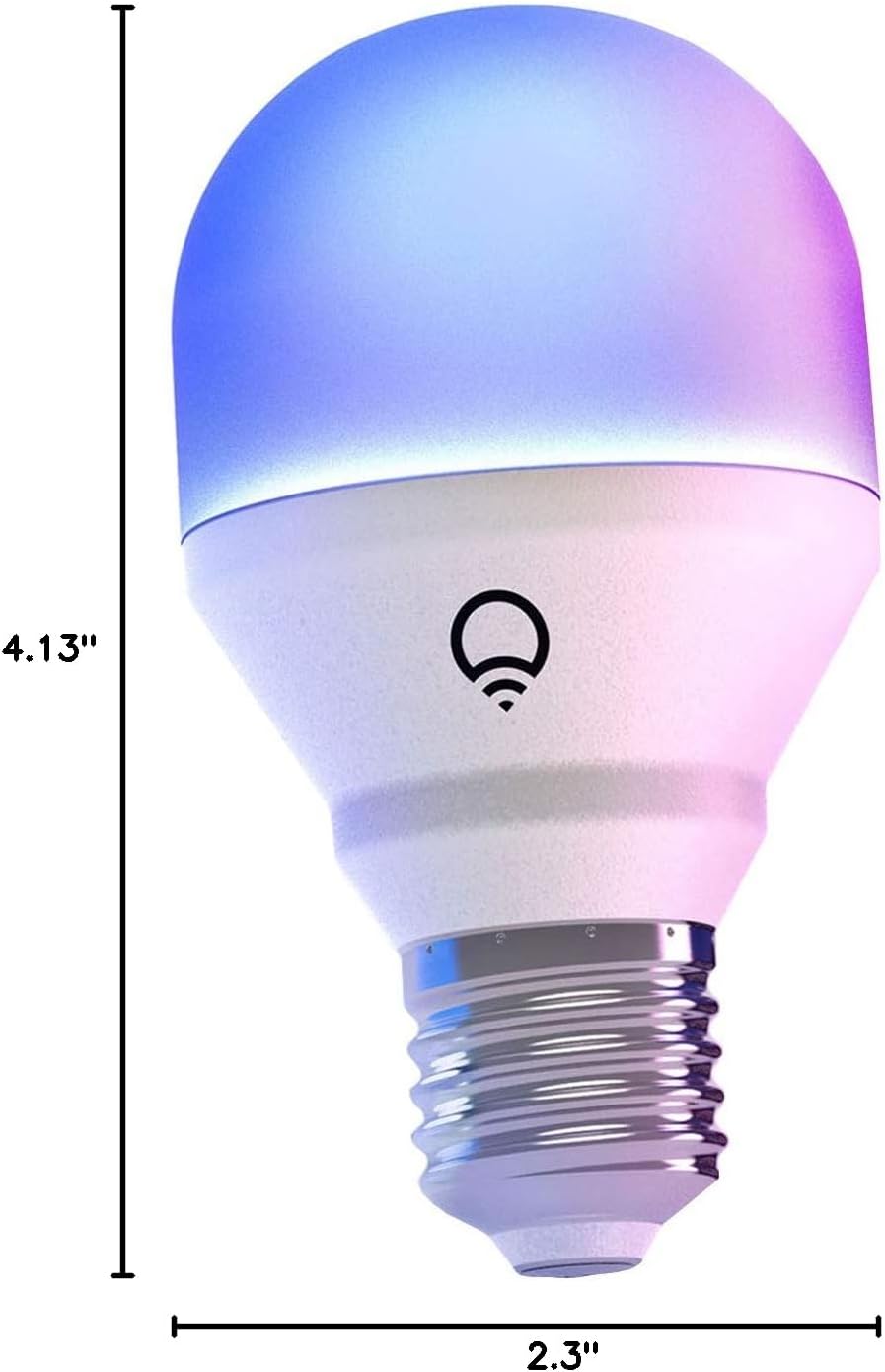
Image: A diagram illustrating the physical dimensions of the LIFX Color Smart LED Bulb.
9. Informazioni sulla garanzia
The LIFX Color Smart LED Bulb comes with a Garanzia di 2 anno. Please retain your proof of purchase for warranty claims. For specific terms and conditions, refer to the official LIFX websito o contattare l'assistenza clienti.
10. Supporto
Per ulteriore assistenza, supporto tecnico o per view frequently asked questions, please visit the official LIFX support websito. In genere puoi trovare le informazioni di contatto per il servizio clienti sul loro webanche il sito.
Risorse online:
- LIFX Official Websito: www.lifx.com
- Support Section: Refer to the support or FAQ section on the official website for troubleshooting guides and contact options.


