1. Introduzione
This manual provides essential instructions for the safe and efficient use of your Retevis RT15 Mini Walkie Talkies. Designed for ease of use, these compact two-way radios are suitable for various activities including family outdoor trips, camping, hiking, and warehouse communication. Please read this manual thoroughly before operating the device.
2. Cosa c'è nella scatola
Verifica che tutti gli articoli siano presenti nel tuo pacco:
- 3 unità walkie-talkie RT15
- 3 adattatori USB
- 3 batterie agli ioni di litio da 1000 mAh
- 3 cavi USB (lunghezza: 39 pollici)
- Clip 3 x cinghie
- 3 manuali utente in inglese

Figure 2.1: Package Contents of Retevis RT15 Walkie Talkies.
3. Caratteristiche del prodotto
- Compatto e portatile: Mini walkie talkie design, easy to hold and carry.
- Costruzione durevole: Made from robust materials to withstand daily use and accidental drops.
- Qualità del suono chiara: Features 0 to 9 levels of squelch for clear reception and transmission in most environments.
- Batteria a lunga durata: Equipped with a 1000mAh battery providing 10-12 hours of continuous use.
- Ricarica USB: Convenient mini USB interface allows charging from various sources.
- Funzione VOX: Enables hands-free operation without pressing the PTT button.
- Pre-programmed Channels: Ready to use out of the box with 16 channels, compatible with other Retevis 16-channel walkie talkies like RT22.
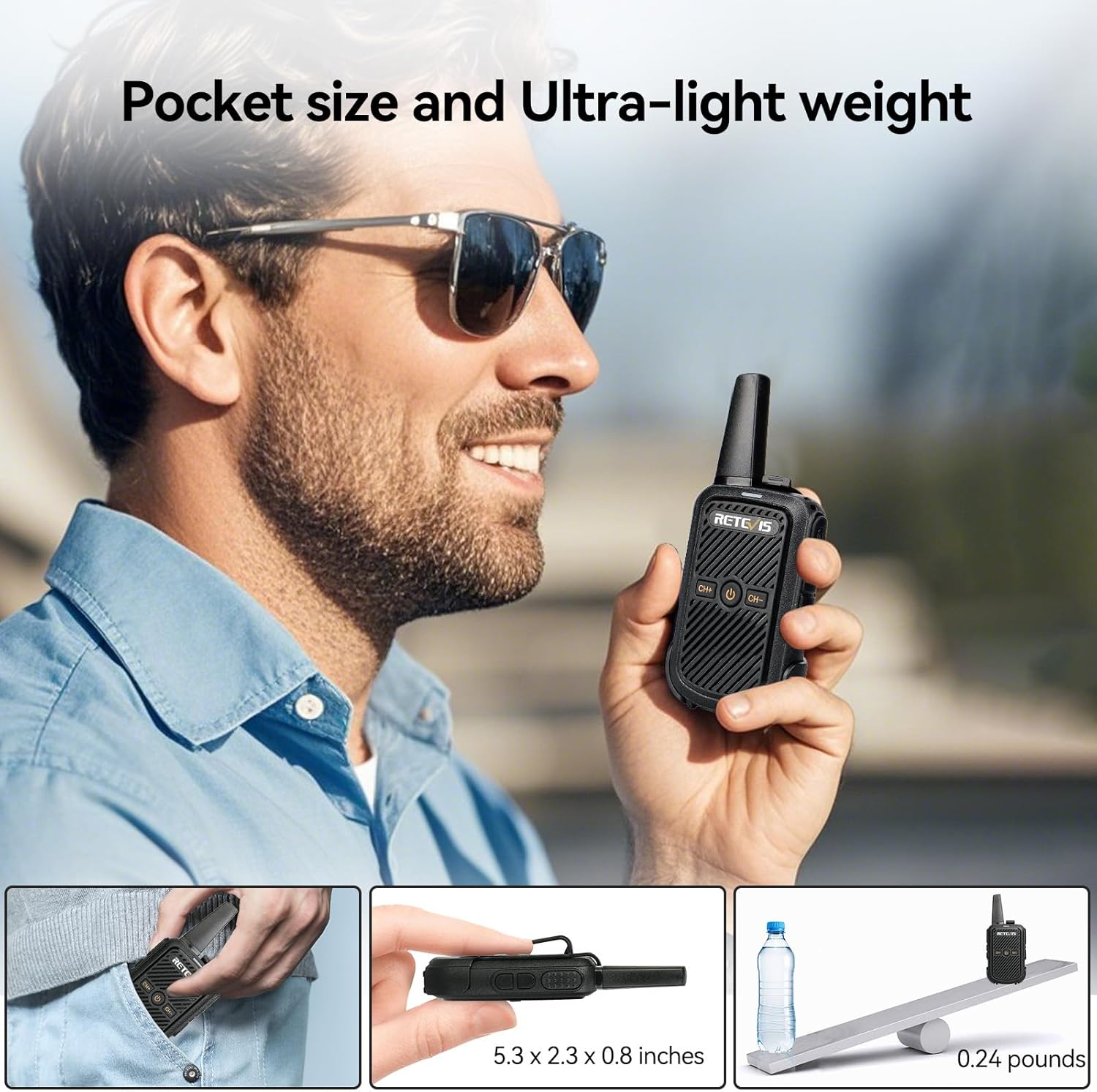
Figura 3.1: Design compatto e leggero.

Figure 3.2: Durable Construction.

Figure 3.3: Crystal Clear Sound Quality.
4. Impostazione
4.1 Installazione della batteria
Per installare la batteria:
- Remove the battery cover from the back of the walkie talkie.
- Allineare la batteria agli ioni di litio da 1000 mAh con i contatti all'interno del vano.
- Premere delicatamente la batteria in posizione finché non scatta in posizione.
- Replace the battery cover, ensuring it is securely fastened.
Video 4.1: Demonstrates battery installation and general introduction to the RT15 walkie talkie.
4.2 Caricamento della batteria
Before first use, fully charge the battery. The walkie talkie features a mini USB interface for convenient charging.
- Connect the provided USB cable to the mini USB port on the walkie talkie.
- Connect the other end of the USB cable to the USB adapter, a power bank, car charger, or computer USB port.
- La spia di carica si illumina (solitamente in rosso) durante la carica e cambia colore (solitamente in verde) quando la carica è completamente carica.

Figura 4.1: Opzioni di ricarica USB.
5. Istruzioni per l'uso
5.1 Accensione/spegnimento
Premere e tenere premuto il tasto Pulsante di accensione (usually marked with a circle and a vertical line) located on the front of the radio to turn it on or off. A voice prompt will indicate the power status.
5.2 Selezione del canale
Utilizzare il CH+ E CH- buttons to select your desired channel (1-16). The radio will announce the selected channel number.

Figure 5.1: Retevis RT15 Product Details and Controls.
5.3 Regolazione del volume
Utilizzare il Volume+ E Volume- buttons located on the side of the radio to adjust the listening volume.
5.4 Push-to-Talk (PTT)
Per trasmettere, tenere premuto il tasto Pulsante PTT sul lato della radio. Parlare chiaramente nel microfono. Rilasciare il pulsante PTT per ascoltare.
5.5 Funzione VOX (vivavoce)
The VOX function allows you to transmit without manually pressing the PTT button. This feature requires computer settings for initial activation. Once activated, it can be toggled on or off using a hotkey combination.
Video 5.1: Instructions on how to use the VOX function for hands-free operation.
5.6 Blocco tastiera
To prevent accidental channel changes or button presses, you can lock the keypad. This function is typically activated by pressing and holding specific buttons simultaneously. The same action will unlock the keypad.
Video 5.2: Guide on how to turn on and off the RT15's Keypad Lock.
5.7 Modifica della lingua
The Retevis RT15 supports multiple language voice prompts. To change the language, turn the radio off. Then, turn to channel 16, press and hold the CH+ button and the Power button simultaneously while turning the walkie talkie back on. This sequence allows you to cycle through available languages.
Video 5.3: Demonstrates how to switch the language of the Retevis RT15.
6. Manutenzione
6.1 Cura della batteria
- Always use the original charger and battery provided.
- Non esporre la batteria a temperature estreme o alla luce solare diretta.
- Se la radio non verrà utilizzata per un periodo prolungato, rimuovere la batteria e conservarla in un luogo fresco e asciutto.
6.2 Pulizia e conservazione
- Pulisci la superficie della radio con un panno morbido eamp stoffa. Non utilizzare prodotti chimici aggressivi o detergenti abrasivi.
- Ensure the radio is dry before charging or storing.
- Conservare il walkie-talkie in un ambiente asciutto e privo di polvere, lontano dalla luce solare diretta e da temperature estreme.
7. Risoluzione Dei Problemi
If you encounter issues with your Retevis RT15, refer to the following common problems and solutions:
- Nessun potere: Assicurarsi che la batteria sia installata correttamente e completamente carica.
- Nessuna ricezione/audio scadente: Check that both radios are on the same channel and within range. Adjust the squelch level if necessary. Obstacles like buildings or dense terrain can significantly reduce range.
- Impossibile trasmettere: Ensure the PTT button is fully pressed. Check if the keypad lock is active.
- Avviso di batteria scarica: The radio will provide a voice prompt. Recharge the battery immediately.
Video 7.1: Explains factors affecting two-way radio range and reception.
8. Specifiche
| Caratteristica | Dettaglio |
|---|---|
| Peso dell'articolo | 3.84 once |
| Dimensioni del prodotto | 5.3 x 2.3 x 0.8 pollici |
| Numero modello articolo | FA9144AX3-N |
| Batterie | 3 batteria agli ioni di litio richiesta (inclusa) |
| Marca | Retevis |
| Colore | Nero |
| Numero di canali | 16 |
| Caratteristica speciale | Rechargeable, mini walkie talkies for adults |
| Gamma di frequenza | FRS |
| Portata massima di conversazione | 3 Chilometro |
| Voltage | 3.7 Volt |
| Livello di resistenza all'acqua | Non resistente all'acqua |
9. Garanzia e supporto
9.1 Informazioni sulla garanzia
Retevis provides a 2-year warranty for the radio body and a 1-year warranty for accessories. Additionally, there is a 30-day no-reason return policy. Beyond the warranty period, maintenance services are offered, with buyers responsible for corresponding costs.
9.2 Assistenza clienti
For any questions or support needs, please contact Retevis customer service through Amazon. They aim to reply within 12 hours.


