Introduzione
The Wicked Audio Driftr True Wireless Earbuds offer a seamless audio experience with easy pairing and comfortable wear. Designed for convenience, these earbuds provide clear sound and intuitive controls, making them ideal for everyday use.
Cosa c'è nella scatola
- Wicked Audio Driftr True Wireless Earbuds (Left and Right)
- Custodia di ricarica
- Cavo di ricarica USB
- Manuale dell'utente (questo documento)
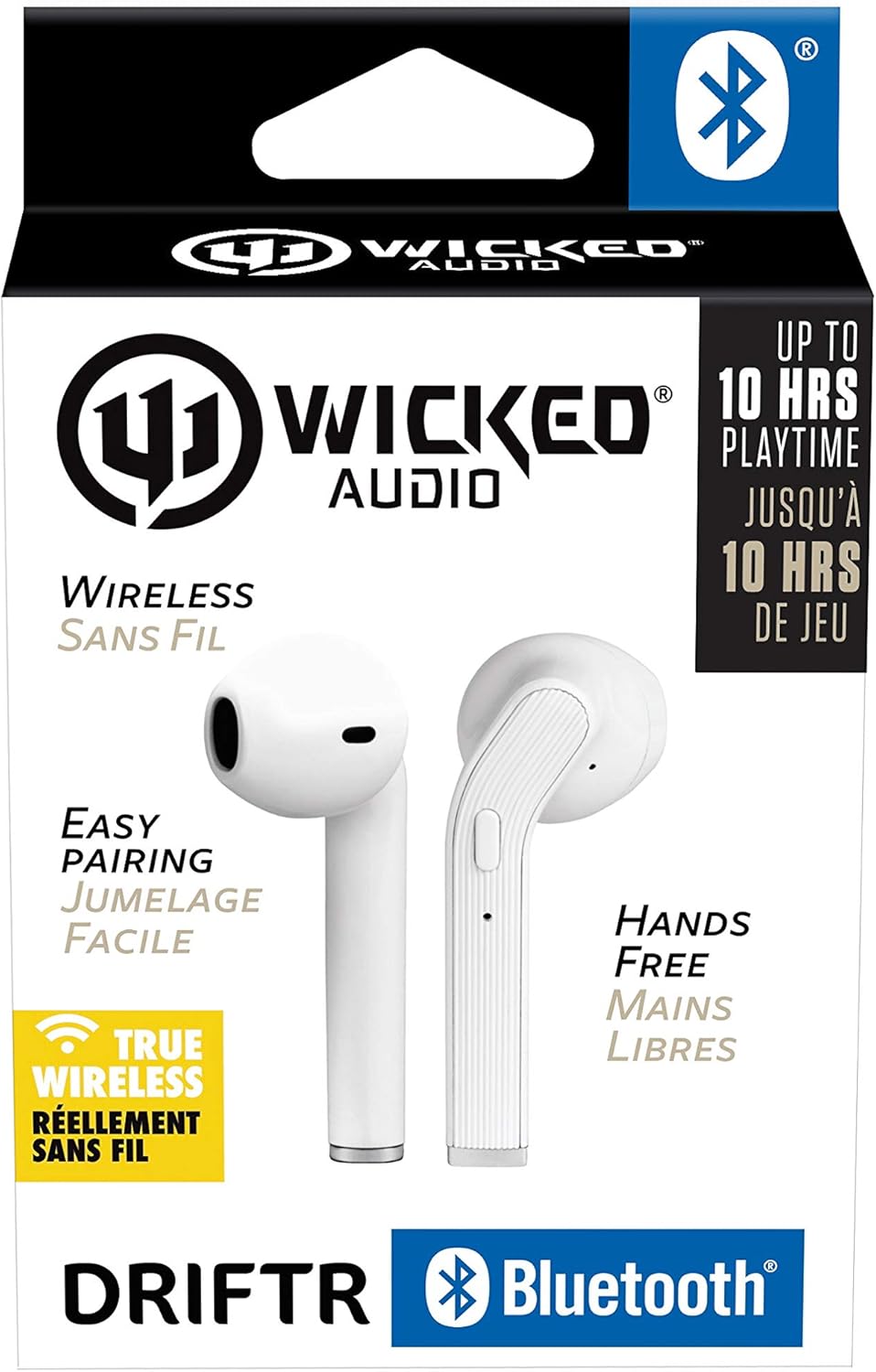
Image: Product packaging showing the earbuds and charging case.
Prodotto finitoview
The Driftr earbuds feature an angled housing design for a comfortable fit. Each earbud includes touch controls for managing audio playback and calls, along with a built-in microphone for hands-free communication. The compact charging case provides additional battery life on the go.

Image: White Wicked Audio Driftr True Wireless Earbuds resting inside their open charging case.

Immagine: Primo piano view of the left and right Wicked Audio Driftr True Wireless Earbuds, showing their angled design and control surfaces.

Image: A person wearing a white Wicked Audio Driftr True Wireless Earbud in their ear, demonstrating the fit.
Impostare
1. Ricarica degli auricolari e della custodia
Before first use, fully charge the earbuds and the charging case. Connect the provided USB charging cable to the charging port on the case and plug the other end into a USB power source (e.g., computer, wall adapter). The charging indicator light on the case will show charging status. A full charge takes approximately 1 hour for both the earbuds and the case.
2. Facile abbinamento
- Assicurati che gli auricolari siano carichi.
- Aprire la custodia di ricarica. Gli auricolari si accenderanno automaticamente ed entreranno in modalità di associazione.
- Sul tuo dispositivo (smartphone, tablet, laptop), vai alle impostazioni Bluetooth.
- Select "Wicked Audio Driftr" from the list of available devices.
- Una volta effettuata la connessione, sentirai un messaggio audio e la spia luminosa sugli auricolari cambierà.
The earbuds are designed for straightforward, no-nonsense pairing in one easy step. After the initial pairing, they will automatically connect to your last paired device when removed from the case.
Istruzioni per l'uso
Controlli touch
The Driftr earbuds feature intuitive touch controls for various functions:
- Riproduci/Pausa: Un solo tocco su uno degli auricolari.
- Traccia successiva: Tocca due volte l'auricolare destro.
- Traccia precedente: Tocca due volte l'auricolare sinistro.
- Rispondi/Termina chiamata: Un singolo tocco su uno degli auricolari durante una chiamata in arrivo.
- Rifiuta chiamata: Durante una chiamata in arrivo, tenere premuto uno dei due auricolari.
- Attiva l'assistente vocale: Tocca tre volte uno degli auricolari (ad esempio, Siri, Google Assistant).
Indossare gli auricolari
Insert the earbuds into your ears with the angled housing pointing slightly forward for a secure and comfortable fit. Adjust as needed to ensure optimal sound quality and passive noise cancellation.
Manutenzione
To ensure the longevity and optimal performance of your Wicked Audio Driftr earbuds, follow these maintenance guidelines:
- Pulizia: Pulisci regolarmente gli auricolari e la custodia di ricarica con un panno morbido, asciutto e privo di lanugine. Non utilizzare prodotti chimici aggressivi o materiali abrasivi.
- Magazzinaggio: Quando non li usi, riponi sempre nella custodia di ricarica per proteggerli e mantenerli carichi.
- Evitare l'umidità: The earbuds are not water resistant. Avoid exposure to water, sweat, and high humidity.
- Temperatura: Non esporre gli auricolari o la custodia a temperature estreme (calde o fredde).
Risoluzione dei problemi
If you encounter issues with your Driftr earbuds, try the following solutions:
- Gli auricolari non si associano:
- Assicurati che entrambi gli auricolari siano carichi.
- Riposizionare entrambi gli auricolari nella custodia di ricarica, chiudere il coperchio, attendere qualche secondo, quindi riaprire il coperchio.
- On your device, forget "Wicked Audio Driftr" from your Bluetooth settings and attempt to pair again.
- Nessun suono da un auricolare:
- Assicurarsi che entrambi gli auricolari siano carichi e correttamente inseriti nella custodia.
- Try resetting the earbuds by placing them in the case and then removing them.
- Gli auricolari non si caricano:
- Controllare il cavo di ricarica e la fonte di alimentazione.
- Assicurarsi che i contatti di ricarica sugli auricolari e all'interno della custodia siano puliti e privi di detriti.
- Scarsa qualità del suono:
- Assicurati che gli auricolari siano posizionati correttamente nelle orecchie.
- Check the audio source and volume levels on your device.
- Avvicinati al dispositivo associato per evitare interferenze.
Specifiche
| Caratteristica | Dettaglio |
|---|---|
| Nome del modello | Wicked Audio Driftr (WITW2151) |
| Tecnologia di connettività | Senza fili (Bluetooth 5.0) |
| Portata Bluetooth | Fino a 32 piedi |
| Durata della batteria | Up to 10 Hours (earbuds) |
| Tempo di ricarica | Approx. 1 Hour (earbuds and case) |
| Dimensioni del driver audio | 13 millimetri |
| Risposta in frequenza | 20 Hz - 20,000 Hz |
| Sensibilità | 15 dB |
| Impedenza | 32 Ohm |
| Controllo del rumore | Cancellazione passiva del rumore |
| Metodo di controllo | Tocco |
| Livello di resistenza all'acqua | Non resistente all'acqua |
| Peso dell'articolo | 2.11 once |
| Dimensioni del prodotto | 1.5 x 3 x 5.5 pollici |
| Codice UPC | 712949012265 |
Garanzia e supporto
Wicked Audio products are designed for durability and performance. For specific warranty information and support inquiries, please refer to the official Wicked Audio webo contattare direttamente il servizio clienti. Conservare la prova d'acquisto per eventuali reclami in garanzia.
Per ulteriore assistenza, visitare il Wicked Audio Store on Amazon.


