Introduzione
This manual provides essential information for setting up, operating, and maintaining your Amazon Fire HD 10 Kids Tablet. Designed for children aged 3-7, this 10.1-inch Full HD tablet offers a safe and engaging experience with robust parental controls and a durable Kid-Proof Case.
Please read these instructions carefully to ensure proper use and to maximize your tablet's features.
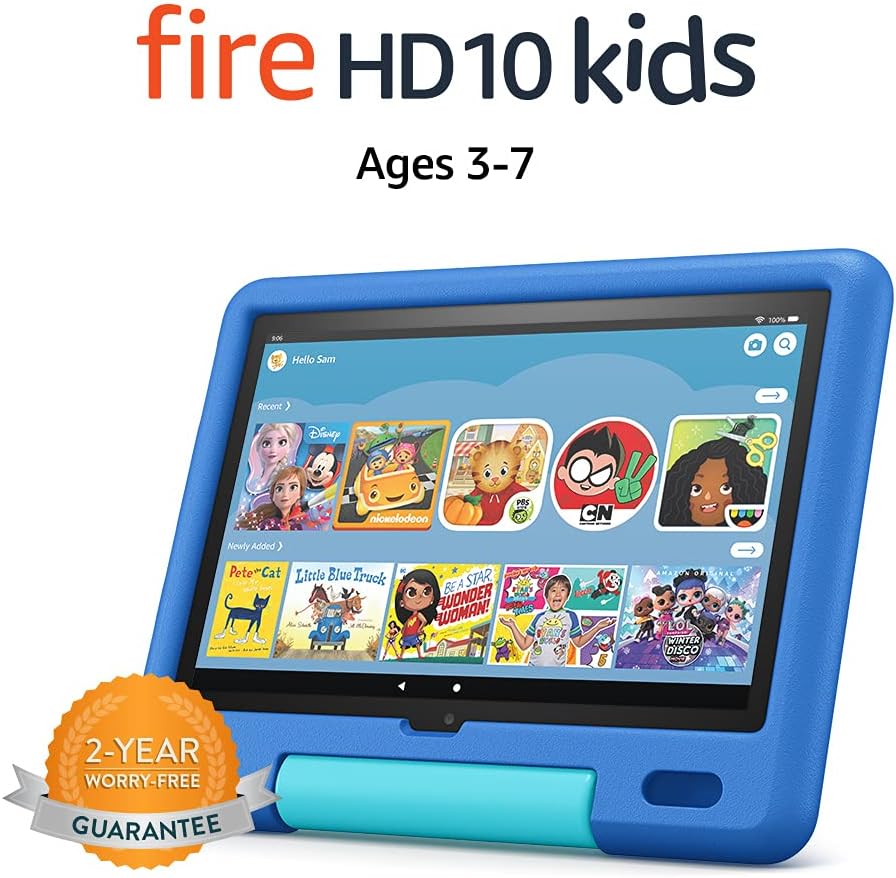
Image: The Amazon Fire HD 10 Kids Tablet, shown in its Sky Blue Kid-Proof Case, displaying the Amazon Kids+ user interface with various educational and entertainment apps.
Cosa è incluso
Your Amazon Fire HD 10 Kids Tablet package includes:
- Fire HD 10 tablet (11th Generation)
- Amazon Kid-Proof Case with stand/handle
- Amazon 9W power adapter
- USB-C (2.0) charging cable
- Batteria ricaricabile integrata
- 1-year Amazon Kids+ subscription (auto-renews at applicable rate)
Impostare
1. Ricarica iniziale
Before first use, fully charge your Fire HD 10 Kids Tablet. Connect the provided USB-C cable to the tablet's USB-C port and the 9W power adapter to a wall outlet. A full charge from 0% to 100% typically takes approximately 4 hours while the device is in standby mode.
2. Accensione e spegnimento
- Per accendere: Tieni premuto il pulsante di accensione situato sul lato del tablet finché non appare il logo Amazon.
- Per spegnere: Press and hold the power button until a power-off dialog appears on the screen. Select "Power Off" or "Shut Down".
- Ricominciare: If the tablet is unresponsive, press and hold the power button for approximately 40 seconds until it restarts.
3. Configurazione iniziale
Alla prima accensione, seguire le istruzioni sullo schermo per:
- Seleziona la tua lingua.
- Connect to a Wi-Fi network. The tablet supports dual-band 802.11a/b/g/n/ac standards (2.4 GHz and 5.0 GHz networks).
- Register your tablet to an Amazon account. If you do not have one, you will be prompted to create one.
- Imposta il tuo fuso orario.
4. Setting Up Amazon Kids+ and Parental Controls
The Fire HD 10 Kids Tablet includes a 1-year subscription to Amazon Kids+, offering thousands of ad-free books, games, videos, and apps. Parental controls are integrated to manage your child's experience.
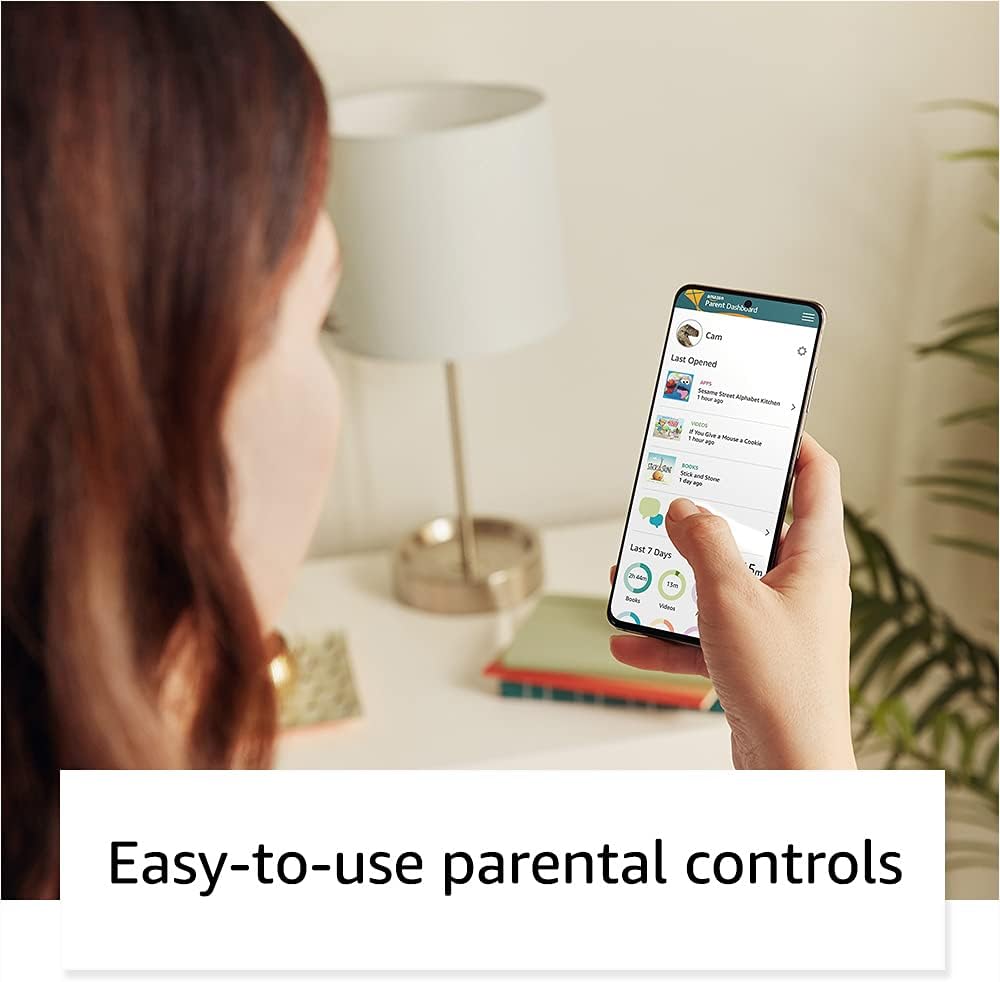
Image: A parent interacting with the Amazon Parent Dashboard on a smartphone, demonstrating the ease of managing parental controls for the Fire Kids Tablet.
To set up profiles and parental controls:
- After registering your tablet, you will be guided to create child profiles.
- Accedi al Pannello dei genitori di Amazon da qualsiasi web browser or the Amazon Kids+ app on your own device.
- From the Parent Dashboard, you can:
- Filter content based on your child's age.
- Imposta limiti di tempo giornalieri per l'utilizzo del tablet.
- Establish educational goals.
- Grant access to additional content from your Amazon library or third-party apps like Netflix and Disney+.
- Maneggio web browser access and approved contacts for communication.
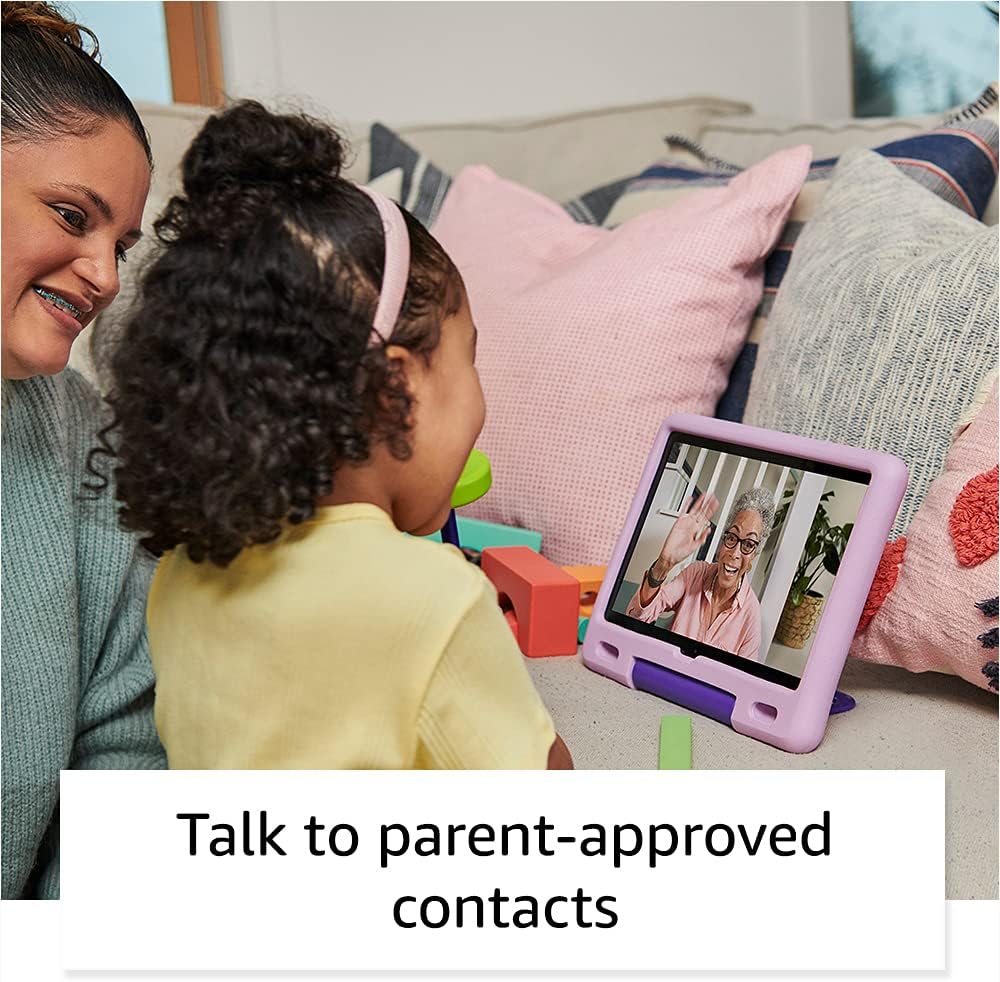
Image: A child happily engaged in a video call with a grandparent on the Amazon Fire HD 10 Kids Tablet, highlighting the communication features with parent-approved contacts.
Utilizzo del tablet
1. Navigazione nell'interfaccia
The Fire HD 10 Kids Tablet features a touch-sensitive screen. Use gestures such as tapping, swiping, and pinching to interact with the device.
- Schermata iniziale: Displays apps, books, videos, and games available to the child.
- Scorri verso il basso: Accedi alle impostazioni rapide e alle notifiche.
- Scorrere verso l'alto: Return to the home screen (if applicable in certain apps).

Image: A child holding and interacting with the Amazon Fire HD 10 Kids Tablet, which displays an educational game, illustrating the tablet's design for young users.
2. Using Amazon Kids+
Amazon Kids+ provides a curated selection of age-appropriate content. Content is categorized for easy discovery.

Image: A vibrant grid of various app icons, including characters from popular children's media and educational titles, representing the wide range of content available through Amazon Kids+.
- Browsing Content: Navigate through categories like "Books," "Videos," "Apps," and "Games."
- Scaricamento dei contenuti: Tap on an item to download it for offline use. Ensure sufficient storage is available.
- Managing Content: Parents can add or remove content via the Parent Dashboard.
3. Funzionalità della fotocamera
Il tablet è dotato di una fotocamera frontale da 2 MP e di una posteriore da 5 MP, entrambe in grado di registrare video HD a 720p.
- Aprire l'app Fotocamera dalla schermata iniziale.
- Tap to switch between front and rear cameras.
- Tocca il pulsante di scatto per scattare foto o avviare/interrompere la registrazione video.
4. Audio and Volume Control
The tablet features dual integrated speakers and a 3.5 mm stereo jack for headphones. External volume controls are located on the side of the tablet.
- Press the volume up/down buttons to adjust audio levels.
- Connect headphones to the 3.5 mm jack for private listening.
Manutenzione
1. Pulizia del tablet
Per pulire il tablet:
- Power off the device and unplug it from any power source.
- Utilizzare un panno morbido e privo di lanugine leggermente dampened with water to wipe the screen and exterior.
- Evitare l'uso di detergenti abrasivi, solventi o spray aerosol.
- Non lasciare che l'umidità penetri nelle aperture.
2. Cura della batteria
Per prolungare la durata della batteria:
- Evitare di esporre la compressa a temperature estreme (calde o fredde).
- Charge the tablet regularly, but avoid leaving it fully discharged for extended periods.
- For optimal performance, use the provided Amazon 9W power adapter and USB-C cable.
3. Conservazione
The tablet comes with 32 GB of internal storage (24.2 GB available to user). You can expand storage up to 1 TB using a microSD card.
- Insert a microSD card into the designated slot to add additional storage for photos, videos, and some apps.
- Regularly manage downloaded content to free up space if needed.
Risoluzione dei problemi
Problemi comuni e soluzioni
| Problema | Soluzione |
|---|---|
| Il tablet non si accende. | Ensure the tablet is charged. Connect to the power adapter for at least 30 minutes. If still unresponsive, perform a hard reset by holding the power button for 40 seconds. |
| Lo schermo non risponde. | Riavvia il tablet. Se il problema persiste, assicurati che lo schermo sia pulito e privo di detriti. |
| Problemi di connessione Wi-Fi. | Check if other devices can connect to the Wi-Fi network. Restart your Wi-Fi router. On the tablet, go to Wi-Fi settings, forget the network, and reconnect. |
| Le app sono lente o si bloccano. | Close unused apps. Clear app cache (via Parent Dashboard). Ensure sufficient storage space is available. Restart the tablet. |
| La batteria si scarica rapidamente. | Reduce screen brightness. Close background apps. Disable Wi-Fi when not in use. Check for app updates. |
Ripristino delle impostazioni di fabbrica
A factory reset will erase all data on your tablet and restore it to its original factory settings. This should be a last resort for persistent issues.
- Go to the Parent Profile.
- Vai a Impostazioni > Opzioni dispositivo > Ripristinare le impostazioni predefinite di fabbrica.
- Conferma la tua decisione.
Specifiche
| Display | 10.1" 1080p Full HD (1920 x 1200) con 224 ppi, vetro alluminosilicato |
| Misurare | 8.2" x 10.6" x 1.1" (209 mm x 269 mm x 27 mm) |
| Peso | 25.2 once (716 grammi) |
| CPU e RAM | Octa-core 2.0 GHz con 3 GB di RAM |
| Magazzinaggio | 32 GB internal (24.2 GB user available), expandable up to 1 TB via microSD |
| Durata della batteria | Fino a 12 ore di utilizzo misto |
| Tempo di carica | Approximately 4 hours with included 9W adapter |
| Connettività Wi-Fi | Dual-band 802.11a/b/g/n/ac (2.4 GHz and 5.0 GHz), WEP, WPA, WPA2 security |
| Porti | USB-C (2.0) per la ricarica, slot microSD |
| Audio | Jack stereo da 3.5 mm, doppi altoparlanti integrati |
| Sensori | Accelerometro, sensori di luce ambientale |
| Telecamere | 2 MP front-facing, 5 MP rear-facing, 720p HD video recording |
| Microfoni | 2 microfoni incorporati |
| Fascia di età | 3-7 years (WARNING: CHOKING HAZARD – Small parts. Not for children under 3 years.) |
| Generazione | 11a generazione, versione 2021 |
Garanzia e supporto
1. 2-Year Worry-Free Guarantee
Your Amazon Fire HD 10 Kids Tablet comes with a 2-year worry-free guarantee. If the tablet breaks, you can return it, and Amazon will replace it for free. This guarantee covers defects in materials and workmanship under normal use.
For detailed terms and conditions, please refer to the warranty information provided with your purchase or visit the Amazon websito.
2. Assistenza clienti
For further assistance, technical support, or warranty claims, please contact Amazon Customer Service. You can find support options on the official Amazon websito:
Visita il servizio clienti Amazon
Puoi anche visitare il Pagina di supporto per i dispositivi Amazon for FAQs and troubleshooting guides specific to Fire tablets.