Introduzione
The AXIS Q1615-LE Mk III is a high-performance 2-megapixel outdoor network camera, engineered to deliver exceptional imaging and video quality. This model integrates advanced hardware and processing capabilities, making it an ideal platform for analytics powered by artificial intelligence (AI) and deep learning. Its robust design ensures reliable operation in diverse outdoor environments.
Caratteristiche principali
- Powerful AI with Deep Learning: Equipped with a dual chipset (Axis ARTPEC and DLPU) for advanced AI-based object classification.
- Granular Object Classification: Distinguishes between various vehicle types (bikes, cars, buses, trucks) and humans, reducing false alarms.
- Support for 3rd-Party AI Applications: Open Axis platform allows integration of tailor-made AI applications.
- Edge-Based Processing for Scalability: Analytics run directly on the camera, reducing server load, improving speed, and lowering costs.
- Premium Axis Q-line Camera Features: Includes high-quality imaging, OptimizedIR (up to 60m/196ft) for clear night vision, and robust outdoor ratings (IP66, IP67, NEMA 4X).
Informazioni sulla sicurezza
Please read all safety instructions carefully before installation and operation. Failure to follow these instructions may result in injury, damage to the product, or voiding of the warranty.
- Sicurezza elettrica: Installation must be performed by qualified personnel in accordance with all local and national electrical codes. Ensure power is disconnected before any installation or maintenance.
- Montaggio: The camera must be securely mounted to a surface capable of supporting its weight. Use appropriate fasteners for the mounting surface.
- Condizioni ambientali: While designed for outdoor use, avoid exposing the camera to extreme conditions beyond its specified operating temperature and humidity ranges.
- Pulizia: Utilizzare solo un panno morbido,amp cloth for cleaning. Avoid abrasive cleaners or solvents that could damage the camera's finish or lens.
Contenuto della confezione
Verificare che tutti gli elementi siano presenti nella confezione prima di procedere con l'installazione:
- AXIS Q1615-LE Mk III Network Camera
- AXIS T94Q01A Wall Mount
- Guida all'installazione
- Resistorx T20 Tool
- Sunshield Connector Kit
- Windows Decoder 1-user License
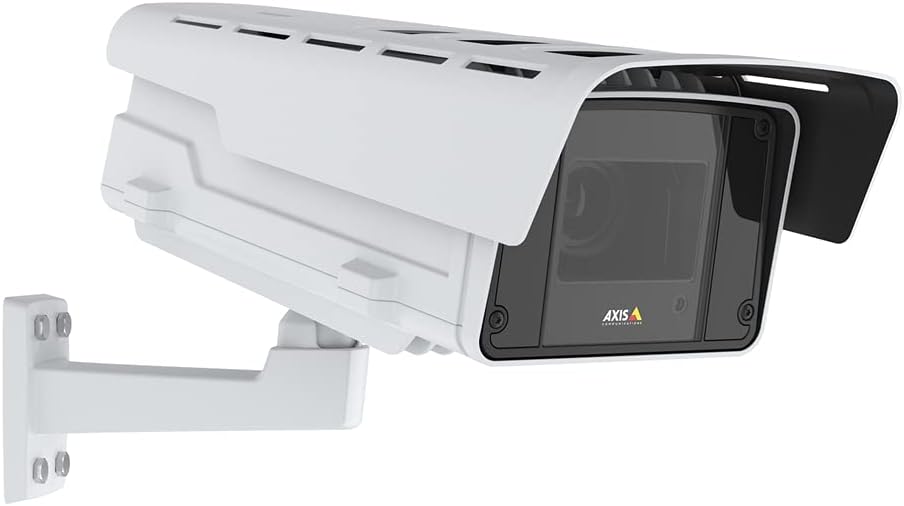
Figure 1: AXIS Q1615-LE Mk III Network Camera with included wall mount.
Impostare
Montaggio della telecamera
- Scegli una posizione: Selezionare una posizione esterna adatta che fornisca il campo di applicazione desiderato view and is within reach of power and network connections. Ensure the mounting surface is sturdy.
- Fissare il supporto a parete: Use the included AXIS T94Q01A Wall Mount. Securely fasten the mount to the chosen surface using appropriate screws (not included, typically).
- Fissare la telecamera al supporto: Align the camera with the wall mount and secure it using the provided hardware. Adjust the camera's angle for optimal viewing.
- Install Sunshield: Attach the sunshield using the Sunshield Connector Kit to protect the lens from direct sunlight and reduce glare.
Accensione
The AXIS Q1615-LE Mk III camera can be powered via Power over Ethernet (PoE) or a DC power supply.
- Connessione PoE: Connect an Ethernet cable from a PoE-enabled switch or injector to the camera's Ethernet port. This provides both power and network connectivity.
- Potenza CC: If not using PoE, connect a compatible DC power adapter (not included) to the camera's DC input port.
Connessione di rete
Connect the camera to your network using a standard Ethernet cable. For initial setup, it is recommended to connect the camera directly to a computer or a local network segment where you can easily discover its IP address.
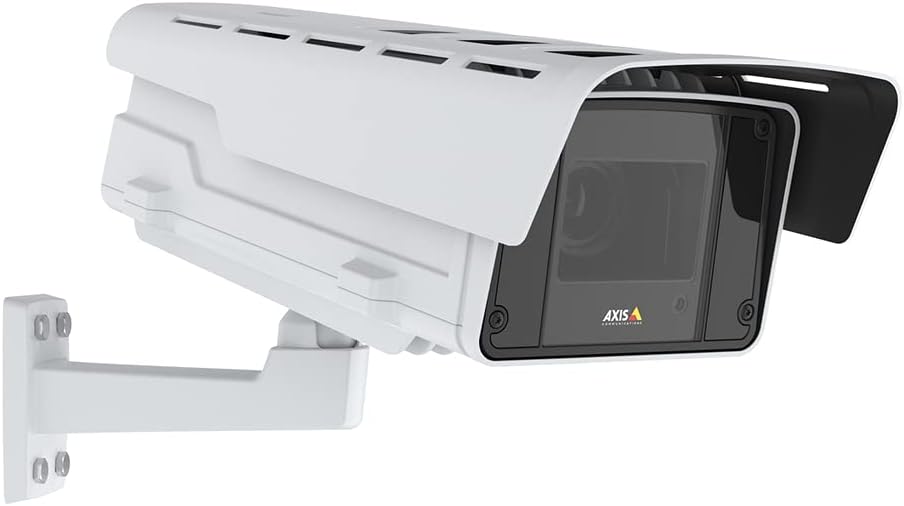
Figura 2: lato view of the camera illustrating potential mounting and connection points.
Istruzioni per l'uso
Accessing the Camera Interface
- Scopri la fotocamera: Use the AXIS IP Utility or AXIS Device Manager software to discover the camera on your network and find its IP address.
- Login: Aprire un web browser and enter the camera's IP address. Log in using the default credentials (typically username 'root' and password 'pass' for first-time setup, which you will be prompted to change).
Configuring Video Settings
Once logged in, navigate to the 'Video' or 'Stream' settings to adjust parameters such as resolution, frame rate, compression, and image quality. The camera supports 1080p video capture resolution.
Using Object Analytics
The AXIS Q1615-LE Mk III features powerful AI-based object analytics. Access the 'Analytics' section in the camera's web interface to configure detection zones, set up rules for different object types (e.g., cars, bikes, humans), and define actions to be triggered upon detection (e.g., send notifications, record video).
Manutenzione
Pulizia
Una pulizia regolare aiuta a mantenere una qualità dell'immagine ottimale e prolunga la durata della fotocamera.
- Lente: Pulisci delicatamente la lente con un panno morbido e privo di lanugine. Per lo sporco ostinato, utilizza una soluzione detergente per lenti specifica per superfici ottiche.
- Alloggiamento: Clean the camera housing with a soft, damp stoffa. Evitare l'uso di prodotti chimici aggressivi o materiali abrasivi.
Aggiornamenti del firmware
Controllare periodicamente le comunicazioni Axis website for firmware updates. Keeping your camera's firmware up-to-date ensures access to the latest features, performance improvements, and security patches. Follow the instructions provided by Axis for the update process.
Risoluzione dei problemi
Questa sezione fornisce soluzioni ai problemi più comuni che potresti riscontrare.
- Nessun potere:
- Verify that the PoE switch/injector is powered on and functioning correctly.
- If using a DC adapter, ensure it is properly connected and providing the correct voltage.
- Controllare che il cavo Ethernet non sia danneggiato o che i collegamenti siano allentati.
- Nessuna connessione di rete:
- Assicurarsi che il cavo Ethernet sia collegato saldamente a entrambe le estremità.
- Controllare lo stato dello switch/router di rete.
- Verify the camera's IP address and network settings are correct and not conflicting with other devices.
- Temporarily disable any firewall on your computer during initial setup.
- Scarsa qualità dell'immagine:
- Pulisci l'obiettivo della fotocamera.
- Adjust focus settings in the camera's web interface (Auto Focus is available).
- Check lighting conditions. Ensure OptimizedIR is enabled for low-light environments.
- Adjust video resolution and compression settings.
- False Alarms from Analytics:
- Refine detection zones and sensitivity settings in the analytics configuration.
- Assicuratevi che la telecamera view is clear of obstructions that might trigger false detections.
- Update camera firmware to the latest version for improved analytics performance.
For more detailed troubleshooting or issues not covered here, please refer to the comprehensive support documentation on the Axis Communications websito o contattare il supporto tecnico.
Specifiche
| Caratteristica | Specificazione |
|---|---|
| Nome del modello | Q1615-LE Mk III |
| Uso interno/esterno | All'aperto |
| Risoluzione di acquisizione video | Formato: 1080p |
| Risoluzione fissa efficace | 2 MP |
| Tecnologia di connettività | Ethernet, Wi-Fi (Wireless Communication Technology) |
| Fonte di alimentazione | DC |
| Cosatage | 11 watt |
| Valutazione internazionale di protezione | Grado di protezione IP67 |
| Dimensioni dell'articolo L x P x A | 27.5 x 11.5 x 11 pollici |
| Peso dell'articolo | 20.1 libbre |
| Velocità massima dell'otturatore | 1/125000 - 2 Seconds |
| Tipo di messa a fuoco | Messa a fuoco automatica |
| Tecnologia a bassa luminosità | Giorno/Notte |
| Tipo di avviso | Solo movimento |
| Componenti inclusi | AXIS T94Q01A Wall Mount, Installation Guide, Q1615-LE Mk III Network Camera, Resistorx T20 Tool, Sunshield Connector Kit, Windows Decoder 1-user License |
Garanzia e supporto
Informazioni sulla garanzia
The AXIS Q1615-LE Mk III Network Camera comes with a Garanzia del produttore di 5 anniSi prega di conservare la prova d'acquisto per eventuali reclami in garanzia. La garanzia copre difetti di materiali e fabbricazione in normali condizioni d'uso.
Supporto tecnico
For technical assistance, product registration, or to download the latest software and documentation, please visit the official Axis Communications website. Their support resources include FAQs, troubleshooting guides, and contact information for direct technical support.
Websito: www.axis.com


