Introduzione
This manual provides detailed instructions for the operation and maintenance of your ZOSHING 14-inch Portable TV (Model: NS-1139). This device features a 14-inch HD LED screen, a built-in ATSC digital TV tuner for free over-the-air broadcasts, and versatile power options (AC/DC 12V) for use in various environments, including home, RV, camping, and outdoor settings. Please read this manual thoroughly before using the product to ensure proper function and longevity.

Image: The ZOSHING 14-inch Portable TV, showcasing its screen, included remote control, and a small antenna. The screen displays a vibrant, colorful pattern.
Contenuto della confezione
Verificare che tutti gli articoli siano presenti nel pacco:
- 1x Portable TV
- Adattatore CA 1x
- Caricabatteria per auto 1x
- 1x TV Antenna
- 1x telecomando
- 1x Holder (Stand)
- 1x User Guide (English)
Impostare
1. Collegamento elettrico
The ZOSHING Portable TV supports both AC and DC 12V power inputs. Choose the appropriate power source for your environment.
- Alimentazione CA: Connect the provided AC adapter to the "DC 12V in" port on the TV and then plug it into a standard wall outlet (AC110-240V).
- DC 12V Power (Car/RV): Connect the provided car charger adapter to the "DC 12V in" port on the TV and then plug it into your vehicle's 12V power socket.
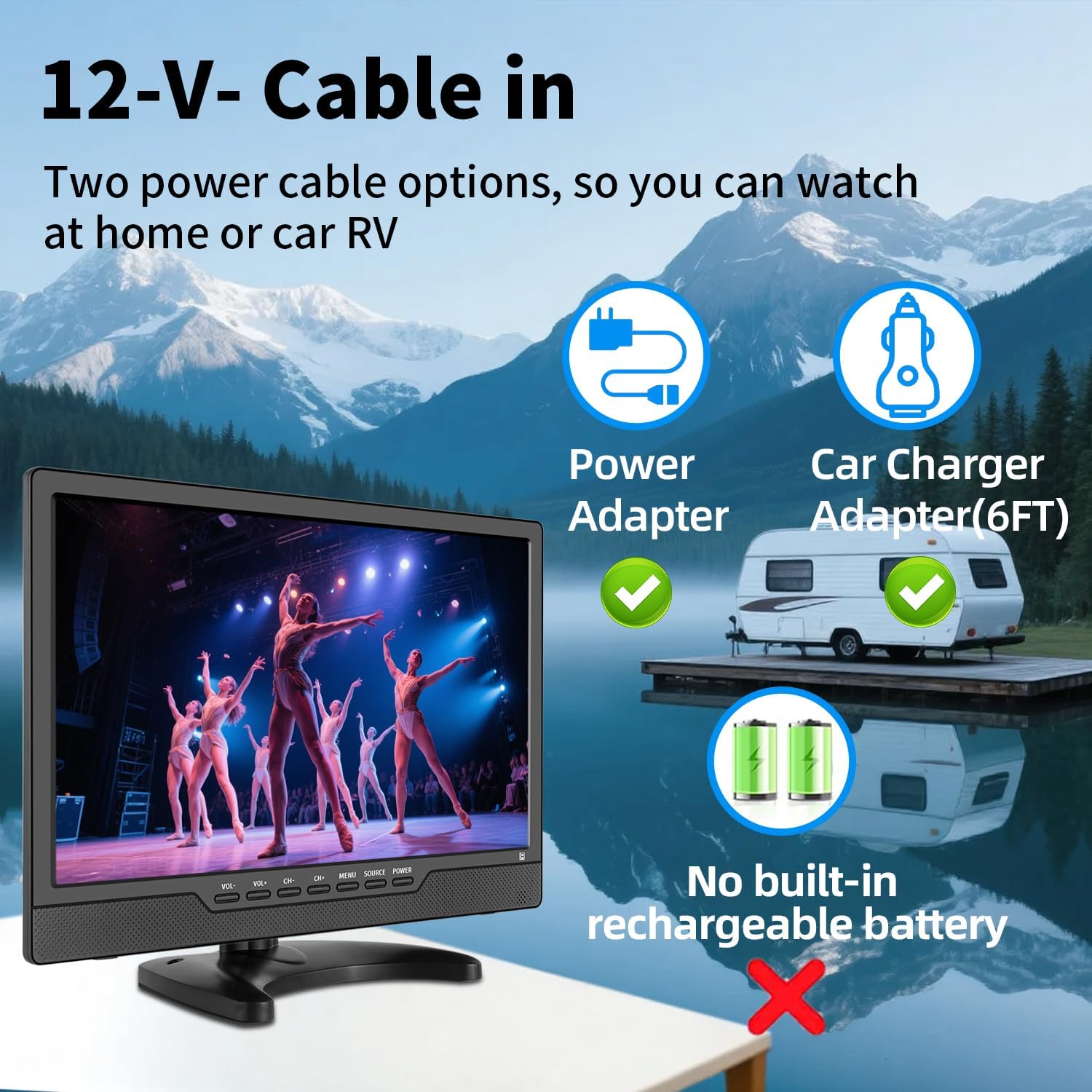
Image: Diagram illustrating the two power options for the ZOSHING Portable TV: a power adapter for home use and a car charger adapter for vehicle use. The image also clarifies that the TV does not have a built-in rechargeable battery.
Nota: This TV does not include a built-in rechargeable battery. It requires continuous power from an external source.
2. Collegamento dell'antenna
To receive over-the-air digital TV channels, connect the included TV antenna to the "RF" input port on the back of the TV.
- For optimal reception, position the antenna in an area with clear line of sight to broadcast towers.
- If local signal coverage is weak, a stronger outdoor antenna may be required.

Image: The ZOSHING Portable TV connected to a small indoor antenna, demonstrating how to receive free local HD channels. An illustration of a larger outdoor antenna is shown in the background, with a note about checking TV signal coverage and considering a stronger antenna if needed.
3. Installazione guidata iniziale
Upon first power-on, the TV will guide you through an initial setup wizard. Follow the on-screen prompts to select your language, antenna type, and perform an automatic channel scan. This process typically takes a few minutes.
4. Collegamento di dispositivi esterni
The TV features multiple input ports for connecting external devices:
- Ingresso HDMI: Connect gaming consoles, DVD players, streaming devices (e.g., TV sticks), or other HDMI-enabled devices.
- Ingresso AV: Connect older devices such as VCRs, some cameras, or security CCTV systems using RCA cables.
- USB/TF Port: Insert a USB drive or TF (microSD) card (up to 32GB) to play stored videos, music, or view foto.
- 3.5mm Headphone Out: Collega le cuffie per l'ascolto privato.

Immagine: Posteriore view of the ZOSHING Portable TV, highlighting various input and output ports: DC 12V in, OFF/ON switch, 3.5mm Headphone out, AV in, HDMI in, RF (antenna) input, and built-in speakers.
Istruzioni per l'uso
1. Accensione/spegnimento
- Use the physical ON/OFF switch located on the back of the TV to power the unit.
- Once powered on, use the remote control or the front panel buttons to turn the screen on/off or put it into standby mode.
2. Funzioni di controllo remoto
The included remote control provides full functionality for navigating menus, changing channels, adjusting volume, and selecting input sources.
- VOL +/-: Regola il volume.
- CH +/-: Cambia canale.
- MENU: Accedi al menu principale per regolare le impostazioni.
- FONTE: Switch between input sources (TV, HDMI, AV, USB/TF).
- INVIO/OK: Conferma le selezioni.
- Pulsanti direzionali: Navigare attraverso i menu.

Image: The ZOSHING Portable TV displaying content, with its dedicated remote control shown in the foreground. A separate streaming device remote is also pictured, indicating that two remotes may be needed when using an external streaming stick.
Nota: If using an external streaming device (e.g., TV stick) connected via HDMI, you may need to use both the TV's remote and the streaming device's remote for full control.
3. Media Playback (USB/TF)
Insert a USB flash drive or TF card into the respective port. Select the USB or TF source from the input menu. The TV supports various media formats:
- Video: AVI, MOV, MPEG 1/2/3/4, XVID, AVC, MP4, H.264, HEVC (H.265), FLV, MKV, WMV, RMVB, 3GP
- Audio: MP3, WMA, M4A, AAC
- Immagine: JPG, JPEG, BMP, PNG
- Testo: TXT

Image: The ZOSHING Portable TV displaying a scenic image, with icons and text indicating its compatibility with multiple media formats including video (AVI, MP4, MOV, MKV, etc.), audio (MP3, WMA, M4A, AAC), images (JPG, BMP, PNG), and text files, accessible via the USB port.
Manutenzione
- Pulizia: Use a soft, dry cloth to clean the screen and exterior of the TV. For stubborn marks, slightly dampLavare il panno con acqua. Evitare prodotti chimici aggressivi o detergenti abrasivi.
- Magazzinaggio: When not in use for extended periods, store the TV in a cool, dry place, away from direct sunlight and extreme temperatures.
- Ventilazione: Assicurarsi che le aperture di ventilazione del televisore non siano ostruite per evitare il surriscaldamento.
- Disconnessione dell'alimentazione: Always disconnect the power adapter from the wall outlet or car socket when cleaning or moving the TV.
Risoluzione dei problemi
Nessun potere
- Ensure the AC adapter or car charger is securely connected to both the TV and the power source.
- Verify that the power outlet or car socket is functional.
- Check the ON/OFF switch on the back of the TV is in the "ON" position.
No Signal / Poor Picture Quality (TV Mode)
- Ensure the antenna is properly connected to the "RF" input.
- Adjust the antenna's position for better reception. Try moving it closer to a window or higher up.
- Perform a channel scan again through the TV's menu.
- Check local signal coverage in your area. A stronger outdoor antenna may be necessary if signals are weak.
Nessun suono
- Increase the volume using the remote control or front panel buttons.
- Check if the TV is muted. Press the MUTE button on the remote.
- Se sono collegate le cuffie, scollegarle per controllare l'uscita degli altoparlanti.
Il telecomando non risponde
- Assicurarsi che non vi siano ostacoli tra il telecomando e il sensore IR del televisore.
- Sostituire le batterie del telecomando.
Cannot Play Media from USB/TF
- Assicurarsi che l'unità USB o la scheda TF siano inserite correttamente.
- Verificare che i media files are in a supported format (refer to "Media Playback" section).
- Check if the USB drive or TF card is formatted correctly (FAT32 is generally recommended).
- The maximum supported capacity for USB/TF is 32GB.
Specifiche
| Marca | ZOSHING |
| Numero di modello | NS-1139 |
| Dimensioni dello schermo | 14 Inches (36 cm visible screen diagonal) |
| Tecnologia di visualizzazione | LCD Widescreen |
| Risoluzione | Risoluzione 1366 x 768 (768p) |
| Proporzioni | 16:9 |
| Frequenza di aggiornamento | Frequenza 60 Hz |
| Sintonizzatore | Built-in ATSC and NTSC |
| Connettività | HDMI, AV input, RF (Antenna), USB, TF Card, 3.5mm Headphone Out |
| Tipo di altoparlante | Doppio altoparlante |
| Fonte di alimentazione | AC110-240V, DC-12V |
| Consumo energetico in modalità accesa | 12.0 Watt |
| Dimensioni del prodotto (L x P x A) | 11.42 x 0.98 x 7.28 pollici (circa 29 x 2.5 x 18.5 cm) |
| Peso dell'articolo | 4.62 libbre (circa 2.1 kg) |
| Colore | Nero |

Image: A diagram illustrating the dimensions of the ZOSHING 14-inch Portable TV, showing its width as 336mm (13.23 inches) and height as 223mm (8.78 inches), with the screen size indicated as 14 inches.
Garanzia e supporto
I dettagli specifici della garanzia sono in genere forniti con la documentazione di acquisto o sul documento ufficiale del produttore website. For technical support, troubleshooting assistance beyond this manual, or warranty claims, please contact ZOSHING customer service through the retailer where the product was purchased or refer to the contact information provided in your product packaging.
Si prega di conservare la prova d'acquisto ai fini della garanzia.


