1. Prodotto finitoview
The VENTION 3.5mm Stereo AUX Cable is designed to connect audio devices with a 3.5mm auxiliary port. It features gold-plated connectors for optimal signal transfer and a durable braided exterior for extended lifespan. This cable facilitates audio transmission between various devices such as smartphones, headphones, car stereos, laptops, and speakers.

Image 1.1: The VENTION 3.5mm Stereo AUX Cable.
2. Configurazione e connessione
Connecting the VENTION 3.5mm Stereo AUX Cable is a straightforward process. Ensure both devices you intend to connect have a standard 3.5mm audio input or output jack.
- Identificare le porte: Locate the 3.5mm audio jack on your source device (e.g., smartphone, laptop) and your receiving device (e.g., headphones, car stereo, speaker). These ports are typically marked with a headphone icon or 'AUX'.
- Collegare il cavo: Insert one end of the VENTION 3.5mm Stereo AUX Cable into the audio output jack of your source device.
- Connect to Receiving Device: Insert the other end of the cable into the audio input jack of your receiving device.
- Verifica connessione: Ensure both connectors are fully inserted into their respective ports for a secure connection.
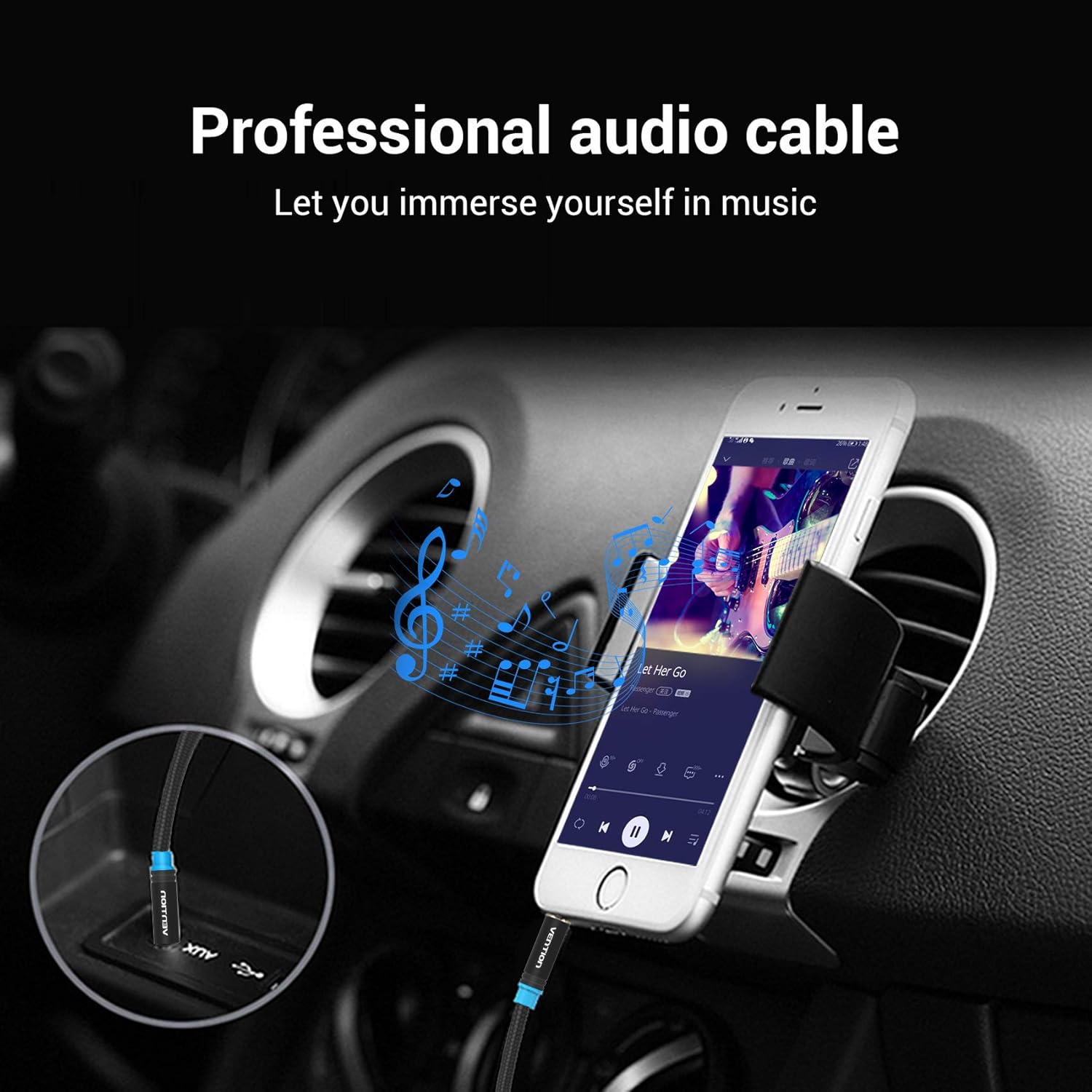
Image 2.1: Connecting the AUX cable to a car stereo for audio playback from a smartphone.

Image 2.2: Connecting a laptop to an external speaker using the AUX cable.
3. Istruzioni per l'uso
Once the cable is connected, the operation is automatic. The cable transmits audio signals directly between the connected devices.
- Riproduzione audio: Begin playing audio on your source device. The sound will be routed through the VENTION 3.5mm Stereo AUX Cable to your receiving device.
- Controllo del volume: Adjust the volume using the controls on your source device or the receiving audio device (e.g., car stereo, speaker, headphones).
- Compatibilità: The cable is universally compatible with any device featuring a standard 3.5mm audio jack. This includes, but is not limited to, headphones, Hi-Fi systems, car stereos, tablets, laptops, smartphones, MP3 players, and speakers.

Image 3.1: User enjoying audio through headphones connected with the VENTION AUX cable.

Image 3.2: The VENTION AUX cable is compatible with smartphones, iPads, laptops, CD players, MP3 players, soundboxes, cars, and headphones.
4. Manutenzione e cura
To ensure the longevity and optimal performance of your VENTION 3.5mm Stereo AUX Cable, follow these maintenance guidelines:
- Evitare curve strette: While the cable features a durable braided exterior, excessive or sharp bending can damage the internal wiring. Store the cable in a loose coil rather than tightly wound.
- Connettori puliti: Ispezionare periodicamente i connettori placcati in oro per verificare la presenza di polvere o detriti. Se necessario, pulirli delicatamente con un panno asciutto e privo di lanugine. Evitare l'uso di liquidi o materiali abrasivi.
- Conservazione corretta: When not in use, store the cable in a clean, dry environment away from extreme temperatures and direct sunlight.
- Maneggiare con cura: Quando si collega o si scollega il cavo, afferrare sempre l'alloggiamento del connettore, anziché tirare il cavo stesso.

Image 4.1: Detail of the gold-plated connectors and cotton braided cable, designed for durability and superior sound quality.

Image 4.2: The cable's design allows for flexibility while maintaining resistance to bending and wear.
5. Risoluzione Dei Problemi
If you encounter issues with your VENTION 3.5mm Stereo AUX Cable, refer to the following troubleshooting steps:
- Nessun suono:
- Ensure both ends of the cable are fully and securely plugged into their respective ports.
- Check the volume levels on both the source device and the receiving audio device.
- Verify that the correct audio input/output is selected on your receiving device (e.g., 'AUX' input on a car stereo).
- Test the cable with different devices to rule out an issue with one of the connected devices.
- Scarsa qualità del suono (disturbo statico, distorsione, audio intermittente):
- Assicurarsi che i connettori siano puliti e privi di detriti.
- Controllare che il cavo non presenti danni fisici, soprattutto in prossimità dei connettori.
- Avoid routing the cable near sources of electromagnetic interference (e.g., power cables, large electronic appliances).
- Test with another known-good 3.5mm audio cable to determine if the issue is with the VENTION cable or the devices.
- Cavo non compatibile:
- Confirm that the ports on your devices are indeed 3.5mm audio jacks.
- If using a phone case, ensure it does not obstruct the headphone jack. The slim design of the cable's connector is intended to fit most cases.
6. Specifiche
| Caratteristica | Dettaglio |
|---|---|
| Marca | VENZIONE |
| Tipo di connettore | Ausiliario |
| Tipo di cavo | AUSILIARIO |
| Dispositivi compatibili | Car Stereo, Laptop, PC, Smartphone, Speaker, Tablet |
| Caratteristica speciale | Intrecciato |
| Colore | Nero |
| Connector Gender | da maschio a maschio |
| Forma | Girare |
| Conteggio unità | 1.0 Conteggio |
| Specifica Met | CE |
| Uso interno/esterno | Interno, Esterno |
| Produttore | VENZIONE |
| Codice UPC | 616859493032 |
| Dimensioni del pacco | 5.35 x 3.82 x 0.55 pollici |
| Peso dell'articolo | 0.739 once |
| ASIN | B08GS9N7XD |
| Data prima disponibilità | 28 agosto 2020 |
7. Garanzia e supporto
The VENTION 3.5mm Stereo AUX Cable comes with a Garanzia a vita, garantendo tranquillità per quanto riguarda la sua qualità e durata.
For any product-related inquiries, technical support, or warranty claims, please contact VENTION customer service. Refer to the official VENTION websito o nella documentazione di acquisto per i dettagli di contatto specifici.