1. Prodotto finitoview
The VENTION USB 3.0 Hub (Model CHL) is a compact and portable 4-port USB splitter designed to expand the connectivity of your laptop or PC. It offers high-speed data transfer and broad compatibility with various USB devices.
Caratteristiche principali:
- Espansione a 4 porte: Provides four additional USB ports for connecting multiple peripherals simultaneously.
- Trasferimento dati ad alta velocità: Utilizes USB 3.0 technology for data sync speeds up to 5Gbps, which is up to 10 times faster than USB 2.0.
- Collega e usa: Requires no driver installation for immediate use.
- Supporto di alimentazione esterna: Includes a micro USB port for optional external power supply when connecting power-hungry devices. Avoid power adapters exceeding 5V/2A.
- Compatto e portatile: Ultra-slim and lightweight design for easy transport and use on the go.
- Ampia compatibilità: Supports Windows 10/8/7/Vista/XP, Mac OS x 10.6-10.12 or later, and Linux 2.6.14 or later.
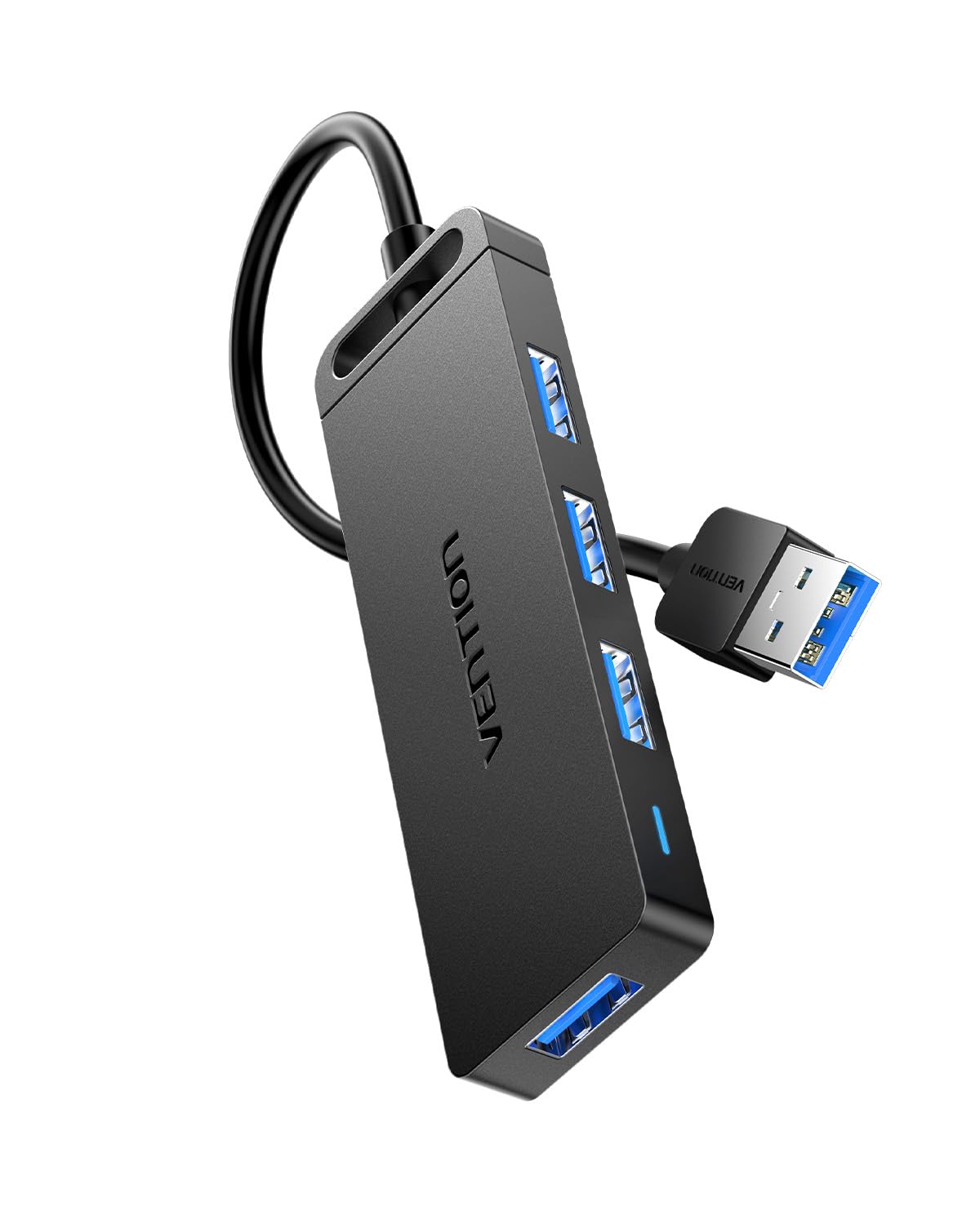
Figure 1: VENTION USB 3.0 Hub (Model CHL)
2. Istruzioni per l'installazione
Follow these steps to set up your VENTION USB 3.0 Hub:
- Connetti al dispositivo host: Plug the USB-A connector of the VENTION USB 3.0 Hub into an available USB 3.0 port on your laptop, PC, or other compatible host device. The hub is plug-and-play, so no additional drivers are required.
- Osservare la spia luminosa: Once connected, a blue indicator light on the hub will illuminate, signifying that the device is powered and operational.
- Alimentazione esterna opzionale: If you plan to connect power-hungry devices such as external hard drives, connect a micro USB power adapter (not included) to the micro USB port on the hub. Ensure the power adapter does not exceed 5V/2A to prevent damage.

Figure 2: Connecting the USB Hub to a laptop.
Video 1: Demonstrates connecting the VENTION USB 3.0 Hub to a laptop, showing the indicator light, internal chip, data transfer capabilities, and smart phone charging support.
3. Istruzioni per l'uso
Once the hub is connected, you can begin using its ports:
- Dispositivi di connessione: Insert your USB devices (e.g., flash drives, external hard drives, mouse, keyboard, printer) into any of the four available USB 3.0 ports on the hub.
- Trasferimento dati: The hub supports high-speed data transfer up to 5Gbps. This allows for quick transfer of large files, come 1 GB file in circa 3 secondi.
- Ricarica: The USB 3.0 ports can also support charging for smart phones and other compatible devices, especially when the hub is connected to an external power source.
- Compatibilità con le versioni precedenti: The hub is backward compatible with USB 2.0 and USB 1.0 devices, ensuring versatility with older peripherals, though data transfer speeds will be limited to the device's capabilities.
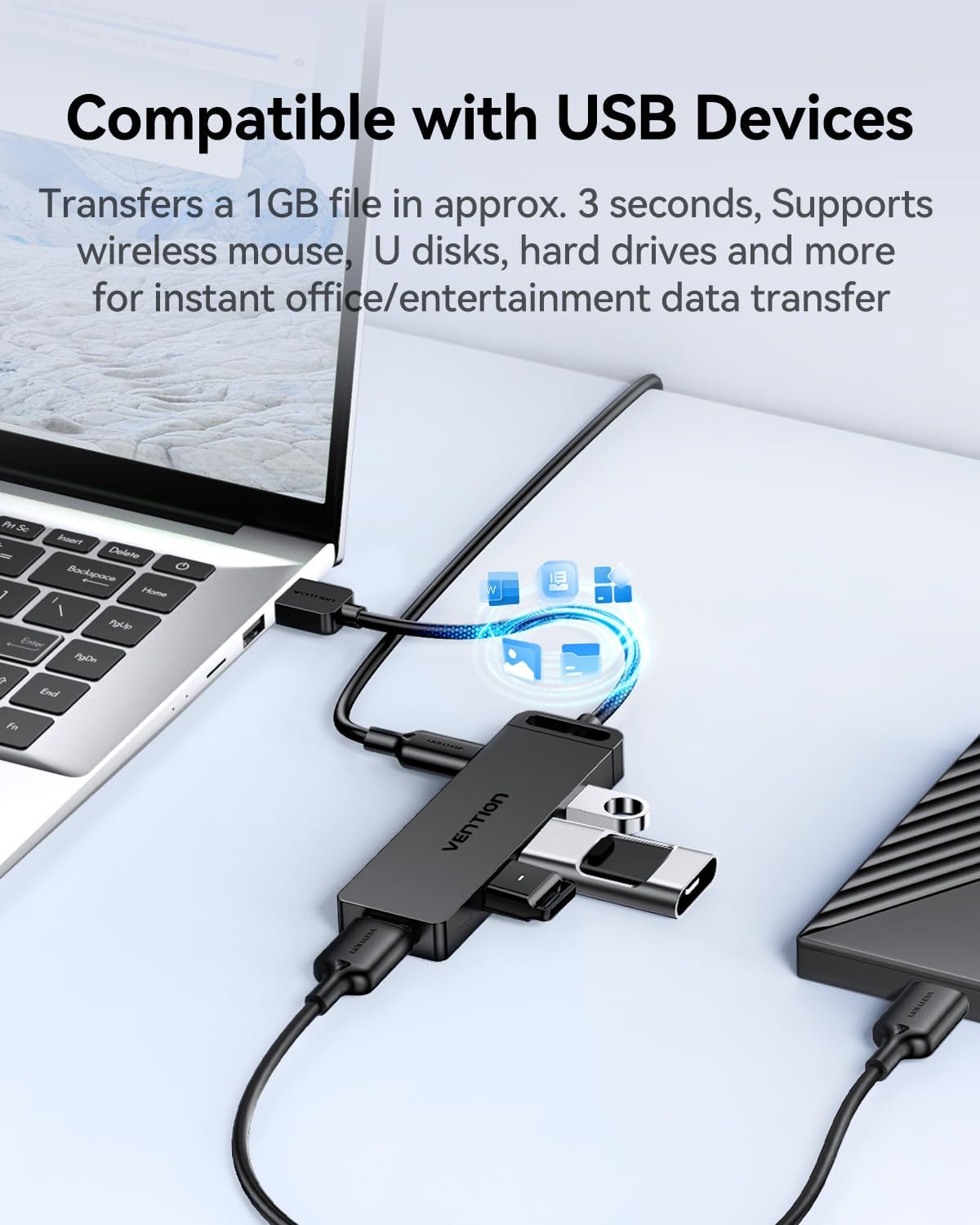
Figure 3: The VENTION USB 3.0 Hub connected to a laptop with multiple USB devices.

Figure 4: The 4-in-1 USB 3.0 Multiport Hub helps maintain a tidy workspace by consolidating connections.
Video 2: Shows the VENTION USB 3.0 Hub in use, connecting multiple devices to a tablet and demonstrating its utility.
4. Manutenzione
To ensure the longevity and optimal performance of your VENTION USB 3.0 Hub, follow these maintenance guidelines:
- Pulizia: Use a soft, dry cloth to wipe the exterior of the hub. Avoid liquid cleaners or abrasive materials that could damage the surface or internal components.
- Magazzinaggio: Quando non lo si utilizza, conservare l'hub in un luogo fresco e asciutto, lontano dalla luce solare diretta e da temperature estreme.
- Cura del cavo: Avoid bending or twisting the integrated USB cable excessively to prevent internal wire damage.
- Dissipazione del calore: The hub features a durable, scratch-resistant ABS shell designed to improve heat dissipation. Ensure it is not covered or placed in an enclosed space during operation to allow for proper airflow.

Figure 5: The durable ABS shell of the VENTION USB 3.0 Hub is designed for effective heat dissipation.
5. Risoluzione Dei Problemi
If you encounter issues with your VENTION USB 3.0 Hub, refer to the following common problems and solutions:
- Dispositivo non riconosciuto:
- Ensure the hub is securely plugged into your computer's USB port.
- Prova a collegare l'hub a una porta USB diversa sul tuo computer.
- Riavviare il computer e ricollegare l'hub.
- If connecting a power-hungry device (e.g., external HDD), ensure an external micro USB power adapter (5V/2A max) is connected to the hub.
- Velocità di trasferimento dati lenta:
- Verify that both the hub and your connected device support USB 3.0 for optimal speeds. If either is USB 2.0, speeds will be limited to USB 2.0 rates.
- Ensure the hub is connected to a USB 3.0 port on your computer (often identified by a blue interior).
- Avoid connecting too many power-hungry devices simultaneously without an external power supply.
- Connessione intermittente:
- Controllare che tutti i collegamenti dei cavi non siano allentati.
- Ensure the USB cable of the hub is not damaged.
- Test with different USB devices to isolate if the issue is with a specific peripheral.
If these steps do not resolve the issue, please contact VENTION customer service for further assistance.
6. Specifiche
| Caratteristica | Dettaglio |
|---|---|
| Marca | VENZIONE |
| Numero di modello | CHL |
| Dimensioni del prodotto | 3.9 x 1.2 x 0.4 pollici |
| Peso dell'articolo | 1.38 once |
| Interfaccia Hardware | USB 3.0 |
| Velocità di trasferimento dati | Fino a 5 Gbps |
| Caratteristiche speciali | Fast Data Transfer, Heat Resistant, Indicator Light, Lightweight, Portable |
| Dispositivi compatibili | Computers, Laptops, Keyboards, Mouse, USB sound cards, Flash Drives, HDDs, Printers |
| Alimentazione elettrica | USB Bus-powered; Micro USB for optional external power (5V/2A max) |
| Sistemi operativi | Windows 10/8/7/Vista/XP, Mac OS x 10.6-10.12+, Linux 2.6.14+ |
7. Garanzia e supporto
The VENTION USB 3.0 Hub (Model CHL) comes with a Garanzia di 1 anno dalla data di acquisto. La presente garanzia copre i difetti di fabbricazione e garantisce che il prodotto soddisfi gli standard prestazionali specificati in condizioni di utilizzo normali.
For any questions, technical support, or warranty claims, please contact VENTION customer service. You can typically find contact information on the product packaging or the official VENTION websito.


