1. Finitaview
The Linksys Velop WHW0301 is an intelligent Tri-Band AC2200 Mesh WiFi System designed to provide seamless, full-speed wireless coverage throughout your home. Utilizing advanced mesh networking technology, multiple Velop nodes work together to create a single, unified WiFi network, eliminating dead zones and ensuring a stable connection for all your devices. This system is ideal for households with multiple WiFi devices, supporting activities like 4K streaming and online gaming.
Caratteristiche principali:
- Alte prestazioni: Tri-band Wi-Fi and mesh technology ensure high-speed, stable connections.
- Rete mesh: Multiple nodes form a single, seamless Wi-Fi network, eliminating dead zones.
- Facile installazione e gestione: Intuitive setup and network management via the Linksys app.
- Rete sicura: WPA2 encryption protects your network, with options for a separate guest network.
- Copertura espandibile: Add more nodes as needed to extend Wi-Fi coverage for any home size.

Image: Two Linksys Velop nodes strategically placed in a home, illustrating the whole-home mesh WiFi coverage they provide, eliminating dead zones.
2. Impostazione
Setting up your Linksys Velop Mesh WiFi System is designed to be straightforward using the Linksys app. Before you begin, ensure you have an active internet connection with a modem and a mobile device (Android 4.4+ or iOS 9+) with Bluetooth enabled for the setup process.
Passaggi di configurazione iniziali:
- Scarica l'app Linksys: Cercare 'Linksys' in your mobile device's app store and download the official application.
- Unpack Your Velop Node: Remove one Velop node from its packaging.
- Connetti al modem: Connect one end of the provided Ethernet cable to the WAN/LAN port on the Velop node and the other end to your modem's Ethernet port.
- Accensione: Plug the power adapter into the Velop node and then into a power outlet. Wait for the LED indicator on top of the node to turn solid blue.
- Segui le istruzioni dell'app: Open the Linksys app on your mobile device. The app will guide you through the remaining steps, including creating your WiFi network name (SSID) and password.
- Aggiungi nodi aggiuntivi: If you have multiple Velop nodes, the app will prompt you to add them to your mesh network. Place additional nodes strategically to extend coverage.
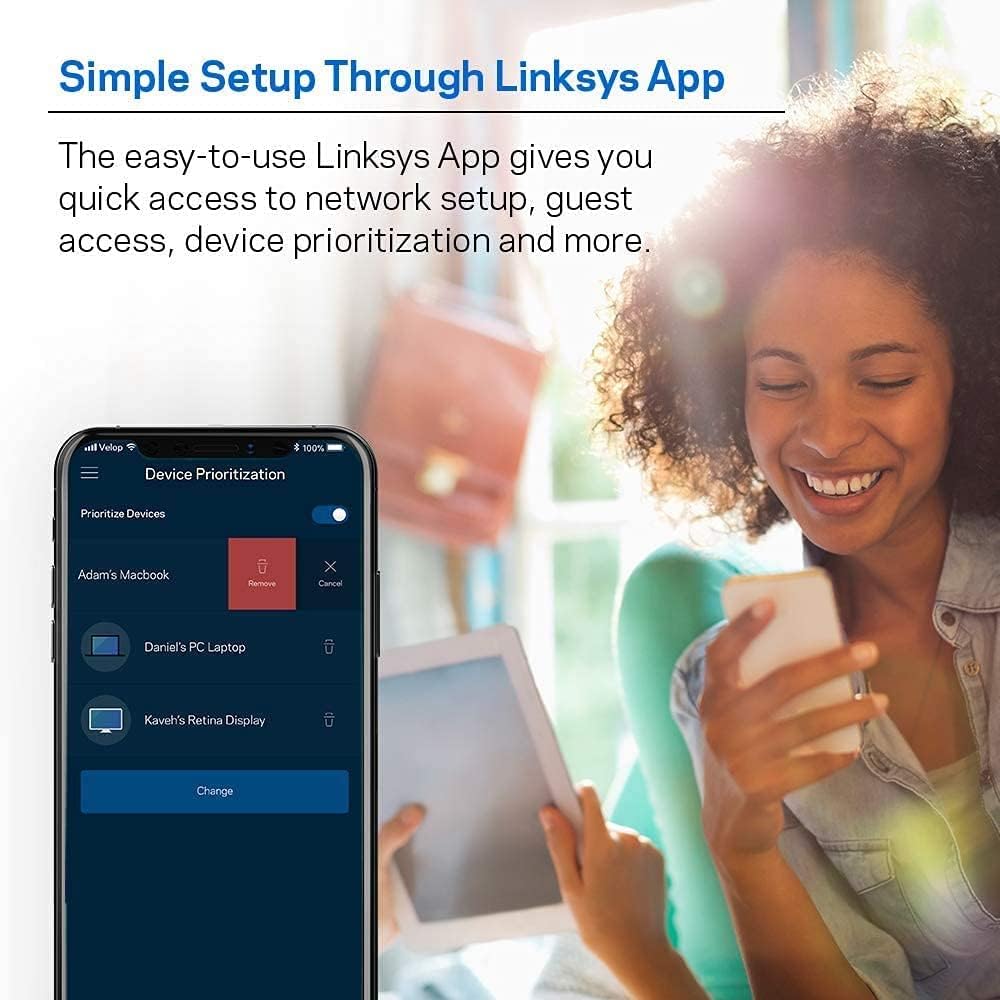
Image: A user interacting with the Linksys App on a smartphone, demonstrating the simple and intuitive setup and management interface for the Velop system.

Image: A Linksys Velop mesh WiFi node being set up to replace a traditional router, connecting to an existing modem for improved coverage.
3. Operativo
Once your Linksys Velop system is set up, it operates as a single, intelligent mesh network. Devices automatically connect to the strongest signal as you move around your home, ensuring uninterrupted connectivity. The Linksys app provides comprehensive control over your network.
Network Management via Linksys App:
- Priorità del dispositivo: Assign priority to specific devices for optimal performance during critical tasks like streaming or gaming.
- Accesso ospiti: Crea una rete WiFi separata e sicura per gli ospiti senza condividere la password della rete principale.
- Controllo genitori: Manage internet access for family members, block unwanted content, and set usage schedules. Note: Additional purchase may be required for advanced parental control features.
- Monitoraggio della rete: View dispositivi connessi, controllare lo stato della rete ed eseguire test di velocità.
- Aggiornamenti automatici del firmware: Il sistema aggiorna automaticamente il proprio firmware per garantire prestazioni e sicurezza ottimali.

Image: Two Linksys Velop nodes positioned in a home, ensuring full-strength WiFi for all connected devices, suitable for multiple users and activities like 4K streaming and gaming.

Image: A mobile device displaying the Linksys Shield interface, demonstrating advanced parental controls to manage and block internet content for family members.
4. Manutenzione
Una corretta manutenzione garantisce la longevità e le prestazioni ottimali del tuo sistema Linksys Velop.
Suggerimenti per la Manutenzione:
- Mantenere il firmware aggiornato: The Velop system typically updates automatically. Ensure your app settings allow for automatic updates to receive the latest features and security patches.
- Posizionamento ottimale: Ensure your Velop nodes are placed in open areas, away from large metal objects, thick walls, and other electronic devices that may cause interference.
- Pulisci regolarmente: Gently wipe the exterior of the nodes with a soft, dry cloth to prevent dust buildup in ventilation areas. Do not use liquid cleaners.
- Riavviare periodicamente: Occasionally restarting your modem and Velop nodes can help refresh network connections and resolve minor performance issues.
5. Risoluzione Dei Problemi
If you encounter issues with your Linksys Velop system, try the following troubleshooting steps:
Problemi comuni e soluzioni:
- Nessuna connessione internet:
- Controlla se il tuo modem funziona correttamente.
- Ensure all cables are securely connected to the Velop node and modem.
- Restart your modem and then your primary Velop node.
- Segnale debole o zone morte:
- Relocate Velop nodes to optimize coverage. Use the Linksys app's signal strength indicator for guidance.
- Ensure there are no major obstructions between nodes.
- Consider adding an additional Velop node for larger homes or areas with persistent weak signals.
- Dispositivi non connessi:
- Verificare la password WiFi.
- Riavviare il dispositivo problematico.
- Check the Linksys app to ensure the device is not paused or blocked.
- Velocità basse:
- Run a speed test via the Linksys app to identify potential bottlenecks.
- Assicurati che il tuo fornitore di servizi Internet (ISP) offra le velocità previste.
- Prioritize critical devices using the Linksys app.
- Ripristino di fabbrica: If all other troubleshooting fails, you may perform a factory reset. Locate the 'Reset' button on the bottom of the Velop node (often a small pinhole button) and press and hold it for about 10 seconds until the LED flashes red. This will erase all settings, and you will need to set up the system again via the app.
6. Specifiche
| Numero di modello | WHW0301 |
| Tecnologia Wi-Fi | Tri-Band AC2200 (867 + 867 + 400 Mbps) with MU-MIMO and 256 QAM |
| Bande Wi-Fi | Simultaneous Tri-Band (2.4Ghz + 5GHz + 5GHz) |
| Standard di rete | 802.11b, 802.11a, 802.11g, 802.11n, 802.11ac |
| Porte Ethernet | 2x WAN/LAN auto-sensing Gigabit Ethernet ports per node |
| Antenne | 6x internal antennas and high-powered amplificatori |
| Processore | 716 MHz Quad Core |
| Memoria | 4 GB Flash and 512 MB RAM |
| Crittografia wireless | WPA2 Personal |
| Dimensioni (LxWxH) | 3.1" x 3.1" x 7.3" per Node |
| Peso | 2.09 pounds per Node |
| Tecnologia di connettività | Etereo |
| Dispositivi compatibili | WiFi Devices |
| Uso consigliato | Al chiuso |
7. Garanzia e supporto
This Linksys Velop system is listed as a 'Renewed' product. Renewed products typically come with a limited warranty provided by the seller or refurbisher, which may differ from a new product's warranty. Please refer to the specific warranty information provided at the time of purchase or contact the seller for details regarding your renewed product's coverage.
For technical support, product registration, and additional resources, please visit the official Linksys support website or utilize the Linksys app. The app often provides direct access to support articles and diagnostic tools.


