1. Introduzione
This manual provides detailed instructions for the installation, operation, and maintenance of your Tapo TC60 Indoor Security Wi-Fi Camera. Please read this guide thoroughly before using the device to ensure proper functionality and safety. The Tapo TC60 is designed for indoor monitoring, offering features such as 1080p Full HD video, advanced night vision, two-way audio, and smart detection capabilities.
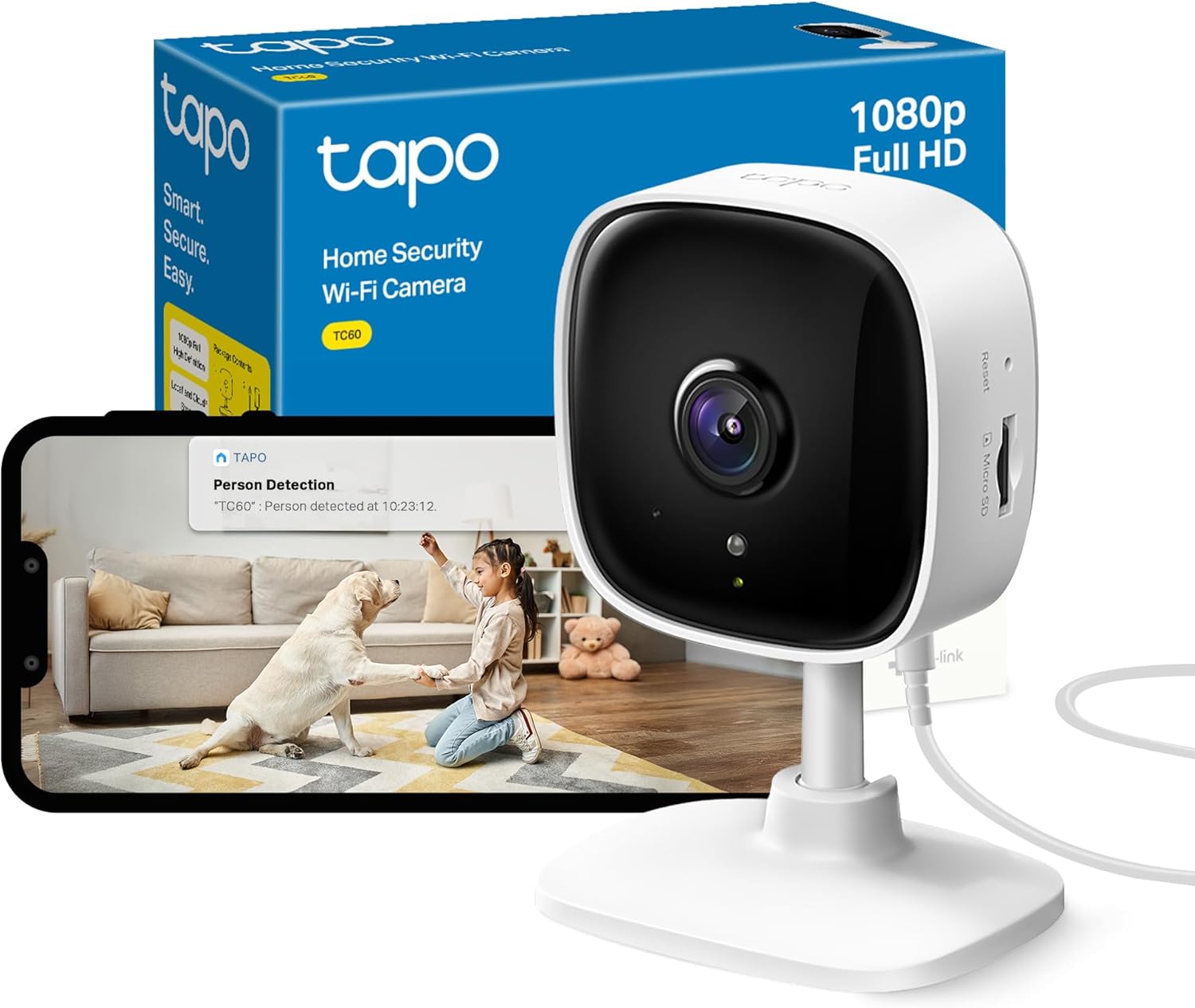
Image 1.1: Tapo TC60 camera, packaging, and app view.
2. Cosa c'è nella scatola
Verifica che tutti i componenti siano presenti nel tuo pacchetto:
- Tapo TC60 Camera
- Adattatore di alimentazione
- Guida rapida
- Base della telecamera
- Viti di montaggio
- Modello di montaggio
3. Prodotto finitoview
The Tapo TC60 camera features a compact design with essential components for effective indoor surveillance.

Immagine 3.1: Fronte e lato view of the Tapo TC60 camera.
Componenti chiave:
- Obiettivo della fotocamera: Captures 1080p Full HD video.
- LED di stato: Indicates the camera's current operational status.
- Slot per scheda microSD: Supports local storage up to 512GB (Micro SD card not included).
- Pulsante di reset: Utilizzato per ripristinare le impostazioni di fabbrica della fotocamera.
- Porta di alimentazione: Si collega all'adattatore di alimentazione incluso.
- Microfono e altoparlante: Consente la comunicazione audio bidirezionale.
4. Guida all'installazione
Follow these steps to set up your Tapo TC60 camera:
- Scarica l'app Tapo: Cercare "Tapo" in the App Store or Google Play Store and download the application.
- Creare un account: Open the Tapo app and follow the on-screen instructions to create a Tapo ID.
- Accendere la fotocamera: Plug the camera into a power outlet using the provided power adapter. Wait for the LED to blink red and green.
- Aggiungi la tua fotocamera: In the Tapo app, tap the "+" icon in the top right corner, select your camera model (TC60), and follow the app's instructions to connect it to your Wi-Fi network.
- Montaggio della telecamera (facoltativo): Use the camera base, mounting screws, and template to securely mount the camera on a wall or ceiling if desired. Ensure the camera is positioned to cover the desired monitoring area.
5. Istruzioni per l'uso
5.1 Vivere View e Registrazione
Once connected, you can access the live feed from your camera through the Tapo app. The camera records in 1080p Full HD resolution.

Image 5.1: 1080p enhanced viewsu uno smartphone.
5.2 Audio bidirezionale
The built-in microphone and speaker allow for two-way communication. Tap the microphone icon in the live view to speak through the camera, and listen to audio from the camera's environment.
Immagine 5.2: Funzionalità audio bidirezionale.
5.3 Visione notturna avanzata
The camera is equipped with 850nm infrared night vision, providing clear video up to 30 feet (9 meters) in low-light conditions.
5.4 Motion and Person Detection
The Tapo TC60 can detect motion and identify persons. You will receive instant notifications on your mobile device when activity is detected. Customizable activity zones can be set within the app to focus detection on specific areas.

Image 5.3: Motion detection with customizable activity zones.
5.5 Baby Crying Detection
The camera includes a baby crying detection feature, which can alert you when a baby's cry is detected, making it suitable for use as a baby monitor.

Image 5.4: Baby crying detection with advanced night vision.
6. Opzioni di archiviazione
The Tapo TC60 offers flexible storage solutions for your recorded footage.
- Archiviazione locale: The camera supports a Micro SD card up to 512GB for continuous recording or event-triggered recordings. The Micro SD card is not included and must be purchased separately.
- Archiviazione cloud (Tapo Care): An optional cloud storage service, Tapo Care, is available for additional features and secure off-site storage. A 30-day free trial may be offered.

Image 6.1: Local and cloud storage choices.
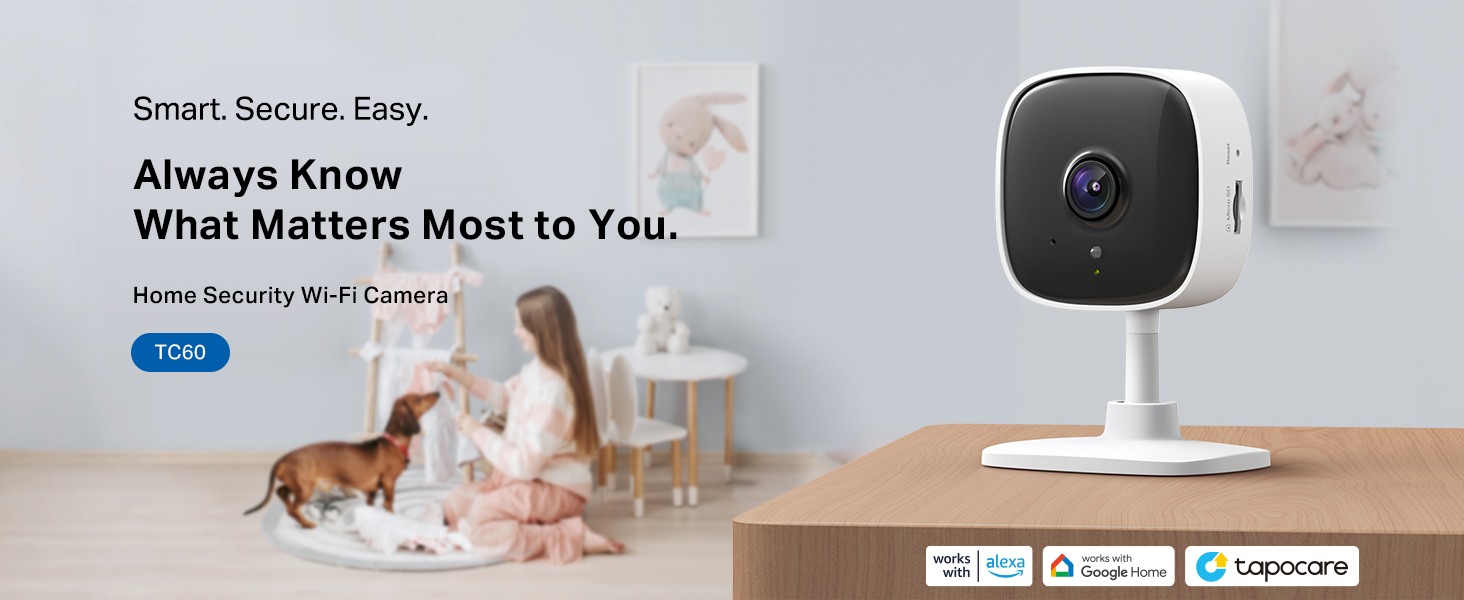
Image 6.2: No monthly subscription required for local storage.
7. Integrazione della casa intelligente
The Tapo TC60 camera is compatible with popular smart home platforms:
- Amazon Alexa: Integrate with Amazon Alexa-enabled devices to view the live feed on compatible screens (e.g., Echo Show) using voice commands.
- Assistente Google: Compatible with Google Assistant for voice control and viewing on Google Home devices.
- RTSP Protocol: Supports RTSP protocol for integration with other storage systems or network video recorders (NVRs).
8. Funzionalità sulla privacy
The Tapo TC60 includes features to protect your privacy:
- Zona riservata: Set customizable block zones within the camera's field of view to prevent certain areas from being recorded or monitored.

Image 8.1: Privacy zone feature in the Tapo app.
9. Manutenzione
To ensure optimal performance and longevity of your Tapo TC60 camera:
- Pulizia: Pulisci delicatamente l'obiettivo e il corpo della fotocamera con un panno morbido e asciutto. Evita di utilizzare prodotti chimici aggressivi o materiali abrasivi.
- Aggiornamenti del firmware: Regularly check for and install firmware updates through the Tapo app to ensure your camera has the latest features and security enhancements.
- Posizionamento: Assicurarsi che la telecamera sia posizionata in un luogo stabile, lontano dalla luce solare diretta, da fonti di calore e da umidità eccessiva.
10. Risoluzione Dei Problemi
10.1 Problemi di connettività
- La fotocamera non si connette al Wi-Fi: Ensure your Wi-Fi network is 2.4 GHz, as the TC60 supports 2.4 GHz Wi-Fi only. Check your Wi-Fi password and signal strength. Try moving the camera closer to your router.
- Live Stream Stops Automatically: Quando viewing the live feed through Google Assistant (e.g., Chromecast/Google Hub), the stream may stop after 10 minutes due to network traffic considerations. You can ask Google to show the camera again to resume.
- Non può View Live Streams on Google Home App: Vivere view is not fully supported in the Google Home app for all cameras. This is a limitation on Google's side.
10.2 Problemi di registrazione
- La scheda Micro SD non registra: Ensure the Micro SD card is correctly inserted and formatted within the Tapo app. Check if the card is full or corrupted. The camera supports up to 512GB.
10.3 Reimpostazione della fotocamera
If you encounter persistent issues, you can reset the camera to its factory default settings. Locate the reset button on the camera and press and hold it for approximately 5 seconds until the LED blinks red.
11. Specifiche
| Caratteristica | Specificazione |
|---|---|
| Modello | TC60 |
| Uso interno/esterno | Al chiuso |
| Risoluzione di acquisizione video | Full HD 1080p (1920 x 1080 pixel) |
| Protocollo di connettività | Wi-Fi (2.4 GHz) |
| Gamma di visione notturna | Fino a 30 piedi (9 metri) |
| Opzioni di archiviazione | Micro SD card (up to 512GB), Tapo Care Cloud Storage |
| Audio bidirezionale | SÌ |
| Compatibilità con la casa intelligente | Amazon Alexa, Assistente Google |
| Fonte di alimentazione | Elettrico con cavo (5 watt) |
| Dimensioni (L x P x A) | Dimensioni: 6.8 x 5.5 x 9.9 cm |
| Peso | 70 grammi |
12. Garanzia e supporto
Per informazioni sulla garanzia e supporto tecnico, fare riferimento al sito ufficiale Tapo websito o contattare il servizio clienti Tapo. Conservare la ricevuta d'acquisto per eventuali reclami in garanzia.
Risorse online:
- Visitare il Tapo Official Websito for product updates, FAQs, and support.
- Accedi al Tapo Store on Amazon per ulteriori informazioni sul prodotto.


